Search packages, repositories and app categories

glassmorphism cover
Package detailsv4.0.0

glassmorphism

A Flutter package for implimentation of Glassmorphic UI easily.

AndroidiOSWebmacOSWindowsLinux
30-day downloads
15.2K
Likes
536
Pub points
160

Install package

flutter pub add glassmorphism

Package Overview

Package selection guidance compiled from public package information, community data, and project usage.

A Flutter package that simplifies the creation of glassmorphic UI elements, offering a clean and modern aesthetic with blurred backgrounds and translucent effects. It enables developers to easily implement visually appealing components like cards, modals, and overlays with minimal code. The package supports multiple platforms including Android, iOS, Web, macOS, Windows, and Linux, ensuring consistent design across devices. Ideal for apps aiming for a futuristic, sleek look with subtle depth and transparency.

Use cases

  • Creating translucent UI cards
  • Designing modern app modals
  • Building floating UI elements
  • Enhancing dashboard interfaces
  • Implementing backdrop blur effects
  • Adding depth to login screens

Key features

  • Easy-to-use GlassmorphicContainer widget
  • Support for backdrop blur and transparency
  • Cross-platform compatibility
  • Customizable blur intensity and border radius
  • Lightweight and dependency-free
  • Responsive design integration

Suitable for

  • Modern app designers
  • Frontend developers seeking visual polish
  • Projects with a minimalist or futuristic theme
  • UI/UX-focused Flutter applications
  • Developers wanting quick glassmorphic styling

Considerations

  • Performance impact on low-end devices
  • Limited customization beyond blur and opacity
  • May require additional styling for complex layouts
  • Not ideal for high-contrast accessibility needs
  • Best suited for light-themed designs

Original README

Original README snapshot from the linked source repository. Visit the repository for the latest content.

Glassmorphic Container ⭐️

A Flutter package for creating Glassmorphic UI designs in an easy and simple manner! Supports iOS, Android, web, Windows, macOS, and Linux.

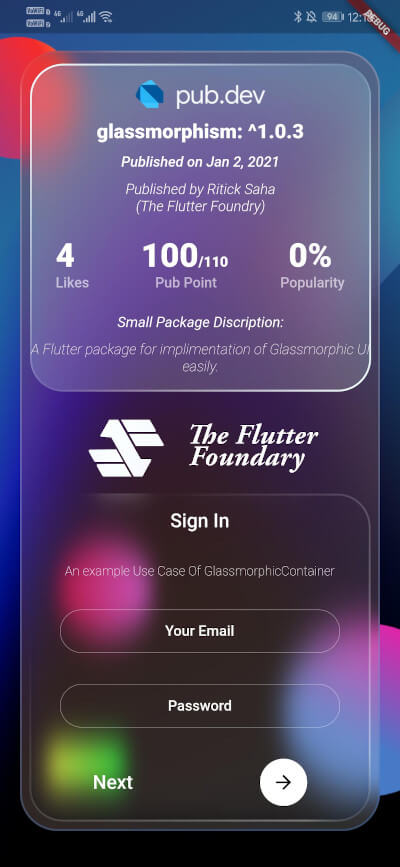
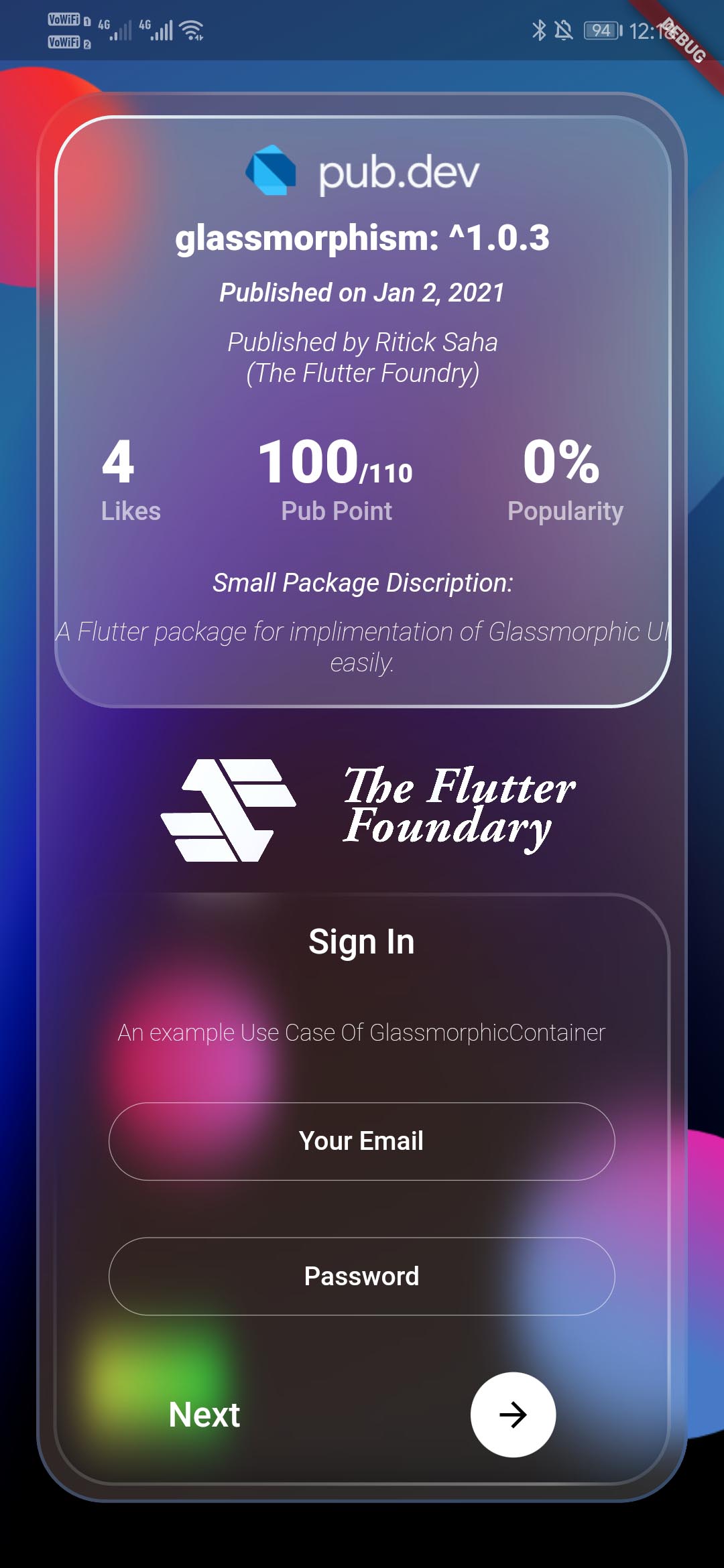
Glassmorphic Example App. With realtime pub.dev stats📱

A package that simplefies your urge to create a interactive Glassmorphic Container.

Inspired by Glassmorphism CSS Generator. Highly customizable and helps developing beautiful Glassmorphic UI.

Usage 💻

likes
> pub points
> popularity

To use this plugin, add glassmorphism as a dependency in your pubspec.yaml file. Use the below example to get started with the sample example.

You can follow this tutorial and work around with the package.

Glassmorphism UI Package For @Flutter || UI || A Glassy and easy to use Package #flutter

Everything Is AWESOME

Features 🔮

  • Fully customizable components
  • Easy To use
  • Null Safe version
  • Multiple Childs widgets supported
  • Gesture Listener GestureDetector
  • Circular Border / Traditional Borders
  • Gradient Borders
  • Gradient Fill on container [Full Control to User]
To use GlassmorphicContainer with fixed Height and width:
GlassmorphicContainer(
  width: 350,
  height: 350,
  borderRadius: 20,
  blur: 20,
  alignment: Alignment.bottomCenter,
  border: 2,
  linearGradient: LinearGradient(
      begin: Alignment.topLeft,
      end: Alignment.bottomRight,
      colors: [
        Color(0xFFffffff).withOpacity(0.1),
        Color(0xFFFFFFFF).withOpacity(0.05),
      ],
      stops: [
        0.1,
        1,
      ]),
  borderGradient: LinearGradient(
    begin: Alignment.topLeft,
    end: Alignment.bottomRight,
    colors: [
      Color(0xFFffffff).withOpacity(0.5),
      Color((0xFFFFFFFF)).withOpacity(0.5),
    ],
  ),
  child: null,
),
Use GlassmorphicFlexContainer with responsiveness or take child widgets size. :
GlassmorphicFlexContainer(
  borderRadius: 20,
  blur: 20,
  padding: EdgeInsets.all(40),
  alignment: Alignment.bottomCenter,
  border: 2,
  linearGradient: LinearGradient(
      begin: Alignment.topLeft,
      end: Alignment.bottomRight,
      colors: [
        Color(0xFFffffff).withOpacity(0.1),
        Color(0xFFFFFFFF).withOpacity(0.05),
      ],
      stops: [
        0.1,
        1,
      ]),
  borderGradient: LinearGradient(
    begin: Alignment.topLeft,
    end: Alignment.bottomRight,
    colors: [
      Color(0xFFffffff).withOpacity(0.5),
      Color((0xFFFFFFFF)).withOpacity(0.5),
    ],
  ),
  child: null,
),

example, Simple Glassmorphic Container with Blur.

Example
import 'package:flutter/material.dart';
import 'package:glassmorphism/glassmorphism.dart';
import 'dart:ui';

void main() => runApp(MyApp());

class MyApp extends StatelessWidget {
  @override
  Widget build(BuildContext context) {
    return MaterialApp(
      title: 'GlassmorphicContainer Example',
      home: GlassmorphicSample(),
    );
  }
}

class GlassmorphicSample extends StatefulWidget {
  @override
  State<GlassmorphicSample> createState() => GlassmorphicSampleState();
}

class GlassmorphicSampleState extends State<GlassmorphicSample> {
  @override
  Widget build(BuildContext context) {
    return new Scaffold(
      body: Container(
        height: double.infinity,
        width: double.infinity,
        child: Stack(
          children: [
            Image.network(
              "https://github.com/RitickSaha/glassmophism/blob/master/example/assets/bg.png?raw=true",
              fit: BoxFit.cover,
              height: double.infinity,
              width: double.infinity,
              scale: 1,
            ),
            SafeArea(
              child: Center(
                child: GlassmorphicContainer(
                    width: 350,
                    height: 750,
                    borderRadius: 20,
                    blur: 20,
                    alignment: Alignment.bottomCenter,
                    border: 2,
                    linearGradient: LinearGradient(
                        begin: Alignment.topLeft,
                        end: Alignment.bottomRight,
                        colors: [
                          Color(0xFFffffff).withOpacity(0.1),
                          Color(0xFFFFFFFF).withOpacity(0.05),
                        ],
                        stops: [
                          0.1,
                          1,
                        ]),
                    borderGradient: LinearGradient(
                      begin: Alignment.topLeft,
                      end: Alignment.bottomRight,
                      colors: [
                        Color(0xFFffffff).withOpacity(0.5),
                        Color((0xFFFFFFFF)).withOpacity(0.5),
                      ],
                    ),
                    child: null),
              ),
            ),
          ],
        ),
      ),
    );
  }
}

Parameters ⚙️

  • height (double) [required] - Height for the Widget [required].
  • width (double) [required]- Width for the Widget [@required].
  • borderRadius (double) [required]- Border Radius for the widget 0 - any [@required].
  • linearGradient (LinearGradient) [required]- Fills the container with the gradient passed.
  • border (double) [required]- Gives Width to the ContainerBorder.
  • blur (double) [required]- Gives BlurFilter to the Container.
  • borderGradient (LinearGradient) [required]- Fills the container's border with the gradient passed.
  • child (widget) - [optional parameter] If there is a child widget then the widget will be rendered inside the container.
  • alignment (optional) - Handles the alignment [Default_value] - [Alignemt.topleft].
  • padding (EdgeInset) - Used to provide pading to the child widget [Default_value] - [None].
  • BoxShape (Fixed) - This value is fixed to [BoxFit.rectangle].
  • constraints (ChatUser) - The constructor width and height arguments are combined with the constraints argument to set this property.
  • margin (double) - Empty space to surround the [decoration] and [child].
  GlassmorphicContainer(
    width: width,
    height: height,
    borderRadius:borderRadius,
    blur: blur,
    alignment: alignment,
    border:border,
    linearGradient: linearGradient,
    borderGradient:borderGradient,
    child: null),
  );

My Socials 👩‍👦‍👦

Credits 👨🏻‍💻


The Flutter Foundry 💙 - Instagram Link

Found this project useful? ❤️

If you found this project useful, then please consider giving it a ⭐️ on Github and sharing it with your friends via social media.

License ⚖️

API details 📝

See the glassmorphic.dart for more API details

Issues and feedback 💭

If you have any suggestion for including a feature or if something doesn't work. Feel free to open a Github issue for us to have a discussion on it.

Categories

Source repository

Projects using this package