Search packages, repositories and app categories

animated_size_and_fade cover
Package detailsv5.1.3

animated_size_and_fade

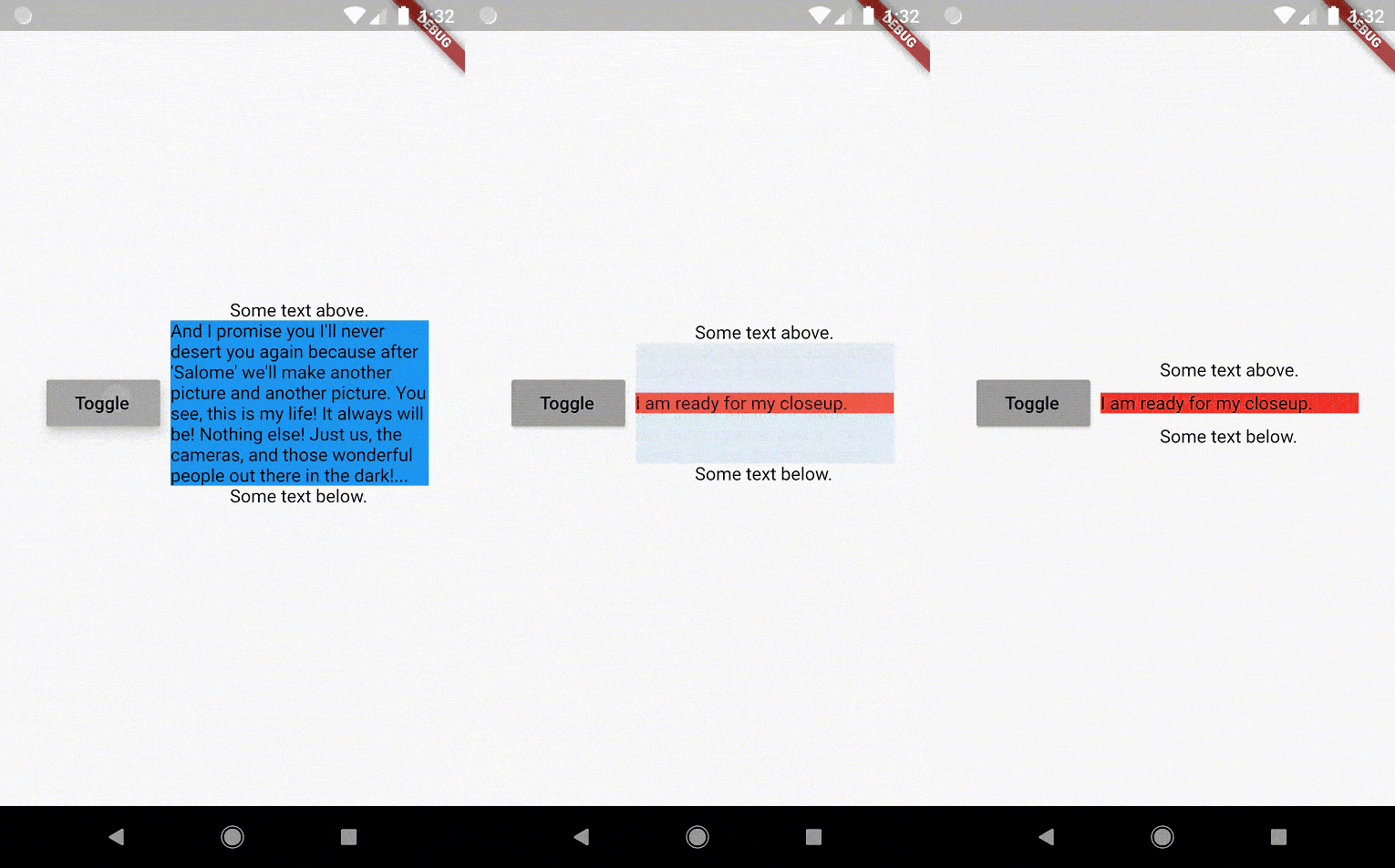
Does a fade and size transition between widgets of different heights. Also used to show/hide a widget.

AndroidiOSWebmacOSWindowsLinux
30-day downloads
17.2K
Likes
245
Pub points
160

Install package

flutter pub add animated_size_and_fade

Package Overview

Package selection guidance compiled from public package information, community data, and project usage.

A Flutter package that smoothly animates transitions between widgets with different heights using both fade and size changes. It's ideal for dynamically showing or hiding content, such as expanding/collapsing sections or revealing/hiding UI elements. The animation ensures visual continuity by interpolating both opacity and dimensions. It supports all major platforms including mobile, web, and desktop. The package is lightweight and integrates easily into existing Flutter apps.

Use cases

  • Showing/hiding collapsible content
  • Animating dynamic list items
  • Creating smooth UI transitions
  • Revealing hidden panels
  • Handling variable-height widget swaps
  • Improving user experience in responsive layouts

Key features

  • Smooth fade and size transition
  • Supports variable-height widgets
  • Simple API for show/hide logic
  • Cross-platform compatibility
  • Lightweight and performant
  • Built-in animation control

Suitable for

  • Developers needing fluid UI transitions
  • Apps with dynamic content visibility
  • Interactive forms or accordions
  • Responsive designs requiring animation
  • Teams prioritizing clean, maintainable code

Considerations

  • May not suit very complex animations
  • Performance depends on widget complexity
  • Not ideal for high-frequency updates
  • Requires careful handling of layout constraints
  • Limited customization beyond basic fade/size
  • Best used with predictable height changes

Original README

Original README snapshot from the linked source repository. Visit the repository for the latest content.

Pub popularity Pub Version GitHub stars Code Climate issues GitHub closed issues GitHub repo size GitHub forks PRs Welcome Developed by Marcelo Glasberg Glasberg.dev on pub.dev Platforms

Sponsor

animated_size_and_fade

The AnimatedSizeAndFade widget allows you to:

  1. Do a fade and size transition between two widgets.
  2. Show and hide a widget, by resizing it vertically while fading.
Size and Fade

To do a fade and size transition when you change the child widget, the "old" and the "new" child must have the same width, but can have different heights, and you don't need to know their sizes in advance.

You can also define a duration and curve for both the fade and the size, separately.

Important: If the "new" child is the same widget type as the "old" child, but with different parameters, then AnimatedSizeAndFade will NOT do a transition between them, since as far as the framework is concerned, they are the same widget, and the existing widget can be updated with the new parameters. To force the transition to occur, set a Key (typically a ValueKey taking any widget data that would change the visual appearance of the widget) on each child widget that you wish to be considered unique.

Example:

bool toggle=true;
Widget widget1 = ...;
Widget widget2 = ...;

AnimatedSizeAndFade(
   child: toggle ? widget1 : widget2
);
Show and Hide

The AnimatedSizeAndFade.showHide constructor may be used to show/hide a widget, by resizing it vertically while fading.

Example:

bool toggle=true;
Widget widget = ...;    

AnimatedSizeAndFade.showHide(
   show: toggle,
   child: widget,
);

How does it compare to other similar widgets?

  • With AnimatedCrossFade you must provide both the firstChild and secondChild at the same time, but with AnimatedSizeAndFade you may simply change its child.

  • With AnimatedSwitcher you may simply change its child, but then it only animates the fade, not the size.

  • AnimatedContainer only works if you know the size of the children in advance.


Note: See the StackOverflow question that prompted this widget development.


By Marcelo Glasberg

glasberg.dev
github.com/marcglasberg
linkedin.com/in/marcglasberg/
twitter.com/glasbergmarcelo
stackoverflow.com/users/3411681/marcg
medium.com/@marcglasberg

My article in the official Flutter documentation:

The Flutter packages I've authored:

My Medium Articles:

Categories

Source repository

Projects using this package
