Search packages, repositories and app categories

arrow_path cover
Package detailsv3.1.0

arrow_path

Draw arrows with Path objects easily. Paths can be composited to add arrows to any curve and draw all at once.

AndroidiOSWebmacOSWindowsLinux
30-day downloads
3.4K
Likes
50
Pub points
160

Install package

flutter pub add arrow_path

Package Overview

Package selection guidance compiled from public package information, community data, and project usage.

ArrowPath is a Flutter package that simplifies drawing arrows using Path objects. It enables developers to easily add arrowheads to any curve or path, supporting compositing multiple arrows for complex designs. The package is ideal for visualizing directional flows, diagrams, or interactive UI elements. With support across all major platforms—Android, iOS, Web, macOS, Windows, and Linux—it ensures consistent rendering. Built with performance and flexibility in mind, ArrowPath integrates seamlessly into existing painting workflows.

Use cases

  • Creating directional flow diagrams
  • Visualizing data paths in UIs
  • Designing interactive arrow-based interfaces
  • Enhancing charts with directional indicators
  • Building custom drawing tools

Key features

  • Easy arrowhead addition to any Path
  • Support for composite arrow paths
  • Cross-platform compatibility
  • High-performance rendering
  • Simple integration with Canvas
  • Flexible customization options

Suitable for

  • UI designers working with dynamic paths
  • Developers building diagramming tools
  • Educational apps with visual guidance
  • Data visualization applications
  • Interactive drawing features

Considerations

  • Requires familiarity with Flutter's Path and Canvas
  • May need additional logic for dynamic arrow positioning
  • Not optimized for very high-frequency updates
  • Limited to static arrow styling without animation support

Original README

Original README snapshot from the linked source repository. Visit the repository for the latest content.

pub package pub points

Flutter arrow_path package

Draw arrows with Path objects easily. Paths can be composited to add arrows to any curve and draw all at once.

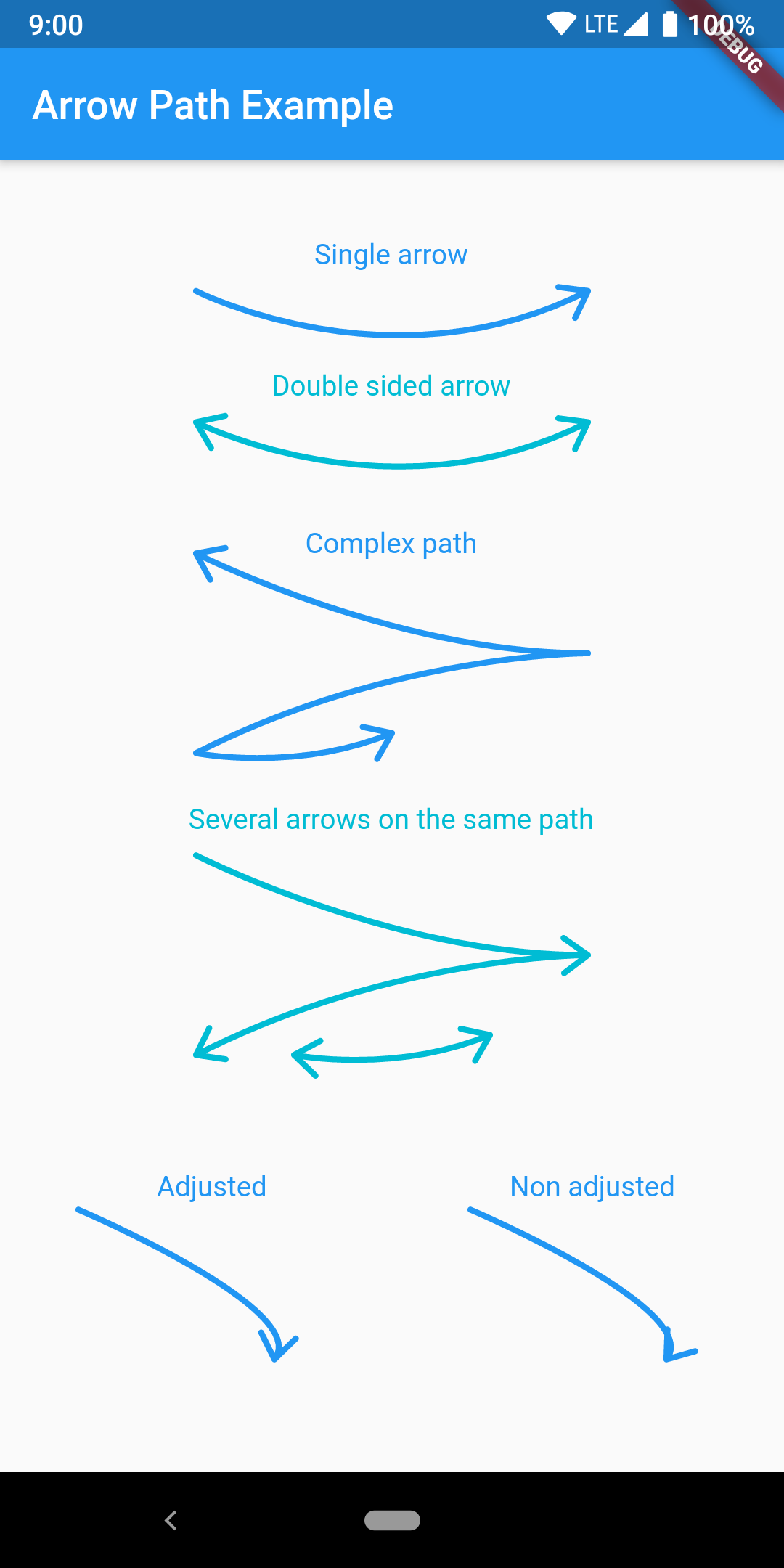
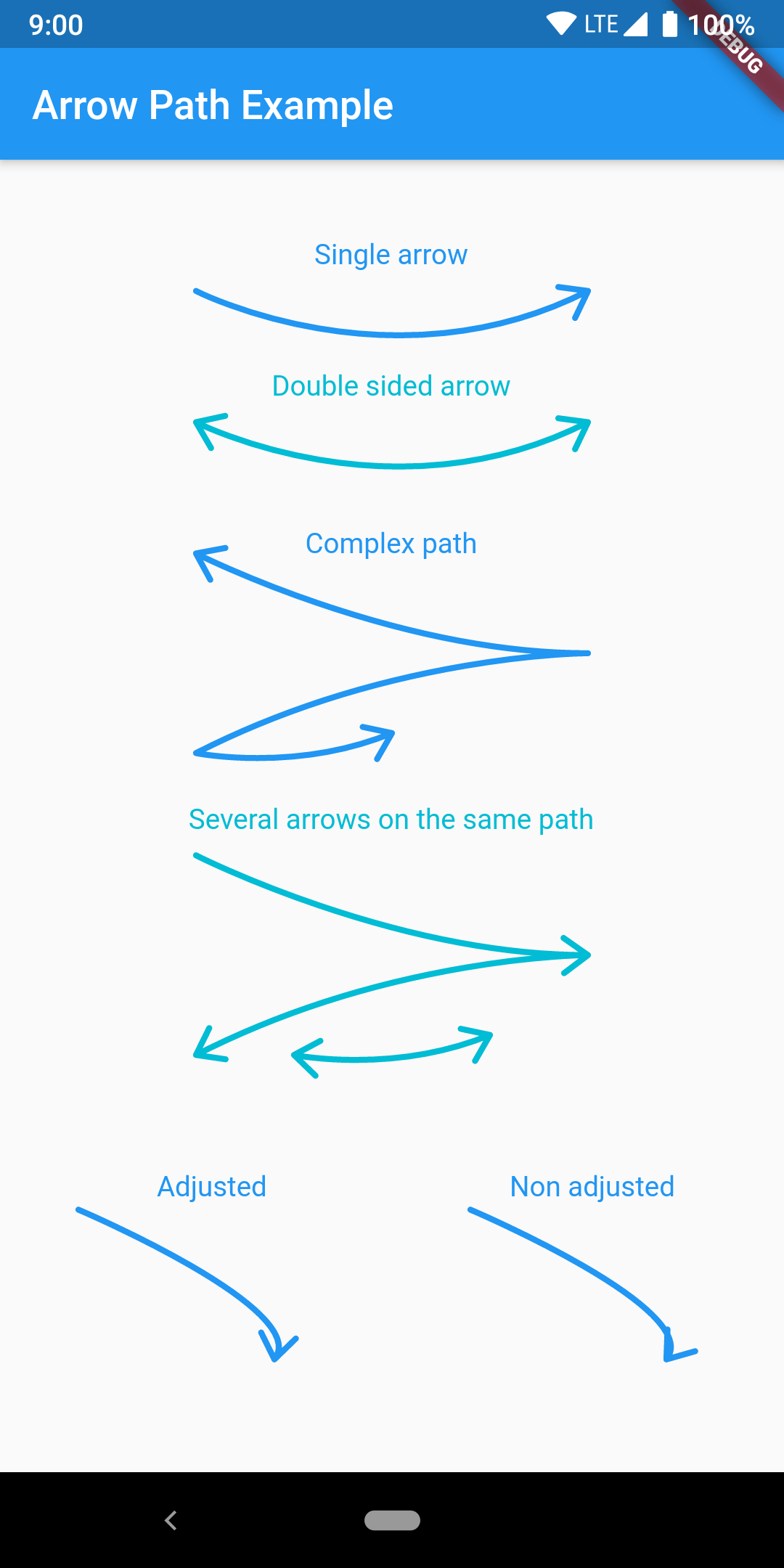
The arrow is drawn using the direction of the tangent to the curve at the end of the curve. It features an adjustment parameter to also look at the tangent just before the end of the segment and rotate the tip of the arrow based on the angle difference to improve the look of the arrow when the curvature at the end is high.

Getting Started

Have a look at the example app to get started.

Migration from [3.0.0] to [3.1.0]

ArrowPath.make() is now deprecated, use ArrowPath.addTip() instead.

If you are not using the isDoubleSided argument of ArrowPath.make() then you can safely replace it by ArrowPath.addTip() without any other change.

If you are using the isDoubleSided argument of ArrowPath.make() then change yor code like this:

Before:

  Path path = Path();
  path.relativeLineTo(100, 100);
  path = ArrowPath.make(path, isDoubleSided: true);

After:

  Path path = Path();
  path.relativeLineTo(100, 100);
  path = ArrowPath.addTip(path);
  path = ArrowPath.addTip(path, isBackward: true);

Categories

Source repository

Projects using this package