Search packages, repositories and app categories

Package detailsv0.1.4

keyboard_shortcuts

Widget that allow you to use shortcuts for your application. Custom shortcuts that you define by yourself and global like auto scroll to bottom and top.

30-day downloads
52
Likes
47
Pub points
40

Install package

flutter pub add keyboard_shortcuts

Package Overview

Package selection guidance compiled from public package information, community data, and project usage.

A Flutter package that enables developers to implement custom and global keyboard shortcuts within their applications. It allows users to trigger actions using key combinations, such as auto-scrolling to the top or bottom of a screen. The package is designed for ease of integration, offering a simple widget to define and manage shortcuts. It supports both local and global shortcut handling, making it ideal for productivity-focused apps. Developers can extend functionality by defining their own shortcut logic. The package is open-source and maintained on GitHub.

Use cases

  • Implementing navigation shortcuts
  • Enabling quick scroll actions
  • Adding custom user-defined hotkeys
  • Improving accessibility with keyboard navigation
  • Creating efficient developer tools

Key features

  • Supports custom shortcut definitions
  • Handles global and local shortcuts
  • Easy integration with existing widgets
  • Open-source and actively maintained
  • Provides clear API for shortcut management

Suitable for

  • Productivity apps
  • Developer tools
  • Accessibility enhancements
  • Content-heavy interfaces
  • Apps requiring fast navigation

Considerations

  • May conflict with system-level shortcuts
  • Requires careful handling of focus and context
  • Not suitable for all UI patterns
  • Limited platform-specific customization
  • Needs testing across different input methods
Original README

Original README snapshot from the linked source repository. Visit the repository for the latest content.

Flutter Keyboard Shortcuts

Keyboard shortcuts to add where you want

Example

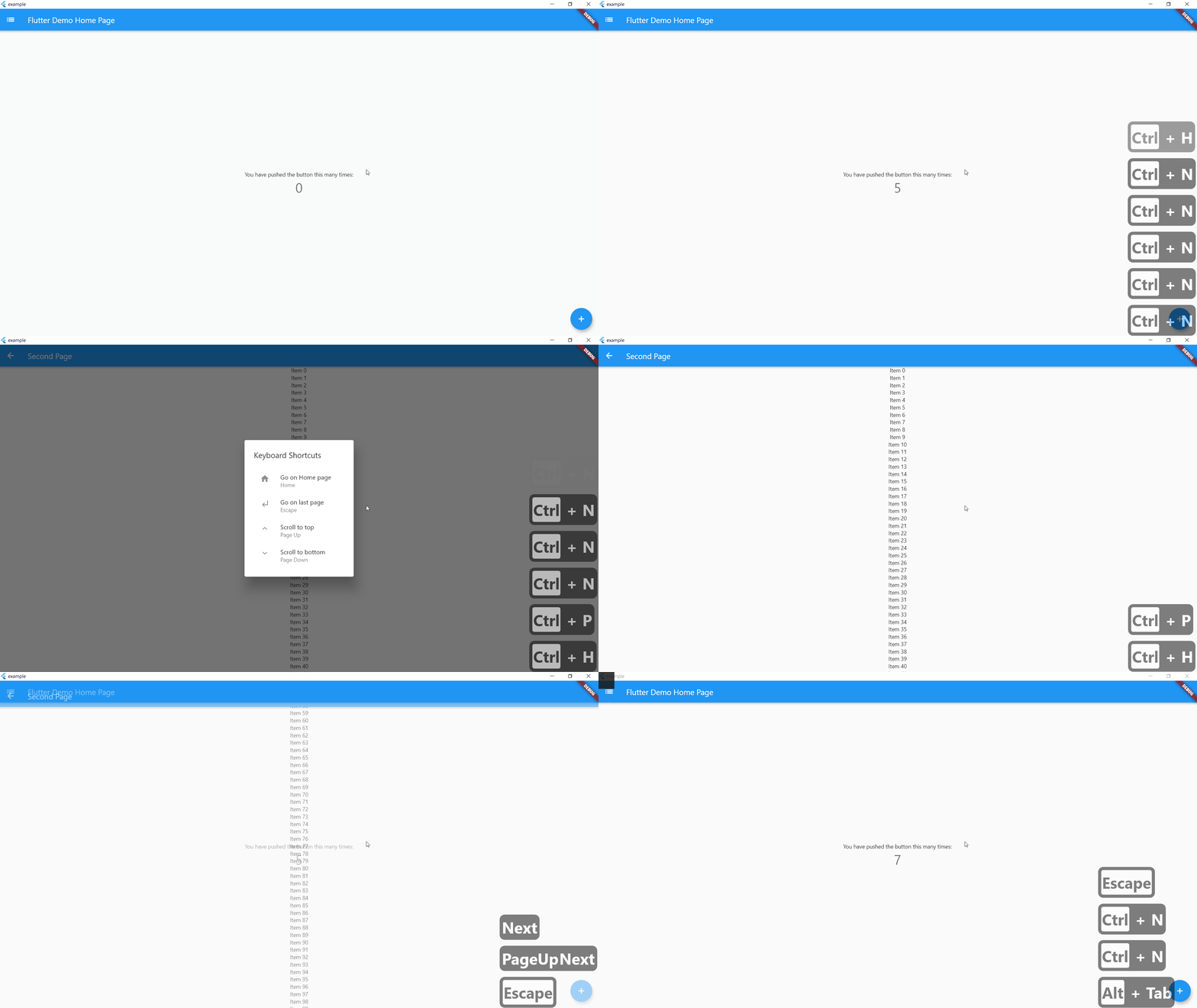
On controlLeft + key P are pressed, user navigate to SecondPage() helpLabel will be display on help menu

    KeyBoardShortcuts(
        keysToPress: {LogicalKeyboardKey.controlLeft, LogicalKeyboardKey.keyP},
        onKeysPressed: () => Navigator.push(
          context,
          MaterialPageRoute(builder: (context) => SecondPage()),
        ),
        helpLabel: "Go to Second Page",
        child: Center(
          child: Column(
            mainAxisAlignment: MainAxisAlignment.center,
            children: <Widget>[
              Text(
                'You have pushed the button this many times:',
              ),
              Text(
                '$_counter',
                style: Theme.of(context).textTheme.headline4,
              ),
            ],
          ),
        ),
      ),

If globalShortcuts is set to true, user can use Home Button to go on Homepage, up and down button to go on top or bottom of the page and escape to go on last page

    KeyBoardShortcuts(
        globalShortcuts: true,
        child: Center(
          child: Column(
            mainAxisAlignment: MainAxisAlignment.center,
            children: <Widget>[
              Text(
                'You have pushed the button this many times:',
              ),
              Text(
                '$_counter',
                style: Theme.of(context).textTheme.headline4,
              ),
            ],
          ),
        ),
      ),

initShortCuts() is used to customize shortcuts, you can set home page, title of help menu, icon on custom shortcuts and custom help menu

    initShortCuts(HomePage(), helpTitle : "Help Menu", helpIcon : Icons.menu);

You can also use initShortCuts to create your own global shortcuts, they will be allow in all page were globalShortcuts is true without rewriting these shortcuts

  initShortCuts(
    HomePage(),
    keysToPress: {
      {LogicalKeyboardKey.controlLeft, LogicalKeyboardKey.keyP},
    },
    onKeysPressed: {() => print("Work")},
    helpLabel: {"Print Work"},
  );

Categories

Dependencies

Dependency list 2 items

Source repository

Projects using this package