Search packages, repositories and app categories

Package detailsv1.0.0-beta

navigation_drawer_menu

Flutter Material Design Navigation Drawer Menu. This package gives you the NavigationDrawerMenu widget which acts like a ListView. The example implements the full Navigation Drawer.

30-day downloads
27
Likes
27
Pub points
60

Install package

flutter pub add navigation_drawer_menu

Package Overview

Package selection guidance compiled from public package information, community data, and project usage.

A Flutter package that provides a Material Design-compliant NavigationDrawerMenu widget, functioning similarly to a ListView within a navigation drawer. It simplifies the implementation of full navigation drawers with built-in styling and layout logic, aligning with Material Design principles. The package includes a complete example demonstrating typical use cases, making it easy for developers to integrate intuitive navigation into their apps. Designed for simplicity and consistency across platforms.

Use cases

  • Implementing side navigation in mobile apps
  • Creating responsive layouts with collapsible menus
  • Building admin dashboards with hierarchical navigation
  • Adding consistent navigation patterns across screens

Key features

  • Material Design compliant UI
  • ListView-like behavior within drawer
  • Built-in example for quick integration
  • Simple API for menu item configuration
  • Supports dynamic content rendering

Suitable for

  • Flutter beginners learning navigation patterns
  • Developers seeking quick drawer implementation
  • Apps requiring standard Material Design navigation
  • Projects needing lightweight navigation solutions

Considerations

  • Limited customization beyond basic styling
  • No built-in support for nested navigation
  • May require additional logic for complex routing
  • Not optimized for large menu item lists
Original README

Original README snapshot from the linked source repository. Visit the repository for the latest content.

navigation_drawer_menu

Flutter Material Design Navigation Drawer Menu

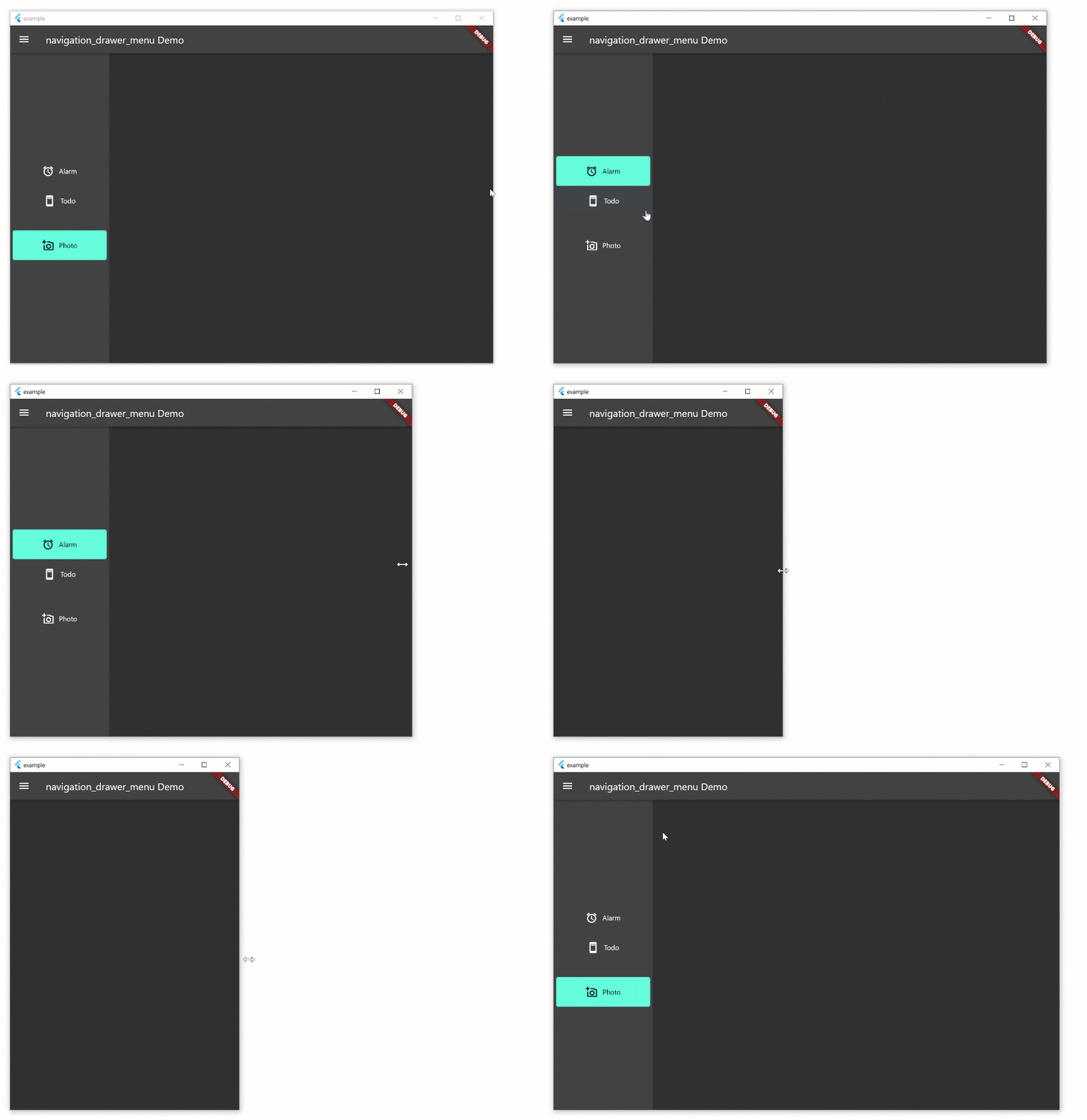
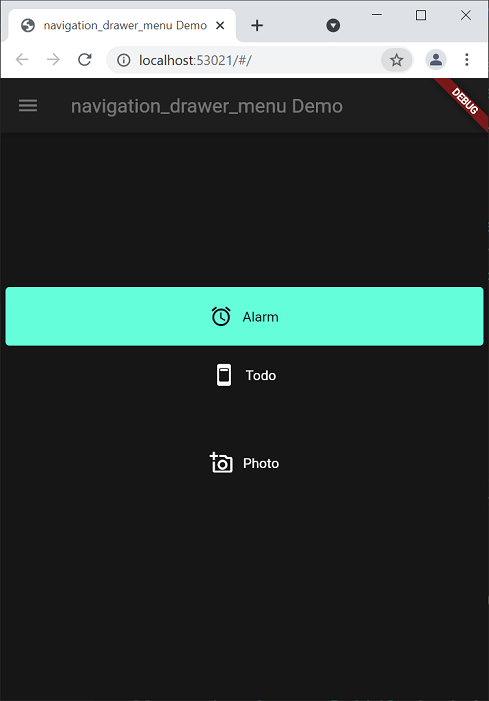
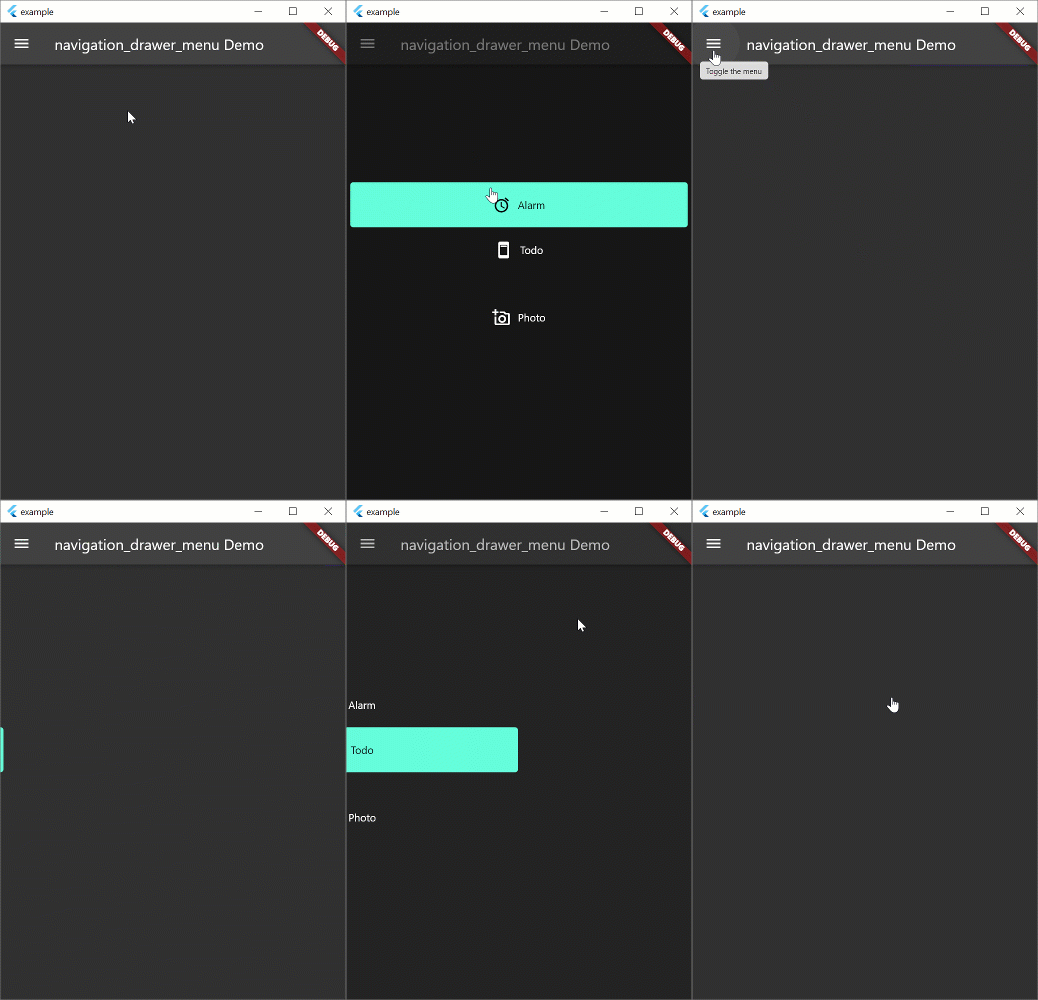
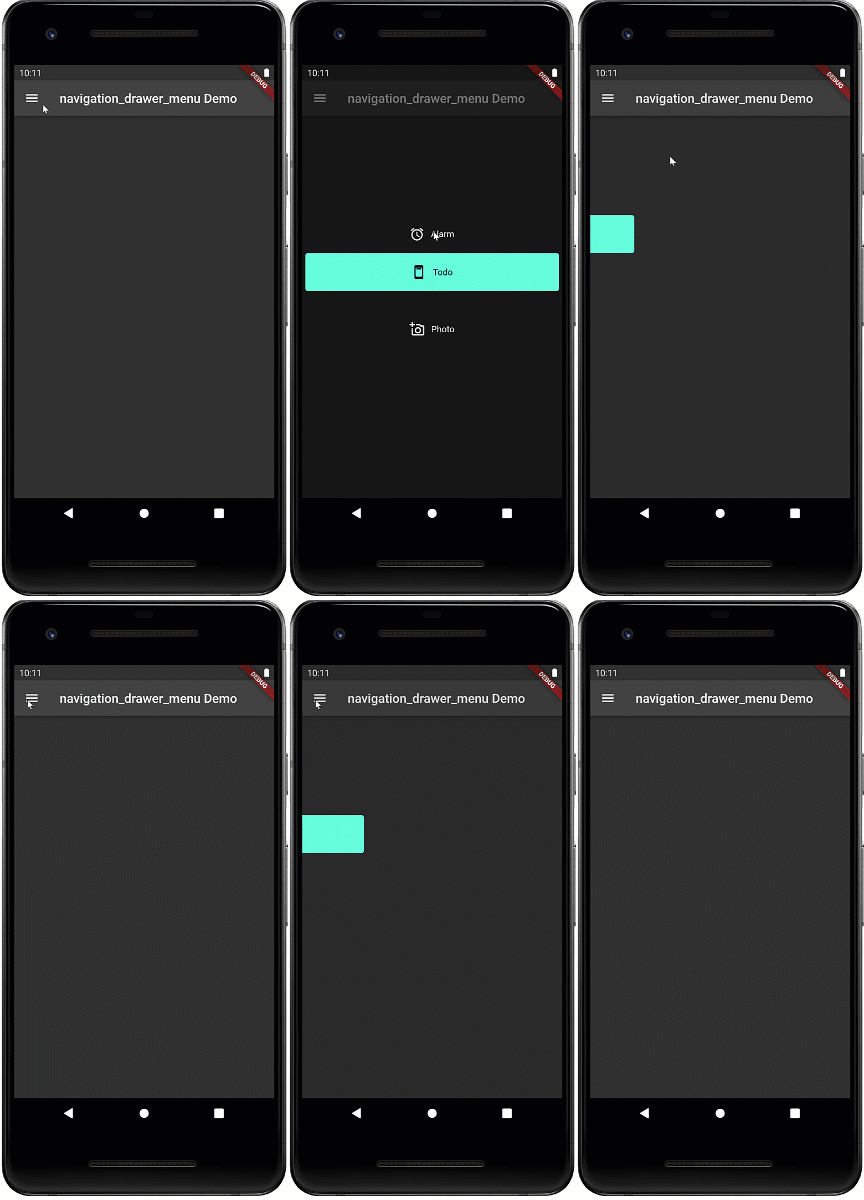
Navigation drawer is a common UI pattern for adaptive menus. The Material Design documentation formalizes the behavior of the menu but this pattern is not peculiar to Material Design. The pattern includes a basic Hamburger menu but isn't limited to small screens. The menu pattern suits all screen sizes. On larger width screens you see the icon and text, smaller screens will display icons only, and on phones, the menu will disappear during normal use and slide in with the hamburger icon.

Hamburger Menu

Beta

This widget is in beta and the public interface is likely to change

Example

The example aims to implement the Navigation Drawer pattern documented above. This is a work in progress and conformance to the behavior in the Material Design documentation is the long term aim. Pull requests to fix behavior are welcome. The example works on all form factors: desktop and tablet (landscape, portrait), phone, and web. Try resizing the width of the window to see how the behavior changes. Most of the behavior exists in the example. the aim is to create a new widget which will replace Scaffold and allow you to spin up new apps with this functionality very quickly.

Note: if you're just looking for a simple drawer menu that doesn't adapt to the screen, check out this.

Hamburger Menu

Hamburger Menu

Hamburger Menu

Run the Example
  • Open the root folder in Visual Studio Code
  • Open a terminal window
  • Add platforms by running these commands in the root folder (not example folder)
  • Click Run -> Start Debugging
flutter create example --platforms=windows,macos,linux

flutter create --platforms=web

flutter create --platforms=android

NavigationDrawerMenu

This is a widget that basically functions like a ListView. However, it exists to remove some of the boilerplate code necessary for constructing the menu, and allows you to put arbitrary sized spacers and headings inside the menu. The example uses this set of definitions. If you don't want to use this widget, you can use ListView instead.

final Map<Key, MenuItemContent> menuItems = {
  alarmValueKey: MenuItemContent(
      menuItem: MenuItemDefinition("Alarm", alarmValueKey,
          iconData: Icons.access_alarm)),
  todoValueKey: MenuItemContent(
      menuItem: MenuItemDefinition("Todo", todoValueKey,
          iconData: Icons.ad_units_rounded)),
  photoValueKey: MenuItemContent(
      menuItem: MenuItemDefinition("Photo", photoValueKey,
          iconData: Icons.add_a_photo_outlined))
};

Categories

Dependencies

Dependency list 1 items

  • material^1.0.0+2

Source repository

Projects using this package

No data available yet.