
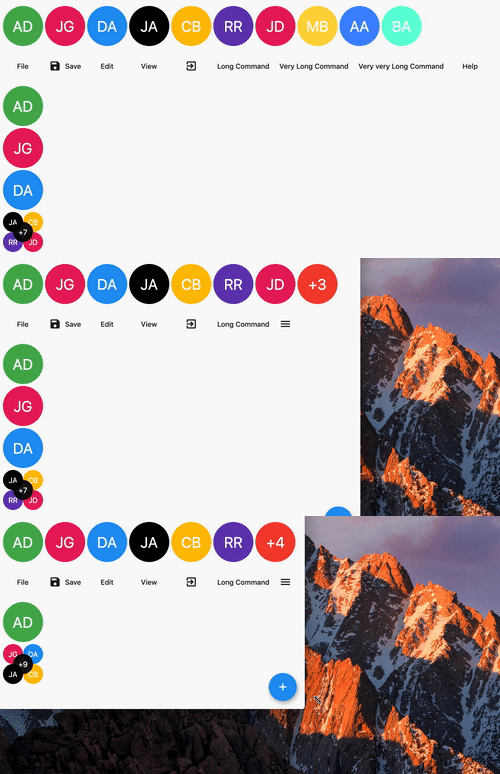
Overview
OverflowView is a Flutter widget that arranges its children in a horizontal line and displays an overflow indicator (like a '+' or count) when there isn't enough space to show all children. It's ideal for compact layouts such as user avatars in chat interfaces or profile lists. The widget automatically handles overflow by clipping and adding a visual indicator, improving usability on small screens. It supports multiple platforms including mobile, web, and desktop.
Use cases
- Chat head avatars
- User list previews
- Compact profile displays
- Responsive UI components
- Dynamic avatar groups
Key features
- Automatic overflow detection
- Customizable overflow indicator
- Horizontal layout with spacing
- Cross-platform support
- Flexible child sizing
Suitable for
- UIs with dynamic avatar lists
- Mobile-first responsive designs
- Chat and messaging apps
- Profile card layouts
- Space-constrained interfaces
Considerations
- May require custom styling for the overflow indicator
- Limited vertical overflow handling
- Performance with large child counts
- Not suitable for complex layouts
- Depends on parent container constraints