
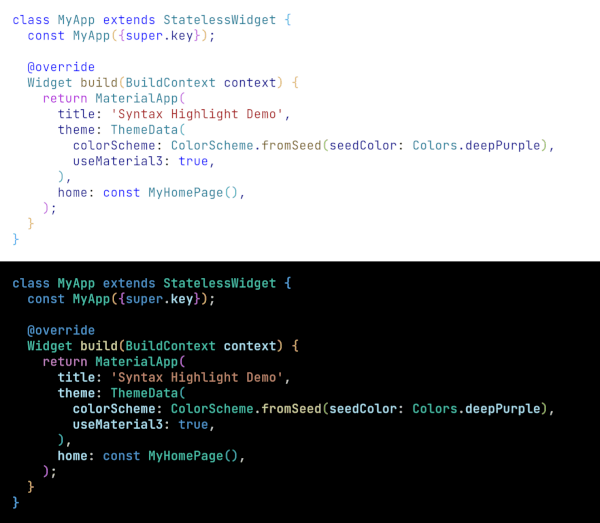
Overview
A Flutter/Dart package that provides VSCode-style syntax highlighting for code snippets. It takes a plain text string and converts it into a formatted TextSpan with appropriate colors for keywords, strings, comments, and other language elements. Ideal for displaying code in apps, documentation, or development tools. The package supports multiple platforms including Android, iOS, Web, macOS, Windows, and Linux, ensuring consistent rendering across devices. It is lightweight and integrates seamlessly into existing Flutter projects.
Use cases
- Displaying code snippets in documentation apps
- Enhancing code editor widgets in IDE-like applications
- Highlighting source code in learning or tutorial platforms
- Integrating syntax-aware text rendering in developer tools
- Visualizing code in real-time collaboration apps
Key features
- VSCode-inspired color schemes
- Supports multiple programming languages
- Returns a TextSpan for easy integration
- Lightweight and performant
- Cross-platform compatibility
- Configurable themes and styles
Suitable for
- Flutter developers building code editors
- Educational apps with code examples
- Developer tooling and IDE extensions
- Documentation and tutorial platforms
- Real-time code sharing or collaboration apps
Considerations
- Requires manual language detection or specification
- Limited to basic syntax rules (no advanced parsing)
- May need customization for non-standard languages
- Performance depends on input size
- Does not support dynamic language switching at runtime