
 v0.0.8
stickereditor
一个可让你根据边界修改和移动文本及图像的组件。
58喜欢 20近 30 天下载60Pub 分数
平台暂无数据
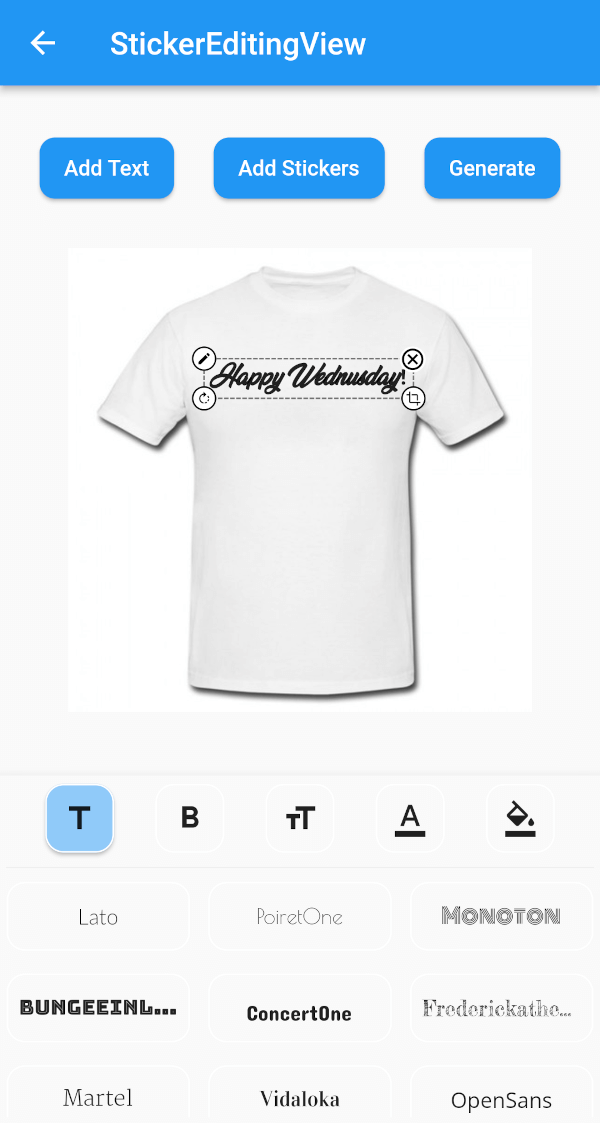
一个 Flutter 包,可帮助您创建一个可在屏幕上拖动和缩放的贴纸小部件。

{"sdk":"flutter"}{"sdk":"flutter"}^4.3.8^2.0.0+1^1.2.3^2.0.5{"sdk":"flutter"}^1.0.0以下为英文项目原文快照,最新内容请访问 GitHub。
A flutter plugin for iOS, Android and Mac for Rotate, Scaling, Moving and Editing Text, Photo, Stickers
https://github.com/Harsh-Radadiya/sticker_editor/raw/master/assets/readme/demo.gif
| Sticker Editor | |
|---|---|
| https://github.com/Harsh-Radadiya/sticker_editor/raw/master/assets/readme/text_editor_box.png | https://github.com/Harsh-Radadiya/sticker_editor/raw/master/assets/readme/sticker_editor_box.png |
| Only Text | Only Photo |
|---|---|
| https://github.com/Harsh-Radadiya/sticker_editor/raw/master/assets/readme/only_text.png | https://github.com/Harsh-Radadiya/sticker_editor/raw/master/assets/readme/only_picture.png |
A flutter package Sticker Editor which will help you to create editable and scalable text or sticker widget that can be dragged around the area you given in screen.
First, add stickereditor as a dependency in your pubspec.yaml file.
Fore NetworkImage, macOS needs you to request a specific entitlement in order to access the network. To do that open macos/Runner/DebugProfile.entitlements and add the following key-value pair.
<key>com.apple.security.network.client</key>
<true/>
StickerEditingView(
  isnetwork: false,
  height: 300,
  width: 300,
  imgUrl: backgroundImageUrl,
  fonts: fonts,
  palletColor: colorPallet,
  assetList: stickerList,
),
Container(
  height: 300,
  width: 300,
  color: Colors.blue,
  child: Stack(
    children: [
      TextEditingBox(
        fonts: fonts,
        boundHeight: 200,
        boundWidth: 100,
        isSelected: true,
        palletColor: colorPallet,
        newText: TextModel(
            name: 'Text EditingBox',
            textStyle:
                GoogleFonts.pacifico(fontSize: 25, color: Colwhite),
            top: top,
            isSelected: true,
            textAlign: TextAlign.center,
            scale: 1,
            left: left),
      ),
    ],
  ),
),
Container(
  height: 300,
  width: 300,
  color: Colors.blue,
  child: Stack(
    children: [
      StickerEditingBox(
          boundHeight: 200,
          boundWidth: 200,
          pictureModel: PictureModel(
            isNetwork: true,
            isSelected: false,
            left: 50,
            top: 50,
            scale: 1,
            stringUrl:
                'https://raw.githubusercontent.com/Harsh-Radadiya/sticker_editor/master/assets/t-shirt.jpeg',
          )),
    ],
  ),
)
Run the example app in the exmaple folder to find out more about how to use it.