 v5.9.3
flutter_screenutil
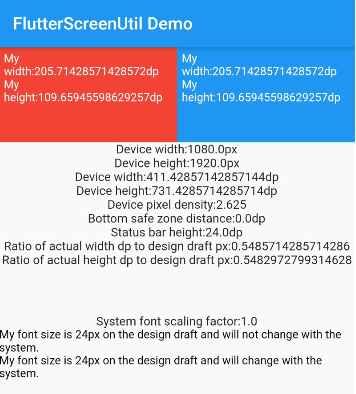
一个用于适配屏幕和字体大小的Flutter插件。确保在不同型号上都能良好显示
5120喜欢 42.1万近 30 天下载150Pub 分数
AndroidiOSWebmacOSWindowsLinux
命运 – 跨平台魔法隧道图形客户端

以下为英文项目原文快照,最新内容请访问 GitHub。

Destiny is a secure file transfer application that allows people to transfer files without needing to reveal their identities to each other or the service provider. All files are end-to-end encrypted, meaning no one except the sender and the receiver can decrypt the contents. Users select a file on their device and then share the generated code with the intended recipient for safe delivery. No sign-up is needed.
Key security features:
Based on the wormhole-william implementation of the Magic Wormhole protocol. This application relies on a plugin that wraps the wormhole-william client with a Dart API.
Supported platforms
You can find detailed instructions on how to install applications on various platforms
Windows, Linux, macOS files can be downloaded from the latest release.
Available on external stores:


Alternatively, apps can be downloaded directly from GitHub release assets and installed manually.
We recommend verifying every downloaded file against the corresponding signature.
git clone --recurse-submodules git@github.com:LeastAuthority/destiny.git
Builds for magic-wormhole.io by default:
flutter build linux
flutter build apk
flutter build appbundle
flutter build macos
flutter build ipa
Builds for Least Authority servers:
flutter build linux -t lib/main_la.dart
Builds for local instances:
flutter build linux -t lib/main_local.dart
Checkout detailed instructions for building.
If flutter is not used for web application, worth to set to avoid additional files generation and static analysis warnings:
flutter config --no-enable-web
Checkout detailed instructions on how to sign releases](https://github.com/LeastAuthority/destiny/blob/main/docs/releases.md).
cd docker
docker-compose up -d
To disable debug label on the app in the emulator, set debugShowCheckedModeBanner: false (two places)
iOS downloaded files are stored in the app/Documents folder, which is displayed in Files App as a dedicated application folder. If Files doesn't display the application folder, try restarting the phone. Note, that if the App is deleted, all downloaded files in the same App folder will be deleted too.
Delete default settings:
defaults delete com.leastauthority.destiny一个用于适配屏幕和字体大小的Flutter插件。确保在不同型号上都能良好显示
一组使用 Flutter 动画的加载指示器。深受 @tobiasahlin 的 SpinKit 启发。
Flutter Intro Slider 是一个 Flutter 插件,可帮助您为您的应用制作酷炫的介绍页面
一个插件,允许用户将文件拖放到您的 Flutter 桌面应用程序中。
一个 Flutter 包,可让用户轻松地为任意控件添加虚线边框。
基于流的 shared_preferences 包装器,支持响应式键值存储。
轻松展开和收起小部件集合或文本的能力
依赖清单 29 项
{"path":"./dart_wormhole_william"}5.2.0^2.0.6^2.0.0{"git":{"url":"https://github.com/google/flutter-desktop-embedding.git","path":"plugins/window_size","ref":"17d4710c17f4913137e7ec931f6e71eaef443363"}}^5.2.4{"git":{"url":"https://github.com/shareef-dweikat/flutter-intro-slider","ref":"bbc9df2a00b29d94445f5be548635b39f5fde3f3"}}{"git":{"url":"https://github.com/shareef-dweikat/expand_widget","ref":"52dc9fa9cc62191de4724b46edae29143c18a059"}}{"sdk":"flutter"}^7.2.0^3.0.2^2.0.0^2.0.0+1^0.3.0^10.0.0^5.1.0^6.0.0^6.1.5^2.0.1^0.6.2{"sdk":"flutter"}{"sdk":"flutter"}{"sdk":"flutter"}^1.19.5^5.3.2^2.2.1^3.0.1^3.6.2^2.0.1先按使用场景筛选,再比较项目活跃情况,最后到原始仓库核对使用要求。
“A repository is the most basic element of GitHub.”
GitHub Docs — About repositories ↗