

v12.0.7
util_simple_3d
Sp3dObj 的实用工具。包含 3D 几何生成工具及其他功能。
28喜欢 185近 30 天下载160Pub 分数
AndroidiOSWebmacOSWindowsLinux
Sp3dObj 的实用工具。

以下为英文项目原文快照,最新内容请访问 GitHub。
(en)Japanese ver is here.
(ja)日本語版はここにあります。
This package is a set of utilities for Sp3dObj (simple_3d package). It currently includes utilities that make it easy to generate geometry and a simple set of materials.
import 'package:simple_3d/simple_3d.dart';
import 'package:util_simple_3d/util_simple_3d.dart';

Sp3dObj obj = UtilSp3dGeometry.capsule(50, 250);
import 'package:simple_3d/simple_3d.dart';
import 'package:util_simple_3d/util_simple_3d.dart';

Sp3dObj obj = UtilSp3dGeometry.cube(200,200,200,4,4,4);
obj.materials.add(FSp3dMaterial.green.deepCopy());
obj.fragments[0].faces[0].materialIndex=1;
Sp3dObj obj = UtilSp3dGeometry.tile(200, 200, 4, 4);
obj.materials[0] = FSp3dMaterial.grey.deepCopy()..strokeColor=Color.fromARGB(255, 0, 255, 0);
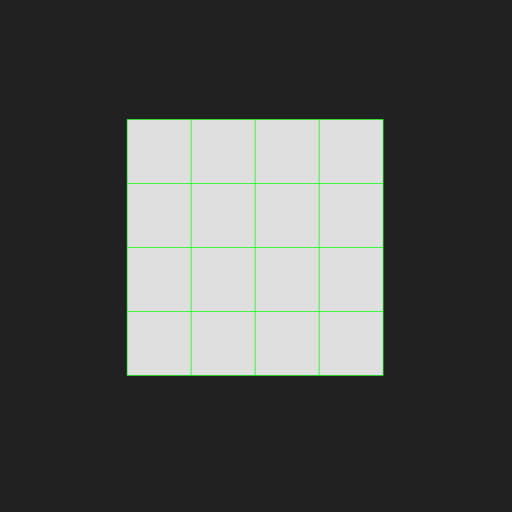
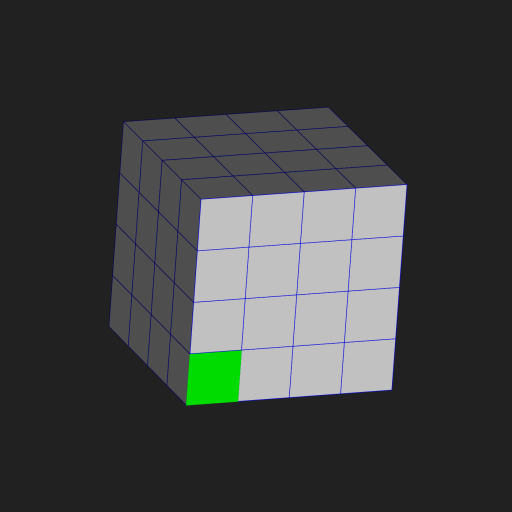
Sp3dObj obj = UtilSp3dGeometry.cube(200,200,200,4,4,4);
obj.materials.add(FSp3dMaterial.green.deepCopy());
obj.fragments[0].faces[0].materialIndex=1;
obj.materials[0] = FSp3dMaterial.grey.deepCopy()..strokeColor=Color.fromARGB(255, 0, 0, 255);
obj.rotate(Sp3dV3D(1,1,0).nor(), 30*3.14/180);
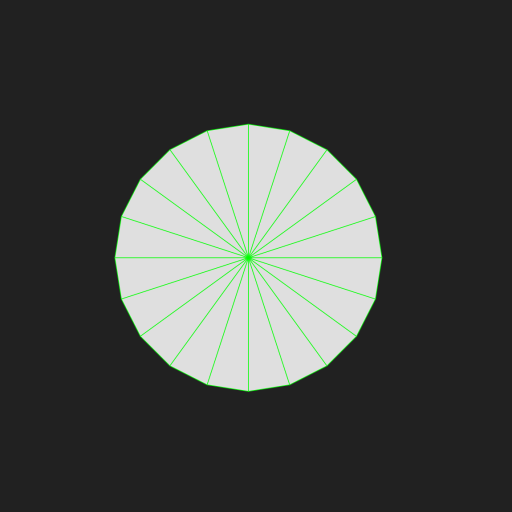
Sp3dObj obj = UtilSp3dGeometry.circle(100, fragments: 20);
obj.materials[0] = FSp3dMaterial.grey.deepCopy()..strokeColor=Color.fromARGB(255, 0, 255, 0);
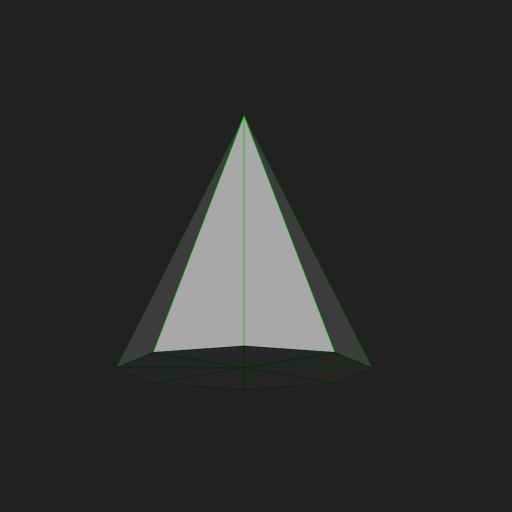
Sp3dObj obj = UtilSp3dGeometry.cone(100, 200);
obj.materials[0] = FSp3dMaterial.grey.deepCopy()..strokeColor=Color.fromARGB(255, 0, 255, 0);
obj.rotate(Sp3dV3D(1, 0, 0), -100*3.14/180);
obj.move(Sp3dV3D(0, -100, 0));
Sp3dObj obj = UtilSp3dGeometry.pillar(50, 50, 200);
obj.materials[0] = FSp3dMaterial.grey.deepCopy()..strokeColor=Color.fromARGB(255, 0, 255, 0);
obj.rotate(Sp3dV3D(1, 0, 0), -120*3.14/180);
obj.move(Sp3dV3D(0, -100, 0));
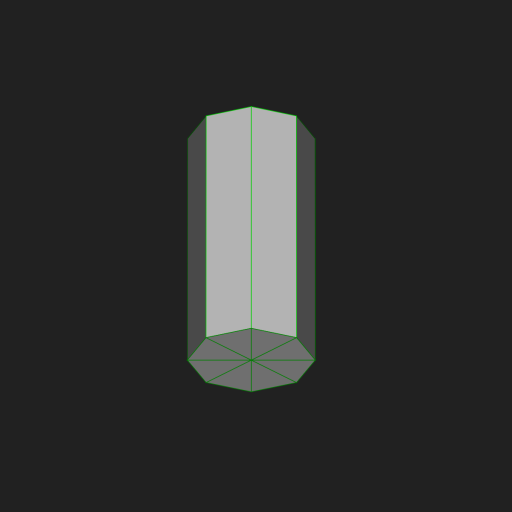
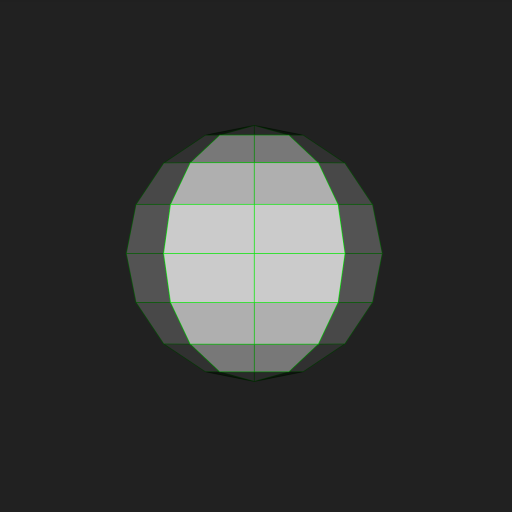
Sp3dObj obj = UtilSp3dGeometry.sphere(100);
obj.materials[0] = FSp3dMaterial.grey.deepCopy()..strokeColor=Color.fromARGB(255, 0, 255, 0);
Sp3dObj obj = UtilSp3dGeometry.capsule(50,200);
obj.materials[0] = FSp3dMaterial.grey.deepCopy()..strokeColor=Color.fromARGB(255, 0, 255, 0);
obj.move(Sp3dV3D(0, 100, 0));

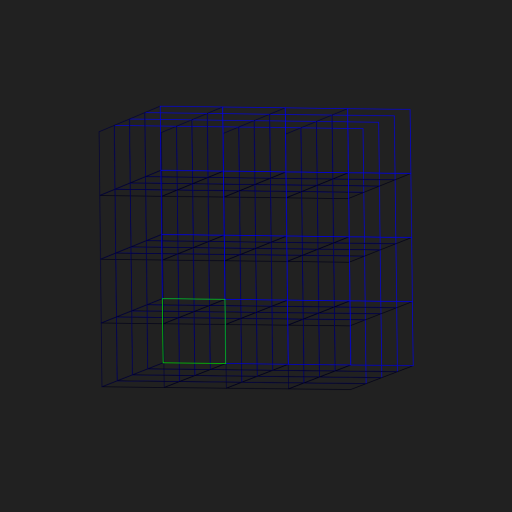
Sp3dObj obj = UtilSp3dGeometry.cube(200,200,200,4,4,4);
obj.materials.add(FSp3dMaterial.greenWire.deepCopy());
obj.fragments[0].faces[0].materialIndex = 1;
obj.materials[0] = FSp3dMaterial.blueWire.deepCopy();
obj.rotate(Sp3dV3D(-0.2,0.5,0).nor(), 15*3.14/180);
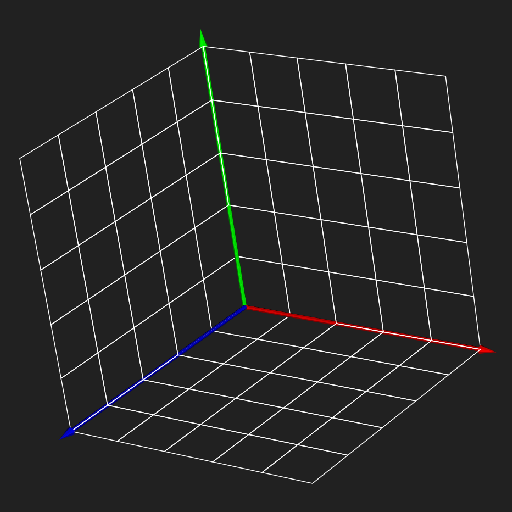
List<Sp3dObj> objs = UtilSp3dCommonParts.coordinateArrows(255);
objs.addAll(UtilSp3dCommonParts.worldMeshes(255));
If you need paid support for any reason, please contact my company.
This package is developed by me personally, but may be supported via the company.
SimpleAppli Inc.
Some geometry may be added in the future.
Utilities are prefixed with "Util".
Static field definition files are prefixed with "F".
These are set up for easy calling from the IDE.
The C part will be changed at the time of version upgrade.
This software is released under the MIT License, see LICENSE file.
依赖清单 4 项
{"sdk":"flutter"}^17.1.0{"sdk":"flutter"}^2.0.0先按使用场景筛选,再比较项目活跃情况,最后到原始仓库核对使用要求。
“A repository is the most basic element of GitHub.”
GitHub Docs — About repositories ↗