
 v0.3.1
camera_filters
此包将使用带有动态滤镜颜色列表的相机,裁剪您的图像,添加文字到图像并更改文字颜色。
51喜欢 185近 30 天下载120Pub 分数
AndroidiOS
相机滤镜
以下为英文项目原文快照,最新内容请访问 GitHub。
Realtime Camera Filters
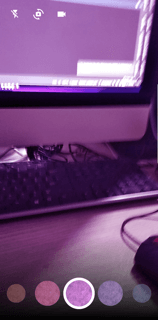
This package will use camera with dynamic color list of filters, crop your image, text on image , change the text color and you can also use emojis. You can use your own custom color list to change filters. In the end it will provide you an edited image in onDone listener
The camera_filters plugin compiles for any version of iOS, but its functionality requires iOS 10 or higher. If compiling for iOS 9, make sure to programmatically check the version of iOS running on the device before using any camera_filters plugin features.
Add two rows to the ios/Runner/Info.plist:
    <key>NSCameraUsageDescription</key>
    <string>your usage description here</string>
    <key>NSMicrophoneUsageDescription</key>
    <string>your usage description here</string>
minSdkVersion 24
Step 1. Ensure the following permission is present in your Android Manifest file, located in /android/app/src/main/AndroidManifest.xml:
    <uses-permission android:name="android.permission.READ_EXTERNAL_STORAGE" />
    <uses-permission android:name="android.permission.WRITE_EXTERNAL_STORAGE" />
Step 2. Add the JitPack repository to your Android build file, located in /android/build.gradle:
    allprojects {
    repositories {
    maven { url 'https://jitpack.io' }
    }
}
To use this package:
    dependencies:
      flutter:
        sdk: flutter
      camera_filters: <latest-version>


    import 'package:camera_filters/camera_filters.dart';
    import 'package:flutter/material.dart';

    void main() {
      WidgetsFlutterBinding.ensureInitialized();
      runApp(MyApp());
    }

    class MyApp extends StatefulWidget {
      @override
      _MyAppState createState() => _MyAppState();
    }

    class _MyAppState extends State<MyApp> {
      @override
      Widget build(BuildContext context) {
        return MaterialApp(
          home: Scaffold(
            body: CameraScreenPlugin(onDone: (value) {
              /// value returns the picture path you can save here or navigate to some screen
              print(value);
            },


                /// time limit for video in seconds
                videoTimeLimit: 10,


                /// value returns the video path you can save here or navigate to some screen
                onVideoDone: (value) {
              print(value);
            }

                /// profileIconWidget: , if you want to add profile icon on camera you can your widget here

                ///filterColor: ValueNotifier<Color>(Colors.transparent),  your first filter color when you open camera

                /// filters: [],
                ///you can pass your own list of colors like this List<Color> colors = [Colors.blue, Colors.blue, Colors.blue ..... Colors.blue]
                ///make sure to pass transparent color to first index so the first index of list has no filter effect
                ),
          ),
        );
      }
    }

依赖清单 14 项
{"sdk":"flutter"}^0.0.6+1^0.11.0+2^2.1.4^8.0.2^1.1.0^4.2.0^2.1.1^6.2.1^2.1.4^2.9.1{"sdk":"flutter"}^4.0.0—先按使用场景筛选,再比较项目活跃情况,最后到原始仓库核对使用要求。
“A repository is the most basic element of GitHub.”
GitHub Docs — About repositories ↗