Camera Filters
Realtime Camera Filters
Description
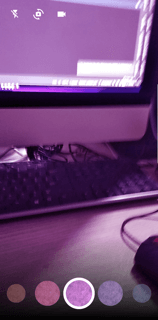
This package will use camera with dynamic color list of filters, crop your image, text on image , change the text color and you can also use emojis. You can use your own custom color list to change filters. In the end it will provide you an edited image in onDone listener
Features
- Realtime Camera Filters.
- Draw, add text change filters in camera.
- Filters on video.
- TextOverlay on video.
IOS
The camera_filters plugin compiles for any version of iOS, but its functionality requires iOS 10 or higher. If compiling for iOS 9, make sure to programmatically check the version of iOS running on the device before using any camera_filters plugin features.
Add two rows to the ios/Runner/Info.plist:
- one with the key Privacy - Camera Usage Description and a usage description.
- and one with the key Privacy - Microphone Usage Description and a usage description.
If editing Info.plist as text, add:
    <key>NSCameraUsageDescription</key>
    <string>your usage description here</string>
    <key>NSMicrophoneUsageDescription</key>
    <string>your usage description here</string>
Android
- Change the minimum Android sdk version to 24 (or higher) in your android/app/build.gradle file.
minSdkVersion 24
Step 1. Ensure the following permission is present in your Android Manifest file, located in /android/app/src/main/AndroidManifest.xml:
    <uses-permission android:name="android.permission.READ_EXTERNAL_STORAGE" />
    <uses-permission android:name="android.permission.WRITE_EXTERNAL_STORAGE" />
Step 2. Add the JitPack repository to your Android build file, located in /android/build.gradle:
    allprojects {
    repositories {
    maven { url 'https://jitpack.io' }
    }
}
Usage
Example
To use this package:
    dependencies:
      flutter:
        sdk: flutter
      camera_filters: <latest-version>
ScreenShots


Video

!
How to use
    import 'package:camera_filters/camera_filters.dart';
    import 'package:flutter/material.dart';

    void main() {
      WidgetsFlutterBinding.ensureInitialized();
      runApp(MyApp());
    }

    class MyApp extends StatefulWidget {
      @override
      _MyAppState createState() => _MyAppState();
    }

    class _MyAppState extends State<MyApp> {
      @override
      Widget build(BuildContext context) {
        return MaterialApp(
          home: Scaffold(
            body: CameraScreenPlugin(onDone: (value) {
              /// value returns the picture path you can save here or navigate to some screen
              print(value);
            },


                /// time limit for video in seconds
                videoTimeLimit: 10,


                /// value returns the video path you can save here or navigate to some screen
                onVideoDone: (value) {
              print(value);
            }

                /// profileIconWidget: , if you want to add profile icon on camera you can your widget here

                ///filterColor: ValueNotifier<Color>(Colors.transparent),  your first filter color when you open camera

                /// filters: [],
                ///you can pass your own list of colors like this List<Color> colors = [Colors.blue, Colors.blue, Colors.blue ..... Colors.blue]
                ///make sure to pass transparent color to first index so the first index of list has no filter effect
                ),
          ),
        );
      }
    }