
 v35.1.42
syncfusion_flutter_pdfviewer
Flutter PDF 查看器库用于无缝且高效地显示 PDF 文档。
1150喜欢 24.3万近 30 天下载140Pub 分数
AndroidiOSWebmacOSWindowsLinux
SavePass 是一个开源应用程序,可让您安全地存储密码和笔记。
 v35.1.42
Flutter PDF 查看器库用于无缝且高效地显示 PDF 文档。
具有依赖注入和路由管理的智能项目结构
Supabase 的 Flutter 集成。此包使开发人员能够轻松构建安全且可扩展的产品。
一个集成,用于添加对 logging 包日志记录的支持。
将已构建的 widget 转换为骨架加载器,无需额外努力。
一种统一的 Dart 表单表示形式,旨在以通用方式简化表单表示和验证。
受 Animate.css 启发的精美动画,提供可自定义的基于小部件的动画,无需外部依赖。
一个实现加密算法和原语的 Dart 库,其设计参考了 BouncyCastle 库。
 v8.2.0
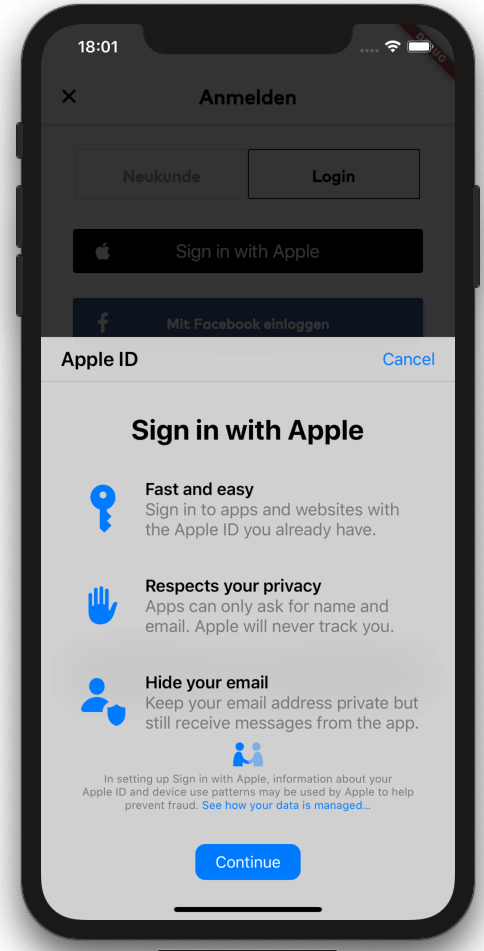
Flutter 桥接,用于启动使用 Apple 登录(适用于 iOS、macOS 和 Android)。支持密钥链条目以及使用 Apple ID 登录。
显式地从 .env 文件读取环境变量到 Dart 文件,以提高安全性并加快启动速度。
Envied 包的生成器。参见 https://pub.dev/packages/envied。
用于加密、数字签名、密钥协商、身份验证和哈希的加密算法。包括 AES、Chacha20、ED25519 等。跨平台(移动、桌面、JS、WASM)。
依赖清单 42 项
^3.3.4{"git":{"url":"https://github.com/judatop/atomic_design_system","ref":"master"}}^3.4.1^5.0.0^3.0.6^2.7.0^1.0.6^0.10.1^11.0.0^5.0.3^0.5.4+1^2.0.5{"sdk":"flutter"}^8.1.6^0.14.1{"sdk":"flutter"}^6.3.2^9.2.2^2.0.14^0.7.0^6.2.2^1.1.2any^2.0.1^2.3.0^1.3.0^3.1.2^8.1.1^11.3.1^3.6.2^8.14.1^8.14.1^7.0.12.0.0^2.8.0^28.2.7^6.3.1^4.5.1^2.4.13^0.5.4+1^3.0.0{"sdk":"flutter"}以下为英文项目原文快照,最新内容请访问 GitHub。
Image
Image
SavePass project is a password manager developed in Flutter. It's goal is to provide a secure and easy-to-use solution for storing and managing passwords. The app will allow users to create an account, log in, and store their passwords in a secure way. The project is open source and can be used as a starting point for building your own password manager app, just make sure to follow best practices for security and privacy and mention the original project.
If you find issues/improvements with this app, feel free to submit a PR or create a new issue. We want to keep this app with the best practices.
This projects depends on a few external services to work properly, so you'll need to set up a few things before running the app.
We are using Supabase as our database, API, storage and authentication manager. Create an account on https://supabase.com/ and create a new project, then, find and copy the values: SUPABASE_URL and SUPABASE_ANON_KEY.
Supabase Storage is used to store files/images related with the app. You'll need to set up your storage and create a new bucket and folder, copy the values: SUPABASE_BUCKET and SUPABASE_BUCKET_AVATARS_FOLDER.
One of the authentication methods we are using is Google. You'll need to create a new project on Google Cloud Platform and create a new OAuth client ID for web, Android and iOS. Then, copy the values: GOOGLE_WEB_CLIENT_ID and GOOGLE_IOS_CLIENT_ID. After that, you'll need to enable the Google Auth method on Supabase and fill the respective values.
Other authentication method we are using is Github. You'll need to create a new OAuth App on Github and get the Client ID and Client secret. Put these values on the Github configuration on Supabase. Set up the URL Configuration (deep link) on Supabase and assign the value for SUPABASE_REDIRECT_URL.
The database set up is up to you and your needs. You can create the tables and columns manually or use the Supabase SQL editor. The logic or the design for the database/api on this project is confidential for mantain the security of the app.
Flutter Secure Storage is used to store data in secure storage, Keychain for iOS and EncryptedSharedPreferences for Android, in order to use this plugin you need to define some keys with a random value:
Get a local copy of the project by running the following command:
git clone https://github.com/judatop/savepass.git
Use the following command to create your own .env file:
cp .env.sample .env
Fill your env file with the values you got from the previous steps.
Then, you can generate the offuscated values from the .env file using the following command:
dart run build_runner build -d
Install the dependencies with the following command:
flutter pub get
Run the app with the following command:
flutter run
This project is under the MIT License. See the LICENSE file.