
v0.4.0
cross_file
一个抽象,用于跨多个平台处理文件。
315喜欢 17.7万近 30 天下载160Pub 分数
AndroidiOSWebmacOSWindowsLinux
开源、跨平台、无需麻烦的文件共享,采用 Flutter 和 Dart 实现 AES-256 加密。

一个抽象,用于跨多个平台处理文件。
AutoRoute 是一种声明式路由解决方案,所有导航所需的内容都会自动为您生成。
AutoRoute 是一种声明式路由解决方案,所有导航所需的内容都会自动为您生成。
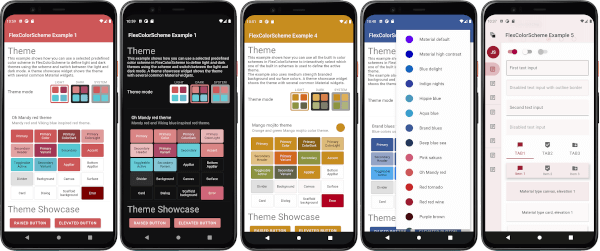 v9.0.0
一个用于使用和创建精美基于 Material Design 的主题的 Flutter 包。
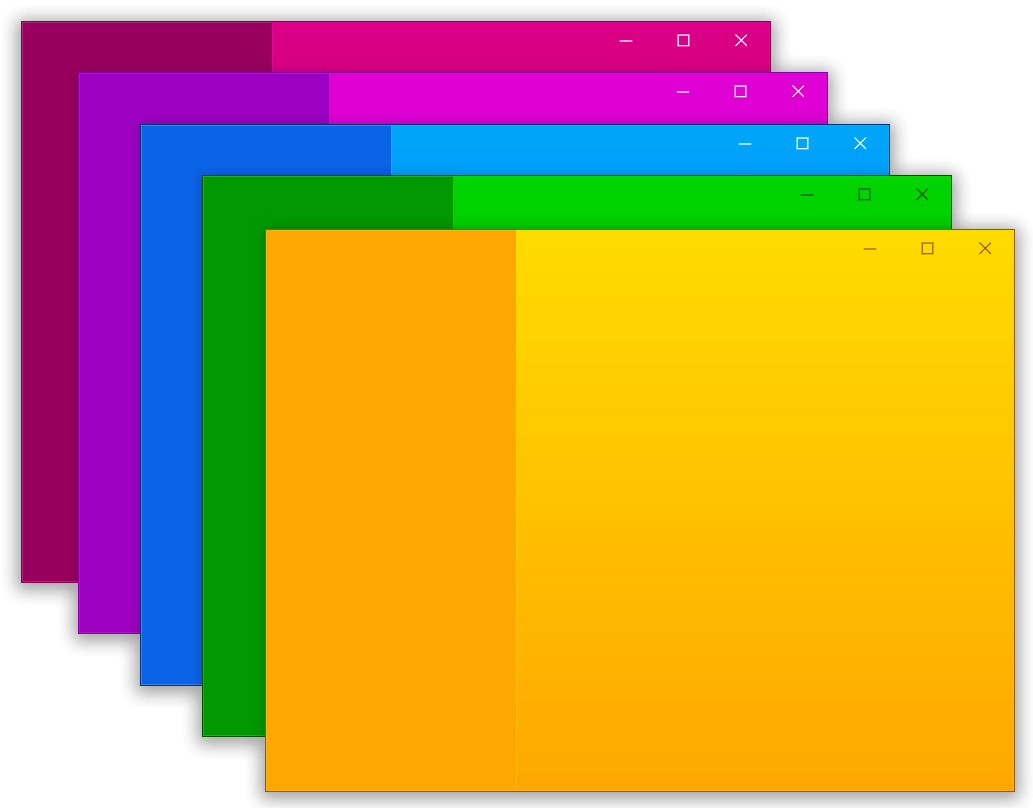 v0.1.6
一个用于帮助在 Flutter 桌面端创建自定义窗口(自定义边框、标题栏以及最小化/最大化/关闭按钮)和常见桌面窗口操作(显示/隐藏/屏幕位置)的包,适用于 Windows 和 macOS
一个插件,允许用户将文件拖放到您的 Flutter 桌面应用程序中。
使用 .env 文件轻松配置任何 Flutter 应用程序的全局变量。
一个用于获取设备本地时区的 Flutter 插件。
Flutter 剪贴板支持文本、富文本(HTML)和图像。
一个插件,可以在 Flutter 中调用原生 APP 打开文件,并返回字符串结果,支持 iOS(UTI)、Android(Intent)、PC(FFI)和 Web(dart:html)
Dart 加密库,用于以 AES Crypt 文件格式加密/解密文件、纯文本和二进制数据。支持所有平台,包括 Web。
^3.1.1^4.0.9^11.1.0^0.1.6^3.0.14^1.19.1^7.0.0^0.3.3+1^1.0.5^0.7.0^12.3.0^5.9.2^8.3.0^8.4.0{"sdk":"flutter"}^6.0.0^2.0.9^5.0.2^9.0.0^9.2.1^6.3.3^1.2.2^0.20.2^4.6.0^2.7.0{"path":"packages/odin_core"}^9.0.0^1.8.2^2.0.11^12.0.1^6.0.3^4.0.0^0.28.0^4.4.0^10.0.0^2.0.15^6.1.5^10.5.0^2.2.0^0.14.4^6.0.0^2.2.8{"sdk":"flutter"}^6.3.1以下为英文项目原文快照,最新内容请访问 GitHub。
icon Odin
https://img.shields.io/badge/Flutter-stable-blue?logo=flutter https://img.shields.io/github/stars/odinapp/odin.svg?style=flat&logo=github&colorB=deeppink&label=stars https://img.shields.io/github/v/release/odinapp/odin.svg License: AGPL Join us on Telegram
Cross-platform, open-source file sharing with end-to-end encrypted share links built with Flutter & Dart.
Getting Started • Roadmap • Releases
Open source easy file sharing for everyone.
https://user-images.githubusercontent.com/42910433/143038817-cb935815-aea7-41c1-8b56-131cb99b0a20.mp4
Captured from a connected Android device via ADB (debug build). Paths are from the repo root. After large UI changes, recapture with the same flow and replace the files in docs/screenshots/.
Home
| Step | Preview |
|---|---|
| Home | Odin home |
Send files
| Pick file | Uploading | Uploaded |
|---|---|---|
| Pick file | Uploading | Upload success |
Your uploads
| Bottom sheet |
|---|
| Your uploads sheet |
Receive files
| Valid token | Wrong token | Downloading | Downloaded |
|---|---|---|---|
| Valid token | Wrong token | Downloading | Download complete |
Short screen captures of the same flows live in docs/videos/ (recorded with adb shell screenrecord on device, then pulled to the repo).
| Recording | File |
|---|---|
| Send flow (pick file → success) and Your uploads sheet | 01_flow_send_and_uploads.mp4 |
| Receive flow (wrong token → valid token → download complete) | 02_flow_download_receive.mp4 |
odin_cli terminal client with TUI and headless modes#k=...), which is not sent to the serverTo build on MacOS, Windows, Linux, Android, or iOS follow these steps.
Step 1:
git clone https://github.com/odinapp/odin.git
Step 2:
cd odin
Create the .env file:
cat > .env <<'EOF'
API_URL=https://<your-worker>.workers.dev/
API_VERSION=v1
SUCCESSFUL_STATUS_CODE=200
EOF
Backend: Odin uses a Cloudflare Workers backend. Deploy your own using the code in
odin-worker/, then setAPI_URLto your deployment URL. The.envfile is gitignored — never commit it. No GitHub credentials are required.
Step 3:
Install FVM (Flutter Version Management), then from the repository root install the SDK pinned for this project:
fvm install
Odin pins the stable Flutter channel via .fvmrc. Use fvm flutter / fvm dart for all Flutter and Dart commands so you use that SDK (not a mismatched global install).
Step 4:
Enable the desktop embedder for your OS if you have not already, then pick the desktop device when running.
# for windows
fvm flutter config --enable-windows-desktop

# for macos
fvm flutter config --enable-macos-desktop

# for linux
fvm flutter config --enable-linux-desktop
Step 5:
To fetch packages and run the app (from the repo root):
fvm flutter pub get
fvm flutter run
Editor tip: Point your IDE’s Flutter SDK path to .fvm/flutter_sdk inside this repo so analysis and device selection match FVM.
From the repo root:
fvm flutter analyze --no-fatal-infos
fvm flutter test
For Android: fvm flutter build apk (debug or release). For Linux desktop, install the Flutter Linux prerequisites (for example cmake, ninja-build, and GTK development packages), then run fvm flutter build linux or fvm flutter run -d linux.
upload, download, info, delete)odin_core package as shared upload/download logicodin_cli package with TUI + headless/script-friendly modeodin_core protocolIf you'd like to propose a feature, submit an issue here.
Please see the releases tab for more details about the latest release.
First off, thanks for visiting Odin's repo and taking your time to read this doc. Any contributions you make are greatly appreciated. Please look at CONTRIBUTING.md for details.
Odin began as what most projects start as "A weekend project". Originally, we wanted to develop a cross-platform, open-source file-sharing platform that was faster and easier than sharing files over chat services or data cables. We wanted to develop and prototype the project as quickly as possible. The result was an MVP that was ready in just a few hours because we used Flutter.
Fun Fact: The app icon resembles the helmet of the god Odin from Norse mythology. It also resembles a free-flying bird, which indicates our feelings while developing this with Flutter😊.
Distributed under the GPL-3.0 License. See LICENSE for more information.