
 v10.1.1
pin_code_fields
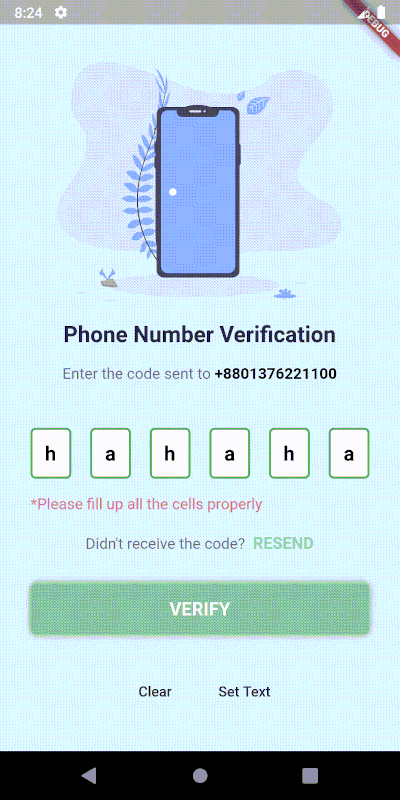
Material Design をサポートし、カスタム UI 用のヘッドレスコアを備えた、Flutter 向けに高度にカスタマイズ可能な PIN/OTP 入力フィールド。
2390いいね 41.5万30日間ダウンロード160Pub ポイント
AndroidiOSWebmacOSWindowsLinux
これはレストラン管理用のFEコードです。
以下は英語原文のスナップショットです。最新版は GitHub をご覧ください。

Firestaurant is a website that helps users book tables online quickly, conveniently and without wasting much time and helps managers automate all processes for recording requests to book tables/change tables from clients.
This is a Frontend source code to help develop a restaurant reservation website - an academic project of the subject "Object-oriented programming techniques" - taught by lecturer Huynh Trung Tru.
Made by:
automatically arranges tables(without manager intervention) and notifies prepaid fees(if any). In case there is a prepaid fee, the person booking the table is required to pay before the specified time. Otherwise, the system will no longer hold the reservation.allows clients to message the manager and vice versa. This helps the restaurant easily connect and better understand clients' requests as well as make clients express their opinions more clearly to the restaurant.Visit Firestaurant
This tab helps you prepare a table reservation request by entering information such as the number of guests, date and time of the event, seating location, and a list of dishes, drinks, services, and notes you want to send to the restaurant.
Click on "Ghi chú" Tab to add your note.
Click on "Reservation Confirmation" to make a reservation(need Sign In).
This function need to Sign In.
Firstly, need an IDE/Editor where build and compile code. Highly recommend to using VSCode. Because it's very popular, easy to use and have many extension that make coding more funny and easier.
See this original document to more information.
Run flutter doctor -v to check version of Flutter and if any missing related to Flutter.
If you have VSCode and all of above things, now run this.
Step 1: Run flutter pub get to get all package/dependency is used in source code.
Step 2: Check the bottom right corner, you can see available devices (maybe IDE needs a few seconds to load it). Click on it and select any browser you have.
Step 3: Check the bar on top, you can see a button called "Run". Click on it. After that, click on "Run without debugging", or "Start debugging" if you want debug code.
Step 4: Check the result.
Step 5: Make a coffee and fix bug. :coffee: :hammer_and_wrench: :lady_beetle:
 v10.1.1
Material Design をサポートし、カスタム UI 用のヘッドレスコアを備えた、Flutter 向けに高度にカスタマイズ可能な PIN/OTP 入力フィールド。
web、flutter、dartvm用のsocket.io-clientのDartlangポート
 v4.0.1
Flutter用のシンプルだが完全にカスタマイズ可能なレーティングバーで、任意の分数のレーティングをサポートするレーティングバーインジケーターも含まれます。
 v3.1.0
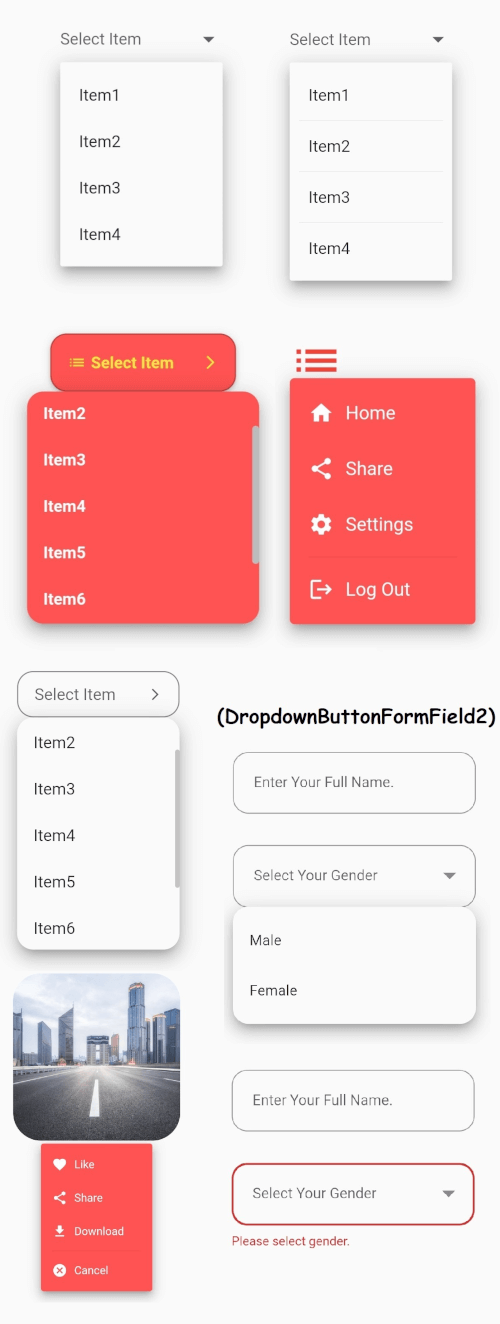
安定したドロップダウンメニューを備えたFlutterのコアドロップダウンボタンウィジェットと、ご要望に応じてカスタマイズ可能なその他のオプション。
 v1.1.6
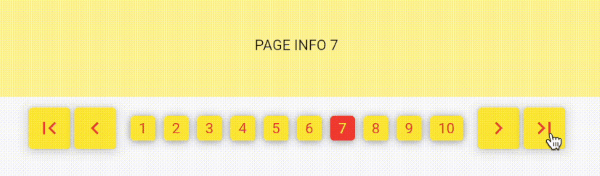
数値を使用したページネーションで、古典的なウェブスタイルのページネーションに似ています。無限スクロールではなく、番号でページを探索します!
依存関係一覧 25 件
{"sdk":"flutter"}{"sdk":"flutter"}^1.0.2^10.0.0^0.18.0^2.0.5^3.2.3^2.1.0^8.2.2^4.0.1^5.3.2^8.1.2^2.0.5^3.0.0^0.0.3+2^4.2.1^2.3.7^8.0.1^3.0.3^3.5.0^2.0.3+1^6.0.20^5.2.0{"sdk":"flutter"}^2.0.0用途で絞り込み、開発状況を比較し、採用前に元のリポジトリで要件を確認しましょう。
“A repository is the most basic element of GitHub.”
GitHub Docs — About repositories ↗