パッケージ、リポジトリ、アプリカテゴリを検索

fluttertoast のカバー
パッケージ詳細v10.0.2

fluttertoast

Flutter 向けのトーストライブラリ、1 行のコードで簡単にトーストメッセージを作成できます

AndroidiOSWeb
30日間ダウンロード
64.2万
いいね数
4140
Pub ポイント
140

パッケージをインストール

flutter pub add fluttertoast

パッケージ概要

公開情報に基づく選定ガイドです。参考としてご利用ください。

FlutterToast は、開発者が最小限の努力でトーストメッセージを表示できる軽量な Flutter パッケージです。1行のコードだけで済みます。Android、iOS、Web プラットフォーム間で一貫した方法で一時的な通知を表示できます。メッセージの外観、配置、持続時間のカスタマイズが可能で、アプリ内のユーザーフィードバックに最適です。使いやすく、積極的にメンテナンスされているため、FlutterToast は繊細で侵襲性のないアラートを提供し、ユーザー体験を向上させます。

用途

  • 成功またはエラー メッセージの表示
  • 迅速なユーザーのフィードバックを表示
  • 実施された操作についてユーザーに通知する
  • ステータスの更新を提供する
  • UIの応答性の向上

主な機能

  • 単一行トーストの作成
  • カスタマイズ可能なメッセージスタイル
  • クロスプラットフォーム対応
  • 設定可能な期間および位置
  • 最小限のセットアップで簡単なAPI

適している対象

  • 初心者のFlutter開発者
  • 迅速なフィードバックが必要なアプリ
  • 軽量な通知システム
  • 最小限の依存関係を持つプロジェクト
  • 複雑さなしのUIの向上

注意事項

  • 基本的なトーストデザインに限定
  • 高度なアニメーションオプションなし
  • 外部リポジトリに依存しています
  • 永続的な通知には適していません
  • エッジケースの手動処理が必要になる場合があります

元の README

関連するソースリポジトリの README 原文のスナップショットです。最新の内容はリポジトリをご覧ください。

fluttertoast

Toast Library for Flutter

Build Checks

Now this toast library supports two kinds of toast messages one which requires BuildContext other with No BuildContext

Toast with no context

Supported Platforms

This one has limited features and no control over UI

Toast Which requires BuildContext

Supported Platforms

  • ALL
  1. Full Control of the Toast
  2. Toasts will be queued
  3. Remove a toast
  4. Clear the queue

How to Use

# add this line to your dependencies
fluttertoast: ^10.0.0
import 'package:fluttertoast/fluttertoast.dart';

Toast with No Build Context (Android & iOS)

Fluttertoast.showToast(
        msg: "This is Center Short Toast",
        toastLength: Toast.LENGTH_SHORT,
        gravity: ToastGravity.CENTER,
        timeInSecForIosWeb: 1,
        backgroundColor: Colors.red,
        textColor: Colors.white,
        fontSize: 16.0
    );
property description default
msg String (Not Null)(required) required
toastLength Toast.LENGTH_SHORT or Toast.LENGTH_LONG (optional) Toast.LENGTH_SHORT
gravity ToastGravity.TOP (or) ToastGravity.CENTER (or) ToastGravity.BOTTOM (Web Only supports top, bottom) ToastGravity.BOTTOM
timeInSecForIosWeb int (for ios & web) 1 (sec)
backgroundColor Colors.red null
textcolor Colors.white null
fontSize 16.0 (float) null
fontAsset Path to a font file in the Flutter app assets folder, e.g. 'assets/path/to/some-font.ttf' (String) null
webShowClose false (bool) false
webBgColor String (hex Color) linear-gradient(to right, #00b09b, #96c93d)
webPosition String (left, center or right) right
To cancel all the toasts call
Fluttertoast.cancel()
Note Android

Custom Toast will not work on android 11 and above, it will only use msg and toastLength remaining all properties are ignored

Custom Toast For Android

Create a file named toast_custom.xml in your project app/res/layout folder and do custom styling

<?xml version="1.0" encoding="utf-8"?>
<FrameLayout xmlns:android="http://schemas.android.com/apk/res/android"
    xmlns:tools="http://schemas.android.com/tools"
    android:layout_width="wrap_content"
    android:layout_height="wrap_content"
    android:layout_gravity="center_horizontal"
    android:layout_marginStart="50dp"
    android:background="@drawable/corner"
    android:layout_marginEnd="50dp">

    <TextView
        android:id="@+id/text"
        android:layout_width="wrap_content"
        android:layout_height="wrap_content"
        android:background="#CC000000"
        android:paddingStart="16dp"
        android:paddingTop="10dp"
        android:paddingEnd="16dp"
        android:paddingBottom="10dp"
        android:textStyle="bold"
        android:textColor="#FFFFFF"
        tools:text="Toast should be short." />
</FrameLayout>

Toast with BuildContext (All Platforms)

Update your MaterialApp with builder like below for the use of Context globally check doc section Use NavigatorKey for Context(to access context globally)

MaterialApp(
    builder: FToastBuilder(),
    home: MyApp(),
    navigatorKey: navigatorKey,
),
FToast fToast;

@override
void initState() {
    super.initState();
    fToast = FToast();
    // if you want to use context from globally instead of content we need to pass navigatorKey.currentContext!
    fToast.init(context);
}

_showToast() {
    Widget toast = Container(
        padding: const EdgeInsets.symmetric(horizontal: 24.0, vertical: 12.0),
        decoration: BoxDecoration(
        borderRadius: BorderRadius.circular(25.0),
        color: Colors.greenAccent,
        ),
        child: Row(
        mainAxisSize: MainAxisSize.min,
        children: [
            Icon(Icons.check),
            SizedBox(
            width: 12.0,
            ),
            Text("This is a Custom Toast"),
        ],
        ),
    );


    fToast.showToast(
        child: toast,
        gravity: ToastGravity.BOTTOM,
        toastDuration: Duration(seconds: 2),
    );

    // Custom Toast Position
    fToast.showToast(
        child: toast,
        toastDuration: Duration(seconds: 2),
        positionedToastBuilder: (context, child) {
          return Positioned(
            child: child,
            top: 16.0,
            left: 16.0,
          );
        });
}

Now Call _showToast()

For more details check example project

property description default
child Widget (Not Null)(required) required
toastDuration Duration (optional)
gravity ToastGravity.*
positionedToastBuilder PositionedToastBuilder
fadeDuration Duration Duration(milliseconds: 350)
ignorePointer boolean false
isDismissible boolean false
Use NavigatorKey for Context(to access context globally)

To use NavigatorKey for Context first define the GlobalKey<NavigatorState> at top level in your main.dart file

GlobalKey<NavigatorState> navigatorKey = GlobalKey<NavigatorState>();

At the time of initializing the FToast we need to use context from globally defined GlobalKey<NavigatorState>

FToast fToast = FToast();
fToast.init(yourNavKey.currentContext!);
To cancel all the toasts call
// To remove present shwoing toast
fToast.removeCustomToast()

// To clear the queue
fToast.removeQueuedCustomToasts();

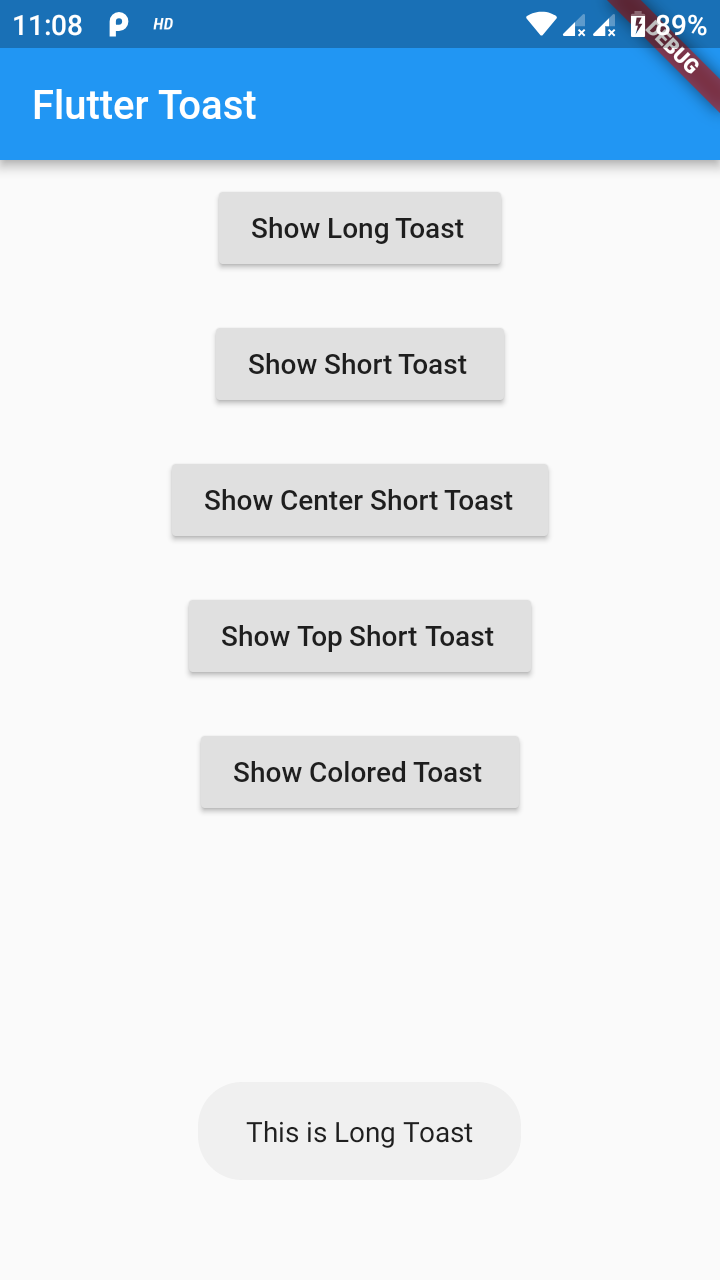
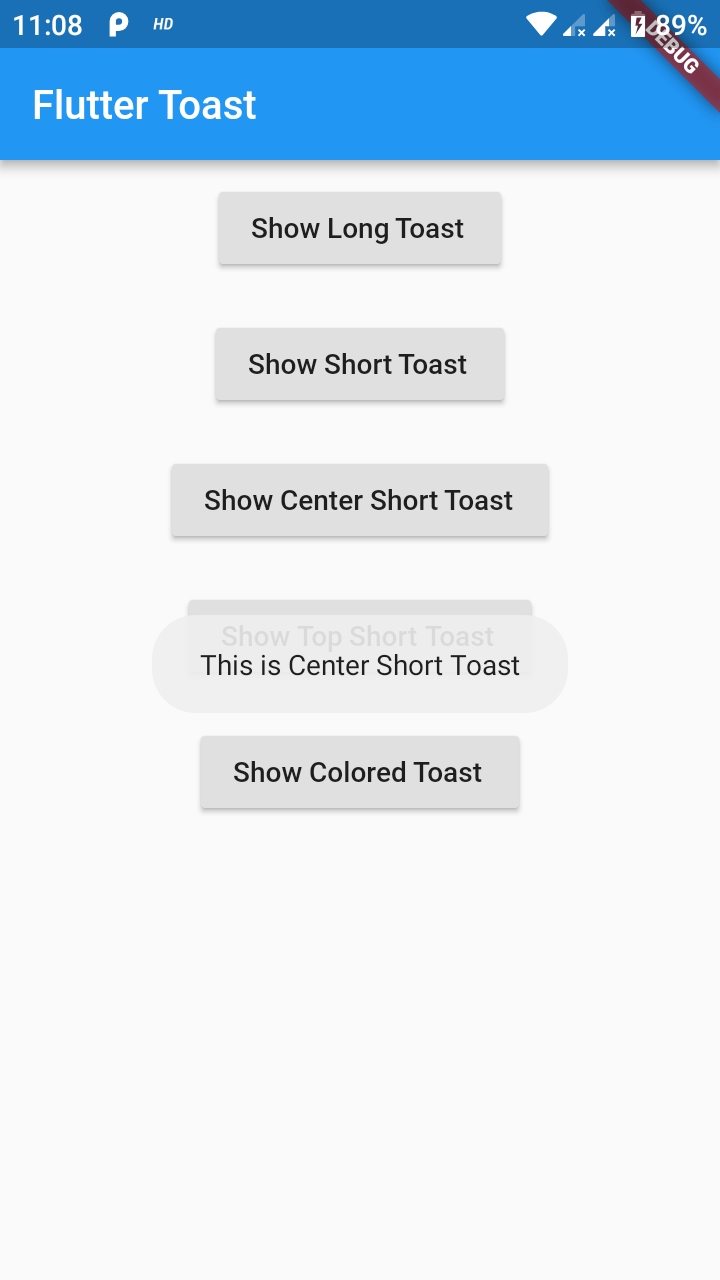
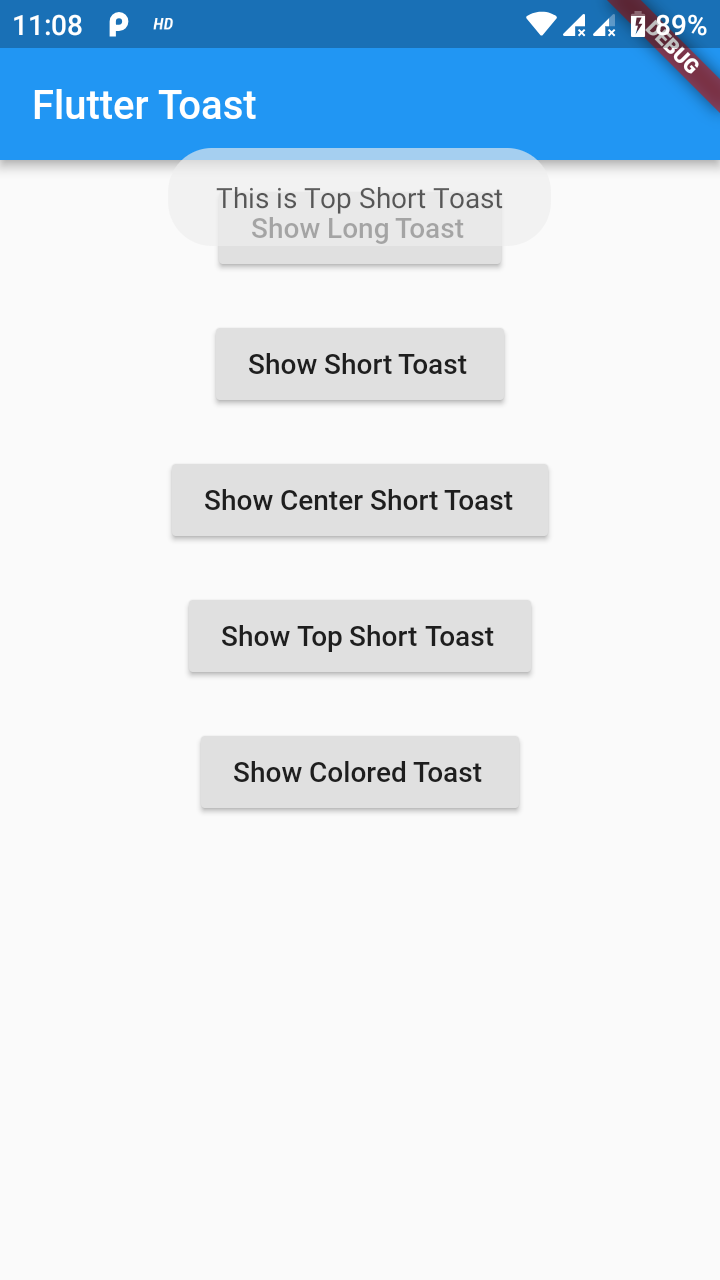
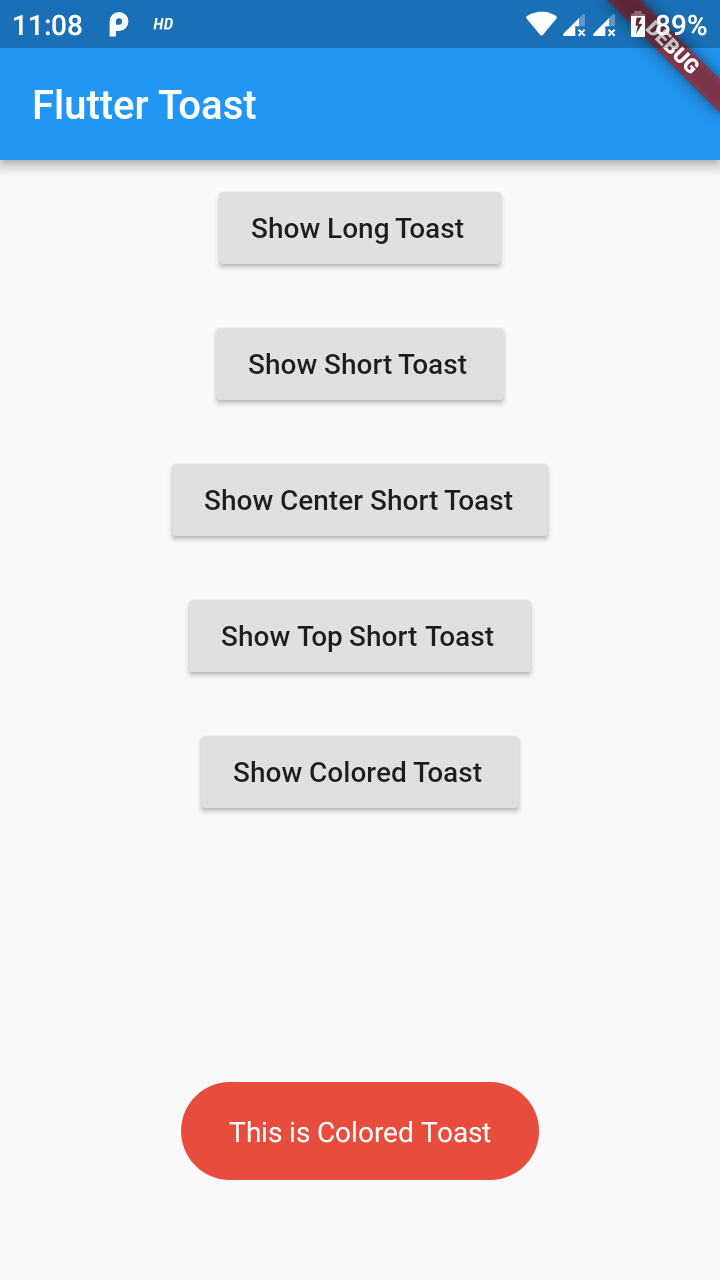
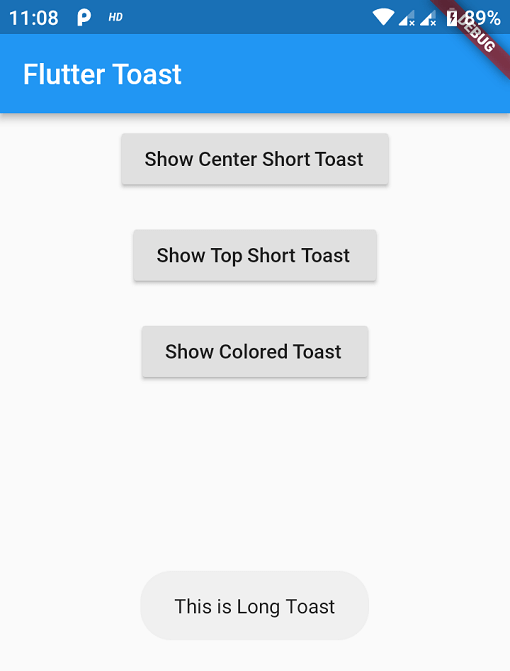
Preview Images (No BuildContext)

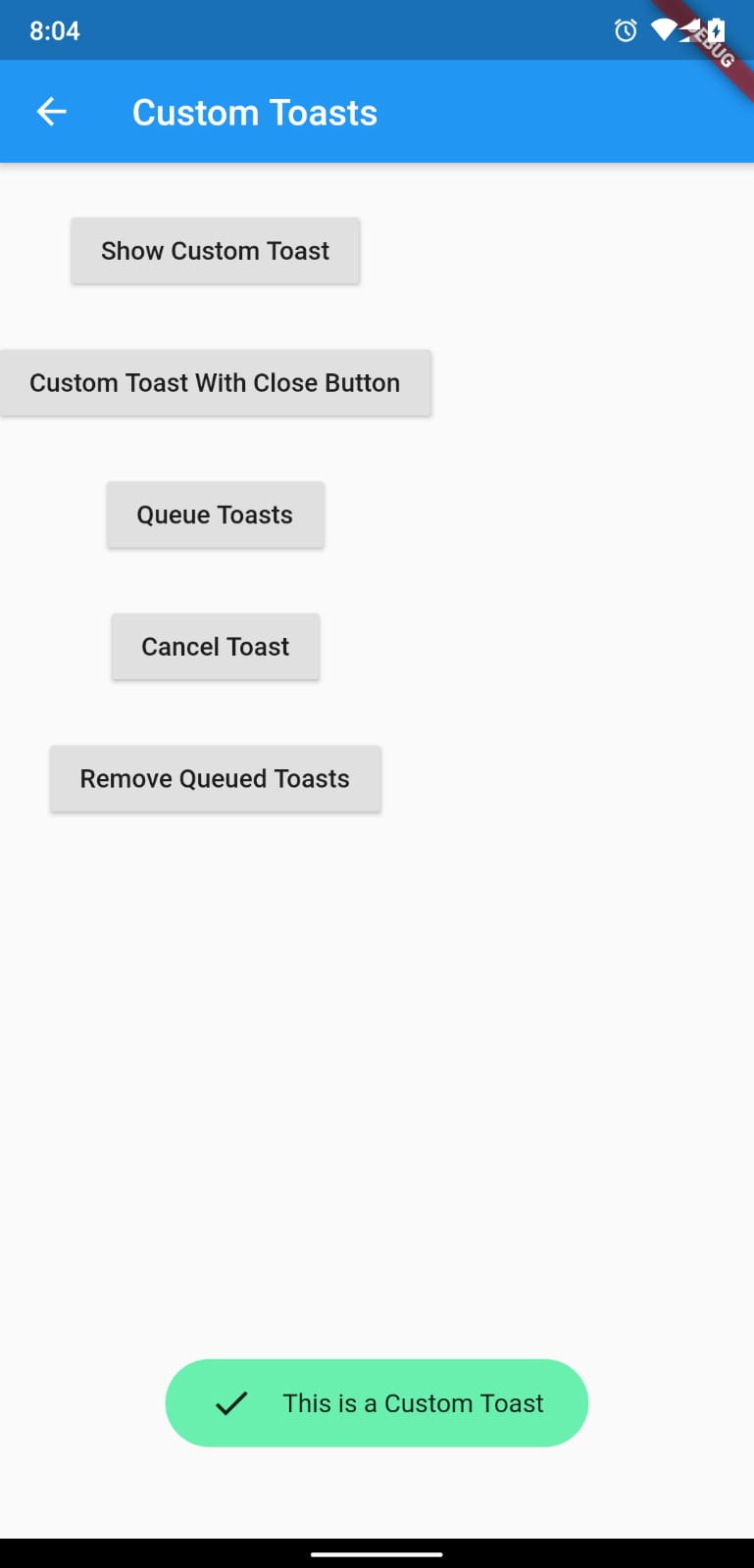
Preview Images (BuildContext)

If you need any features suggest

...

Buy Me a Coffee

Buy Me A Coffee

カテゴリー

依存関係

依存関係一覧 1 件

  • web>=1.0.0 <2.0.0

ソースリポジトリ

このパッケージを使用しているプロジェクト