v13.0.1
firebase_database
Firebase Database 用のFlutterプラグイン。クラウドホスト型のNoSQLデータベースで、AndroidおよびiOSクライアント間でのリアルタイムデータ同期とオフラインアクセスをサポートしています。
650いいね 22.7万30日間ダウンロード140Pub ポイント
AndroidiOSWebmacOSWindows
Budgetoは、収入を「必要」「支出」「貯蓄」といったカスタマイズ可能なカテゴリに分割できるお金の管理プロトタイプアプリです。自動支払い機能や、緊急資金や車の購入に関する手動および計画ツールを備え、ユーザーが財務状況を把握し、財務目標を達成するのを支援します。

以下は英語原文のスナップショットです。最新版は GitHub をご覧ください。

Budgeto is a money management prototype app that allows users to split their income into customizable categories of "need," "expenses," and "savings." With features like autopay for bills, manual and planning tools for emergency funds and car purchases, Budgeto helps users stay on top of their finances and reach their financial goals.
Budgeto is a comprehensive money management app designed to help users take control of their finances. With Budgeto, users can easily split their income into customizable categories, including "need," "expenses," and "savings." The app's default settings allocate 50% to needs, 30% to expenses, and 20% to savings, but users can adjust these percentages as needed to suit their individual financial goals.
The "need" category includes an autopay feature that allows users to set a date and time for bills to be paid automatically, as well as the ability to add payees with their account numbers for easy direct bill payments. The "expenses" category includes a direct pay feature.
The "savings" category offers both manual and automatic investment options. The manual investment section provides users with a selection of demo stocks based on their risk tolerance, allowing them to invest in the stock market with confidence. The automatic investment feature is a static form, where users can set up automatic investments and send it to the organization.
At the start of every month, the remaining amounts from the "need" and "expenses" categories are automatically transferred to the "savings" category, encouraging users to save and reach their financial goals. The app also offers transaction lists for each category and an all-transactions list on the home screen, providing users with an easy way to keep track of their spending.
Budgeto also includes planning tools for emergency funds and car purchases. The emergency fund planning tool calculates the recommended amount to save, which is six times the "expenses" category by default and if the user adds money more than once then its the six times average of the amount added in "expenses" category, this also allows users to adjust the amount and the monthly deduction from the "need" category. The car plan tool allows users to input the cost of the car, enter the split percentage, and set a monthly deduction amount. Both the emergency funds and car plan amounts are deducted on the first of every month automatically, ensuring that users are consistently making progress toward their financial goals.
Budgeto features user email authentication, which adds an extra layer of security to the app, as well as multi-theme mode, which allows users to switch between light and dark mode to suit their personal preferences.


Download apk - https://drive.google.com/file/d/1ND6bVOeYheTLN19f6EMqhVEY8JlVIEhq/view?usp=share_link
Run the following commands from your terminal:
https://github.com/tejasbadone/budgeto.git to clone this repository
flutter pub get in the project root directory to install all the required dependencies.
Client: Flutter
Server: Firebase
Email: admin@email.com
Password: admin123
Since this is a prototype users cannot send or receive actual money
Firebase Database 用のFlutterプラグイン。クラウドホスト型のNoSQLデータベースで、AndroidおよびiOSクライアント間でのリアルタイムデータ同期とオフラインアクセスをサポートしています。
Android および iOS 向けの強力で簡単かつコスト効率の高いオブジェクトストレージサービスである Firebase Cloud Storage 用の Flutter プラグイン。
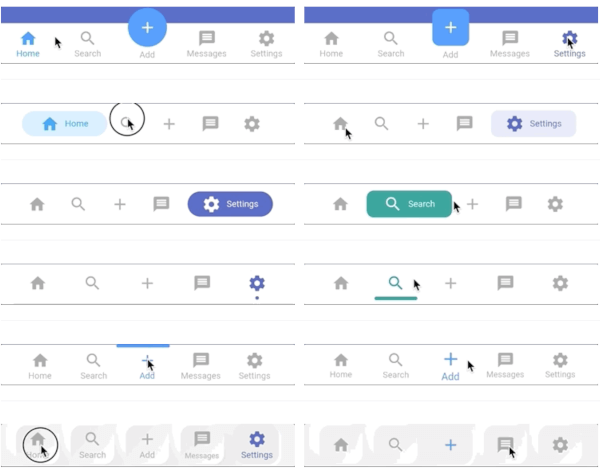
Flutter用の高度にカスタマイズ可能な永続的/静的下部ナビゲーションバー。最大20種類のスタイルを含む。
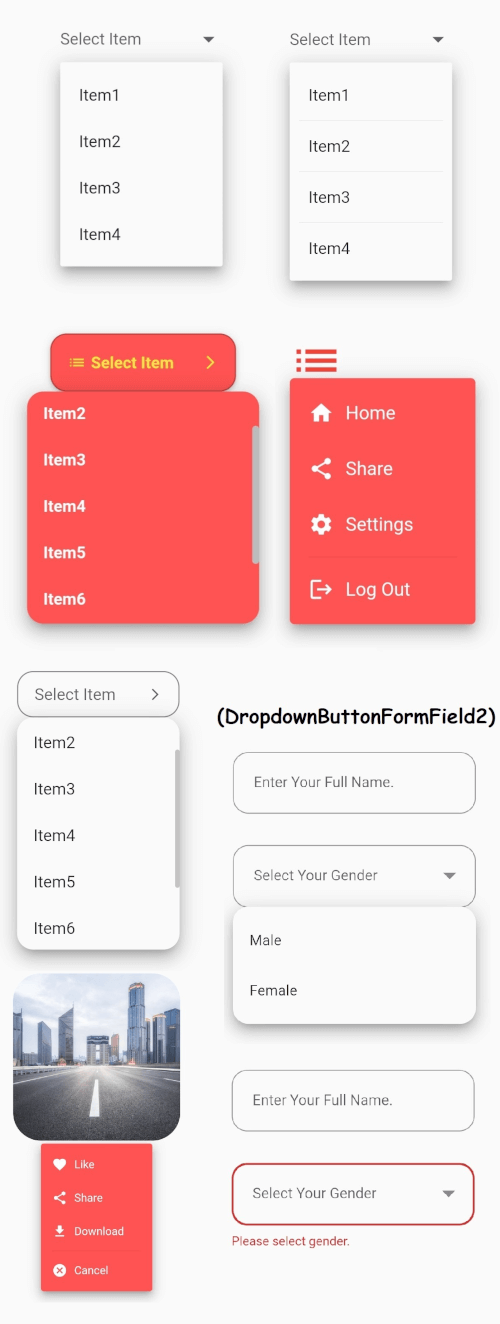
安定したドロップダウンメニューを備えたFlutterのコアドロップダウンボタンウィジェットと、ご要望に応じてカスタマイズ可能なその他のオプション。
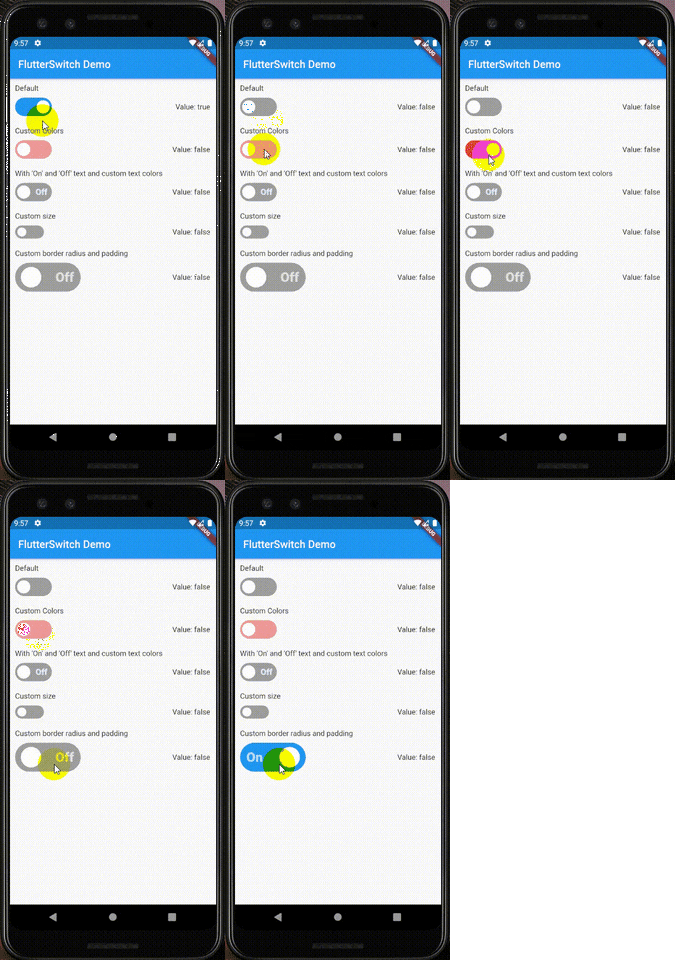
カスタムの高さと幅、ボーダー、ボーダー半径、色、トグルサイズ、トグル内のカスタムテキストおよびアイコンを持つカスタムスイッチウィジェット。
依存関係一覧 17 件
^4.4.4^1.0.2^2.0.0^4.2.10^2.7.1^10.0.16^11.0.15{"sdk":"flutter"}^0.13.1^0.3.2^8.2.1^0.8.7^5.0.2^6.0.5^0.19.0^2.0.0{"sdk":"flutter"}用途で絞り込み、開発状況を比較し、採用前に元のリポジトリで要件を確認しましょう。
“A repository is the most basic element of GitHub.”
GitHub Docs — About repositories ↗