
v0.57.1
shadcn_ui
shadcn/ui가 플러터로 이식되었습니다. 완전히 사용자 정의 가능한 플러터용 멋진 UI 컴포넌트입니다.
962좋아요 6.6만30일 다운로드160Pub 점수
AndroidiOSWebmacOSWindowsLinux
일반적인 코드 조각을 시각적으로 매력적이고 공유 가능한 이미지로 변환하여 개발자가 작업에 창의성을 더하고 플랫폼 간에 쉽게 공유할 수 있도록 도와줍니다.

shadcn/ui가 플러터로 이식되었습니다. 완전히 사용자 정의 가능한 플러터용 멋진 UI 컴포넌트입니다.
Dart용 슈퍼파워. 유용한 정적 확장 메서드 모음.
 v0.7.1
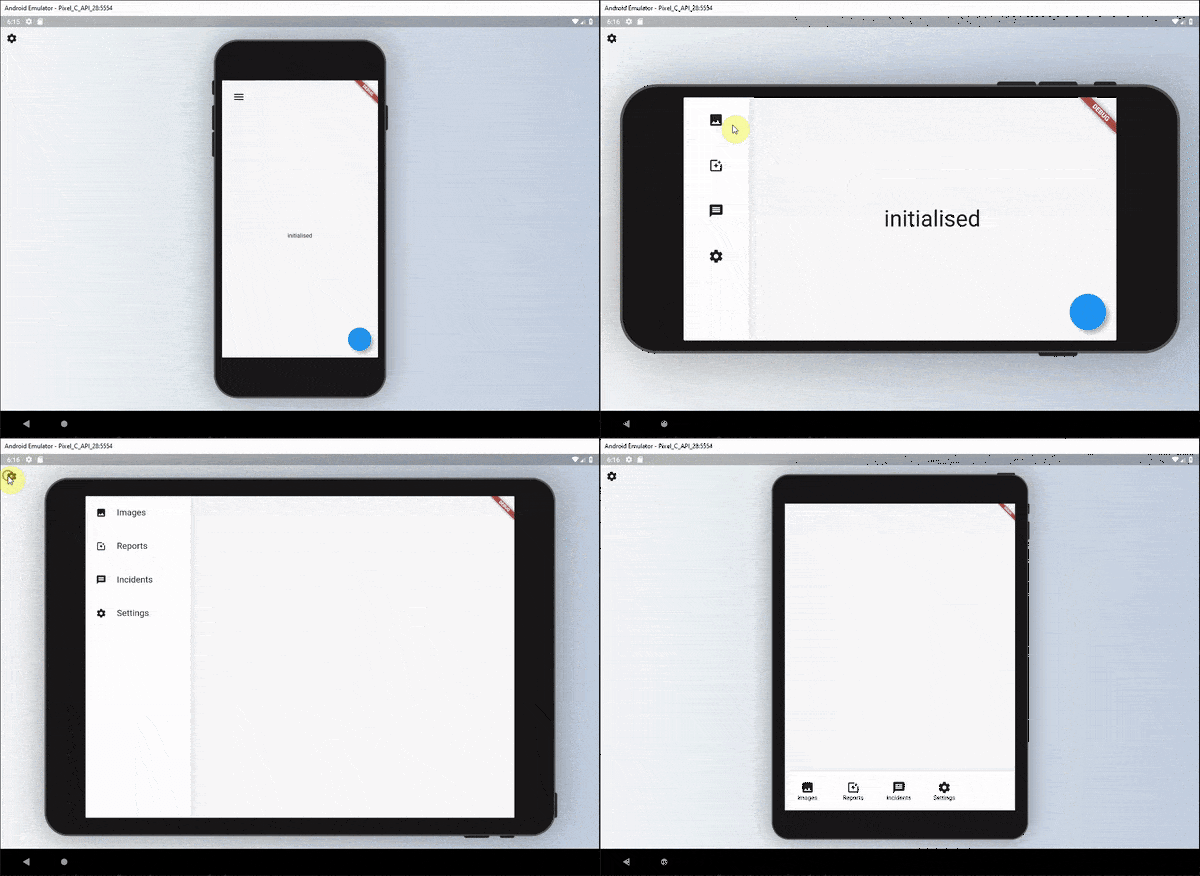
위젯에 대한 가독성 있는 반응형 UI를 정의하는 데 사용할 수 있는 위젯 세트입니다.
사용자가 파일을 Flutter 데스크톱 애플리케이션으로 드래그할 수 있도록 허용하는 플러그인입니다.
 v3.1.0
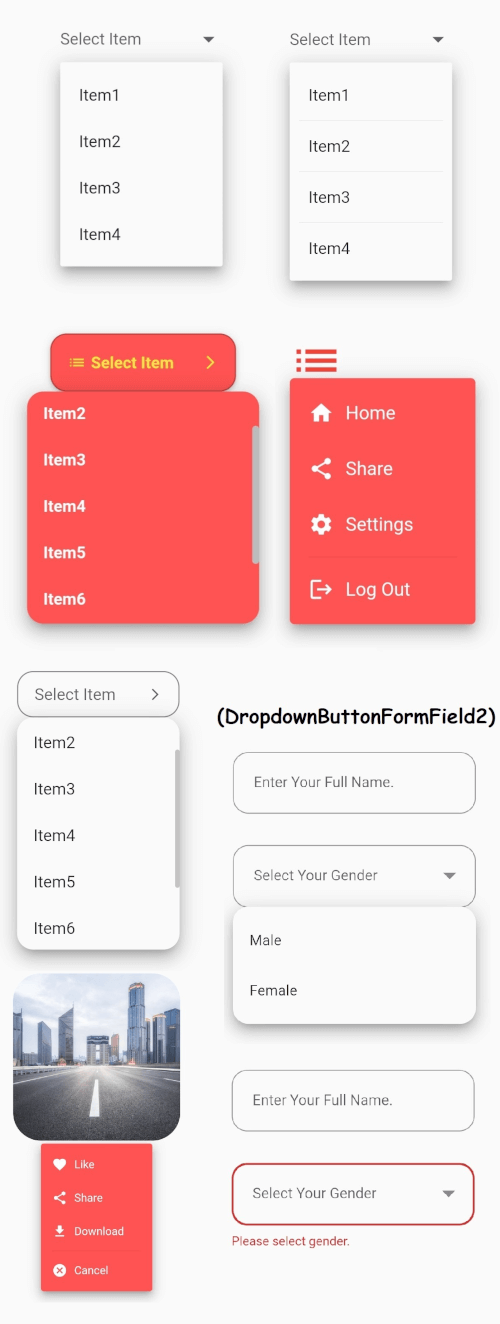
안정적인 드롭다운 메뉴를 갖춘 Flutter의 핵심 드롭다운 버튼 위젯과 귀하의 필요에 맞게 사용자 지정할 수 있는 기타 옵션들.
Android, iOS, Web, Windows, macOS, Linux에서 바이트, 경로, 스트림 및 URL에서 파일을 저장합니다.
유니코드/그래프엠 클러스터를 인식하는 연산을 사용한 문자열 치환.
최적화된 Trie 구현을 기반으로 하는 Dart/Flutter용 자동 완성 엔진입니다.
 v5.0.0
Icons Plus는 Bootstrap, Font Awesome, Eva Icons, Line Awesome, Ionicons 등 인기 있고 사용하기 쉬운 아이콘 팩을 포함한 패키지입니다.
ASCII 및 일반적인 비-ASCII 문자 코드를 위한 상수입니다. 개별 문자의 코드 포인트에 해당하는 정수 상수입니다.
{"sdk":"flutter"}—^0.24.0^5.0.0^1.0.8any—^0.5.0^2.3.9^8.1.3^0.2.14—^2.0.0^1.2.1^1.3.1^1.17.2^2.0.5^1.2.0^1.9.1^1.0.1^0.3.5^2.0.1^6.1.8any{"sdk":"flutter"}아래는 영문 원문 스냅샷입니다. 최신 내용은 GitHub에서 확인하세요.
SnapInk is a tool that transforms your code into beautiful, print-ready images. It allows developers to easily customize, share, and showcase their code with style. image
Whether you’re new to open source or a seasoned pro, your contributions can help bring SnapInk to the next level.
SnapInk is just getting started! Starring helps spread the word, and each contribution or feedback brings us closer to an even better tool. You can help shape SnapInk by suggesting features, fixing bugs, or refining its performance.
To run SnapInk locally using Flutter Web, follow these steps:
Clone the Repository
git clone https://github.com/ildysilva/SnapInk.git
cd SnapInk
Install Flutter Follow the instructions on the Flutter official website.
Get Dependencies
flutter pub get
Run the Project
flutter run -d chrome
git checkout -b my-feature-branch
git commit -m "Add a new feature"
git push origin my-feature-branch
Let SnapInk be part of your coding journey—don’t forget to star and share with your dev community!