
v2.6.0
path_provider_foundation
path_provider 플러그인의 iOS 및 macOS 구현
9좋아요 802만30일 다운로드160Pub 점수
iOSmacOS
miniflux 백엔드(https://miniflux.app)용 간단한 뉴스 리더.

path_provider 플러그인의 iOS 및 macOS 구현
 v10.1.0
공식 확장 이미지, 플레이스홀더(로딩)/실패 상태 지원, 네트워크 캐시, 줌/팬, 사진 보기, 슬라이드 아웃 페이지, 편집기(자르기, 회전, 뒤집기), 그림 그리기 등
Android용 Flutter 플러그인으로 Cronet HTTP 클라이언트에 접근할 수 있도록 제공합니다.
ScrollView에 표시되는 자식 위젯과 관련된 데이터를 관찰하기 위한 위젯입니다.
 v2.3.2+8
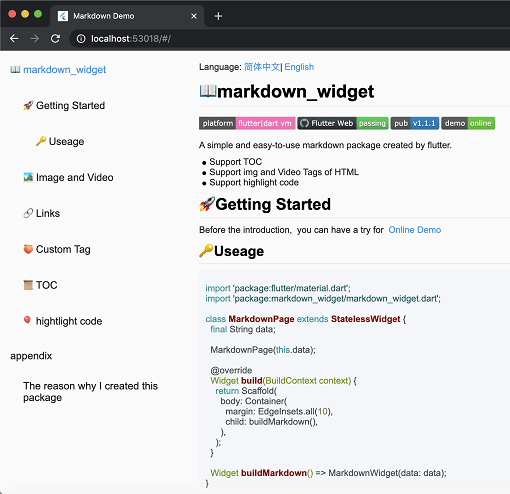
새로운 마크다운 패키지입니다. 목차(TOC) 기능, 코드 강조 표시를 지원하며 모든 플랫폼을 지원합니다.
크고 변수 범위를 가진 리스트를 처리할 수 있는 SliverList 및 ListView의 즉시 사용 가능한 대체품으로 특정 항목으로 점프하거나 애니메이션할 수 있습니다.
 v1.6.5
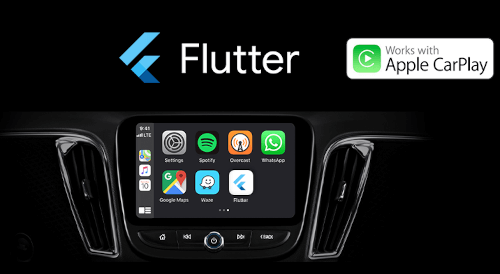
Flutter 앱은 이제 Apple CarPlay와 Android Auto에서 사용 가능합니다. 이 패키지는 CarPlay 또는 Android Auto와 통합함으로써 Flutter로 제작된 앱을 차량에서 안전하게 사용할 수 있도록 하는 것을 목표로 합니다.
앱의 iOS 오디오 세션 카테고리와 Android 오디오 속성을 설정하고 앱의 오디오 포커스, 믹싱 및 덱킹 동작을 관리합니다.
HTML을 마크다운으로 변환하기 위한 라이브러리입니다. CommonMark, 간단한 테이블 및 사용자 정의 변환 규칙을 지원합니다.
pubspec.yaml/lock 파일을 사용하여 세부 정보가 풍부하고 더 나은 오픈소스 라이선스 목록을 생성하는 도구입니다.
 v2.2.7
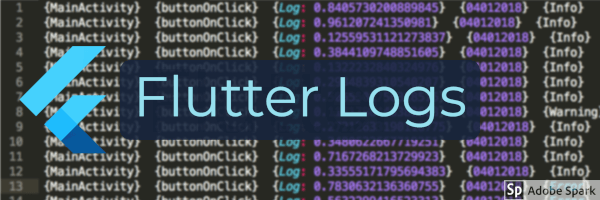
Flutter 앱을 위한 포괄적인 파일 기반 로깅 프레임워크입니다. (ELK 스택 지원)
{"sdk":"flutter"}{"sdk":"flutter"}^1.0.5^6.0.5^1.8.2^1.1.0^0.15.2^0.20.2^10.3.1^11.0.0^0.14.3^2.2.19^6.1.10^1.2.1^2.0.5^3.0.2^2.0.5^1.9.0^2.6.2^13.1.0^2.5.3^2.0.15^10.2.1^12.0.0-beta.5^1.8.0^1.21.0^0.4.1^4.0.0^2.4.2^1.3.2^2.3.2+8^10.0.1^2.5.1^4.0.9^2.9.0^0.10.5^0.18.18^0.2.3^7.1.1^1.3.0^0.9.1^0.10.7^0.30.2{"sdk":"flutter"}^6.0.0^5.4.0^2.3.3^2.3.5아래는 영문 원문 스냅샷입니다. 최신 내용은 GitHub에서 확인하세요.
A privacy-first Newsreader and Podcast player for the Miniflux backend (https://miniflux.app).
Flux News synchronizes seamlessly with the Miniflux API to bring your favorite articles and podcasts to all your devices - including your car.
Enjoy full offline support, intuitive gestures, a true OLED black mode, and a powerful new media engine for an uninterrupted listening experience.
Flux News requires Miniflux version >= 2.0.29.
The unread articles should appear in the app.
https://raw.githubusercontent.com/KevinCFechtel/FluxNews/HEAD/metadata/en-US/images/phoneScreenshots/screenshot1.png https://raw.githubusercontent.com/KevinCFechtel/FluxNews/HEAD/metadata/en-US/images/phoneScreenshots/screenshot2.png https://raw.githubusercontent.com/KevinCFechtel/FluxNews/HEAD/metadata/en-US/images/phoneScreenshots/screenshot3.png https://raw.githubusercontent.com/KevinCFechtel/FluxNews/HEAD/metadata/en-US/images/phoneScreenshots/screenshot4.png https://raw.githubusercontent.com/KevinCFechtel/FluxNews/HEAD/metadata/en-US/images/phoneScreenshots/screenshot5.png https://raw.githubusercontent.com/KevinCFechtel/FluxNews/HEAD/metadata/en-US/images/phoneScreenshots/screenshot6.png https://raw.githubusercontent.com/KevinCFechtel/FluxNews/HEAD/metadata/en-US/images/phoneScreenshots/screenshot7.png https://raw.githubusercontent.com/KevinCFechtel/FluxNews/HEAD/metadata/en-US/images/phoneScreenshots/screenshot8.png
https://raw.githubusercontent.com/KevinCFechtel/FluxNews/HEAD/metadata/en-US/images/sevenInchScreenshots/screenshot1.png https://raw.githubusercontent.com/KevinCFechtel/FluxNews/HEAD/metadata/en-US/images/sevenInchScreenshots/screenshot4.png https://raw.githubusercontent.com/KevinCFechtel/FluxNews/HEAD/metadata/en-US/images/sevenInchScreenshots/screenshot6.png
Flux News aims to be accessible to everyone. If you would like to help translate the app into your language, or improve existing translations, you can easily do so via the Hosted Weblate instance.
No coding required! You can contribute directly in your browser:
We deeply appreciate every contribution that helps bring Flux News to a wider audience. If your language is not yet listed on Weblate and you would like to start a new translation, please open an issue or let us know!
This program is free software: you can redistribute it and/or modify it under the terms of the Modified BSD License.
This program is distributed in the hope that it will be useful, but WITHOUT ANY WARRANTY; without even the implied warranty of MERCHANTABILITY or FITNESS FOR A PARTICULAR PURPOSE. See the Modified BSD License for more details.