
v1.5.0
floor
Flutter 애플리케이션용 타입 안전하고 반응형이며 가벼운 SQLite 추상화입니다. 이 라이브러리는 런타임 종속성입니다.
1천좋아요 3.3만30일 다운로드110Pub 점수
플랫폼 정보 없음
OSC(오픈 사운드 컨트롤) 명령어를 사용하여 Beyond 소프트웨어와 원활하게 통합하세요

Flutter 애플리케이션용 타입 안전하고 반응형이며 가벼운 SQLite 추상화입니다. 이 라이브러리는 런타임 종속성입니다.
 v2.1.0
Flutter용 간단한 애니메이션 로딩 버튼 위젯 구현
 v3.2.0
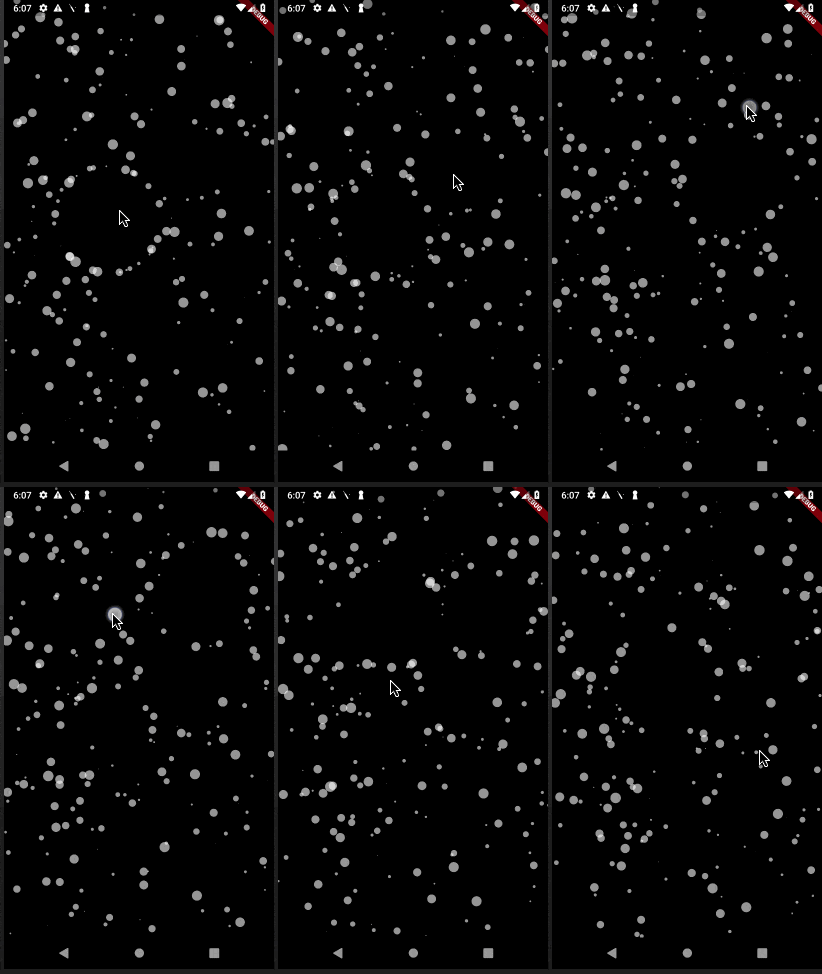
파티클 애니메이션을 위한 플러터 패키지입니다. 애니메이션 속도, 화면에 표시되는 파티클 수, 파티클의 치수와 모양, 연결선 등 다양한 요소를 제어할 수 있습니다.
 v2.0.3
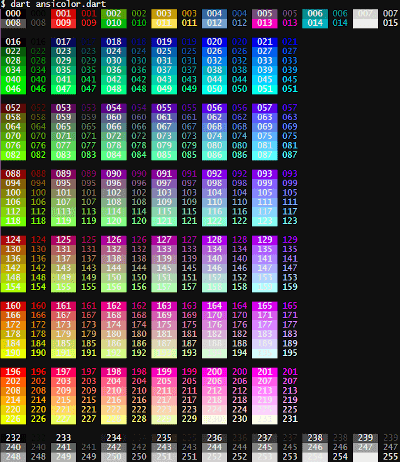
터미널 로그에 색을 더하고 싶으신가요? `ansicolor`는 xterm-256 색상 지원 라이브러리로 텍스트의 전경 및 배경 색상을 변경할 수 있습니다.
 v2.0.4
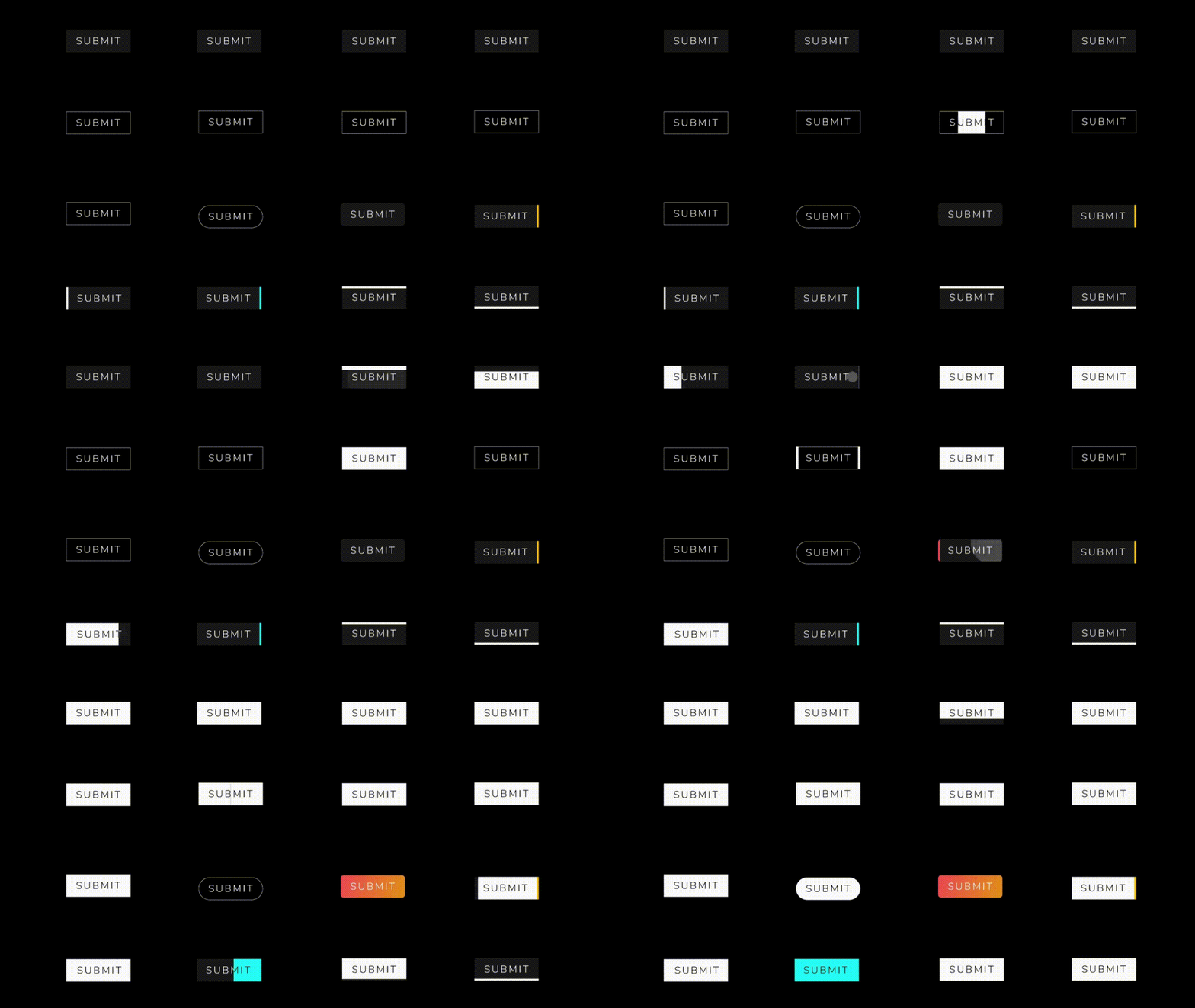
아름답고 멋진 버튼 애니메이션 모음이 포함된 플러터 패키지 프로젝트입니다.
{"sdk":"flutter"}^1.0.2^7.2.0^1.0.0^3.0.0^6.1.0^0.1.4^2.0.2^2.0.3^2.1.0^2.0.5^1.4.2—^2.0.0{"sdk":"flutter"}^2.1.5^1.4.2^2.0.0아래는 영문 원문 스냅샷입니다. 최신 내용은 GitHub에서 확인하세요.
Introduction:
This Flutter project is designed to seamlessly integrate with Beyond software using OSC (Open Sound Control) commands. OSC is a protocol for communication among computers, sound synthesizers, and other multimedia devices. The primary goal of this project is to leverage OSC commands to establish reliable and efficient communication with Beyond software, enhancing the capabilities of the Flutter application.
Key Features:
OSC Integration with Beyond Software:
BLoC Architecture:
Floor for Local Database:
GetIt for Service Location:
Tech Stack:
OSC (Open Sound Control) Working:
OSC is a protocol that enables communication between devices by sending messages in a simple, human-readable format. In the context of this Flutter project:
Sending OSC Messages:
/color 255 0 0 (sets color to red).Receiving OSC Messages:
/coordinates 100 50 (updates the application's display).How to Run:
flutter pub get to fetch the project dependencies.flutter run to launch the application on an emulator or connected device.Screens:
https://github.com/Saumya-28/Laser_Slides_Flutter/assets/98171392/e21e0cde-853b-4e32-8358-84b61b7c9727 https://github.com/Saumya-28/Laser_Slides_Flutter/assets/98171392/dd1798a4-4cdb-41d5-8962-bbc3efe327f6 https://github.com/Saumya-28/Laser_Slides_Flutter/assets/98171392/15f82f6d-8b4b-4a18-80db-c7979c260f6f https://github.com/Saumya-28/Laser_Slides_Flutter/assets/98171392/8582942d-e7fa-464a-a609-6992cee166b0
https://github.com/Saumya-28/Laser_Slides_Flutter/assets/98171392/fe2f8b34-8c3c-40c2-bab3-a0eaa113a1e8 https://github.com/Saumya-28/Laser_Slides_Flutter/assets/98171392/61c9002b-2864-46a1-abd0-ffc5f1937a8c https://github.com/Saumya-28/Laser_Slides_Flutter/assets/98171392/a7e7dc9b-a5c3-4134-be8a-aed62deb1c87 https://github.com/Saumya-28/Laser_Slides_Flutter/assets/98171392/c42d2b1c-da6a-42ad-b3ab-a5280c6e1752