패키지, 저장소 및 앱 카테고리 검색

particles_flutter 표지
패키지 상세v3.2.0

particles_flutter

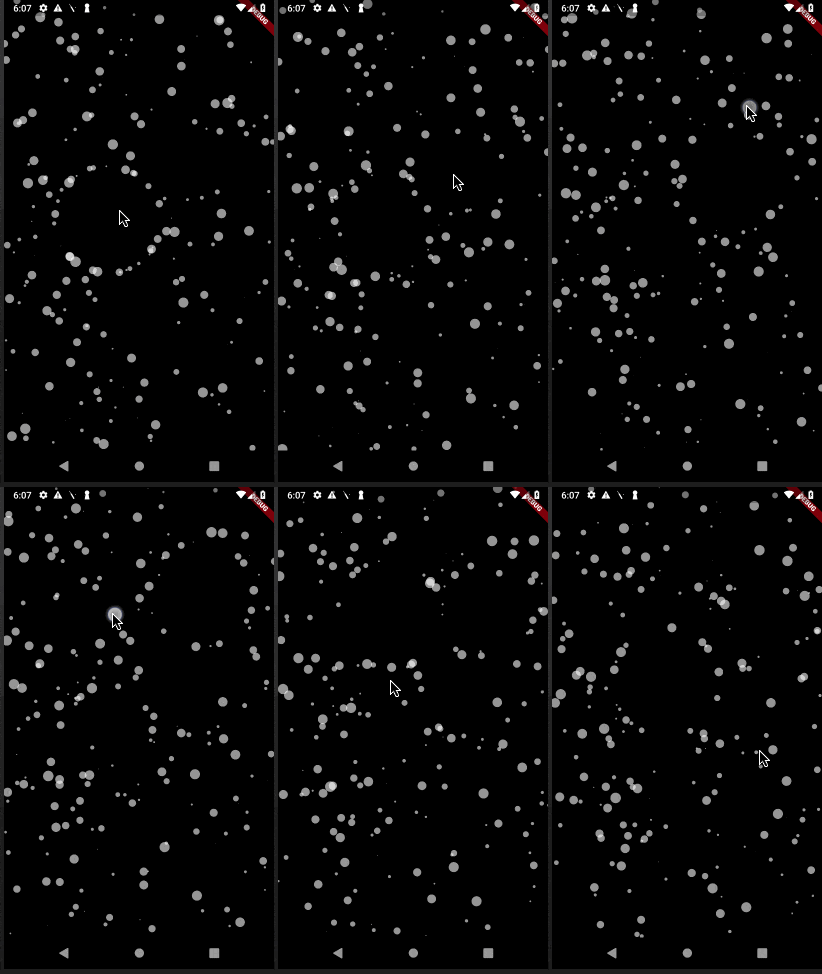
파티클 애니메이션을 위한 플러터 패키지입니다. 애니메이션 속도, 화면에 표시되는 파티클 수, 파티클의 치수와 모양, 연결선 등 다양한 요소를 제어할 수 있습니다.

AndroidiOSWebmacOSWindowsLinux
30일 다운로드
2.7천
좋아요
199
Pub 점수
150

패키지 설치

flutter pub add particles_flutter

패키지 개요

공개 정보를 바탕으로 생성한 선택 가이드입니다.

Particles Flutter는 Flutter 애플리케이션에서 동적 입자 애니메이션을 생성하기 위한 가벼운 패키지입니다. 개발자는 애니메이션 속도, 입자 수, 크기, 모양 및 입자 간 연결선을 사용자 정의할 수 있습니다. 미세한 배경 효과로 UI를 강화하는 데 이상적이며, Android, iOS, Web, macOS, Windows, Linux 등 여러 플랫폼을 지원합니다. 간단한 pub add 명령어를 통해 기존 프로젝트에 원활하게 통합되며, 사용자 정의 가능한 상호작용 입자 시스템을 통해 시각적인 매력을 제공합니다.

사용 사례

  • 배경 애니메이션
  • 인터랙티브 UI 요소
  • 로딩 화면
  • 시각적 스토리텔링
  • 앱 스플래시 화면

주요 기능

  • 사용자 정의 가능한 입자 수
  • 조정 가능한 애니메이션 속도
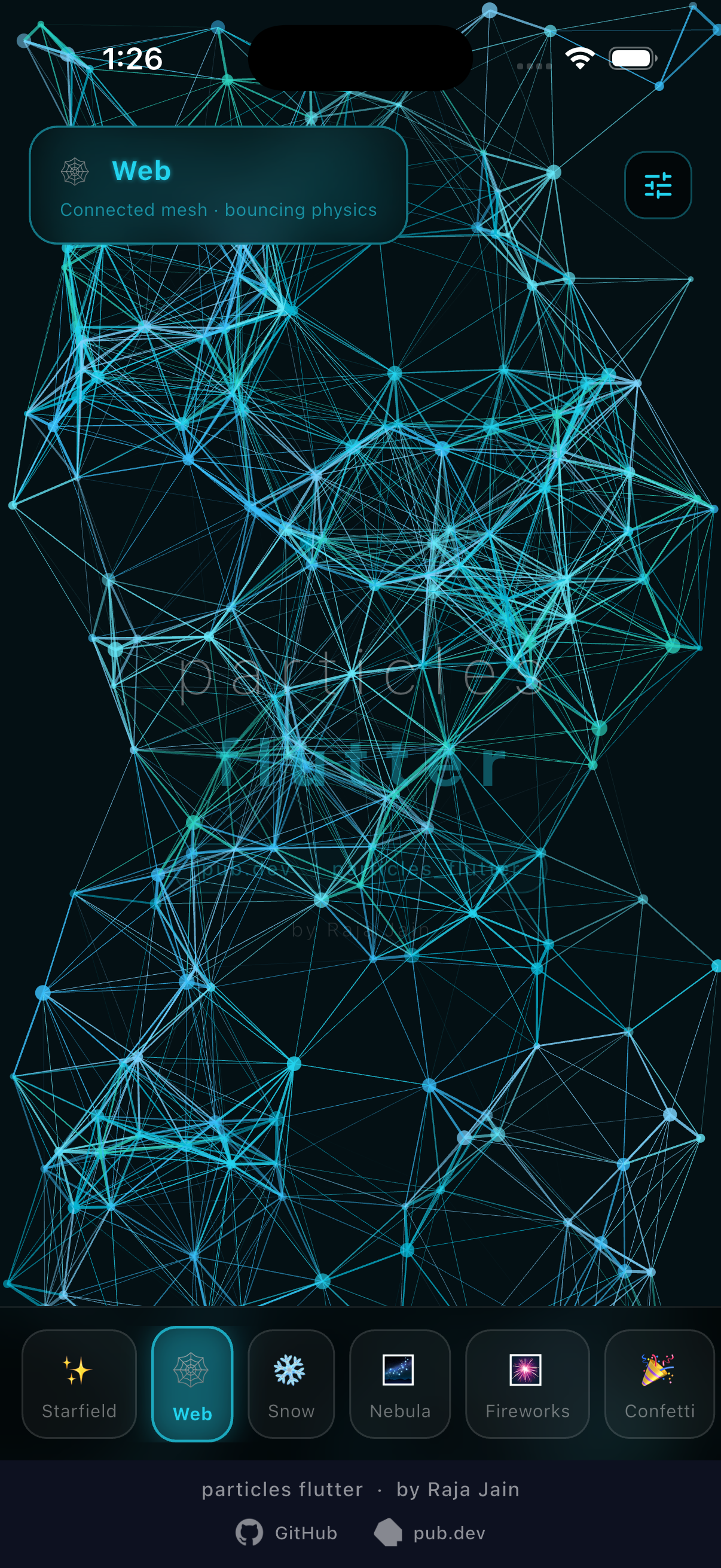
  • 입자 간 연결선
  • 다양한 형태 지원
  • 크로스 플랫폼 호환성
  • pub를 통한 간편한 통합

적합한 대상

  • 시각적 매력이 필요한 UI 디자이너
  • 매력적인 온보딩 경험을 구축하는 개발자
  • 애니메이션 배경이 필요한 앱
  • 창의적인 디지털 제품
  • 프론트엔드 중심의 플러터 프로젝트

고려 사항

  • 높은 입자 수와 함께 성능에 영향을 줄 수 있습니다
  • 모바일 장치에 대한 세심한 최적화가 필요합니다
  • 개별 입자 행동에 대한 제한된 통제
  • 정적 또는 천천히 움직이는 애니메이션에 가장 적합
  • 복잡한 상호작용 게임에는 적합하지 않습니다

원본 README

연결된 소스 저장소의 README 원문 스냅샷입니다. 최신 내용은 저장소에서 확인하세요.

particles_flutter

High-performance, fully customisable particle animations for Flutter. Starfields, snow, confetti, fireworks, connected webs, comets, burst explosions — with physics, touch/hover interaction, lifetime animations, trails, and burst emitters.

pub package pub points likes License: MIT Live Demo Buy Me A Coffee

Live Demo · pub.dev · Issues · Contributing


Table of Contents


Install

flutter pub add particles_flutter

Quick Start

import 'package:particles_flutter/engine.dart';
import 'package:particles_flutter/shapes.dart';

Particles(
  width: MediaQuery.of(context).size.width,
  height: MediaQuery.of(context).size.height,
  boundType: BoundType.WrapAround,
  particles: List.generate(80, (_) {
    final rng = Random();
    return CircularParticle(
      radius: rng.nextDouble() * 4 + 1,
      color: Colors.white.withValues(alpha: 0.7),
      velocity: Offset(
        (rng.nextDouble() - 0.5) * 60,
        (rng.nextDouble() - 0.5) * 60,
      ),
    );
  }),
)

Features

Particle Shapes

Import: import 'package:particles_flutter/shapes.dart';

Shape Class
Circle CircularParticle(radius, color, velocity)
Rectangle RectangularParticle(width, height, color, velocity)
Rounded Rectangle RoundRectangularParticle(width, height, cornerRadius, ...)
Triangle TriangularParticle(width, height, color, velocity)
Oval OvoidalParticle(width, height, color, velocity, rotationSpeed)
Image ImageParticle(image, width, height, color, velocity)

All shapes support rotationSpeed and all lifetime animation parameters.

Starting position

Every particle accepts an optional startPosition — place it exactly where you want instead of the default random spawn. Useful when adding particles to a running list after initState (they'd otherwise start at (0, 0)):

CircularParticle(
  radius: 8,
  color: Colors.cyan,
  velocity: Offset.zero,
  startPosition: Offset(120, 240),
)

Lifetime Animations

All shapes accept these optional parameters. Omit any to keep default behavior.

Color over lifetime
CircularParticle(
  color: Colors.yellow,
  lifetime: 3.0,
  // Two-color transition:
  endColor: Colors.transparent,
  // OR gradient across lifetime:
  colorGradient: [Colors.white, Colors.yellow, Colors.orange, Colors.transparent],
  colorCurve: Curves.linear,
  ...
)
Scale over lifetime
CircularParticle(
  color: Colors.purple,
  lifetime: 2.5,
  startScale: 0.1,
  endScale: 1.8,
  scaleCurve: Curves.easeInOut,
  ...
)
Fade over lifetime
CircularParticle(
  color: Colors.white,
  lifetime: 2.0,
  startOpacity: 1.0,
  endOpacity: 0.0,
  opacityCurve: Curves.easeIn,
  ...
)

Tip: Set both startOpacity: 0.0 and endOpacity: 0.0 for a triangle fade — particles fade in to full opacity at mid-life, then back out. No visible pop on spawn or death.

CircularParticle(
  lifetime: 3.0,
  startOpacity: 0.0,  // fade in from invisible
  endOpacity: 0.0,    // fade out to invisible — triangle curve auto-applied
  ...
)
Particle trails
CircularParticle(
  color: Colors.cyan,
  lifetime: 2.0,
  trailEnabled: true,
  trailLength: 7,   // past positions to draw
  trailFade: true,  // fade older segments
  ...
)

Reacting to Expiry

Particles.onParticleExpired fires the instant a particle's lifetime ends, right before it's recycled/respawned. Use it to swap in new content for a slot — e.g. cycling a small set of visible particles through a much larger backing list (see Pool Cycle below).

Color/image are set at construction and are immutable, so to change what a particle displays you build a fresh particle for that slot rather than mutating the expired one in place:

Particles(
  particles: particles,
  width: size.width,
  height: size.height,
  onParticleExpired: (p) {
    final slot = particles.indexOf(p);
    particles[slot] = CircularParticle(
      color: nextColor(),
      velocity: Offset.zero,
      lifetime: 1.5,
      startPosition: randomPosition(),
      startOpacity: 0.0,
      endOpacity: 0.0,
    );
  },
)

Boundary Types
Value Behaviour
BoundType.None Particles exit the canvas (default)
BoundType.WrapAround Particles reappear from the opposite edge
BoundType.Bounce Particles reflect off edges
Particles(
  boundType: BoundType.WrapAround,
  ...
)

Touch & Hover Interaction

Import: import 'package:particles_flutter/interactions.dart';

Particles(
  interaction: ParticleInteraction(
    awayRadius: 120,
    enableHover: true,
    onTapAnimation: true,
    awayAnimationDuration: Duration(milliseconds: 400),
    awayAnimationCurve: Curves.easeOut,
    hoverRadius: 80,
  ),
  ...
)

Particle Physics

Import: import 'package:particles_flutter/physics.dart';

Particles(
  particlePhysics: ParticlePhysics(gravityScale: 30),
  ...
)
Attractors & repulsors

Pull particles toward a point, or push them away — great for magnet/vortex effects, or letting particles follow the pointer. position is a callback re-evaluated every frame, so the point can move (e.g. track a drag). Force falls off linearly from full strength at the center to zero at radius. Use a negative strength to repel instead of attract.

Particles(
  particlePhysics: ParticlePhysics(
    attractors: [
      Attractor(
        position: () => pointerPosition,
        strength: 4000,   // negative = repel
        radius: 260,
      ),
    ],
  ),
  ...
)

Text & Image Shapes

ParticleShapeSampler turns rendered text or any image into a list of point positions, so you can arrange particles into the shape of a word or a logo. Combine with Particle.startPosition to spawn each particle exactly on its sampled point.

import 'package:particles_flutter/engine.dart';

// Sample the glyphs of a word into points.
final points = await ParticleShapeSampler.fromText(
  'FLUTTER',
  style: const TextStyle(fontSize: 96, fontWeight: FontWeight.w600),
  step: 2,          // sampling stride in px (lower = denser)
  maxPoints: 1100,  // cap the number of points
);

// Or sample the opaque pixels of an image:
// final points = await ParticleShapeSampler.fromImage(uiImage, step: 3);

final particles = [
  for (final p in points)
    CircularParticle(
      radius: 1.4,
      color: Colors.white,
      velocity: Offset.zero,
      startPosition: p, // spawn on the sampled point
    ),
];

Particles(
  particles: particles,
  width: size.width,
  height: size.height,
);
Parameter Type Default Description
step double 4 Sampling stride in pixels; lower is denser
maxPoints int? null Caps the number of points (randomly thinned)
alphaThreshold int 32 Minimum pixel alpha (0–255) counted as "inside"
offset Offset Offset.zero Added to every returned point

ParticleShapeSampler rasterizes offscreen via Picture.toImage. In a testWidgets test, wrap calls in tester.runAsync(() async { ... }).

See the Text example scene for a full demo: particles fly in, assemble into the word, scatter away from the pointer, and spring back.


Emission Controller

Spawn particles from a fixed point — great for fountains and fireworks.

Particles(
  boundType: BoundType.None,
  particleEmitter: Emitter(
    startPosition: Offset(width / 2, height / 2),
    startPositionRadius: 10,  // spawn scatter radius
    clusterSize: 10,           // particles per burst
    delay: Duration(milliseconds: 300),
    recycles: false,           // true = loop forever
  ),
  ...
)

Burst Emitter

Fire a fixed number of particles in a single burst — configurable spread, repeat interval, physics, and optional manual controller.

Import: import 'package:particles_flutter/engine.dart';

Spread patterns
Pattern Description
RadialBurst All directions evenly
ConeBurst Within a configurable cone angle
DirectionalBurst One direction with spread
CustomBurst Offset Function(int index, int total) — build your own
One-shot radial explosion
Particles(
  particles: const [],
  width: size.width,
  height: size.height,
  boundType: BoundType.None,
  burstEmitters: [
    BurstEmitter(
      position: (size) => size.center(Offset.zero),
      particleCount: 60,
      pattern: RadialBurst(minSpeed: 150, maxSpeed: 400),
      repeatCount: 1,
      physics: ParticlePhysics(gravityScale: 120),
      particleFactory: (i, total) => CircularParticle(
        radius: 4,
        color: Colors.orange,
        velocity: Offset.zero,
        lifetime: 1.8,
        endOpacity: 0.0,
      ),
    ),
  ],
)
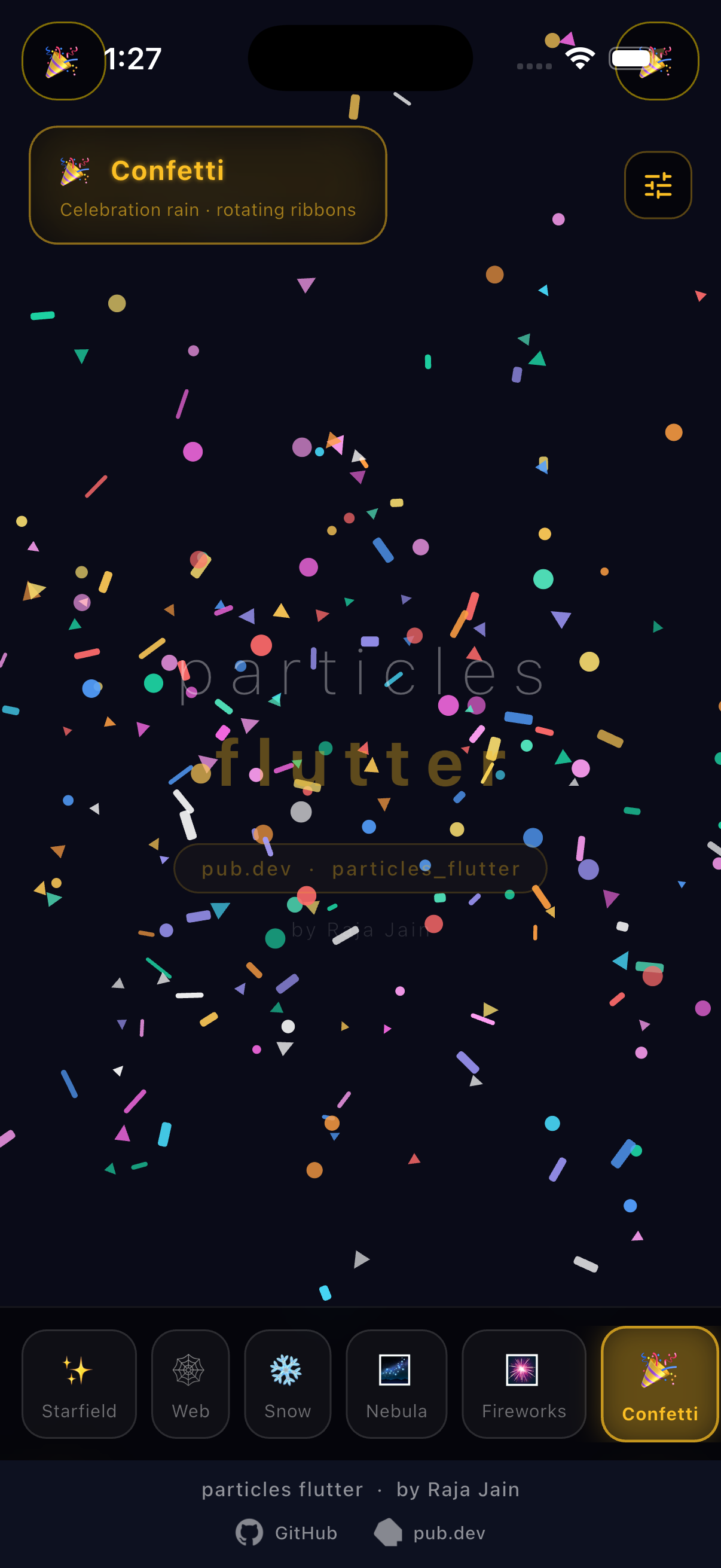
Cone confetti from bottom
BurstEmitter(
  position: (size) => Offset(size.width / 2, size.height),
  particleCount: 50,
  pattern: ConeBurst(
    angle: -pi / 2,    // shoot upward
    spread: pi / 2.5,
    minSpeed: 300,
    maxSpeed: 600,
  ),
  repeatCount: 1,
  positionRadius: 60,
  physics: ParticlePhysics(gravityScale: 200),
  particleFactory: (i, total) => RoundRectangularParticle(
    width: 12, height: 4, cornerRadius: 2,
    color: Colors.pink,
    velocity: Offset.zero,
    rotationSpeed: 3.0,
    lifetime: 2.0,
    endOpacity: 0.0,
  ),
)
Tap-to-burst at touch point
// In your State:
final _ctrl = BurstEmitterController();
Offset _tapPos = Offset.zero;

// In build:
Listener(
  behavior: HitTestBehavior.opaque,
  onPointerDown: (event) {
    _tapPos = event.localPosition;
    _ctrl.trigger();
  },
  child: Particles(
    particles: const [],
    width: size.width,
    height: size.height,
    boundType: BoundType.None,
    burstEmitters: [
      BurstEmitter(
        position: (size) => _tapPos,
        particleCount: 40,
        pattern: RadialBurst(minSpeed: 80, maxSpeed: 240),
        repeatCount: 0,       // 0 = fire only when triggered
        controller: _ctrl,
        physics: ParticlePhysics(gravityScale: 80),
        particleFactory: (i, total) => CircularParticle(
          radius: 3,
          color: Colors.cyan,
          velocity: Offset.zero,
          lifetime: 1.2,
          endScale: 0.0,
          endOpacity: 0.0,
        ),
      ),
    ],
  ),
)
BurstEmitter parameters
Parameter Type Default Description
position Offset Function(Size) required Burst origin
particleCount int required Particles per burst
particleFactory Particle Function(int, int) required Builds each particle
pattern BurstPattern required Velocity spread strategy
initialDelay Duration Duration.zero Delay before first burst
repeatCount int 1 Bursts to fire; 0 = controller-only
repeatInterval Duration Duration.zero Gap between repeats
positionRadius double 0 Scatter radius around position
physics ParticlePhysics? null Gravity for burst particles
enableTrails bool false Trail rendering (expensive at high counts)
controller BurstEmitterController? null Manual trigger
maxPoolSize int 500 Memory ceiling; oldest particles reclaimed when full

Emitter.burst(...) is a shorthand factory that returns a BurstEmitter — use whichever style you prefer.


Example Scenes

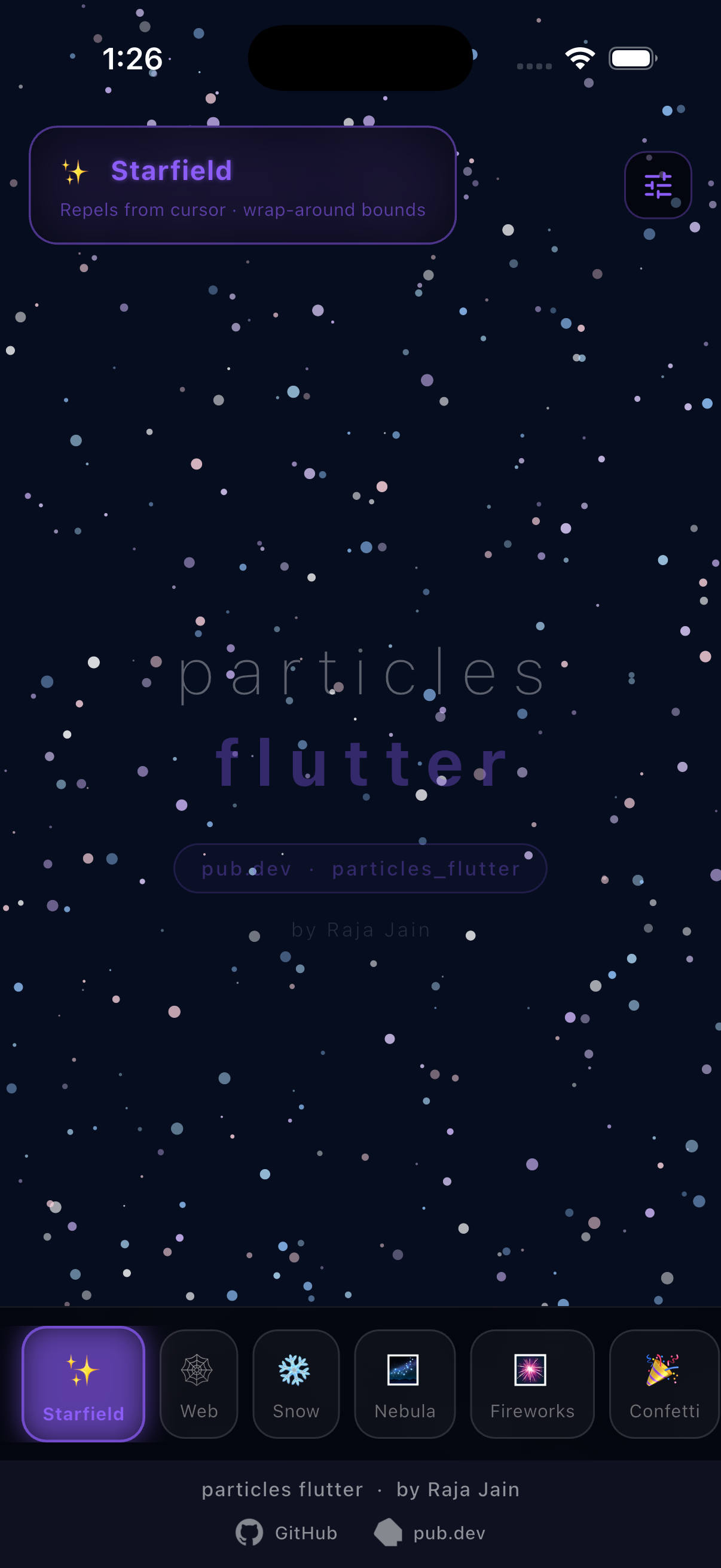
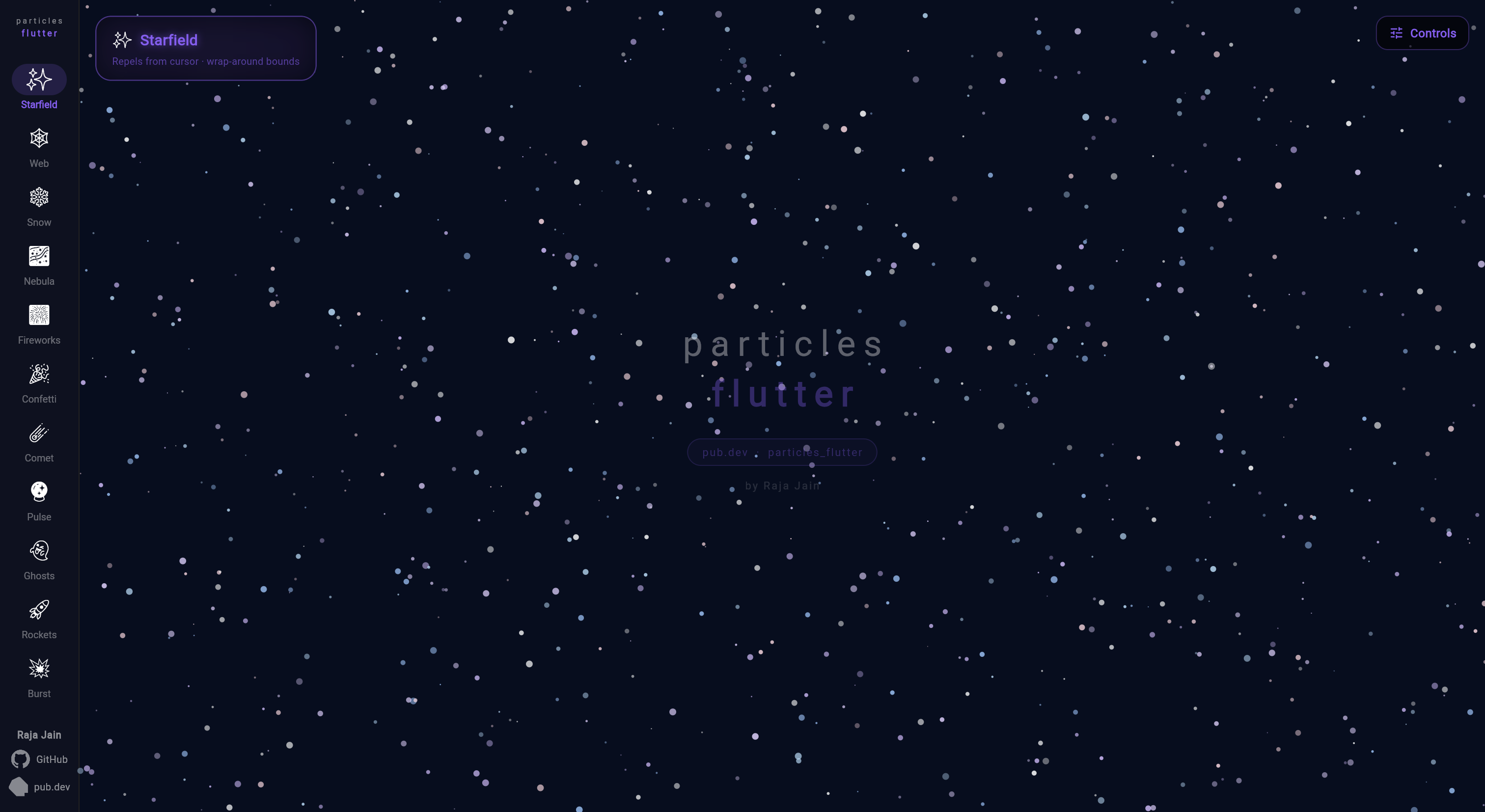
✨ Starfield
Particles(
  boundType: BoundType.WrapAround,
  interaction: ParticleInteraction(awayRadius: 120, enableHover: true),
  particles: List.generate(120, (_) => CircularParticle(
    radius: Random().nextDouble() * 3 + 0.5,
    color: Colors.white.withValues(alpha: 0.7),
    velocity: Offset((Random().nextDouble() - 0.5) * 40,
                     (Random().nextDouble() - 0.5) * 40),
  )),
  ...
)
❄️ Snow
Particles(
  boundType: BoundType.WrapAround,
  particlePhysics: ParticlePhysics(gravityScale: 20),
  particles: List.generate(100, (_) => CircularParticle(
    radius: Random().nextDouble() * 6 + 2,
    color: Colors.white.withValues(alpha: 0.8),
    velocity: Offset((Random().nextDouble() - 0.5) * 20,
                     Random().nextDouble() * 15 + 5),
  )),
  ...
)
🎆 Fireworks
Particles(
  boundType: BoundType.None,
  particlePhysics: ParticlePhysics(gravityScale: 45),
  particleEmitter: Emitter(
    startPosition: Offset(width / 2, height / 2),
    startPositionRadius: width * 0.25,
    clusterSize: 15,
    delay: Duration(milliseconds: 300),
  ),
  particles: List.generate(150, (_) {
    final angle = Random().nextDouble() * 2 * pi;
    final speed = Random().nextDouble() * 120 + 60;
    return TriangularParticle(
      width: 6, height: 6,
      color: Colors.orange,
      velocity: Offset(cos(angle) * speed, sin(angle) * speed),
      rotationSpeed: 3.0,
    );
  }),
  ...
)
☄️ Comets — color gradient + trails
Particles(
  boundType: BoundType.WrapAround,
  particles: List.generate(80, (_) {
    final angle = Random().nextDouble() * 2 * pi;
    final speed = Random().nextDouble() * 60 + 40;
    return CircularParticle(
      radius: Random().nextDouble() * 3 + 2,
      color: Colors.white,
      velocity: Offset(cos(angle) * speed, sin(angle) * speed),
      lifetime: Random().nextDouble() * 2.0 + 1.5,
      colorGradient: [Colors.white, Colors.yellow, Colors.orange, Colors.transparent],
      startOpacity: 0.0,
      endOpacity: 0.0,
      trailEnabled: true,
      trailLength: 7,
      trailFade: true,
    );
  }),
  ...
)
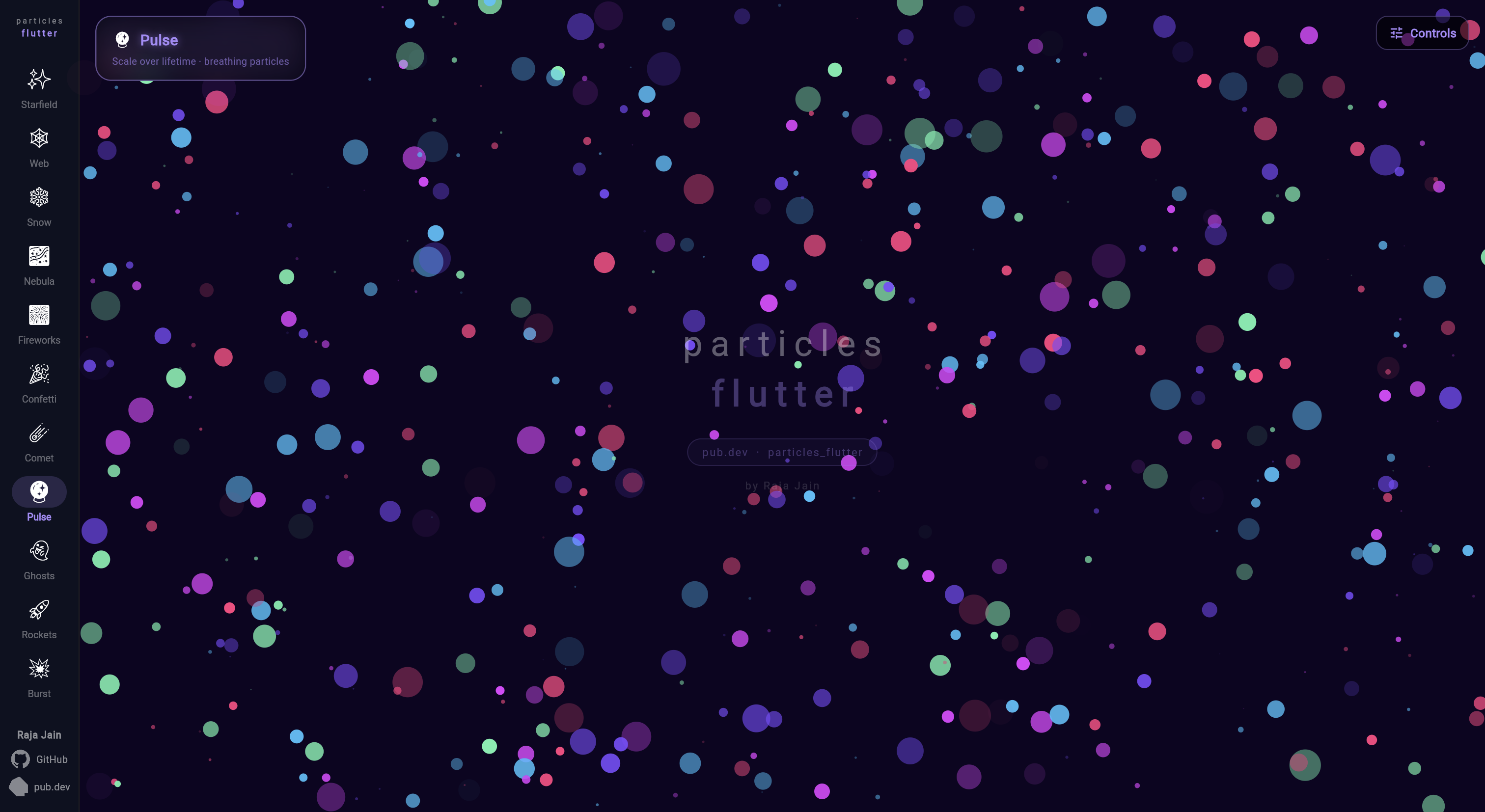
🔮 Pulse — scale over lifetime
Particles(
  boundType: BoundType.WrapAround,
  particles: List.generate(60, (_) => CircularParticle(
    radius: 10,
    color: Color(0xFF7C4DFF),
    velocity: Offset((Random().nextDouble() - 0.5) * 20,
                     (Random().nextDouble() - 0.5) * 20),
    lifetime: 2.5,
    startScale: 0.1,
    endScale: 1.8,
    scaleCurve: Curves.easeInOut,
    startOpacity: 0.0,
    endOpacity: 0.0,
  )),
  ...
)
👻 Ghosts — fade in/out
Particles(
  boundType: BoundType.WrapAround,
  particles: List.generate(50, (_) => CircularParticle(
    radius: Random().nextDouble() * 14 + 8,
    color: Color(0xFF69F0AE),
    velocity: Offset((Random().nextDouble() - 0.5) * 15,
                     (Random().nextDouble() - 0.5) * 10),
    lifetime: Random().nextDouble() * 3.0 + 2.0,
    startOpacity: 0.0,
    endOpacity: 0.0,
    startScale: 0.6,
    endScale: 1.2,
    scaleCurve: Curves.easeOut,
  )),
  ...
)
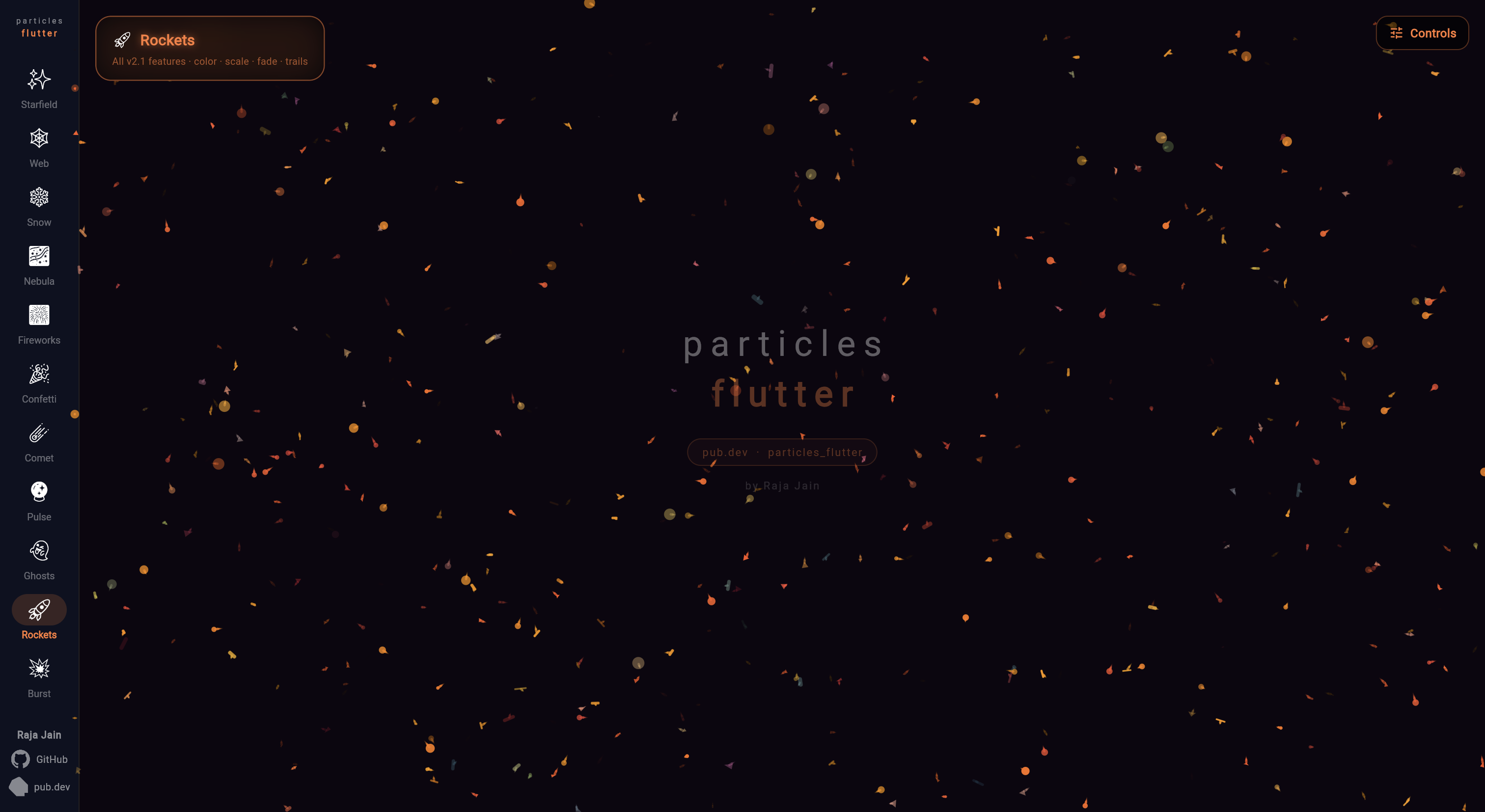
🚀 Rockets — all lifetime features combined
Particles(
  boundType: BoundType.None,
  particlePhysics: ParticlePhysics(gravityScale: 40),
  particles: List.generate(150, (_) {
    final angle = Random().nextDouble() * 2 * pi;
    final speed = Random().nextDouble() * 80 + 80;
    return CircularParticle(
      radius: Random().nextDouble() * 4 + 2,
      color: Colors.yellow,
      velocity: Offset(cos(angle) * speed, sin(angle) * speed),
      lifetime: Random().nextDouble() * 1.0 + 1.2,
      colorGradient: [Colors.white, Colors.yellow, Colors.red, Colors.transparent],
      startScale: 1.0,
      endScale: 0.0,
      scaleCurve: Curves.easeIn,
      startOpacity: 0.0,
      endOpacity: 0.0,
      trailEnabled: true,
      trailLength: 6,
      trailFade: true,
    );
  }),
  ...
)
💥 Burst — tap-to-explode
final ctrl = BurstEmitterController();
Offset tapPos = Offset.zero;

Listener(
  behavior: HitTestBehavior.opaque,
  onPointerDown: (e) { tapPos = e.localPosition; ctrl.trigger(); },
  child: Particles(
    particles: const [],
    width: size.width,
    height: size.height,
    boundType: BoundType.None,
    burstEmitters: [
      BurstEmitter(
        position: (size) => tapPos,
        particleCount: 40,
        pattern: RadialBurst(minSpeed: 100, maxSpeed: 300),
        repeatCount: 0,
        controller: ctrl,
        physics: ParticlePhysics(gravityScale: 80),
        particleFactory: (i, _) => CircularParticle(
          radius: Random().nextDouble() * 3 + 1.5,
          color: Colors.orange,
          velocity: Offset.zero,
          lifetime: 1.2,
          endScale: 0.0,
          endOpacity: 0.0,
        ),
      ),
    ],
  ),
)
🔁 Pool Cycle — cycling a larger set

Only visibleSlots particles ever render; each expiry swaps that slot for the next item in a much bigger pool — the pattern behind showing a rotating subset of photos/items from a larger backing list.

int nextPoolIndex = visibleSlots;

CircularParticle particleForPoolIndex(int i) => CircularParticle(
  color: colorForPoolIndex(i),
  velocity: Offset.zero,
  lifetime: 1.2,
  startPosition: randomPosition(),
  startOpacity: 0.0,
  endOpacity: 0.0,
  opacityCurve: Curves.easeInOut,
);

final particles = List.generate(visibleSlots, particleForPoolIndex);

Particles(
  particles: particles,
  width: size.width,
  height: size.height,
  onParticleExpired: (p) {
    final slot = particles.indexOf(p);
    final poolIndex = nextPoolIndex % poolSize;
    nextPoolIndex++;
    setState(() => particles[slot] = particleForPoolIndex(poolIndex));
  },
)

🌀 Vortex — attract & repel

Particles are pulled toward (or pushed away from) a point that follows the pointer — drag to pull the swarm around, flip strength's sign to repel.

Offset pointerPosition = Offset.zero;

final physics = ParticlePhysics(
  attractors: [
    Attractor(
      position: () => pointerPosition,
      strength: 4000,
      radius: 260,
    ),
  ],
);

Listener(
  behavior: HitTestBehavior.opaque,
  onPointerMove: (e) => setState(() => pointerPosition = e.localPosition),
  child: Particles(
    particles: particles,
    width: size.width,
    height: size.height,
    boundType: BoundType.WrapAround,
    particlePhysics: physics,
  ),
)

Live Demo

See all scenes running live → particles-flutter.vercel.app


Changelog

v3.1
  • Particle.startPosition — place a particle exactly where you want at construction, instead of a random spawn (useful for particles added to a running list after initState)
  • Particles.onParticleExpired — callback fired the instant a particle's lifetime ends, before recycle/respawn — swap in new content for a slot (e.g. cycling a small visible set from a larger pool)
v3.0
  • Breaking: Dart SDK >=3.0.0 required (Flutter 3.10+). Projects on Dart 2.x must upgrade first.
  • BurstEmitter — fire fixed particle counts in radial, cone, directional, or custom spread patterns
  • BurstEmitterController — trigger bursts manually from gestures, game events, or any code
  • Tap-to-burst — BurstEmitterController.trigger() + onPointerDown for per-tap explosions
  • Overlap-safe pooling — multiple bursts in flight simultaneously; memory hard-capped at maxPoolSize
v2.1
  • Color over lifetime — smooth two-color or gradient transitions
  • Scale over lifetime — grow/shrink with curve support
  • Fade over lifetime — fade in, out, or triangle (both ends zero = auto mid-peak)
  • Particle trails — motion trails with configurable length and fade
  • Object pooling for ParticleLine — reduced GC pressure on line-connected scenes
  • Performance improvements — touch interaction, physics, and emitter update loops

All releases are fully backward compatible — no changes needed to existing code.


Support

If this package saved you time:

Buy Me A Coffee

Contributing

Bug reports and pull requests welcome.

Contributors
RealEeveahy

카테고리

소스 저장소

이 패키지를 사용하는 프로젝트