v13.0.1
firebase_analytics
Google Analytics for Firebase용 Flutter 플러그인. Android 및 iOS에서 앱 사용 및 사용자 참여에 대한 통찰력을 제공하는 앱 측정 솔루션입니다.
1.3천좋아요 259만30일 다운로드160Pub 점수
AndroidiOSWebmacOS
Medito 앱은 Flutter로 구축된 100% 무료 명상 앱입니다. 이 앱은 Android 및 iOS에서 사용할 수 있습니다.

아래는 영문 원문 스냅샷입니다. 최신 내용은 GitHub에서 확인하세요.
Meditation can positively transform people's lives, and we believe no one should have to pay for it. We are the Medito Foundation, and we've built the Medito App for people who have never meditated before or want to deepen their meditation practice.
The app is free, forever: no ads, no spam, no need to sign up or pay. Medito App is a Flutter project available on Android and iOS maintained by the Medito Foundation and its community.
NOTE: If you install the Medito app using the APK file, please make sure to verify that the APK file is signed by Medito Foundation. See VERIFY_APK for more information.
Contributors can run the app without any API keys or Firebase setup using mock mode. All network calls are intercepted and return hardcoded sample data — no real credentials are needed.
Clone the repository and install dependencies:
git clone https://github.com/meditohq/medito-app.git
cd medito-app
flutter pub get
Generate required code (Pigeon + Riverpod):
flutter pub run pigeon --input pigeon_conf.dart
dart run build_runner build --delete-conflicting-outputs
Create android/keystore.properties using your own debug keystore. The Android SDK auto-creates one at ~/.android/debug.keystore with default credentials:
cp android/keystore.properties.example android/keystore.properties
Then edit android/keystore.properties with your keystore details:
storePassword=<your-keystore-password>
keyPassword=<your-key-password>
keyAlias=<your-key-alias>
storeFile=<absolute-path-to-your-keystore>
appId=meditofoundation.medito
versionCode=1
versionName=1.0.0
For the default Android debug keystore the password, key password, and alias are android, android, and androiddebugkey respectively.
Create a placeholder android/app/google-services.json (Firebase is skipped in mock mode, but Gradle requires the file)
Run the app using the "Flutter (Mock)" run configuration in VS Code or Android Studio, or from the terminal:
flutter run --flavor dev --dart-define=MOCK_MODE=true -d <device-id>
In mock mode, Firebase, the paywall webview, Stripe, and Meta SDK are all skipped. The app runs with sample content so you can work on UI and logic without real credentials.
Clone the repository:
git clone https://github.com/meditohq/medito-app.git
cd medito-app
Install dependencies:
flutter pub get
Set up environment files:
.env.staging and .env.production files in the root directory.Set up Firebase:
google-services.json (for Android) and GoogleService-Info.plist (for iOS) from the Firebase console./lib/firebase_options.dart file.To generate Pigeon code. This is required to communicate with native iOS and Android code.
flutter pub run pigeon --input pigeon_conf.dart
To generate API and state management code with Riverpod:
dart run build_runner build --delete-conflicting-outputs
This project supports separate development and production configurations. Here's how to set up and use them in different IDEs:
Add the following to your .vscode/launch.json (this file is gitignored, so each developer maintains their own):
{
  "version": "0.2.0",
  "configurations": [
    { "name": "Flutter (Dev)", "request": "launch", "type": "dart", "args": ["--flavor", "dev", "--dart-define-from-file=../.staging.json"] },
    { "name": "Flutter (Prod)", "request": "launch", "type": "dart", "args": ["--flavor", "prod"] },
    { "name": "Flutter (Mock)", "request": "launch", "type": "dart", "args": ["--flavor", "dev", "--dart-define=MOCK_MODE=true"] }
  ]
}
These configurations are defined in .run/Flutter (Dev).run.xml, .run/Flutter (Prod).run.xml, and .run/Flutter (Mock).run.xml.
Ensure that your android/app/build.gradle file has the corresponding flavor configurations set up correctly.
For Android APK signing, you need to create a keystore.properties file in the android/ directory:
android/keystore.properties.example to android/keystore.properties.jks) for signing APKsNote: Never commit keystore.properties or your .jks files to version control.
Medito Foundation: https://meditofoundation.org/.
Google Analytics for Firebase용 Flutter 플러그인. Android 및 iOS에서 앱 사용 및 사용자 참여에 대한 통찰력을 제공하는 앱 측정 솔루션입니다.
다중 Firebase 앱에 연결할 수 있는 Firebase Core용 Flutter 플러그인입니다.
Firebase Crashlytics용 Flutter 플러그인입니다. 잡히지 않은 오류를 Firebase 콘솔로 보고합니다.
Firebase Cloud Messaging용 플러터 플러그인으로, Android 및 iOS에서 메시지를 신뢰할 수 있게 전달할 수 있는 크로스플랫폼 메시징 솔루션입니다.
반응형 캐싱 및 데이터 바인딩 프레임워크입니다. Riverpod은 비동기 코드 작업을 쉽게 만듭니다.
riverpod_generator용 주석을 노출하는 패키지
Riverpod용 코드 생성기입니다. 이는 문법을 단순화하고 상태 기반 핫 리로드와 같은 기능을 강화합니다.
플러터와 호스트 플랫폼 간의 통신을 타입 안전하고 쉽게 만드는 코드 생성 도구입니다.
시스템 웹뷰를 백엔드로 사용하는 WebView 위젯을 제공하는 Flutter 플러그인입니다.
RxDart는 비동기 프로그래밍을 위한 인기 있는 ReactiveX API의 구현으로, 네이티브 Dart Streams API를 활용합니다.
Flutter 그리드 레이아웃(스태거드, 메이슨리, 큐일티드, 웨븐 등)의 컬렉션을 제공합니다.
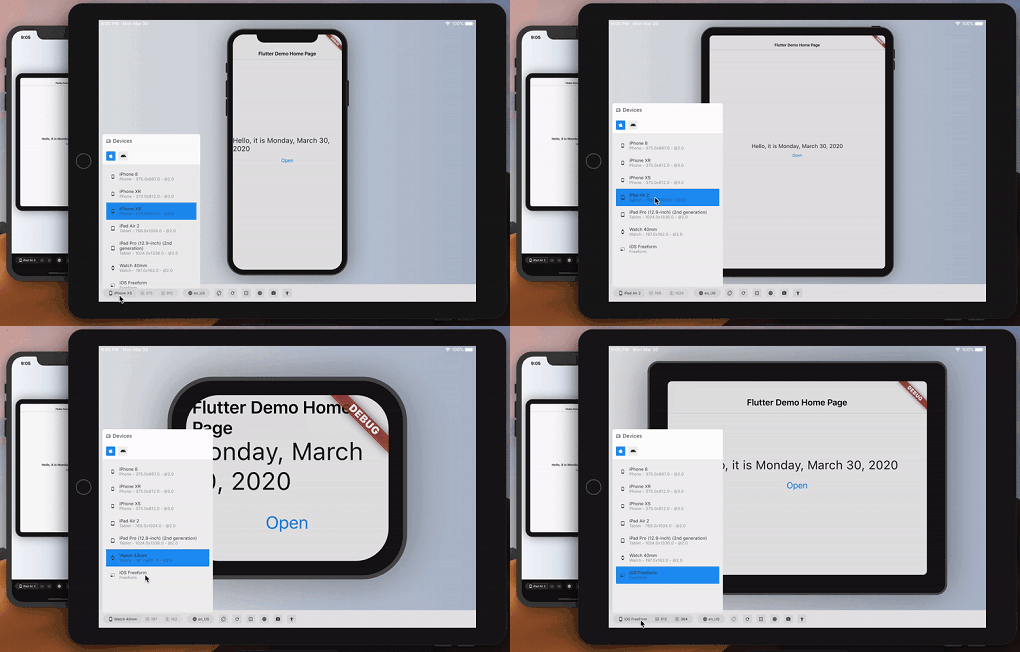
다른 기기에서 Flutter 앱의 외관과 성능을 추정합니다.
의존성 목록 65 개
{"sdk":"flutter"}{"sdk":"flutter"}^7.0.0^2.0.6+1^0.18.18^0.2.3^3.4.1^3.0.7^12.3.0^1.1.2^1.0.3^3.0.0^2.0.8^12.2.0^4.6.0^5.2.1^16.1.3^21.0.0^0.7.7+1^3.3.13.2.1^10.0.0^0.7.012.6.0^2.2.4^0.27.1^3.1.0^13.3.1^1.6.0^4.8.0^2.0.11^0.20.2^4.11.0^0.10.5^9.0.1^2.1.5^12.0.1^0.6.0^4.0.2^0.28.0^12.0.2^2.5.5^3.0.0^3.2.0^0.11.0^6.3.2^4.5.3^4.10.0^6.6.1^6.2.7^0.9.1^0.0.8{"sdk":"flutter"}^2.14.1^3.0.0^6.0.0^3.2.5^6.13.0any^1.0.5^5.6.4any^26.3.2^4.0.3{"sdk":"flutter"}사용 목적에 따라 검색하고 개발 활동을 비교한 뒤 원본 저장소에서 요구 사항을 확인하세요.
“A repository is the most basic element of GitHub.”
GitHub Docs — About repositories ↗