
meshcore-open
MeshCore LoRa 메시 네트워킹 장치용 오픈소스 Flutter 클라이언트

- 스타
- 612
- 포크
- 118
- 최근 푸시(UTC)
- 2026. 9. 12.
- 프로젝트 상태
- 활성
원본 README
아래는 영문 원문 스냅샷입니다. 최신 내용은 GitHub에서 확인하세요.
MeshCore Open
Open-source Flutter client for MeshCore LoRa mesh networking devices.
Overview
MeshCore Open is a cross-platform mobile application for communicating with MeshCore LoRa mesh network devices via Bluetooth Low Energy (BLE). The app enables long-range, off-grid communication through peer-to-peer messaging, public channels, and mesh networking capabilities.
Website: meshcoreopen.org

Screenshots
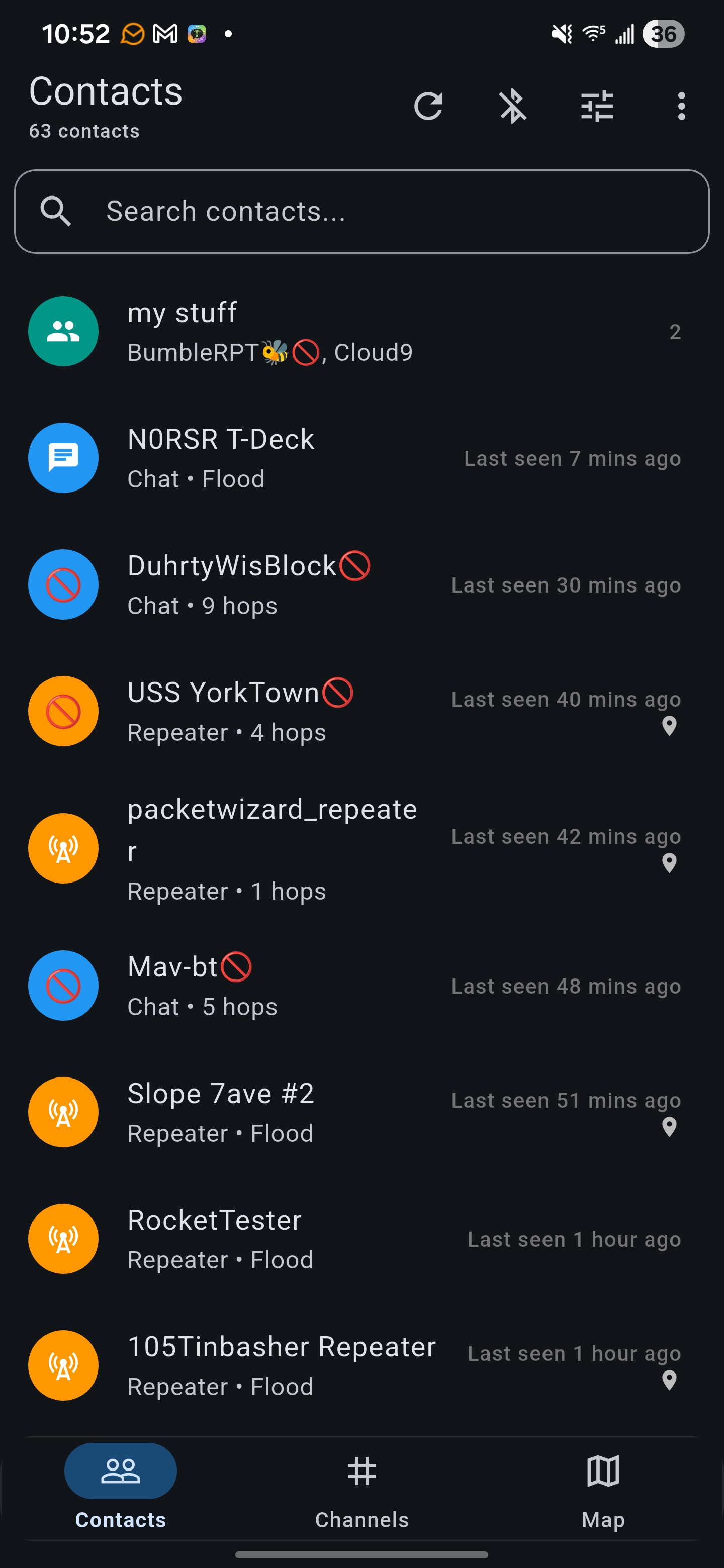 Contacts |
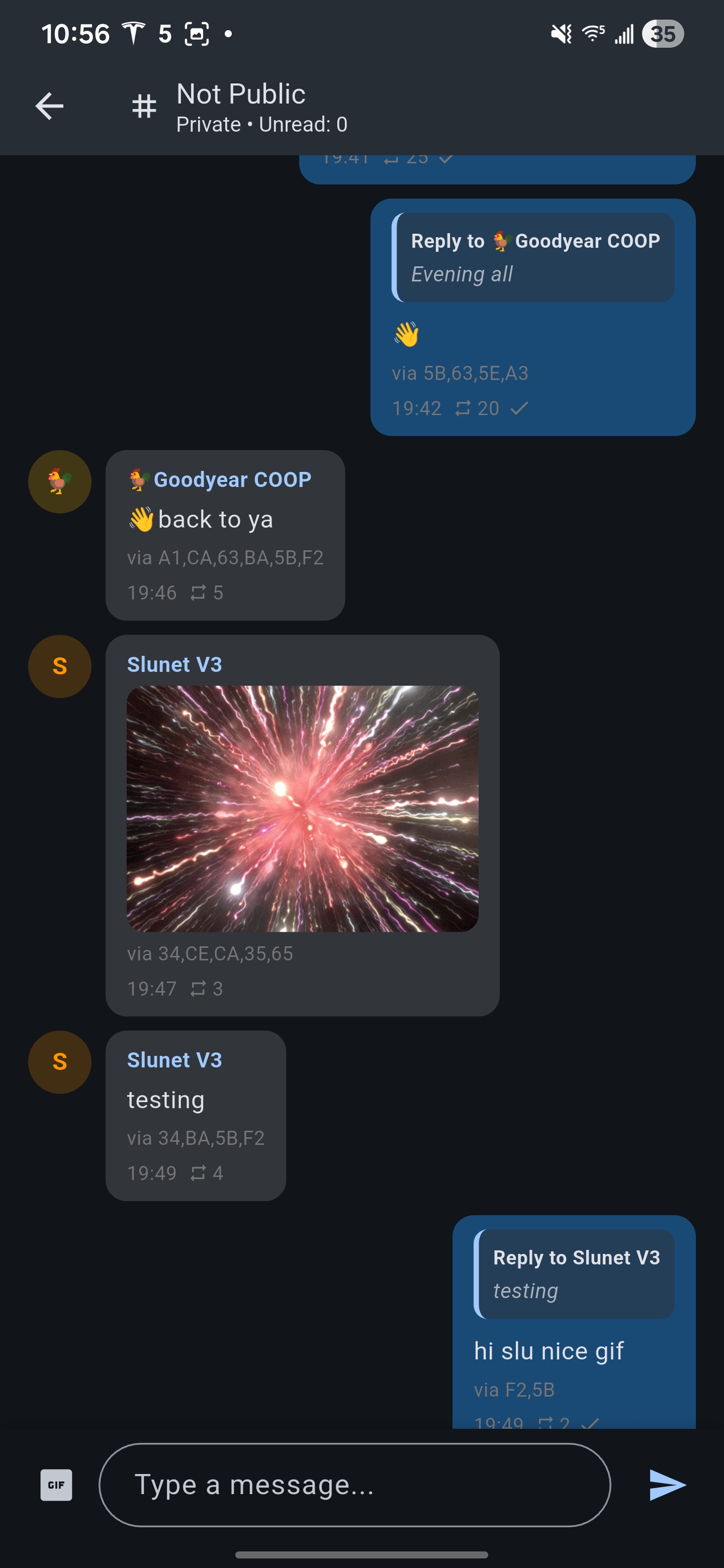 Chat |
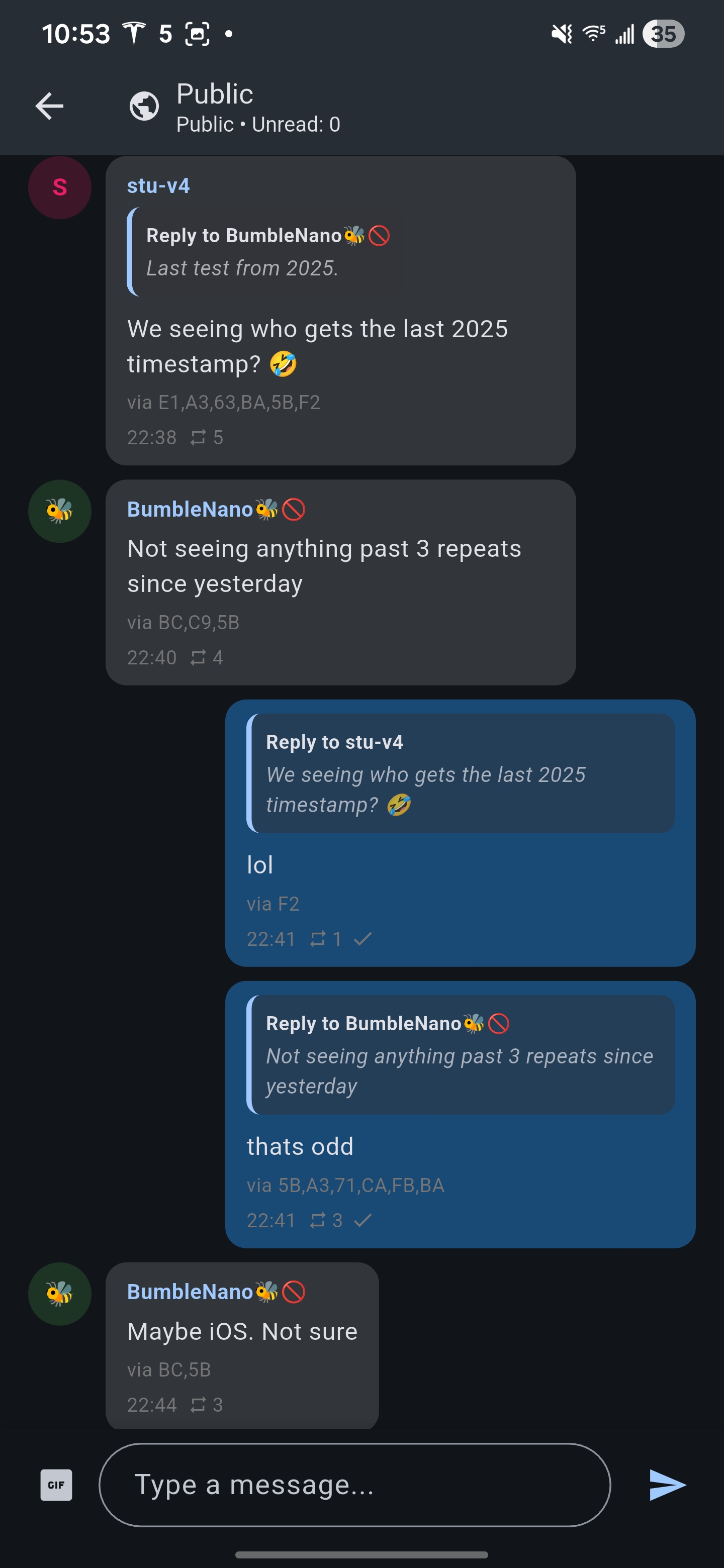 Reactions |
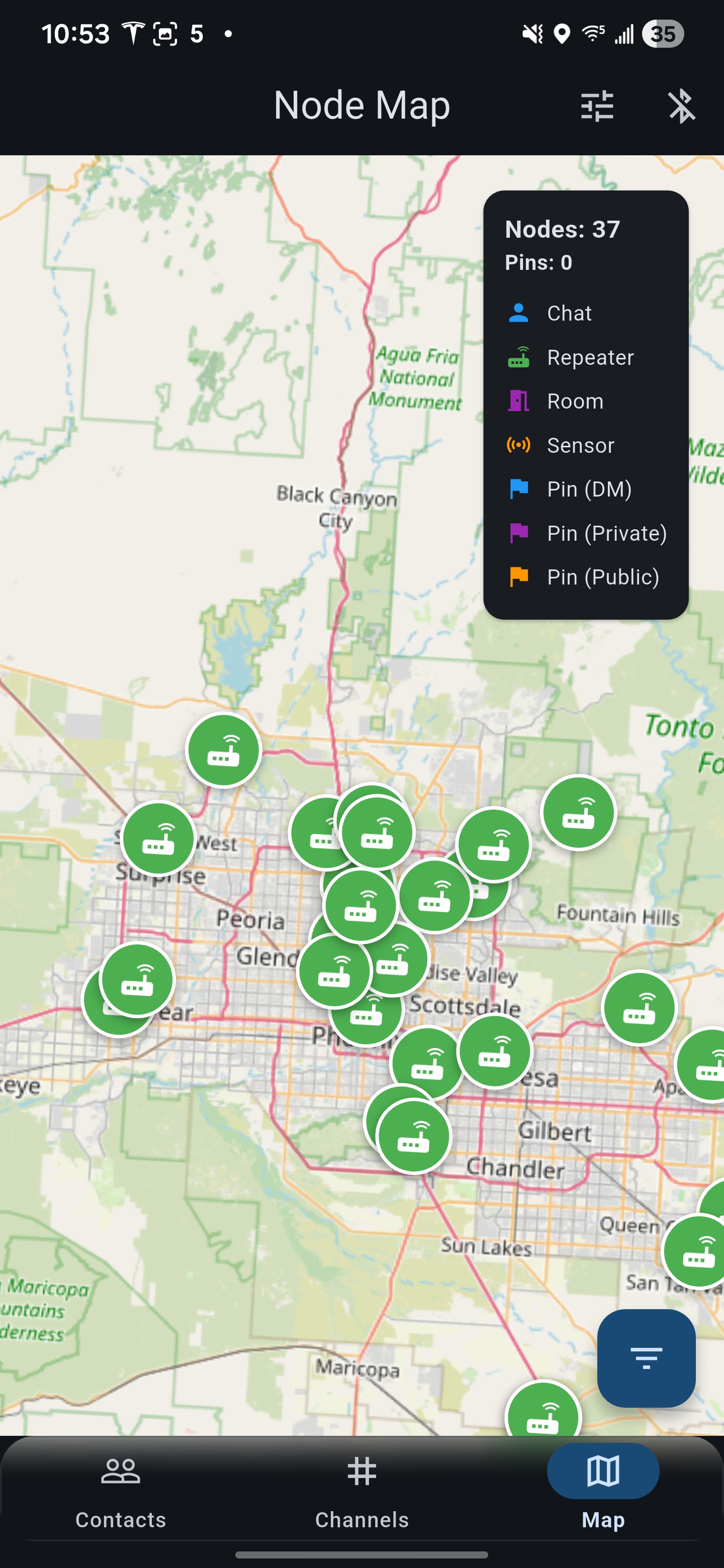 Map |
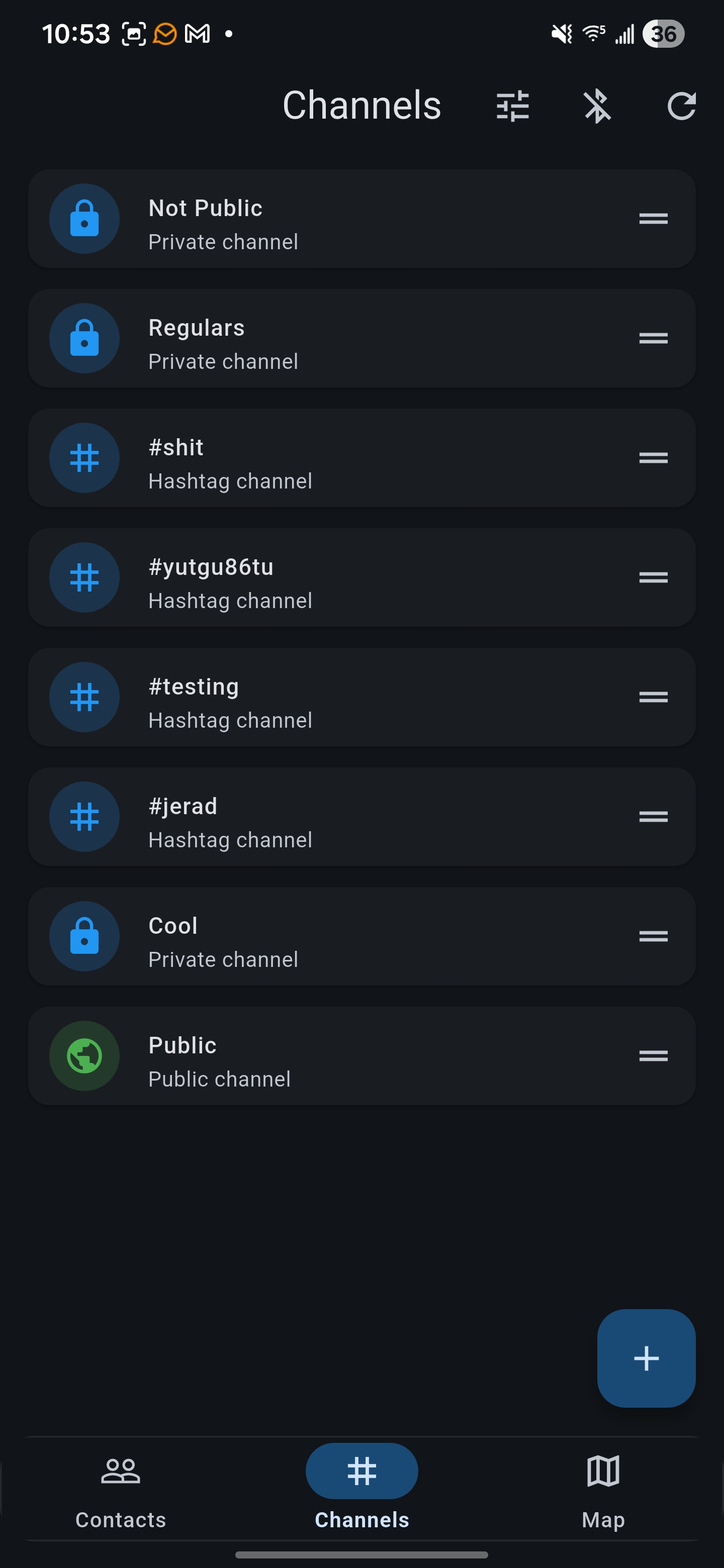 Channels |
Features
Core Functionality
- Direct Messaging: Private encrypted conversations with individual contacts
- Public Channels: Broadcast messages to channel subscribers on the mesh network
- Contact Management: Organize contacts, track last seen times, and manage conversation history
- Contact Groups: Create custom groups to organize your mesh network contacts
- Message Reactions: React to messages with emoji responses
- Message Replies: Thread conversations with inline reply functionality
Mesh Network
- Path Visualization: View routing paths and signal quality for each contact
- Route Management: Manual path overriding and automatic route rotation
- Signal Metrics: Real-time SNR (Signal-to-Noise Ratio) tracking
- Node Discovery: Automatic detection of nearby mesh nodes
- Repeater Support: Connect to and manage repeater nodes for extended range
Map & Location
- Live Map View: Real-time visualization of mesh network nodes on an interactive map
- Node Filtering: Filter by node type (chat, repeater, sensor) and time range
- Location Sharing: Share GPS coordinates and custom markers with contacts
- Offline Maps: Download map tiles for offline use in remote areas (with StadiaMaps Free Subscription API-Key)
- MGRS Coordinates: Support for Military Grid Reference System coordinate format
Device Management
- BLE, USB, TCP Connection: Scan and connect to MeshCore devices via Bluetooth, USB or TCP
- Device Settings: Configure radio parameters, power settings, and network options
- Battery Monitoring: Real-time battery status with chemistry-specific voltage curves
- Firmware Updates: Over-the-air firmware updates via BLE (coming soon)
Repeater Hub
- CLI Access: Full command-line interface to repeater nodes
- Settings Management: Configure repeater behavior, power limits, and network settings
- Statistics Dashboard: View repeater traffic, connected clients, and system health
- Remote Management: Administer repeaters from anywhere on the mesh network
Technical Details
Architecture
- Framework: Flutter 3.38.5 / Dart 3.10.4
- State Management: Provider pattern with ChangeNotifier
- BLE Protocol: Nordic UART Service (NUS) over Bluetooth Low Energy
- Storage: Local SQLite database for messages and contact data
- Encryption: End-to-end encryption for private messages using the MeshCore protocol
Platform Support
| Feature | Android (API 21+) | iOS (12+) | Linux | Windows | macOS | Web |
|---|---|---|---|---|---|---|
| BLE companion | ✅ | ✅ | ✅ | ✅ | ✅ | ✅ |
| USB companion | ✅ | 🚧 | ✅ | ✅ | ✅ | ✅ |
| TCP companion | ✅ | 🚧 | ✅ | ✅ | ✅ | ❌ (requires websocket bridge) |
| Core Functionality | ✅ | ✅ | ✅ | ✅ | ✅ | ✅ |
| Mesh Network | ✅ | ✅ | ✅ | ✅ | ✅ | ✅ |
| Map & Location | ✅ | ✅ | ✅ | ✅ | ✅ | ✅ |
| Device Management | ✅ | ✅ | ✅ | ✅ | ✅ | ✅ |
| Repeater Hub | ✅ | ✅ | ✅ | ✅ | ✅ | ✅ |
Dependencies
| Package | Purpose |
|---|---|
| flutter_blue_plus | Bluetooth Low Energy communication |
| provider | State management |
| shared_preferences | Local key-value storage (scoped per device) |
| flutter_map | Interactive map display |
| latlong2 | Geographic coordinate handling |
| flutter_local_notifications | Background notification support |
| pointycastle | Cryptographic operations |
| llamadart | On-device LLM message translation |
| intl | Internationalization and date formatting |
Getting Started
Prerequisites
- Flutter SDK 3.38.5 or later
- Android Studio / Xcode (for mobile development)
- A MeshCore-compatible LoRa device
Installation
-
Clone the repository
git clone https://github.com/zjs81/meshcore-open.git cd meshcore-open -
Install dependencies
flutter pub get -
Run the app
flutter run
Building for Release
Android APK:
flutter build apk --release
iOS:
flutter build ios --release
Project Structure
lib/
├── main.dart                    # App entry point
├── connector/
│   ├── meshcore_connector.dart  # BLE communication & state management
│   ├── meshcore_protocol.dart   # Protocol definitions & frame parsing
│   └── meshcore_uuids.dart      # Device names and IDs (add prefixes here!)
├── screens/
│   ├── scanner_screen.dart      # Device scanning (home screen)
│   ├── contacts_screen.dart     # Contact list
│   ├── chat_screen.dart         # Direct messaging
│   ├── channels_screen.dart     # Public channels
│   ├── map_screen.dart          # Network visualization map
│   ├── settings_screen.dart     # Device settings
│   └── repeater_hub_screen.dart # Repeater management
├── models/
│   ├── contact.dart             # Contact data model
│   ├── message.dart             # Message data structure
│   └── channel.dart             # Channel definitions
├── services/
│   ├── notification_service.dart      # Push notifications
│   ├── message_retry_service.dart     # Automatic message retry
│   ├── background_service.dart        # Background BLE connection
│   └── map_tile_cache_service.dart    # Offline map storage
└── storage/
    ├── message_store.dart       # Message persistence
    ├── contact_store.dart       # Contact database
    └── unread_store.dart        # Unread message tracking
BLE Protocol
Nordic UART Service (NUS)
- Service UUID:
6e400001-b5a3-f393-e0a9-e50e24dcca9e - RX Characteristic:
6e400002-b5a3-f393-e0a9-e50e24dcca9e(Write to device) - TX Characteristic:
6e400003-b5a3-f393-e0a9-e50e24dcca9e(Notify from device)
Device Discovery
Devices are discovered by scanning for BLE advertisements with known MeshCore device name prefixes. These are currently:
- MeshCore-
- Whisper-
- WisCore-
- HT-
- LowMesh_MC_
- NRF52
New device prefixes can be added in lib/connector/meshcore_uuids.dart.
Message Format
Messages are transmitted as binary frames using a custom protocol optimized for LoRa transmission. See meshcore_protocol.dart for frame structure definitions.
Configuration
App Settings
- Theme: System default, light, or dark mode
- Language: Use one of 15 languages (English, Chinese, French, Spanish, Portuguese, German, Dutch, Polish, Swedish, Italian, Slovak, Slovene, Bulgarian, Russian, Ukrainian)
- Notifications: Configurable for messages, channels, and node advertisements
- Battery Chemistry: Support for NMC, LiFePO4, and LiPo battery types
- Message Retry: Automatic retry with configurable path clearing
Device Settings
- Radio Power: Transmit power adjustment (10-30 dBm)
- Frequency: LoRa frequency configuration
- Bandwidth: Channel bandwidth selection
- Spreading Factor: Range vs. speed trade-off
- Network ID: Mesh network identifier
Contributing
This is an open-source project. Contributions are welcome!
SWHID and Archive badge
Development Guidelines
- Follow the Flutter style guide
- Use Material 3 design components
- Write clear commit messages
- Test on both Android and iOS before submitting PRs
Code Style
- Prefer
StatelessWidgetwithConsumerfor reactive UI - Use
constconstructors where possible - Keep functions small and focused
- Avoid premature abstractions
- Run dart format on all changes before submitting
Support
For issues, questions, or feature requests, please open an issue on GitHub: https://github.com/zjs81/meshcore-open/issues
Donate
If you find MeshCore Open useful and would like to support development, you can donate Solana or other Solana tokens:
Solana Address: F15YanjZj96YTBtKJYgNa8RLQLCZkx5CEwogPWkqXeoQ
Monero Address: 453TxnpUqjkJtXxzdjMsrgERNkBRXEGamPbpC45ENrvKAk9tH7kZbxWF82Hz66etgDZyXFPEBU2JUEqhLeJyWt9kBvTVy5m
Bitcoin Address: bc1qh45x28v8dslcg4v4upmqd9g0mvc3lnyffmyzr5
Your support helps maintain and improve this open-source project!
Acknowledgments
- Built with Flutter
- Map tiles from OpenStreetMap

zjs81 ↗
사용 중인 의존성
의존성 목록 44 개
- flutter
{"sdk":"flutter"} - flutter_localizations
{"sdk":"flutter"} - intl
any - cupertino_icons
^1.0.8 - flutter_blue_plus
^2.1.0 - flserial
{"git":{"url":"https://github.com/MeshEnvy/flserial.git","ref":"48216310061efc8d5d217cc18014fc2cb501646e"}} - provider
^6.1.5+1 - shared_preferences
^2.2.2 - uuid
^4.3.3 - flutter_map
^8.2.2 - latlong2
^0.9.1 - flutter_local_notifications
^22.0.0 - crypto
^3.0.3 - pointycastle
^4.0.0 - http
^1.2.0 - cached_network_image
^3.4.1 - flutter_cache_manager
^3.4.1 - flutter_foreground_task
^9.2.0 - characters
^1.4.0 - package_info_plus
^10.1.0 - mobile_scanner
^7.1.4 - image_picker
^1.1.2 - qr_flutter
^4.1.0 - url_launcher
^6.3.0 - flutter_linkify
^6.0.0 - gpx
^2.3.0 - path_provider
^2.1.5 - share_plus
^13.1.0 - build_pipe
^0.3.1 - material_symbols_icons
^4.2928.1 - web
^1.1.1 - flutter_svg
^2.0.10+1 - flutter_blue_plus_platform_interface
^9.0.2 - ml_algo
^16.0.0 - ml_dataframe
^1.0.0 - llamadart
^0.8.0 - flutter_langdetect
^0.0.1 - cryptography
^2.9.0 - cryptography_flutter
^2.3.4 - convert
^3.1.2 - flutter_onnxruntime
^1.8.3 - flutter_test개발 의존성
{"sdk":"flutter"} - flutter_lints개발 의존성
^6.0.0 - flutter_launcher_icons개발 의존성
^0.14.4
순위
프로젝트에 맞는 저장소를 선택하려면?
사용 목적에 따라 검색하고 개발 활동을 비교한 뒤 원본 저장소에서 요구 사항을 확인하세요.
- 이름, 작성자 또는 설명으로 검색하고 기술 주제로 범위를 좁힙니다.
- 스타, 포크, 최근 푸시를 함께 비교하세요. 스타는 관심의 지표이며 품질을 보장하지 않습니다.
- 사용하기 전에 GitHub에서 README, 라이선스, Issues를 확인하세요.
출처 및 관리
“A repository is the most basic element of GitHub.”
GitHub Docs — About repositories ↗