Buscar pacotes, repositórios e categorias de apps

Capa de animated_text_kit
Detalhes do pacotev4.3.0

animated_text_kit

Um projeto de pacote Flutter que contém uma coleção de animações de texto legais e bonitas.

AndroidiOSWebmacOSWindowsLinux
Downloads em 30 dias
153 mil
Curtidas
5,7 mil
Pontos Pub
160

Instalar pacote

flutter pub add animated_text_kit

Visão geral do pacote

Orientação gerada a partir de informações públicas. Apenas para referência.

Animated Text Kit é um pacote do Flutter que oferece uma coleção de animações de texto visualmente atraentes e personalizáveis. Permite aos desenvolvedores adicionar facilmente efeitos dinâmicos de texto, como digitação, desvanecimento e rolagem, aos seus aplicativos. Ideal para telas de inicialização, mensagens de boas-vindas ou elementos de interface envolventes, suporta múltiplas plataformas, incluindo Android, iOS, Web, macOS, Windows e Linux. O pacote é leve e se integra perfeitamente ao sistema de widgets do Flutter, oferecendo animações suaves com configuração mínima.

Casos de uso

  • Telas de inicialização
  • Mensagens de boas-vindas
  • Elementos de interface do usuário interativos
  • Indicadores de carregamento
  • Cabeçalhos dinâmicos
  • Sequências de onboarding

Principais recursos

  • animações de texto pré-construídas
  • Velocidade e atraso personalizáveis
  • Suporte para múltiplas plataformas
  • Integração fácil com o Flutter
  • Transições suaves
  • Opções de formatação de texto

Indicado para

  • Fluxos de onboarding do aplicativo
  • Interfaces de usuário envolventes
  • Animações simples em aplicativos
  • Aplicativos educacionais ou de apresentação
  • Exibições digitais criativas
  • Necessidades de animação leve

Considerações

  • Limitado a animações apenas de texto
  • Pode afetar o desempenho com muitas instâncias
  • Não adequado para animações complexas
  • Requer ajuste cuidadoso para uma experiência do usuário ideal
  • Melhor para efeitos de curta duração
  • Depende do desempenho de renderização do Flutter

README original

Snapshot do README original do repositório-fonte vinculado. Consulte o repositório para o conteúdo mais recente.

Animated Text Kit

A flutter package which contains a collection of some cool and awesome text animations. Recommended package for text animations in Codemagic's Ebook, "Flutter libraries we love". Try out our live example app.


Platform Pub Package License: MIT Awesome Flutter


Table of contents

Flutter Package of the Week

Flutter Package of the Week

Installing

1. Depend on it

Add this to your package's pubspec.yaml file:

dependencies:
  animated_text_kit: ^4.2.2
2. Install it

You can install packages from the command line:

with pub:

$ pub get

with Flutter:

$ flutter pub get
3. Import it

Now in your Dart code, you can use:

import 'package:animated_text_kit/animated_text_kit.dart';

Usage

AnimatedTextKit is a Stateful Widget that produces text animations. Include it in your build method like:

AnimatedTextKit(
  animatedTexts: [
    TypewriterAnimatedText(
      'Hello world!',
      textStyle: const TextStyle(
        fontSize: 32.0,
        fontWeight: FontWeight.bold,
      ),
      speed: const Duration(milliseconds: 2000),
    ),
  ],

  totalRepeatCount: 4,
  pause: const Duration(milliseconds: 1000),
  displayFullTextOnTap: true,
  stopPauseOnTap: true,
  controller: myAnimatedTextController
)

It has many configurable properties, including:

  • pause – the time of the pause between animation texts
  • displayFullTextOnTap – tapping the animation will rush it to completion
  • isRepeatingAnimation – controls whether the animation repeats
  • repeatForever – controls whether the animation repeats forever
  • totalRepeatCount – number of times the animation should repeat (when repeatForever is false)
  • controller - It allows for control over the animation by providing methods to play, pause and reset the text animations programmatically

There are also custom callbacks:

  • onTap – This is called when a user taps the animated text
  • onNext(int index, bool isLast) – This is called before the next text animation, after the previous one's pause
  • onNextBeforePause(int index, bool isLast) – This is called before the next text animation, before the previous one's pause
  • onFinished - This is called at the end, when the parameter isRepeatingAnimation is set to false

Note: You might come up with an issue that the text does not get updated with setState as shown here. The solution to this, is a key that changes based on the text. For reference, watch this video.

New with Version 3

Version 3 refactored the code so that common animation controls were moved to AnimatedTextKit and all animations, except for TextLiquidFill, extend from AnimatedText. This saved hundreds of lines of duplicate code, increased consistency across animations, and makes it easier to create new animations.

It also makes the animations more flexible because multiple animations may now be easily combined. For example:

AnimatedTextKit(
  animatedTexts: [
    FadeAnimatedText(
      'Fade First',
      textStyle: TextStyle(fontSize: 32.0, fontWeight: FontWeight.bold),
    ),
    ScaleAnimatedText(
      'Then Scale',
      textStyle: TextStyle(fontSize: 70.0, fontFamily: 'Canterbury'),
    ),
  ],
),

Using the legacy FadeAnimatedTextKit is equivalent to using AnimatedTextKit with FadeAnimatedText. An advantage of AnimatedTextKit is that the animatedTexts may be any subclass of AnimatedText, while using FadeAnimatedTextKit essentially restricts you to using just FadeAnimatedText.

Legacy AnimatedTextKit classes

Have you noticed that animation classes come in pairs? For example, there is FadeAnimatedText and FadeAnimatedTextKit. The significant refactoring with Version 3 split the original FadeAnimatedTextKit into FadeAnimatedText and a re-usable AnimatedTextKit, then FadeAnimatedTextKit was adjusted for backwards compatibility.

When introducing a new AnimationText subclass, you may wonder if you also need to also introduce an additional Kit class. The answer is NO. :tada:

Going forward, we are championing the adoption of the Version 3 approach, and have deprecated the legacy Kit classes. This will make creating new animations easier. We know it makes some legacy code more verbose, but the flexibility and simplicity is a conscious trade-off.

Animations

Many animations are provided, but you can also create your own animations.

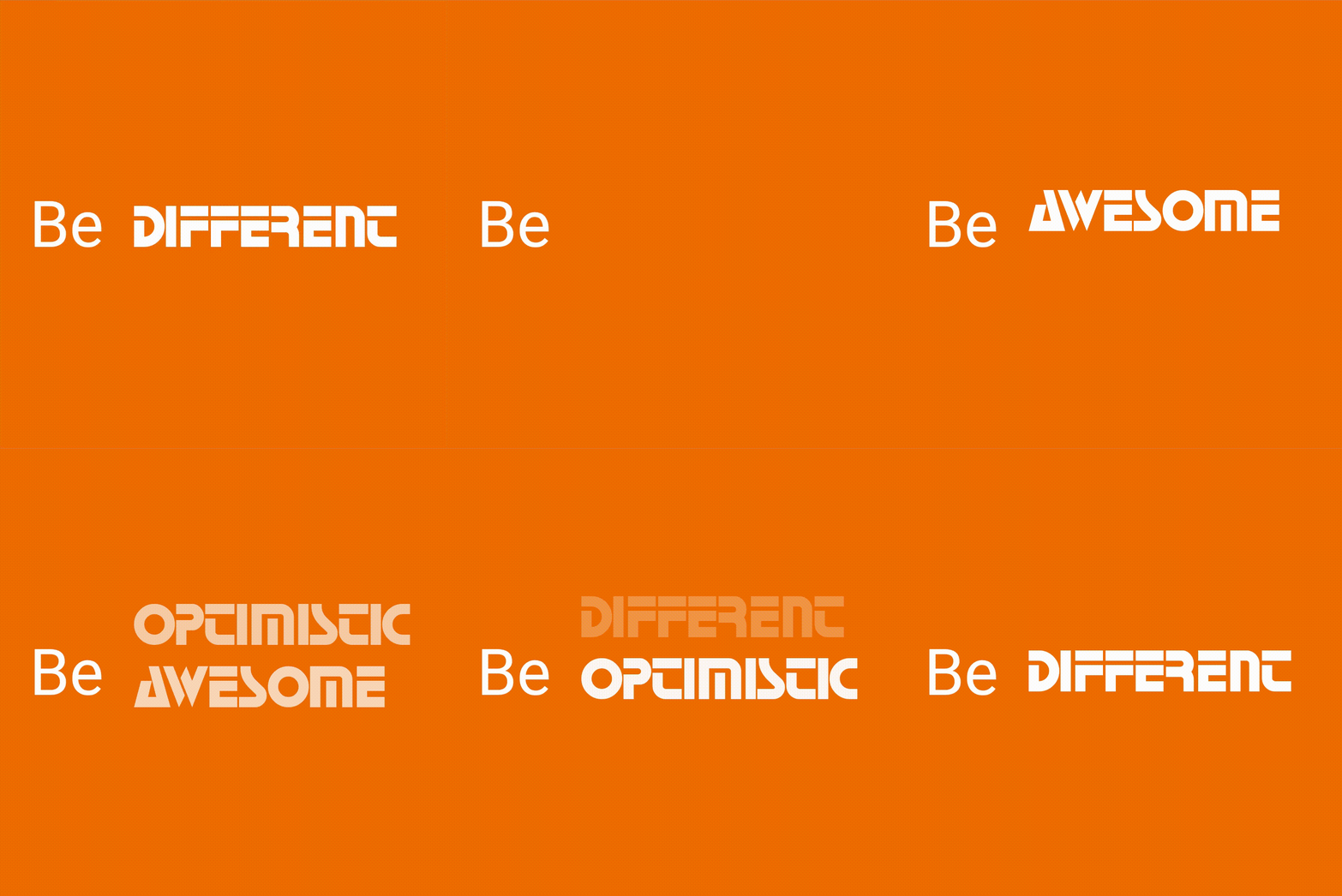
Rotate

Row(
  mainAxisSize: MainAxisSize.min,
  children: <Widget>[
    const SizedBox(width: 20.0, height: 100.0),
    const Text(
      'Be',
      style: TextStyle(fontSize: 43.0),
    ),
    const SizedBox(width: 20.0, height: 100.0),
    DefaultTextStyle(
      style: const TextStyle(
        fontSize: 40.0,
        fontFamily: 'Horizon',
      ),
      child: AnimatedTextKit(
        animatedTexts: [
          RotateAnimatedText('AWESOME'),
          RotateAnimatedText('OPTIMISTIC'),
          RotateAnimatedText('DIFFERENT'),
        ],
        onTap: () {
          print("Tap Event");
        },
      ),
    ),
  ],
);

Note: You can override transition height by setting the value of parameter transitionHeight for RotateAnimatedTextKit class.

Fade

return SizedBox(
  width: 250.0,
  child: DefaultTextStyle(
    style: const TextStyle(
      fontSize: 32.0,
      fontWeight: FontWeight.bold,
    ),
    child: AnimatedTextKit(
      animatedTexts: [
        FadeAnimatedText('do IT!'),
        FadeAnimatedText('do it RIGHT!!'),
        FadeAnimatedText('do it RIGHT NOW!!!'),
      ],
      onTap: () {
        print("Tap Event");
      },
    ),
  ),
);

Typer

return SizedBox(
  width: 250.0,
  child: DefaultTextStyle(
    style: const TextStyle(
      fontSize: 30.0,
      fontFamily: 'Bobbers',
    ),
    child: AnimatedTextKit(
      animatedTexts: [
        TyperAnimatedText('It is not enough to do your best,'),
        TyperAnimatedText('you must know what to do,'),
        TyperAnimatedText('and then do your best'),
        TyperAnimatedText('- W.Edwards Deming'),
      ],
      onTap: () {
        print("Tap Event");
      },
    ),
  ),
);

Typewriter

return SizedBox(
  width: 250.0,
  child: DefaultTextStyle(
    style: const TextStyle(
      fontSize: 30.0,
      fontFamily: 'Agne',
    ),
    child: AnimatedTextKit(
      animatedTexts: [
        TypewriterAnimatedText('Discipline is the best tool'),
        TypewriterAnimatedText('Design first, then code'),
        TypewriterAnimatedText('Do not patch bugs out, rewrite them'),
        TypewriterAnimatedText('Do not test bugs out, design them out'),
      ],
      onTap: () {
        print("Tap Event");
      },
    ),
  ),
);

Scale

return SizedBox(
  width: 250.0,
  child: DefaultTextStyle(
    style: const TextStyle(
      fontSize: 70.0,
      fontFamily: 'Canterbury',
    ),
    child: AnimatedTextKit(
      animatedTexts: [
        ScaleAnimatedText('Think'),
        ScaleAnimatedText('Build'),
        ScaleAnimatedText('Ship'),
      ],
      onTap: () {
        print("Tap Event");
      },
    ),
  ),
);

Colorize

const colorizeColors = [
  Colors.purple,
  Colors.blue,
  Colors.yellow,
  Colors.red,
];

const colorizeTextStyle = TextStyle(
  fontSize: 50.0,
  fontFamily: 'Horizon',
);

return SizedBox(
  width: 250.0,
  child: AnimatedTextKit(
    animatedTexts: [
      ColorizeAnimatedText(
        'Larry Page',
        textStyle: colorizeTextStyle,
        colors: colorizeColors,
      ),
      ColorizeAnimatedText(
        'Bill Gates',
        textStyle: colorizeTextStyle,
        colors: colorizeColors,
      ),
      ColorizeAnimatedText(
        'Steve Jobs',
        textStyle: colorizeTextStyle,
        colors: colorizeColors,
      ),
    ],
    isRepeatingAnimation: true,
    onTap: () {
      print("Tap Event");
    },
  ),
);

Note: colors list should contains at least two values.

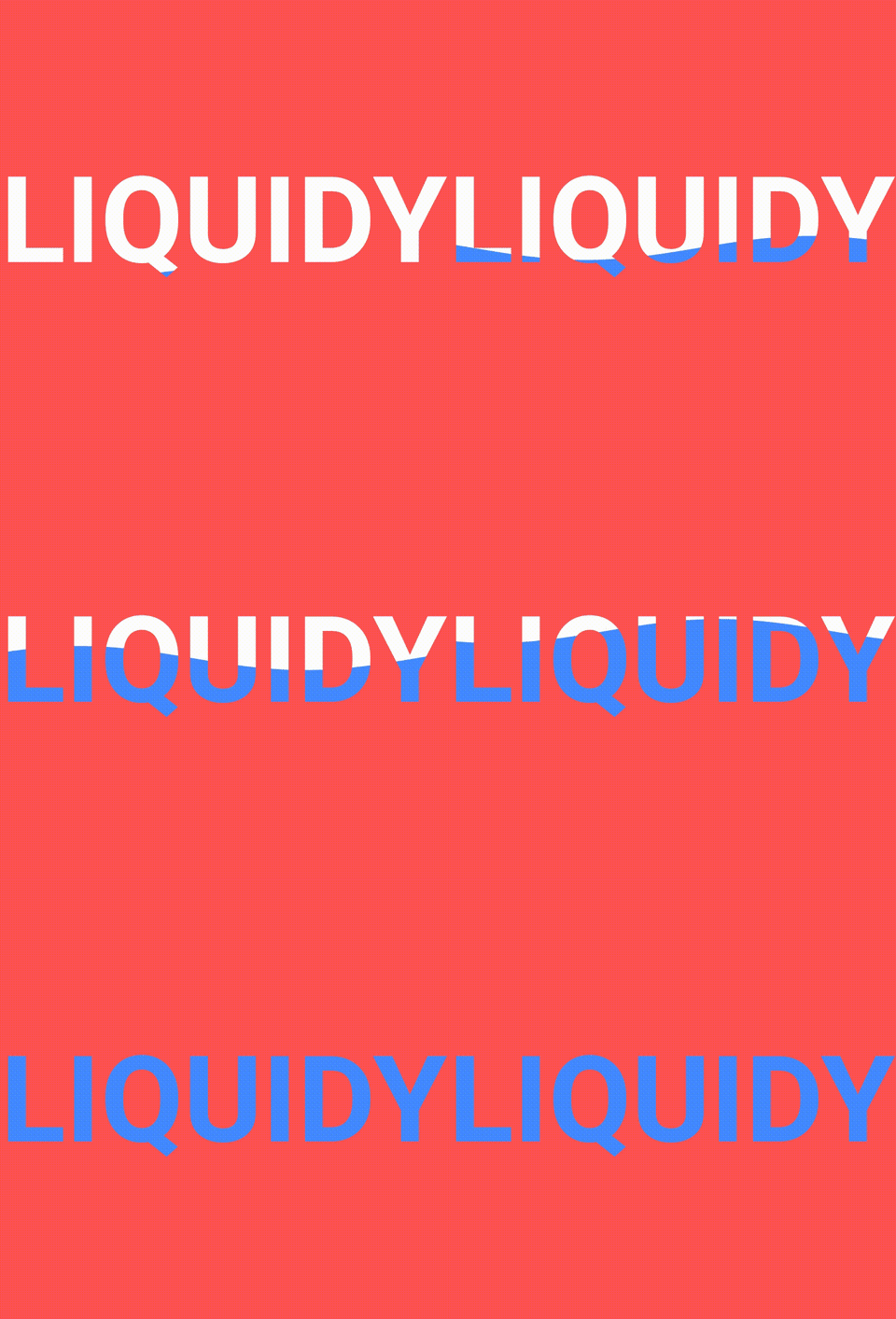
TextLiquidFill

return SizedBox(
  width: 250.0,
  child: TextLiquidFill(
    text: 'LIQUIDY',
    waveColor: Colors.blueAccent,
    boxBackgroundColor: Colors.redAccent,
    textStyle: TextStyle(
      fontSize: 80.0,
      fontWeight: FontWeight.bold,
    ),
    boxHeight: 300.0,
  ),
);

To get more information about how the animated text made from scratch by @HemilPanchiwala, visit the Medium blog.

Wavy

return DefaultTextStyle(
  style: const TextStyle(
    fontSize: 20.0,
  ),
  child: AnimatedTextKit(
    animatedTexts: [
      WavyAnimatedText('Hello World'),
      WavyAnimatedText('Look at the waves'),
    ],
    isRepeatingAnimation: true,
    onTap: () {
      print("Tap Event");
    },
  ),
);

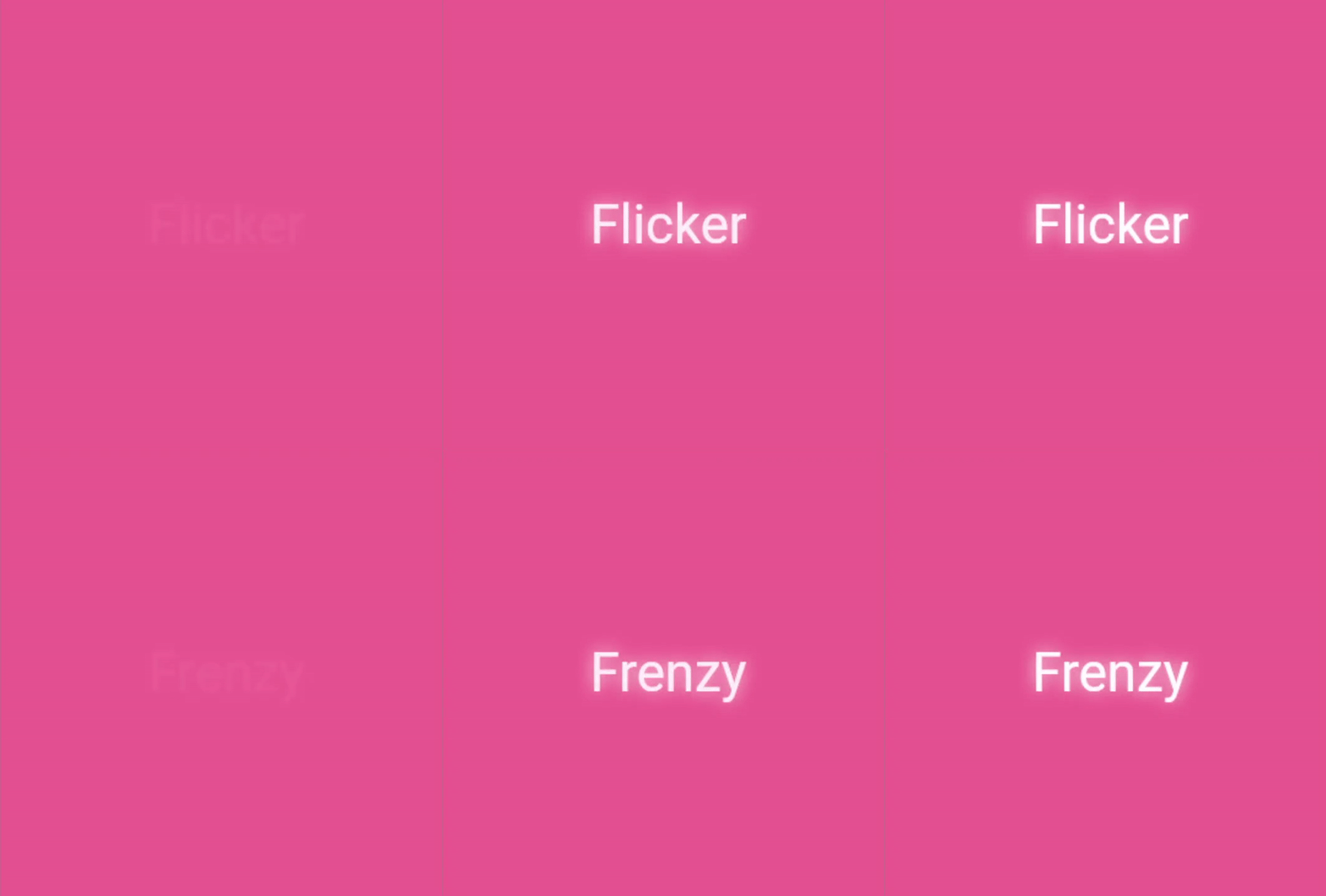
Flicker

return SizedBox(
  width: 250.0,
  child: DefaultTextStyle(
    style: const TextStyle(
      fontSize: 35,
      color: Colors.white,
      shadows: [
        Shadow(
          blurRadius: 7.0,
          color: Colors.white,
          offset: Offset(0, 0),
        ),
      ],
    ),
    child: AnimatedTextKit(
      repeatForever: true,
      animatedTexts: [
        FlickerAnimatedText('Flicker Frenzy'),
        FlickerAnimatedText('Night Vibes On'),
        FlickerAnimatedText("C'est La Vie !"),
      ],
      onTap: () {
        print("Tap Event");
      },
    ),
  ),
);

Scramble

return SizedBox(
  width: 250.0,
  child: DefaultTextStyle(
    style: const TextStyle(
      fontSize: 40.0,
      fontWeight: FontWeight.bold,
    ),
    child: AnimatedTextKit(
      animatedTexts: [
        ScrambleAnimatedText(
          'Mobile Dev.',
          speed: const Duration(milliseconds: 200),
        ),
        ScrambleAnimatedText('Explorer'),
      ],
      onTap: () {
        print("Tap Event");
      },
    ),
  ),
);

Bounce

return SizedBox(
  width: 250.0,
  child: DefaultTextStyle(
    style: const TextStyle(
      fontSize: 60.0,
      fontWeight: FontWeight.bold,
    ),
    child: AnimatedTextKit(
      animatedTexts: [
        BounceAnimatedText('Bounce!'),
        BounceAnimatedText('Spring!'),
        BounceAnimatedText('Jump!'),
      ],
      onTap: () {
        print("Tap Event");
      },
    ),
  ),
);

Create your own Animations

You can easily create your own animations by creating new classes that extend AnimatedText, just like most animations in this package. You will need to implement:

  • Class constructor – Initializes animation parameters.
  • initAnimation – Initializes Animation instances and binds them to the given AnimationController.
  • animatedBuilder – Builder method to return a Widget based on Animation values.
  • completeText – Returns the Widget to display once the animation is complete. (The default implementation returns a styled Text widget.)

Then use AnimatedTextKit to display the custom animated text class like:

AnimatedTextKit(
  animatedTexts: [
    CustomAnimatedText(
      'Insert Text Here',
      textStyle: const TextStyle(
        fontSize: 32.0,
        fontWeight: FontWeight.bold,
      ),
    ),
  ],
),

Bugs or Requests

If you encounter any problems feel free to open an issue. If you feel the library is missing a feature, please raise a ticket on GitHub and I'll look into it. Pull request are also welcome.

See Contributing.md.

Contributors

Thanks to all our amazing contributors for their support and code!

Star History

Star History Chart

Categorias

Dependências

Lista de dependências 1 itens

Repositório-fonte

Projetos que usam este pacote

Rankings