Buscar pacotes, repositórios e categorias de apps

Capa de background_geolocation_firebase
Detalhes do pacotev1.1.0

background_geolocation_firebase

Um adaptador Firebase para o plugin flutter_background_geolocation. Sincroniza automaticamente as localizações registradas com seu banco de dados Firestore.

AndroidiOS
Downloads em 30 dias
80
Curtidas
38
Pontos Pub
130

Instalar pacote

flutter pub add background_geolocation_firebase

Visão geral do pacote

Orientação gerada a partir de informações públicas. Apenas para referência.

Um adaptador Firebase para o plugin flutter_background_geolocation que sincroniza automaticamente os dados de localização gravados no Firestore. Projetado para funcionar sem problemas com o serviço de geolocalização em segundo plano, permite rastreamento em tempo real e armazenamento persistente das localizações do dispositivo em um banco de dados Firebase. Ideal para aplicações que exigem monitoramento contínuo da localização, como gestão de frota, rastreamento de entregas ou registro de atividades. O pacote gerencia a sincronização de dados de forma eficiente, garantindo confiabilidade nas plataformas Android e iOS.

Casos de uso

  • Rastreamento em tempo real da frota
  • Monitoramento de rota de entrega
  • Registro de atividades e jornadas
  • Análise baseada em localização
  • Rastreamento de atividade do usuário

Principais recursos

  • Sincronização automática do Firestore
  • Suporte multiplataforma (Android/iOS)
  • Integração sem interrupções com flutter_background_geolocation
  • Transferência confiável de dados offline para online
  • Intervalos de upload configuráveis

Indicado para

  • Aplicativos de frota e logística
  • Aplicativos de rastreamento de fitness e ao ar livre
  • Gestão de serviços em campo
  • Aplicações que exigem histórico de localização persistente

Considerações

  • Requer configuração do Firebase Firestore
  • Pode incorrer em custos de armazenamento em nuvem
  • Depende do plugin de fundo background_geolocation
  • A conectividade de rede afeta o tempo de sincronização
  • Permissões necessárias para acesso à localização em segundo plano

README original

Snapshot do README original do repositório-fonte vinculado. Consulte o repositório para o conteúdo mais recente.

background_geolocation_firebase


Firebase Proxy for Flutter Background Geolocation. The plugin will automatically post locations to your own Firestore database, overriding the flutter_background_geolocation plugin's SQLite / HTTP services.


The Android module requires purchasing a license. However, it will work for DEBUG builds. It will not work with RELEASE builds without purchasing a license.


Contents

:large_blue_diamond: Installing the Plugin

:open_file_folder: pubspec.yaml:

dependencies:
  background_geolocation_firebase: '^0.1.0'
Or latest from Git:
dependencies:
  background_geolocation_firebase:
    git:
      url: https://github.com/transistorsoft/flutter_background_geolocation_firebase

:large_blue_diamond: Setup Guides

:large_blue_diamond: Example

import 'dart:async';
import 'package:flutter/material.dart';
import 'package:flutter/services.dart';

import 'package:background_geolocation_firebase/background_geolocation_firebase.dart';
import 'package:flutter_background_geolocation/flutter_background_geolocation.dart' as bg;

void main() {
  runApp(new MyApp());
}

class MyApp extends StatefulWidget {
  @override
  _MyAppState createState() => new _MyAppState();
}

class _MyAppState extends State<MyApp> {

  @override
  void initState() {
    super.initState();
    initPlatformState();
  }

  // Platform messages are asynchronous, so we initialize in an async method.
  Future<void> initPlatformState() async {

    // 1.  First configure the Firebase Adapter.
    BackgroundGeolocationFirebase.configure(BackgroundGeolocationFirebaseConfig(
      locationsCollection: "locations",
      geofencesCollection: "geofences",
      updateSingleDocument: false
    ));

    // 2.  Configure BackgroundGeolocation as usual.
    bg.BackgroundGeolocation.onLocation((bg.Location location) {
      print('[location] $location');
    });

    bg.BackgroundGeolocation.ready(bg.Config(
      debug: true,
      logLevel: bg.Config.LOG_LEVEL_VERBOSE,
      stopOnTerminate: false,
      startOnBoot: true
    )).then((bg.State state) {
      if (!state.enabled) {
        bg.BackgroundGeolocation.start();
      }
    });

    // If the widget was removed from the tree while the asynchronous platform
    // message was in flight, we want to discard the reply rather than calling
    // setState to update our non-existent appearance.
    if (!mounted) return;
  }

  @override
  Widget build(BuildContext context) {
    return new MaterialApp(
      home: new Scaffold(
        appBar: new AppBar(
          title: const Text('BGGeo Firebase Example', style: TextStyle(color: Colors.black)),
          backgroundColor: Colors.amberAccent,
          brightness: Brightness.light,

        ),
        body: Text("BGGeo Firebase")
      ),
    );
  }
}

:large_blue_diamond: Firebase Functions

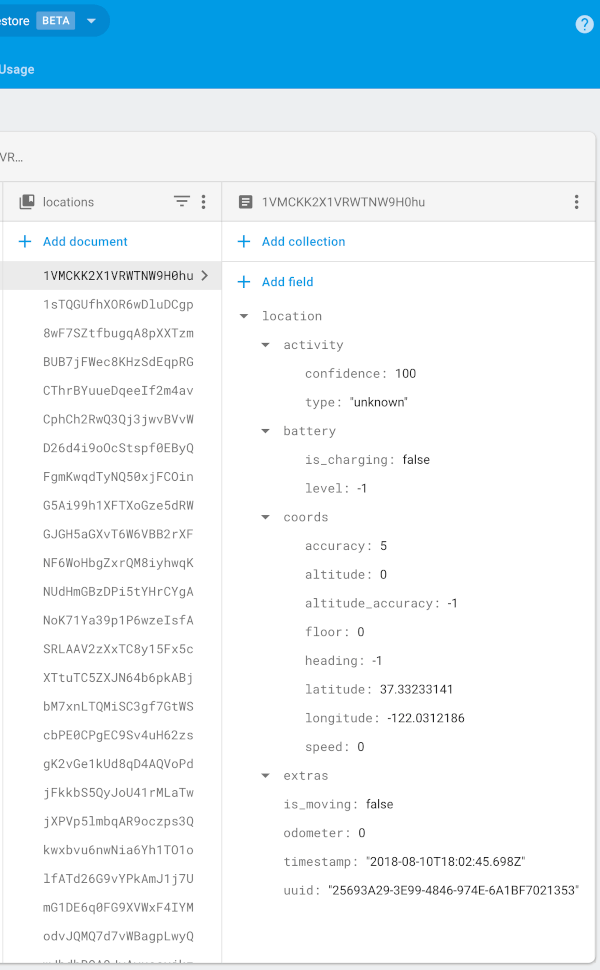
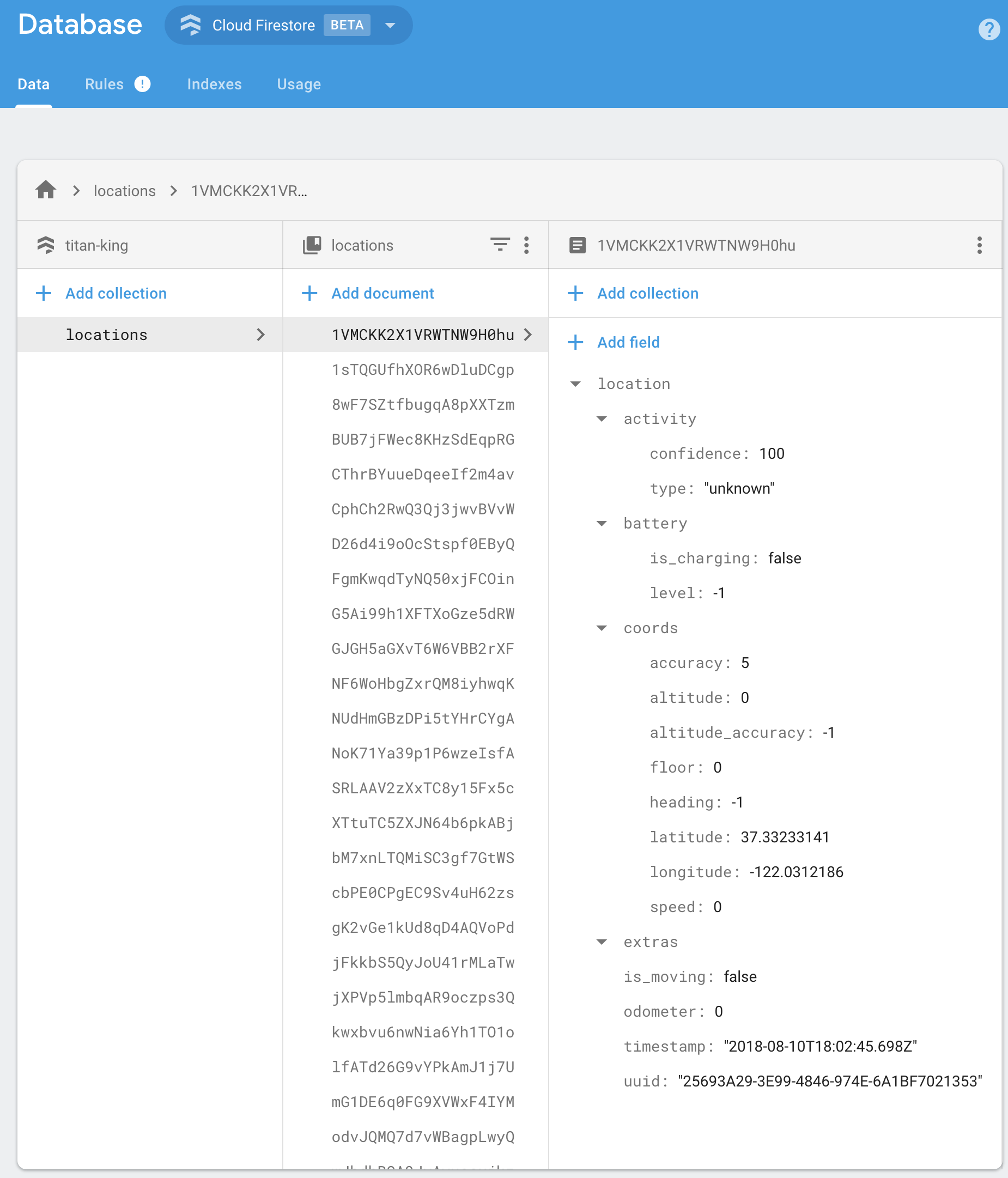
BackgroundGeolocation will post its default "Location Data Schema" to your Firebase app.

{
  "location":{},
  "param1": "param 1",
  "param2": "param 2"
}

You should implement your own Firebase Functions to "massage" the incoming data in your collection as desired. For example:

import * as functions from 'firebase-functions';

exports.createLocation = functions.firestore
  .document('locations/{locationId}')
  .onCreate((snap, context) => {
    const record = snap.data();

    const location = record.location;

    console.log('[data] - ', record);

    return snap.ref.set({
      uuid: location.uuid,
      timestamp: location.timestamp,
      is_moving: location.is_moving,
      latitude: location.coords.latitude,
      longitude: location.coords.longitude,
      speed: location.coords.speed,
      heading: location.coords.heading,
      altitude: location.coords.altitude,
      event: location.event,
      battery_is_charging: location.battery.is_charging,
      battery_level: location.battery.level,
      activity_type: location.activity.type,
      activity_confidence: location.activity.confidence,
      extras: location.extras
    });
});


exports.createGeofence = functions.firestore
  .document('geofences/{geofenceId}')
  .onCreate((snap, context) => {
    const record = snap.data();

    const location = record.location;

    console.log('[data] - ', record);

    return snap.ref.set({
      uuid: location.uuid,
      identifier: location.geofence.identifier,
      action: location.geofence.action,
      timestamp: location.timestamp,
      latitude: location.coords.latitude,
      longitude: location.coords.longitude,
      extras: location.extras,
    });
});

:large_blue_diamond: Configuration Options

@param {String} locationsCollection [locations]

The collection name to post location events to. Eg:

BackgroundGeolocationFirebase.configure(BackgroundGeolocationFirebaseConfig(
  locationsCollection: '/locations'
));

BackgroundGeolocationFirebase.configure(BackgroundGeolocationFirebaseConfig(
  locationsCollection: '/users/123/locations'
));

BackgroundGeolocationFirebase.configure(BackgroundGeolocationFirebaseConfig(
  locationsCollection: '/users/123/routes/456/locations'
));

@param {String} geofencesCollection [geofences]

The collection name to post geofence events to. Eg:

BackgroundGeolocationFirebase.configure(BackgroundGeolocationFirebaseConfig(
  geofencesCollection: '/geofences'
));

BackgroundGeolocationFirebase.configure(BackgroundGeolocationFirebaseConfig(
  locationsCollection: '/users/123/geofences'
));

BackgroundGeolocationFirebase.configure(BackgroundGeolocationFirebaseConfig(
  locationsCollection: '/users/123/routes/456/geofences'
));

@param {Boolean} updateSingleDocument [false]

If you prefer, you can instruct the plugin to update a single document in Firebase rather than creating a new document for each location / geofence. In this case, you would presumably implement a Firebase Function to deal with updates upon this single document and store the location in some other collection as desired. If this is your use-case, you'll also need to ensure you configure your locationsCollection / geofencesCollection accordingly with an even number of "parts", taking the form /collection_name/document_id, eg:

BackgroundGeolocationFirebase.configure(BackgroundGeolocationFirebaseConfig(
  locationsCollection: '/locations/latest'  // <-- 2 "parts":  even
));

// or
BackgroundGeolocationFirebase.configure(BackgroundGeolocationFirebaseConfig(
  locationsCollection: '/users/123/routes/456/the_location'  // <-- 4 "parts":  even
));

// Don't use an odd number of "parts"
BackgroundGeolocationFirebase.configure(BackgroundGeolocationFirebaseConfig(
  locationsCollection: '/users/123/latest_location'  // <-- 3 "parts": odd!!  No!
));

License

The MIT License (MIT)

Copyright (c) 2018 Chris Scott, Transistor Software

Permission is hereby granted, free of charge, to any person obtaining a copy of this software and associated documentation files (the "Software"), to deal in the Software without restriction, including without limitation the rights to use, copy, modify, merge, publish, distribute, sublicense, and/or sell copies of the Software, and to permit persons to whom the Software is furnished to do so, subject to the following conditions:

The above copyright notice and this permission notice shall be included in all copies or substantial portions of the Software.

THE SOFTWARE IS PROVIDED "AS IS", WITHOUT WARRANTY OF ANY KIND, EXPRESS OR IMPLIED, INCLUDING BUT NOT LIMITED TO THE WARRANTIES OF MERCHANTABILITY, FITNESS FOR A PARTICULAR PURPOSE AND NONINFRINGEMENT. IN NO EVENT SHALL THE AUTHORS OR COPYRIGHT HOLDERS BE LIABLE FOR ANY CLAIM, DAMAGES OR OTHER LIABILITY, WHETHER IN AN ACTION OF CONTRACT, TORT OR OTHERWISE, ARISING FROM, OUT OF OR IN CONNECTION WITH THE SOFTWARE OR THE USE OR OTHER DEALINGS IN THE SOFTWARE.

Categorias

Repositório-fonte

Projetos que usam este pacote

Ainda não há dados.