Buscar pacotes, repositórios e categorias de apps

Capa de currency_textfield
Detalhes do pacotev5.0.0+1

currency_textfield

Um pacote do Flutter que implementa um controlador para entrada de texto em moeda.

AndroidiOSWebmacOSWindowsLinux
Downloads em 30 dias
395
Curtidas
53
Pontos Pub
160

Instalar pacote

flutter pub add currency_textfield

Visão geral do pacote

Orientação gerada a partir de informações públicas. Apenas para referência.

Um pacote Flutter que fornece um controlador especializado para lidar com entrada de texto em moeda com formatação automática, mascaramento e validação. Garante que os usuários digitem valores monetários em um formato consistente, inserindo automaticamente pontos decimais e símbolos de moeda, enquanto impede caracteres inválidos. Ideal para formulários que exigem entrada precisa de dados financeiros, suporta múltiplas plataformas, incluindo móvel, web e desktop. O pacote melhora a experiência do usuário ao reduzir erros de entrada e melhorar a legibilidade dos valores em moeda.

Casos de uso

  • Entradas de formulário financeiro
  • Campos de checkout de e-commerce
  • Aplicativos de orçamento
  • Formulários de fatura e pagamento
  • Exibição em tempo real da moeda

Principais recursos

  • Formatação decimal automática
  • Inserção de símbolo de moeda
  • Validação de entrada
  • Suporte multiplataforma
  • Casas decimais personalizáveis
  • Feedback em tempo real

Indicado para

  • Desenvolvedores construindo aplicativos financeiros
  • Aplicativos que exigem entrada monetária precisa
  • Formulários com necessidades de formatação de dados rigorosas
  • Ferramentas financeiras multiplataforma
  • UIs focadas na usabilidade e correção

Considerações

  • Pode exigir estilos adicionais para aparência personalizada
  • Limitado a comportamentos numéricos e específicos de moeda
  • Não trata a conversão de moeda
  • Depende da inicialização correta no TextEditingController
  • Conflitos potenciais com outros formatadores se não forem geridos adequadamente

README original

Snapshot do README original do repositório-fonte vinculado. Consulte o repositório para o conteúdo mais recente.

currency_textfield

Build Status pub package

A Controller for currency text input

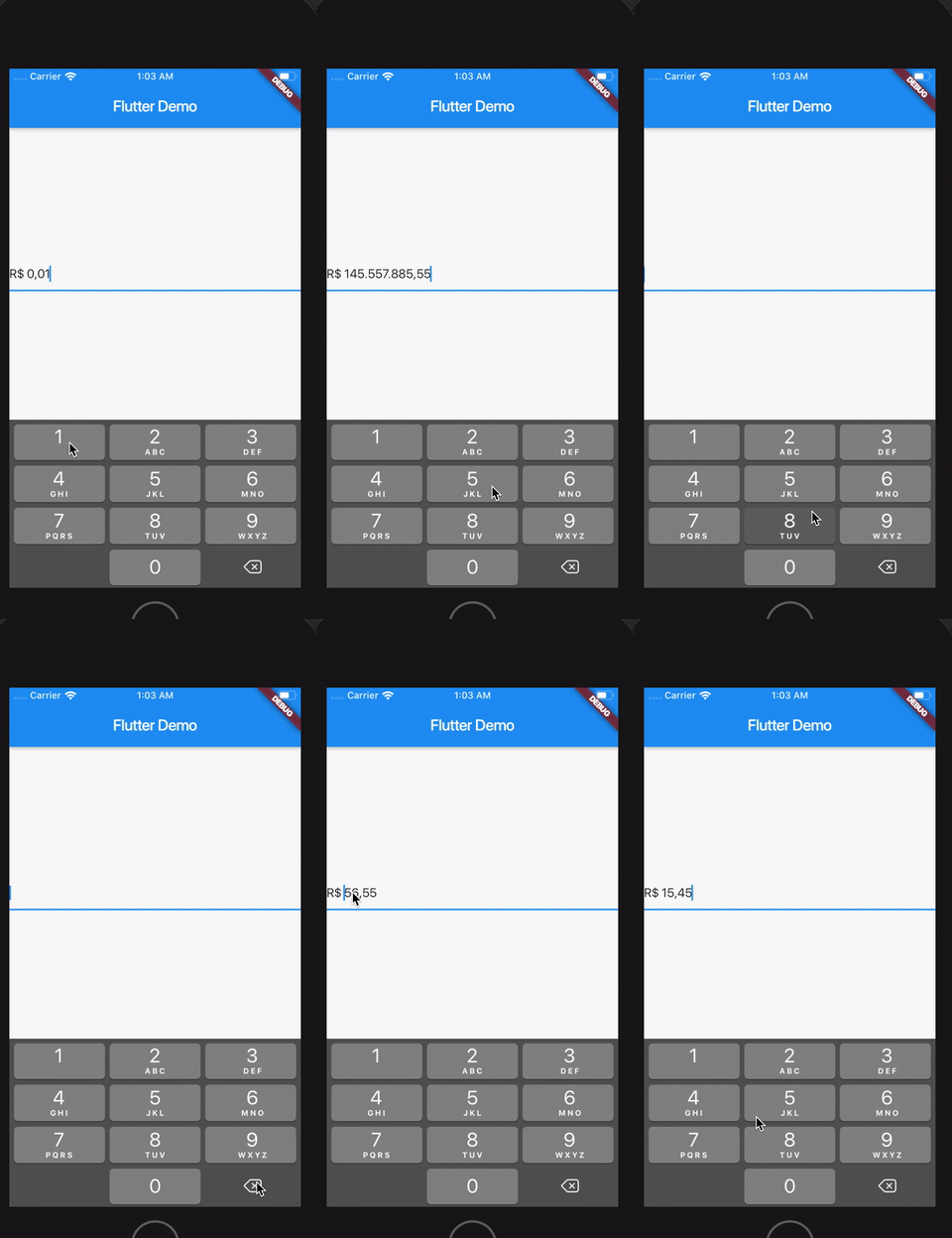
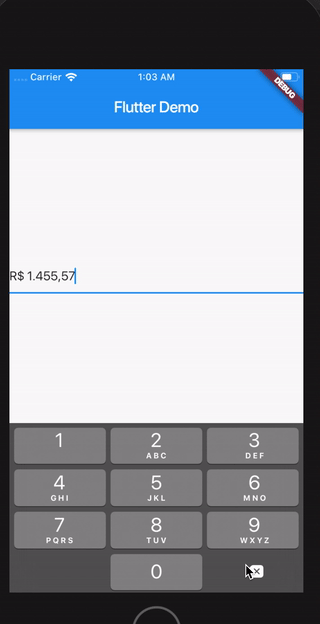
Demo

sample

Install

Follow this guide

Usage

Import the library

import 'package:currency_textfield/currency_textfield.dart';

Create the Controller

CurrencyTextFieldController controller = CurrencyTextFieldController()

Parameters and getters

Currency Symbol, Decimal and Thousand separator

It's possible to customize currencySymbol, decimalSymbol and thousandSymbol:

var controller = CurrencyTextFieldController(currencySymbol: "RR", decimalSymbol: ".", thousandSymbol: ",");
Get double value, get int value and get number in string format

To get the number value from controller, you can use both the doubleValue or the intValue properties:

//Double value:
final double val = controller.doubleValue;
//Int value:
final int val = controller.intValue;
//String number:
final int val = controller.textWithoutCurrencySymbol;
Initial value

You can initialize the controller using a int or a double, but not both at the same time. To make this, just use initDoubleValue or initIntValue:

final CurrencyTextFieldController controller2 = CurrencyTextFieldController(initDoubleValue: 10);
final CurrencyTextFieldController controller3 = CurrencyTextFieldController(initIntValue: 1000);

// this will raise an error!
final CurrencyTextFieldController controller4 = CurrencyTextFieldController(initIntValue: 1000,initDoubleValue: 10);
Position of the symbol and separator

You can decide if the symbol will be before or after the number. To make this, just use currencyOnLeft:

// default with the currency before the number
final CurrencyTextFieldController controller = CurrencyTextFieldController();

// currency after the number
final CurrencyTextFieldController controller2 = CurrencyTextFieldController(currencyOnLeft: false);

And also define the separator between the symbol and the value with currencySeparator:

// the default value is a single space
final CurrencyTextFieldController controller = CurrencyTextFieldController(currencySeparator: ' -> ');
Block the user from setting negative numbers

Just set enableNegative to false

Force a value from outside the TextField
final CurrencyTextFieldController controller = CurrencyTextFieldController();
// using a double
controller.forceValue(initDoubleValue: 300.5);

// using an int
controller.forceValue(initIntValue: 10000);
Change the currency symbol of the controller
final CurrencyTextFieldController controller = CurrencyTextFieldController();
// keeping the current value:
controller.replaceCurrencySymbol('EUR');

// reseting the current value:
controller.replaceCurrencySymbol('EUR', resetValue: true);

Categorias

Repositório-fonte

Projetos que usam este pacote

Ainda não há dados.