Orientação gerada a partir de informações públicas. Apenas para referência.
floating_logger é um pacote Flutter que fornece um widget flutuante para exibir logs em tempo real de solicitações de API durante o desenvolvimento do aplicativo. Ajuda os desenvolvedores a monitorar facilmente as atividades de rede, mostrando detalhes como URLs de solicitação, métodos, tempos de resposta e códigos de status. O widget flutua na tela, tornando-o acessível sem interromper o fluxo do usuário. Projetado para depuração e testes, integra-se perfeitamente em aplicativos Flutter em múltiplas plataformas. Ideal para equipes que precisam de visibilidade rápida sobre o comportamento da API sem depender de ferramentas externas.
Casos de uso
Monitoramento em tempo real da API durante o desenvolvimento
Depurando solicitações de rede em aplicativos Flutter
Inspeção rápida dos detalhes da chamada HTTP
Melhorando a colaboração da equipe em problemas de API
Testando o desempenho da API sob várias condições
Principais recursos
Interface flutuante para visibilidade contínua de logs
Exibição em tempo real dos dados de solicitação/resposta da API
Suporta todas as principais plataformas de desktop e móvel
Configuração mínima com um comando
Filtragem e estilização de logs personalizáveis
Indicado para
Desenvolvedores Flutter em desenvolvimento ativo
Equipes focadas na depuração de API
Aplicativos que exigem testes de rede frequentes
Engenheiros de frontend trabalhando com APIs REST
Projetos onde o feedback rápido sobre chamadas de rede é essencial
Considerações
Não destinado ao uso em produção
Pode afet o desempenho se for registrado dados excessivos
Requer remoção manual antes do lançamento do aplicativo
Limitado a builds de depuração
A interface pode obstruir o conteúdo da tela em dispositivos menores
README original
Snapshot do README original do repositório-fonte vinculado. Consulte o repositório para o conteúdo mais recente.
floating_logger 🚀
floating_logger is a Flutter library designed to help developers debug and test API calls with ease. It provides a floating widget that allows you to monitor API requests in real-time and even copy the curl command for quick testing. Perfect for anyone who wants to streamline the development and debugging process! ⚡
📌 Features
✅ Advanced Search & Deep Debugging - Search log path, headers, body, response, and deep JSON content with highlighting and auto-expansion
✅ Dynamic Search Navigation - Easily navigate through multiple search matches with up/down arrows
🎚 Toggle Floating Logger Visibility Using Preferences
Use ValueNotifier to toggle the logger visibility dynamically. This allows you to enable or disable the logger and persist the setting across app sessions.
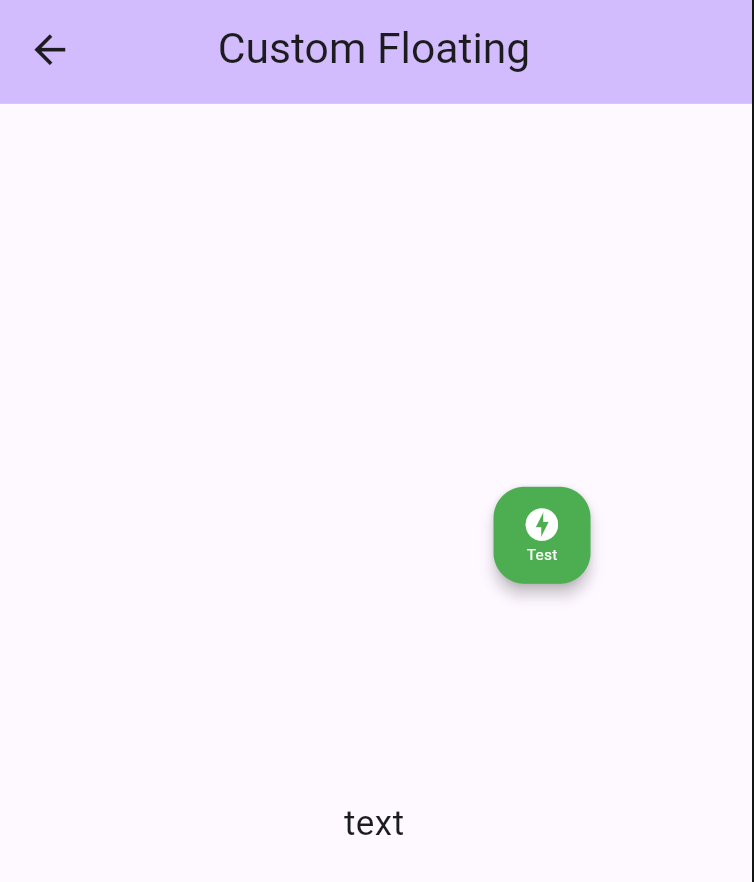
You can easily customize the appearance of your floating logger widget by using the style property. This allows you to adjust the background color, tooltip, icon, and even the size of the floating widget to match your app’s theme. 🎨✨
backgroundColor: Set a vibrant color to make your floating widget stand out.
tooltip: Add a custom tooltip text to provide helpful hints when hovering over the widget.
icon: Choose an icon (like offline_bolt, info, etc.) and customize its size, color, and appearance.
size: Adjust the size using Size class to adjust floating widget size.
🛠️ Adding a Single Custom Interceptor
To add a single custom interceptor to DioLogger, you can use the addInterceptor method. Here’s an example of adding a custom InterceptorsWrapper that handles the onResponse and onError events.
/// Example to add a custom single interceptorDioLogger.instance.addInterceptor(
InterceptorsWrapper(
onResponse: (response, handler) {
// Add custom logic for onResponseprint('Custom onResponse interceptor');
handler.next(response);
},
onError: (error, handler) {
// Add custom logic for onErrorprint('Custom onError interceptor');
handler.next(error);
},
),
);
Explanation:
onResponse : This is triggered when a successful response is received. You can add custom logic here, such as logging or modifying the response.
onError : This is triggered when an error occurs. You can handle errors, log them, or perform recovery actions.
handler.next() : This ensures the interceptor chain continues to the next interceptor or the final handler.
🛠️ Add List Custom Interceptor
If you want to add multiple interceptors at once, you can use the addListInterceptor method. This is useful when you have several interceptors that need to be applied together.
Here’s an example:
DioLogger.instance.addListInterceptor(
[
InterceptorsWrapper(
onResponse: (response, handler) {
// Add custom logic for onResponseprint('Custom onResponse interceptor');
handler.next(response);
},
onError: (error, handler) {
// Add custom logic for onErrorprint('Custom onError interceptor');
handler.next(error);
},
),
// You can add more interceptors in the list
],
);
Explanation:
List of Interceptors: You can define multiple InterceptorsWrapper objects in a list. Each interceptor will be executed in the order they are added.
Order Matters: The first interceptor in the list will be executed first, followed by the next, and so on.
⚡ Network Simulator (Built-in)
floating_logger comes with a powerful Network Simulator built right in! No extra packages needed. You can easily simulate different network conditions to test how your app handles:
Normal: Standard network behavior.
Slow: Simulates a 3-second delay (configurable).
Offline: Simulates no internet connection (throws error).
floating_logger is a powerful tool that simplifies debugging API calls in Flutter applications. Whether you need to inspect responses, copy cURL commands, or customize the UI, this package provides a seamless experience for developers. Integrate it today and streamline your debugging process! 🚀