Orientação gerada a partir de informações públicas. Apenas para referência.
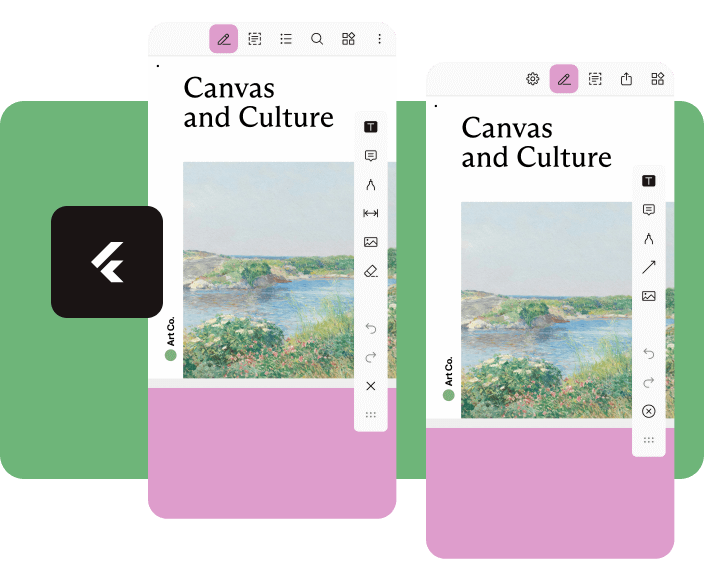
Nutrient Flutter é um plugin poderoso que integra o SDK Nutrient PDF em aplicativos Flutter, permitindo recursos avançados de visualização e edição de PDFs. Ele oferece suporte à renderização, anotação, assinatura e manipulação de PDFs com alto desempenho em plataformas Android e iOS. Projetado para desenvolvedores que buscam uma experiência completa e sem interrupções com PDFs, ele fornece uma interface semelhante à nativa, com ferramentas personalizáveis e gerenciamento robusto de documentos. O plugin simplifica fluxos de trabalho complexos de PDF, tornando-o ideal para aplicativos que exigem interação avançada com documentos.
Casos de uso
Aplicativos de gerenciamento de documentos
fluxos de trabalho de assinatura eletrônica
Plataformas educacionais
Ferramentas de anotação PDF
Ambientes de edição colaborativa
Principais recursos
Renderização de PDF de alto desempenho
anotações interativas
Suporte a assinatura digital
Componentes de interface personalizáveis
Compatibilidade multiplataforma
Indicado para
Desenvolvedores criando aplicativos centrados em documentos
Equipes que precisam de tratamento seguro de PDFs
Aplicativos que exigem colaboração do usuário em documentos
Integração de PDF de nível corporativo
Considerações
Requer licenciamento do nutrient.io
Pode aumentar o tamanho do aplicativo devido à inclusão do SDK
Personalização limitada sem configuração avançada
Dependente de atualizações do SDK externo
Curva de aprendizado potencial para novos usuários
README original
Snapshot do README original do repositório-fonte vinculado. Consulte o repositório para o conteúdo mais recente.
Flutter Document SDK by Nutrient
Add powerful PDF functionality to your Flutter apps with the Nutrient Flutter SDK. View, annotate, and edit PDFs seamlessly across Android, iOS, and Web platforms.
Requirements
Flutter SDK (latest stable version)
For Android:
Android Studio (latest stable version)
Android NDK
Android Virtual Device or physical device
For iOS:
Xcode 16 or later
iOS 17.0 or later
For Web:
Modern web browser with WebAssembly support
Installation
Add the Nutrient Flutter SDK to your pubspec.yaml:
dependencies:nutrient_flutter:any
Run the following command:
flutter pub get
Platform Setup
Android Setup
Update your Android configuration in android/app/build.gradle:
Note: Replace 1.13.0 with the latest version of Nutrient Web SDK. Check the latest releases for the current version.
Option 2: Local Installation
Download Nutrient Web SDK. The download will start immediately and save a .tar.gz archive like PSPDFKit-Web-binary-<version>.tar.gz to your computer.
Once downloaded, extract the archive and copy the entire contents of its dist folder to your project's web/assets folder.
Verify your assets folder contains:
nutrient-viewer.js file
nutrient-viewer-lib directory with library assets
Add the Nutrient library to your web/index.html:
<scriptsrc="assets/nutrient-viewer.js"></script>
Note: Your server must have the Content-Type: application/wasm MIME type configured for WebAssembly files.
Sample Document Setup
Create a PDFs directory in your project root:
mkdir PDFs
Download our sample PDF document and save it as Document.pdf in the PDFs directory.
Add the assets directory to your pubspec.yaml:
flutter:assets:-PDFs/
Usage
Create a new file lib/main.dart with the following content:
import'package:flutter/material.dart';
import'package:nutrient_flutter/nutrient_flutter.dart';
import'dart:io';
import'package:flutter/foundation.dart';
constString documentPath = 'PDFs/Document.pdf';
voidmain() async {
WidgetsFlutterBinding.ensureInitialized();
// Initialize the Nutrient SDK with your license keyawaitNutrient.initialize(
androidLicenseKey: 'YOUR_ANDROID_LICENSE_KEY',
iosLicenseKey: 'YOUR_IOS_LICENSE_KEY',
webLicenseKey: 'YOUR_WEB_LICENSE_KEY',
);
runApp(constMaterialApp(
home: MyApp(),
));
}
classMyAppextendsStatelessWidget{
constMyApp({super.key});
Future<String> extractAsset(BuildContext context, String assetPath) async {
if (kIsWeb) {
return assetPath;
}
final bytes = awaitDefaultAssetBundle.of(context).load(assetPath);
final list = bytes.buffer.asUint8List();
final tempDir = awaitNutrient.getTemporaryDirectory();
final tempDocumentPath = '${tempDir.path}/$assetPath';
final file = File(tempDocumentPath);
await file.create(recursive: true);
file.writeAsBytesSync(list);
return file.path;
}
@overrideWidgetbuild(BuildContext context) {
returnScaffold(
body: FutureBuilder<String>(
future: extractAsset(context, documentPath),
builder: (context, snapshot) {
if (snapshot.hasData) {
/// NutrientView is a widget that displays a PDF document.returnNutrientView(
documentPath: snapshot.data!,
);
} elseif (snapshot.hasError) {
returnCenter(
child: Text('${snapshot.error}'),
);
} else {
returnconstCenter(
child: CircularProgressIndicator(),
);
}
}),
);
}
}
Note: Replace 'YOUR_ANDROID_LICENSE_KEY', 'YOUR_IOS_LICENSE_KEY', and 'YOUR_WEB_LICENSE_KEY' with your actual license keys. Do not pass any license keys if you want to run the SDK in demo mode, the SDK will run in demo mode with a watermark.