Buscar pacotes, repositórios e categorias de apps

Detalhes do pacotev0.0.2

progressive_blur

(Experimental) Implementação de desfoque progressivo no Flutter.

AndroidiOSWebmacOSWindowsLinux
Downloads em 30 dias
21,5 mil
Curtidas
68
Pontos Pub
160

Instalar pacote

flutter pub add progressive_blur

Visão geral do pacote

Orientação gerada a partir de informações públicas. Apenas para referência.

O desfoque progressivo é um pacote experimental do Flutter que permite o borrão suave e incremental de imagens, melhorando as transições visuais e o desempenho durante o carregamento de imagens. Aplica o borrão progressivamente enquanto a imagem carrega, reduzindo os impactos visuais e melhorando a sensação de resposta. Projetado para uso em aplicativos com muitas imagens, oferece suporte a múltiplas plataformas, incluindo Android, iOS, Web, macOS, Windows e Linux. O pacote utiliza o pipeline de renderização do Flutter para entregar efeitos de borrão eficientes em tempo real com pouco overhead. Ideal para telas de inicialização, galerias de imagens e interfaces dinâmicas onde a continuidade visual importa.

Casos de uso

  • Carregamento de imagem com transições suaves
  • Telas de inicialização com fundos desfocados
  • Galerias dinâmicas de imagens
  • Animações de interface de usuário de alto desempenho
  • Feedback visual durante a renderização de imagem

Principais recursos

  • Efeito experimental de desfoque progressivo
  • Transição visual suave durante o carregamento da imagem
  • Suporte multiplataforma (Android, iOS, Web, macOS, Windows, Linux)
  • Sobrecarga mínima de desempenho
  • Integração com o pipeline de renderização do Flutter

Indicado para

  • Desenvolvedores construindo aplicativos ricos em imagens
  • Designers de UI procurando acabamento visual
  • Aplicativos que exigem experiências de carregamento suave
  • Teste de recurso experimental
  • Projetos Flutter voltados para desempenho

Considerações

  • O status experimental pode implicar instabilidade
  • Documentação disponível limitada
  • Pode exigir ajustes específicos da plataforma
  • Não recomendado para recursos críticos de produção ainda
  • Uso de memória maior durante o processamento de desfoque
README original

Snapshot do README original do repositório-fonte vinculado. Consulte o repositório para o conteúdo mais recente.

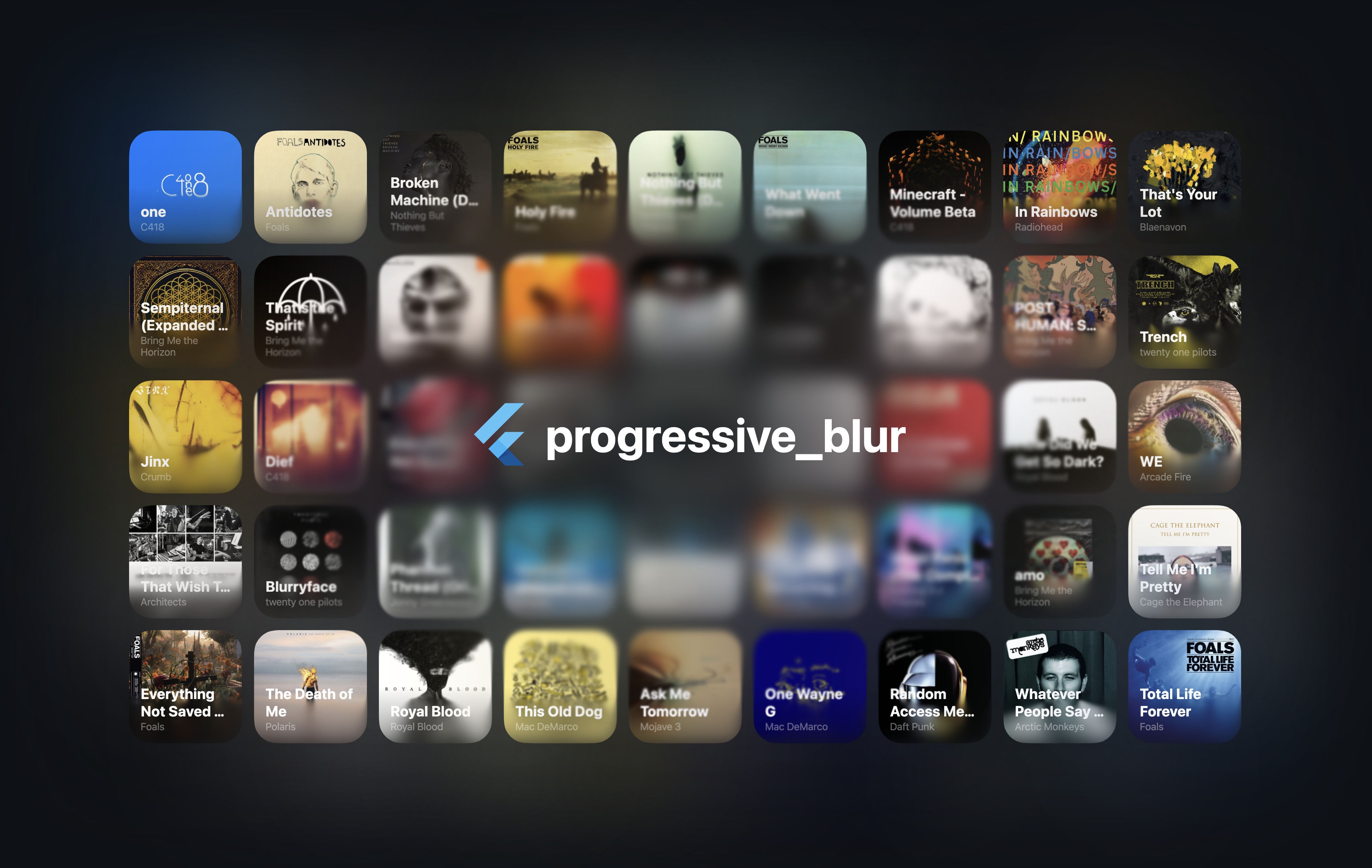
Demo image

[!NOTE] Early version of the project. The performance may be suboptimal, and the APIs may change in the future.

An iOS-like progressive blur implementation for Flutter.

Usage

See the example folder for a complete example.

[!CAUTION] The CanvasKit web performance seems to be terrible. I'm not exactly sure why at the moment. However, skwasm performs much better.

import 'package:progressive_blur/progressive_blur.dart';

// Simple gradient blur with optional tint
ProgressiveBlurWidget(
  sigma: 24.0,
  linearGradientBlur: const LinearGradientBlur(
    values: [0, 1], // 0 - no blur, 1 - full blur
    stops: [0.5, 0.8],
    start: Alignment.topCenter,
    end: Alignment.bottomCenter,
  ),
  tintColor: Colors.orange.withOpacity(0.3), // Optional tint color
  child: ...
);

// Advanced: custom blur texture
//
// You can create a custom blur texture using the Flutter's Canvas API. Note that the red channel controls the blur strength (0 - no blur, 255 - full blur).
ProgressiveBlurWidget.custom(
  sigma: 24.0,
  blurTexture: [instance of ui.Image],
  tintColor: Colors.purple.withOpacity(0.4), // Optional tint color
  child: ...,
)

Rendering implementations

The package ships two implementations of the blur:

  • ImageFilter.shader (Impeller only): the two blur passes are applied as chained ui.ImageFilter.shader filters via an ImageFiltered widget. This avoids rendering the subtree into an intermediate ui.Image every frame. Requires Flutter 3.35+ and the Impeller rendering engine.
  • AnimatedSampler (fallback): the original implementation — the subtree is rendered into a composited layer and the resulting ui.Image is bound as a shader sampler. Works on Skia and on the web.

By default, the implementation is selected automatically at runtime via ui.ImageFilter.isShaderFilterSupported. You can override the selection with the static useImageFilter toggle:

// null (default): pick automatically — ImageFilter.shader on Impeller,
// AnimatedSampler otherwise.
ProgressiveBlurWidget.useImageFilter = null;

// Force the ImageFilter.shader implementation.
ProgressiveBlurWidget.useImageFilter = true;

// Force the AnimatedSampler implementation.
ProgressiveBlurWidget.useImageFilter = false;

The toggle can be changed at any time (existing widgets pick it up on their next rebuild), and both implementations render identically.

[!NOTE] With the ImageFilter.shader implementation, the blur parameters are read when the widget is built or its configuration changes — animating them every frame is not supported yet (see flutter/flutter#163302).

Additional information

Feel free to report bugs/issues on GitHub.

If you have questions, you can contact me directly at kk.erzhan@gmail.com.

Credits:

  • https://www.shadertoy.com/view/Mfd3DM - an inspiration for the blur shader
  • flutter_shaders - a great library for working with shaders in Flutter

Categorias

Dependências

Lista de dependências 1 itens

Repositório-fonte

Projetos que usam este pacote