
v12.6.0
firebase_analytics
適用於 Google Analytics for Firebase 的 Flutter 插件,這是一款應用測量解決方案,可提供 Android 和 iOS 上的應用使用情況和使用者參與度的洞察。
1310喜歡 203萬近 30 天下載160Pub 分數
AndroidiOSWebmacOS
Medito 應用是一款 100% 免費的冥想應用,使用 Flutter 建構。該應用可在 Android 和 iOS 上使用。

適用於 Google Analytics for Firebase 的 Flutter 插件,這是一款應用測量解決方案,可提供 Android 和 iOS 上的應用使用情況和使用者參與度的洞察。
Firebase Core 的 Flutter 插件,支援連接到多個 Firebase 應用程式。
Firebase Crashlytics 的 Flutter 插件。它會將未捕獲的錯誤報告至 Firebase 控制台。
適用於 Firebase 云訊息傳遞的 Flutter 插件,一種跨平台訊息解決方案,可讓您在 Android 和 iOS 上可靠地傳遞訊息。
一個反應式快取與資料繫結框架。Riverpod 讓處理非同步程式碼變得輕鬆自在。
一個為 riverpod_generator 暴露註解的套件
Riverpod 的程式碼產生器。這不僅簡化語法,還增強功能,例如支援狀態熱重新載入。
用於在 Flutter 與主機平台之間建立類型安全且更簡單的通訊之程式碼產生工具。
一個 Flutter 插件,提供由系統 WebView 支持的 WebView 小部件。
RxDart 是用於非同步程式設計的流行 ReactiveX API 實作,利用了原生 Dart Streams API。
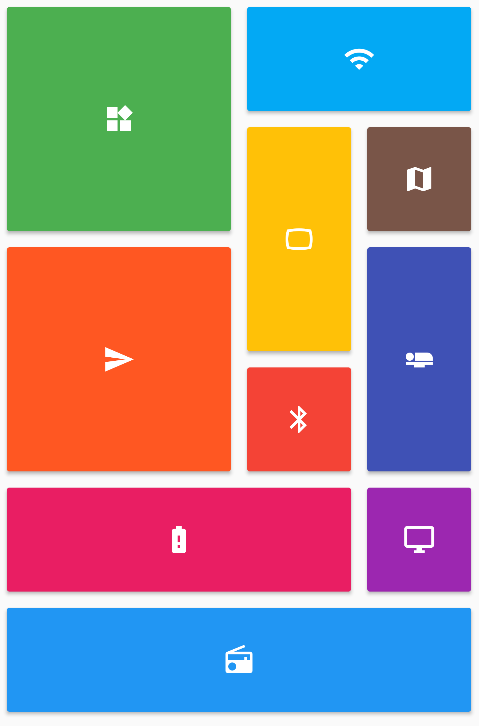 v0.7.0
提供一組 Flutter 網格佈局(錯落、馬賽克、拼花、編織等)。
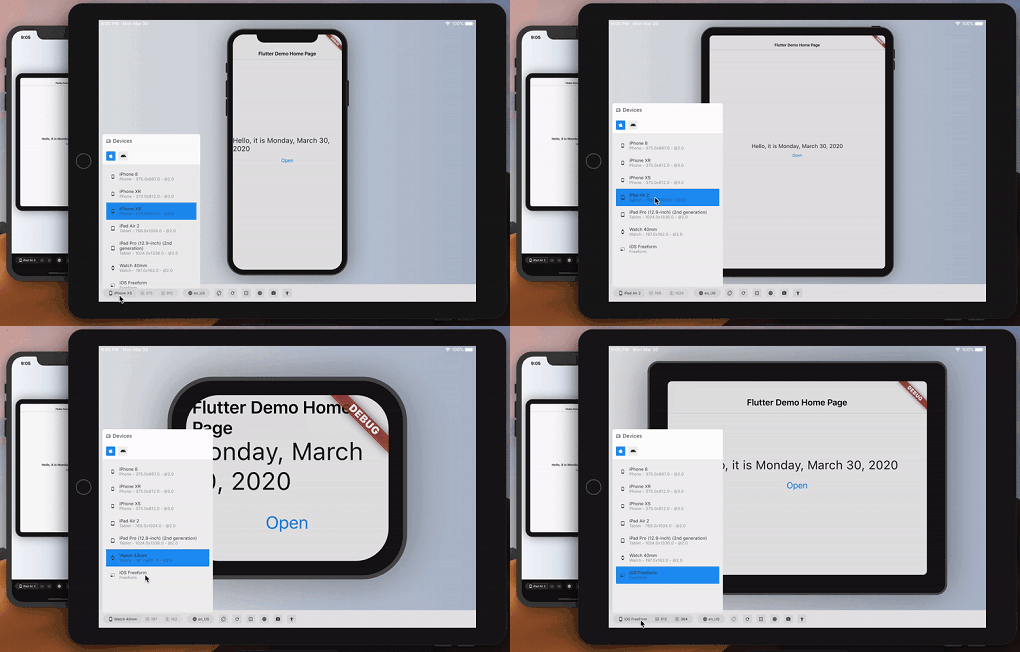 v3.0.0
大致預覽您的 Flutter 應用在另一台設備上的外觀和效能。
{"sdk":"flutter"}{"sdk":"flutter"}^7.0.0^2.0.6+1^0.18.18^0.2.3^3.4.1^3.0.7^12.3.0^1.1.2^1.0.3^3.0.0^2.0.8^12.2.0^4.6.0^5.2.1^16.1.3^21.0.0^0.7.7+1^3.3.13.2.1^10.0.0^0.7.012.6.0^2.2.4^0.27.1^3.1.0^13.3.1^1.6.0^4.8.0^2.0.11^0.20.2^4.11.0^0.10.5^9.0.1^2.1.5^12.0.1^0.6.0^4.0.2^0.28.0^12.0.2^2.5.5^3.0.0^3.2.0^0.11.0^6.3.2^4.5.3^4.10.0^6.6.1^6.2.7^0.9.1^0.0.8{"sdk":"flutter"}^2.14.1^3.0.0^6.0.0^3.2.5^6.13.0any^1.0.5^5.6.4any^26.3.2^4.0.3{"sdk":"flutter"}以下為英文專案原文快照,最新內容請造訪 GitHub。
Meditation can positively transform people's lives, and we believe no one should have to pay for it. We are the Medito Foundation, and we've built the Medito App for people who have never meditated before or want to deepen their meditation practice.
The app is free, forever: no ads, no spam, no need to sign up or pay. Medito App is a Flutter project available on Android and iOS maintained by the Medito Foundation and its community.
NOTE: If you install the Medito app using the APK file, please make sure to verify that the APK file is signed by Medito Foundation. See VERIFY_APK for more information.
Contributors can run the app without any API keys or Firebase setup using mock mode. All network calls are intercepted and return hardcoded sample data — no real credentials are needed.
Clone the repository and install dependencies:
git clone https://github.com/meditohq/medito-app.git
cd medito-app
flutter pub get
Generate required code (Pigeon + Riverpod):
flutter pub run pigeon --input pigeon_conf.dart
dart run build_runner build --delete-conflicting-outputs
Create android/keystore.properties using your own debug keystore. The Android SDK auto-creates one at ~/.android/debug.keystore with default credentials:
cp android/keystore.properties.example android/keystore.properties
Then edit android/keystore.properties with your keystore details:
storePassword=<your-keystore-password>
keyPassword=<your-key-password>
keyAlias=<your-key-alias>
storeFile=<absolute-path-to-your-keystore>
appId=meditofoundation.medito
versionCode=1
versionName=1.0.0
For the default Android debug keystore the password, key password, and alias are android, android, and androiddebugkey respectively.
Create a placeholder android/app/google-services.json (Firebase is skipped in mock mode, but Gradle requires the file)
Run the app using the "Flutter (Mock)" run configuration in VS Code or Android Studio, or from the terminal:
flutter run --flavor dev --dart-define=MOCK_MODE=true -d <device-id>
In mock mode, Firebase, the paywall webview, Stripe, and Meta SDK are all skipped. The app runs with sample content so you can work on UI and logic without real credentials.
Clone the repository:
git clone https://github.com/meditohq/medito-app.git
cd medito-app
Install dependencies:
flutter pub get
Set up environment files:
.env.staging and .env.production files in the root directory.Set up Firebase:
google-services.json (for Android) and GoogleService-Info.plist (for iOS) from the Firebase console./lib/firebase_options.dart file.To generate Pigeon code. This is required to communicate with native iOS and Android code.
flutter pub run pigeon --input pigeon_conf.dart
To generate API and state management code with Riverpod:
dart run build_runner build --delete-conflicting-outputs
This project supports separate development and production configurations. Here's how to set up and use them in different IDEs:
Add the following to your .vscode/launch.json (this file is gitignored, so each developer maintains their own):
{
  "version": "0.2.0",
  "configurations": [
    { "name": "Flutter (Dev)", "request": "launch", "type": "dart", "args": ["--flavor", "dev", "--dart-define-from-file=../.staging.json"] },
    { "name": "Flutter (Prod)", "request": "launch", "type": "dart", "args": ["--flavor", "prod"] },
    { "name": "Flutter (Mock)", "request": "launch", "type": "dart", "args": ["--flavor", "dev", "--dart-define=MOCK_MODE=true"] }
  ]
}
These configurations are defined in .run/Flutter (Dev).run.xml, .run/Flutter (Prod).run.xml, and .run/Flutter (Mock).run.xml.
Ensure that your android/app/build.gradle file has the corresponding flavor configurations set up correctly.
For Android APK signing, you need to create a keystore.properties file in the android/ directory:
android/keystore.properties.example to android/keystore.properties.jks) for signing APKsNote: Never commit keystore.properties or your .jks files to version control.
Medito Foundation: https://meditofoundation.org/.