
v6.0.0
flutter_lints
推薦用於 Flutter 應用程式、套件和外掛的程式碼檢查規則,以促進良好的程式設計習慣。
1340喜歡 852萬近 30 天下載160Pub 分數
AndroidiOSWebmacOSWindowsLinux
一個美觀且功能豐富的音樂與影片播放器,支援 YouTube,使用 Flutter 建構

推薦用於 Flutter 應用程式、套件和外掛的程式碼檢查規則,以促進良好的程式設計習慣。
Flutter 插件,用於取得主機平台檔案系統中常見使用的目錄位置,例如暫存與應用程式資料目錄。
用於啟動 URL 的 Flutter 插件。支援網頁、電話、簡訊和電子郵件協定。
 v0.7.0
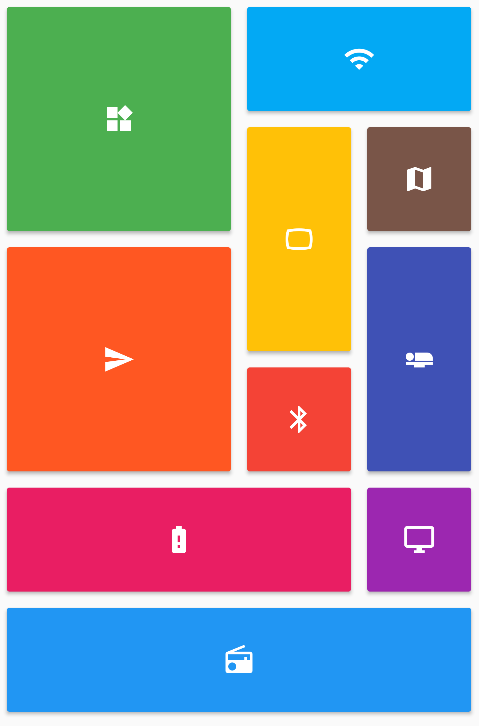
提供一組 Flutter 網格佈局(錯落、馬賽克、拼花、編織等)。
 v22.3.1
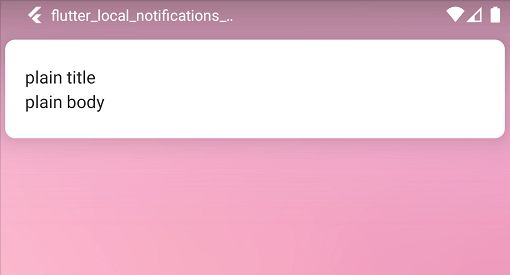
一個跨平台插件,用於在 Flutter 應用中顯示和排程本機通知,並支援針對每個平台進行自訂。
Flutter 的權限外掛。此外掛提供跨平台(iOS、Android)API,用於請求和檢查權限。
一個簡化更新您的 Flutter 應用程式啟動圖示任務的套件。
 v0.15.0
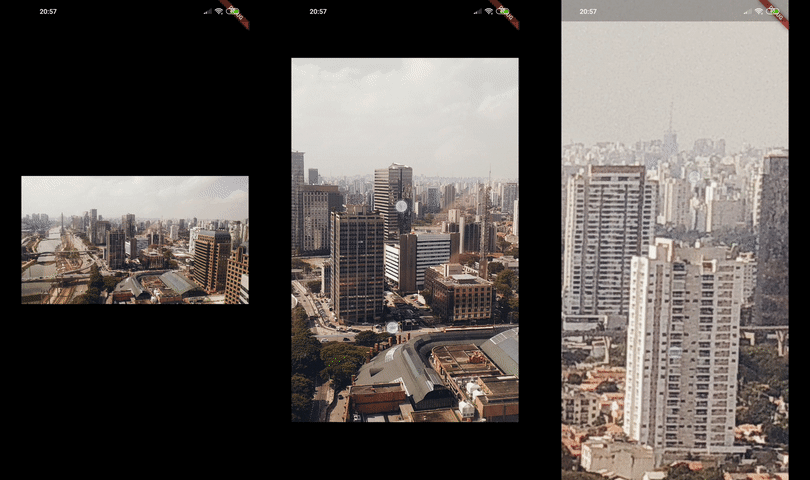
Photo View 提供了一個對手勢敏感的可縮放組件。Photo View 主要用於顯示互動式圖像及其他內容,例如 SVG。
用於在 Android 和 iOS 上發現網路(Wi-Fi 與行動/蜂巢)連線狀態的 Flutter 外掛程式。
Flutter 插件,提供有關裝置(品牌、型號等)的詳細資訊,以及應用程式正在執行的 Android 或 iOS 版本。
Flutter 插件,用於查詢應用程式套件的資訊,例如 iOS 上的 CFBundleVersion 或 Android 上的 versionCode。
用於透過平台分享UI分享內容的Flutter外掛程式,Android使用ACTION_SEND意圖,iOS使用UIActivityViewController。
{"sdk":"flutter"}{"sdk":"flutter"}{"git":{"url":"https://github.com/MSOB7YY/nampack"}}{"git":{"url":"https://github.com/MSOB7YY/dart_extensions"}}^1.9.0^0.18.0^2.1.3{"git":{"url":"https://github.com/MSOB7YY/flutter-permission-handler","path":"permission_handler"}}^2.2.0^10.1.0^13.1.0^0.20.2^6.3.1^4.1.0^6.3.0^7.0.0{"git":{"url":"https://github.com/MSOB7YY/mdns_dart"}}^4.5.3^2.6.0{"git":{"url":"https://github.com/MSOB7YY/plus_plugins","ref":"working_windows","path":"packages/share_plus/share_plus"}}{"git":{"url":"https://github.com/MSOB7YY/calendar_date_picker2"}}^1.6.1{"git":{"url":"https://github.com/MSOB7YY/screen_brightness","path":"screen_brightness/"}}^2.1.1^0.9.2^22.0.0-dev.3{"git":{"url":"https://github.com/MSOB7YY/flutter_sharing_intent"}}^3.1.0+2{"git":{"url":"https://github.com/MSOB7YY/jiffy"}}{"git":{"url":"https://github.com/namidaco/playlist_manager"}}{"git":{"url":"https://github.com/namidaco/history_manager"}}^2.0.1^7.3.1^3.0.2{"git":{"url":"https://github.com/MSOB7YY/dart_lrc"}}^3.1.6^4.1.2{"git":{"url":"https://github.com/namidaco/namico_db_wrapper"}}^2.4.8{"git":{"url":"https://github.com/MSOB7YY/opensubsonic_api.dart"}}{"git":{"url":"https://github.com/MSOB7YY/webdav_client"}}{"git":{"url":"https://github.com/MSOB7YY/smb_connect"}}{"git":{"url":"https://github.com/MSOB7YY/just_audio","path":"just_audio/","ref":"video"}}{"git":{"url":"https://github.com/MSOB7YY/audio_service","path":"audio_service/","ref":"minor"}}^1.2.0^2.0.1^1.2.1^1.1.4^1.0.11^0.2.0{"git":{"url":"https://github.com/namidaco/namida_waveform"}}{"git":{"url":"https://github.com/namidaco/basic_audio_handler"}}{"git":{"url":"https://github.com/MSOB7YY/flutter_taglib","ref":"custom_taglib"}}{"git":{"url":"https://github.com/MSOB7YY/on_audio_query","path":"packages/on_audio_query"}}{"git":{"url":"https://github.com/MSOB7YY/ffmpeg-kit","path":"flutter/flutter"}}{"git":{"url":"https://github.com/namidaco/youtipie"}}{"git":{"url":"https://github.com/namidaco/namico_login_manager"}}{"git":{"url":"https://github.com/namidaco/namico_subscription_manager"}}^0.3.3^0.15.0^1.1.1^0.7.0^3.8.0^2.0.0^4.2.0+1^1.6.7^0.4.1^4.0.0^2.0.1^0.0.2<=2.0.5{"git":{"url":"https://github.com/MSOB7YY/flutter_scrollbar_modified"}}^0.3.0^1.1.6^1.1.0^0.5.0^3.0.2{"git":{"url":"https://github.com/MSOB7YY/frb_plugins","path":"packages/smtc_windows"}}^1.1.2^3.0.3^2.1.0{"git":{"url":"https://github.com/MSOB7YY/super_native_extensions","path":"super_drag_and_drop"}}{"git":{"url":"https://github.com/MSOB7YY/flutter_windows_single_instance"}}{"git":{"url":"https://github.com/MSOB7YY/super_native_extensions","path":"super_hot_key"}}{"git":{"url":"https://github.com/MSOB7YY/tray_manager","path":"packages/tray_manager"}}{"git":{"url":"https://github.com/MSOB7YY/dart_xdg_status_notifier_item"}}^0.7.13{"git":{"url":"https://github.com/miguelpruivo/flutter_file_picker","ref":"8dc97859f42ca7ca2d6d347dd7960a3c7b657baf"}}^1.1.2^0.1.0{"sdk":"flutter"}^3.1.3^2.2.3^6.0.0^0.14.4^3.16.8{"git":{"url":"https://github.com/MSOB7YY/inno_bundle"}}以下為英文專案原文快照,最新內容請造訪 GitHub。
A Beautiful and Feature-rich Music & Video Player with Youtube Support, Built in Flutter
https://img.shields.io/badge/-Website-%23463e35 https://img.shields.io/badge/-Docs-%23f1d6b6 https://img.shields.io/badge/Channel-blue?link=https%3A%2F%2Ft.me%2Fnamida_officialt&logo=telegram&logoColor=white https://img.shields.io/badge/Chat-blue?link=https%3A%2F%2Ft.me%2F%2BFmdfsgKoGmM1ZGFk&logo=telegram&logoColor=white https://img.shields.io/badge/Discord-7B55C1?link=https%3A%2F%2Fdiscord.gg%2FWeY7DTVChT&logo=discord&logoColor=white https://img.shields.io/github/downloads/namidaco/namida/total.svg https://img.shields.io/badge/Built%20in-Flutter-%23369FE7 Hits-of-Code https://img.shields.io/endpoint?url=https://ghloc.vercel.app/api/namidaco/namida/badge?style=flat&logo=dart&logoColor=aqua&label=Total%20Lines&color=darkturquoise
New to Namida or want to discover more? Checkout the docs here
taglib since v6.4.0.Formats:
video_id, id: video identifiervideo_url, url: video full url (https://www.youtube.com/watch?v=id)video_title, fulltitle: video full titletitle: extracted music title from video title (Navjaxx - Fading Light (Slowed))artist: extracted music artist from video title (*Navjaxx - Fading Light (Slowed)*) or else channelgenre: music genre. automatically set to Nightcore when the video title contains "nightcore".ext: format container extension (mp4, m4a, webm). this is not necessary as it would be added automaticallychannel_fulltitle: channel full namechannel, uploader: channel name (excluding - Topic)channel_id, uploader_id: channel idchannel_url, uploader_url: channel urltimestamp: UNIX timestamp of the video (milliseconds since epoch)upload_date: upload date of the video, converted to local time (yyyyMMdd)view_count: view count of the videolike_count: like count of the videodescription: video description. links are wrapped in a markdown styleduration: video duration in seconds (204)duration_string: video duration formatted (3:24)playlist_title: title of the playlist containing the videoplaylist_id: id of the playlist containing the videoplaylist: playlist_title if available or else playlist_idplaylist_count: total videos count in the playlistplaylist_index: index of the video in the playlists (starts at 0)playlist_autonumber: position of the video in the playlists (starts at 1)none: empty field. useful for tags to override any other settingsExample:
# [04] music title [(channel name)]
[%(playlist_autonumber)s] %(title)s [(%(channel)s)]

# saving to separate folders
# music playlist/02. music title.m4a
%(playlist)s/%(playlist_autonumber)s. %(title)s.%(ext)s
cover.jpg etc images for folders, & .info.txt for displaying small infonew
CAN IMPORT YOUTUBE HISTORY https://raw.githubusercontent.com/namidaco/namida/HEAD/some%20stuff/ong.png
LASTFM, SPOTIFY & LISTENBRAINZ TOO AND MAYBE MORE IN FUTURE https://raw.githubusercontent.com/namidaco/namida/HEAD/some%20stuff/yoowhat.gif
https://youtu.be/video_id).v=video_id or id=video_id in order to get matched.| Animating Thumbnail | Recommends & Listens |
|---|---|
Platform |
Stable |
Beta |
|---|---|---|
| Android | ||
| Windows | ||
Linux new |
Soon |
[!IMPORTANT] Install dependencies: mpv for playback (you may skip this if you used a package manager)
sudo pacman -S mpv            # Arch/Manjaro
sudo apt install mpv libmpv2  # Debian/Ubuntu/Mint
sudo dnf install mpv mpv-libs # Fedora/RHEL
[!NOTE] (Optional) Install webkit2gtk for youtube login & poToken
sudo pacman -S webkit2gtk-4.1          # Arch/Manjaro
sudo apt install libwebkit2gtk-4.1-0   # Debian/Ubuntu/Mint
sudo dnf install webkit2gtk4.1         # Fedora/RHEL
# Quick Install
curl -fsSL https://raw.githubusercontent.com/namidaco/namida/main/scripts/install_linux_tar.sh | sudo bash

# Package managers
yay -Sy namida-bin                  # AUR (Arch Linux)
paru -Sy namida-bin                 # AUR (Arch Linux)
sudo apt install ./namida.deb   # Debian/Ubuntu (download .deb from beta releases)
sudo dnf install ./namida.rpm   # Fedora/RHEL (download .rpm from beta releases)

# Nix (Home Manager) Installation
# Available at: https://codeberg.org/iWisp360/namida-nix
[!TIP] Community-built tools for an enhanced namida experience
- 🔄 Namida Sync, a tool for syncing namida backups & files across android, windows and linux
- by @010101-sans
- 📊 Namida Charts, a companion app that shows yearly, monthly & more listening stats with charts based on namida history
- by @DiWu17
- 🎁 Namida Wrapped, a local web ui for generating spotify wrapped-style stats
- by @bebrriko
WAKE_LOCK&FOREGROUND_SERVICE&FOREGROUND_SERVICE_MEDIA_PLAYBACK: keep app alive for media playback.INTERNET: for many stuff like artist/album images, streaming & downloading, etc.READ_EXTERNAL_STORAGE(Android ≤ 12): list files from indexer folders only.READ_MEDIA_AUDIO(Android 13+): list audio files from indexer folders only.READ_MEDIA_VIDEO(Android 13+): list video files from indexer folders only (for video playback).READ_MEDIA_IMAGES(Android 13+): list image files from indexer folders only (for fallback covers).WRITE_EXTERNAL_STORAGE(Android ≤ 10): same as below but less restrict.MANAGE_EXTERNAL_STORAGEorall_files_access(Android 10+ / requested when needed): used for
- editing audio tags
- creating or auto-restoring backups
- saving artworks
- deleting files
- compressing images & fix ytdlp images
- exporting playlists as m3u
- downloading youtube content
- playing tracks from a root folder
- in-app file browser
VIBRATE: vibrate/haptic feedback while doing some actions (can be turned off in settings).POST_NOTIFICATIONS(requested when needed): post notifications like history import/download progress.REQUEST_IGNORE_BATTERY_OPTIMIZATIONS(requested when needed): improve downloads.WRITE_SETTINGS(requested when needed): to set audio as ringtone/etc.QUERY_ALL_PACKAGES: to allow opening custom equalizer apps.
- @MSOB7YY for their youtube client, which powers youtube section.
- @cameralis for their awesome miniplayer physics.
- @alexmercerind for helping me out a lot.
- @lusaxweb for their awesome Iconsax icon pack.
- All packages' maintainers which made namida possible.
Bitcoin/ETH/USDT (BEP20):
0x95b2834c84def92860df773d8b3d80d4c296d748
[!WARNING] Namida is only available through namida.app, GitHub & Telegram. We are not responsible for downloads from other sources.
Project is licensed under EULA License.
© Copyright (C) 2023-present Namidaco <namida.coo@gmail.com>
- You may read/compile/modify the code for your personal usage, or for the purpose of contribution for the software.
- Redistributing the program as a whole under different name or license without permission is not allowed.
namidaco%2Fnamida | Trendshift
https://raw.githubusercontent.com/namidaco/namida/HEAD/some%20stuff/star_history.svg
Made by human, not vibe coded. AI usage is minimal and very selective. Every design choice comes after thoughtful decisions and series of refining, down to every pixel. Parts that are built by ai will have a disclaimer. See here for more info.