搜尋套件、儲存庫與 APP 分類

adaptive_dialog 封面
套件詳情v3.1.0

adaptive_dialog

根據平台自適應顯示警告對話框或模態操作表。

AndroidiOSWebmacOSWindowsLinux
近 30 天下載
4.1萬
喜歡數
1080
Pub 分數
160

安裝套件

flutter pub add adaptive_dialog

套件介紹

根據套件公開資料產生的選型評估,僅供參考。

自適應對話框是一個Flutter套件,能以平台適當的方式顯示警示對話框或模態操作表。它會自動為每個目標平台選擇最佳的UI模式——在Android和iOS上使用原生樣式對話框,在其他平台上使用一致的網頁/桌面佈局。這確保了跨裝置的一致使用者體驗,而無需手動進行平台檢查。該套件透過最少的程式碼簡化跨平台對話框的實作,支援從簡單警告到複雜動作的各種情境。它可以順暢地整合到現有的Flutter應用中。

適用情境

  • 跨平台對話一致性
  • 原生對話框在移動設備上
  • 統一的網頁和桌面對話處理
  • 簡化平台特定對話邏輯
  • 透過自適應UI模式提升使用者體驗

主要特色

  • 自動平台檢測
  • Android 與 iOS 的原生對話框樣式
  • Web 與桌面端的一致行為
  • 最小化樣板程式碼
  • 同時支援警示與操作表

適合對象

  • 針對多個平台的開發人員
  • 需要原生對話框外觀的應用
  • 重視使用者體驗一致性的團隊
  • 頻繁使用對話方塊的專案
  • Flutter 初學者尋找簡單的對話方塊解決方案

使用建議

  • 超出基本選項的自訂功能有限
  • 依賴於底層平台的渲染
  • 可能需要額外的樣式設定以適應複雜版面
  • 不太適合高度自訂的對話方塊設計
  • 最適合標準警示與操作表情境

原始 README

以下為關聯原始碼儲存庫的 README 原文快照,最新內容請造訪原始碼儲存庫。

adaptive_dialog

Show alert dialog or modal action sheet adaptively according to platform.

Web Demo: https://mono0926.com/adaptive_dialog/

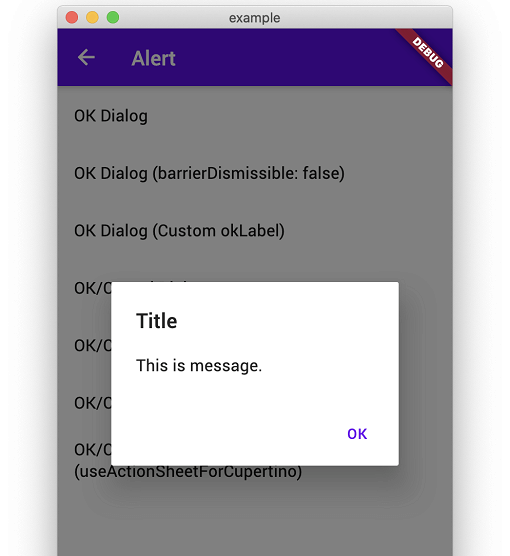
showOkAlertDialog

Convenient wrapper of showAlertDialog.

iOS Android
n1 n2

showOkCancelAlertDialog

Convenient wrapper of showAlertDialog.

iOS Android
n3 n4
n5 n6

showConfirmationDialog

Show Confirmation Dialog. For Cupertino, fallback to ActionSheet.

iOS Android
n3 n5

showModalActionSheet

iOS Android
n7 n8
n9 n10
n11 n12

showTextInputDialog

iOS Android
n1 n2
n3 n4

showTextAnswerDialog

Show text input dialog until answer is correct or cancelled. This is useful for preventing very destructive action is executed mistakenly.

iOS Android
n5 n6

FAQ

How can I customize it flexibly?

This packages keeps usage and UI simple like iOS official alert dialog. Therefore, if you need more flexibility than this package provides, I recommend that you build your own directly using standard APIs to meet your requirements without using this package.

  • https://github.com/mono0926/adaptive_dialog/issues/19#issuecomment-754476937
  • https://github.com/mono0926/adaptive_dialog/issues/76#issuecomment-1120686982
  • https://github.com/mono0926/adaptive_dialog/issues/108#issuecomment-1543068734

The getter modalBarrierDismissLabel was called on null

adaptive_dialog uses Cupertino-style widgets internally on iOS, so GlobalCupertinoLocalizations.delegate is required under certain conditions.

import 'package:flutter/material.dart';
import 'package:flutter_localizations/flutter_localizations.dart';

class App extends StatelessWidget {
  const App({Key key}) : super(key: key);

  @override
  Widget build(BuildContext context) {
    return MaterialApp(
      //...
      localizationsDelegates: const [
        GlobalMaterialLocalizations.delegate,
        GlobalWidgetsLocalizations.delegate,
        GlobalCupertinoLocalizations.delegate, // This is required
      ],
    );
  }
}

The input text color same with backgound when using CupertinoTextInputDialog

This fixes the problem.

import 'package:flutter/cupertino.dart';
import 'package:flutter/material.dart' hide Router;

class App extends StatelessWidget {
  const App({Key key}) : super(key: key);

  @override
  Widget build(BuildContext context) {
    return MaterialApp(
      darkTheme: ThemeData(
        cupertinoOverrideTheme: const CupertinoThemeData(
          textTheme: CupertinoTextThemeData(), // This is required
        ),
      ),
    );
  }
}

macOS style and Web / WASM compatibility

AdaptiveStyle.macOS utilizes macos_ui widgets on native macOS. On Web platforms (both JavaScript and WASM), macos_ui is excluded to ensure Web and WASM compatibility, and dialogs configured with macOS style automatically fall back to Cupertino (iOS-style) dialogs.

所屬分類

依賴

依賴清單 7 項

原始碼儲存庫

使用此套件的專案