animated_floating_buttons
This package is based on Agung Surya's tutorial. You can visit his post for more technical information about the package.
https://medium.com/@agungsurya/create-a-simple-animated-floatingactionbutton-in-flutter-2d24f37cfbcc
Getting Started
This project is a starting point for a Dart
package,
a library module containing code that can be shared easily across
multiple Flutter or Dart projects.
For help getting started with Flutter, view our
online documentation, which offers tutorials,
samples, guidance on mobile development, and a full API reference.
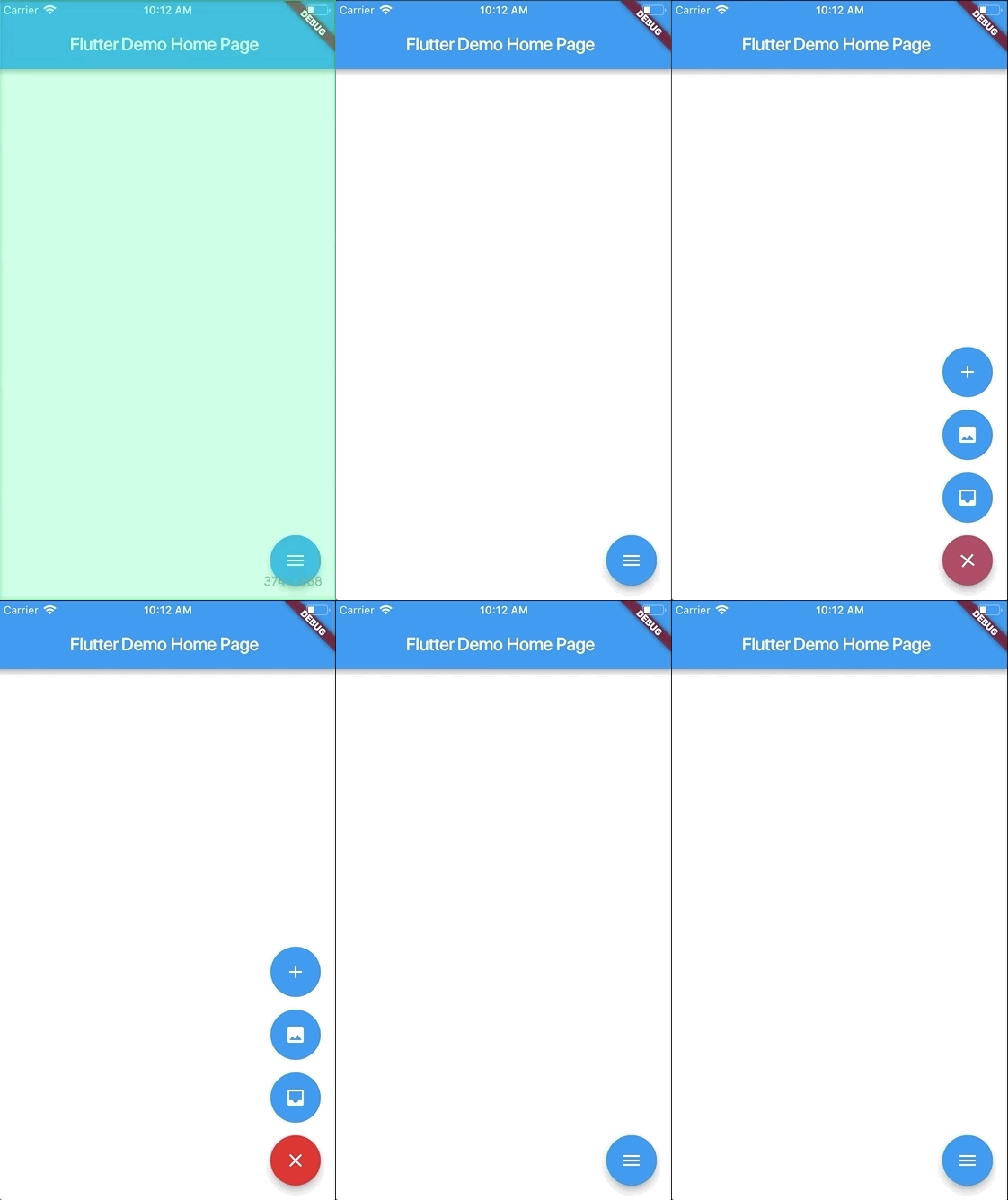
Screenshots
Usage
To use this plugin:
In your flutter project add the dependency:
dependencies:
    ...
    animated_floating_buttons: ^0.0.1
Example
import 'package:animated_floating_buttons/animated_floating_buttons.dart';
...
final GlobalKey<AnimatedFloatingActionButtonState> key =GlobalKey<AnimatedFloatingActionButtonState>();
Widget float1() {
return Container(
child: FloatingActionButton(
onPressed: null,
heroTag: "btn1",
tooltip: 'First button',
child: Icon(Icons.add),
),
);
}
Widget float2() {
return Container(
child: FloatingActionButton(
onPressed: null,
heroTag: "btn2",
tooltip: 'Second button',
child: Icon(Icons.add),
),
);
}
...
Scaffold(
floatingActionButton: AnimatedFloatingActionButton(
fabButtons: <Widget>[
float1(), float2()
],
key : key,
colorStartAnimation: Colors.blue,
colorEndAnimation: Colors.red,
animatedIconData: AnimatedIcons.menu_close
),
)
Complete example here
Issues
Be aware that you have to pass heroTag parameter to every new fab you create
Otherwise you will get an exciption.
