搜尋套件、儲存庫與 APP 分類

animated_image_list 封面
套件詳情v1.0.0

animated_image_list

帶有視差效果和圖像燈箱的 Flutter 動畫圖片列表。

AndroidiOSWebmacOSWindowsLinux
近 30 天下載
128
喜歡數
94
Pub 分數
140

安裝套件

flutter pub add animated_image_list

套件介紹

根據套件公開資料產生的選型評估,僅供參考。

一個 Flutter 套件,提供帶有視差效果的動畫圖片列表以及全螢幕檢視圖片的燈箱功能。它透過視差效果提供深度感知,實現流暢的互動式捲動,從而提升使用者體驗,非常適合展示圖片相簿或作品集。燈箱功能允許使用者點擊圖片以查看詳細內容,並支援圖像間的無縫導航。專為跨平台使用設計,可在 Android、iOS、Web、macOS、Windows 和 Linux 上運作。

適用情境

  • 圖像畫廊
  • 投資組合顯示
  • 產品展示
  • 互動敘事
  • 社交媒體訊息

主要特色

  • 視差滾動效果
  • 圖片畫廊查看器
  • 跨平台相容性
  • 流暢的動畫
  • 可自定義的過渡效果
  • 響應式設計

適合對象

  • 開發視覺密集型應用的開發者
  • 尋求引人入勝的UI組件的設計人員
  • 需要沉浸式圖像瀏覽的應用程式
  • 帶有產品圖片的電子商務平台
  • 創意數位作品集

使用建議

  • 可能影響大型圖像集的效能
  • 需要對低端設備進行仔細優化
  • 動畫定時的自訂選項有限
  • 最適合中等數量的圖像
  • 不適合用於文字密集型介面
  • 依賴外部相依性以實現完整功能

原始 README

以下為關聯原始碼儲存庫的 README 原文快照,最新內容請造訪原始碼儲存庫。

Animated Image List for Flutter

Pub

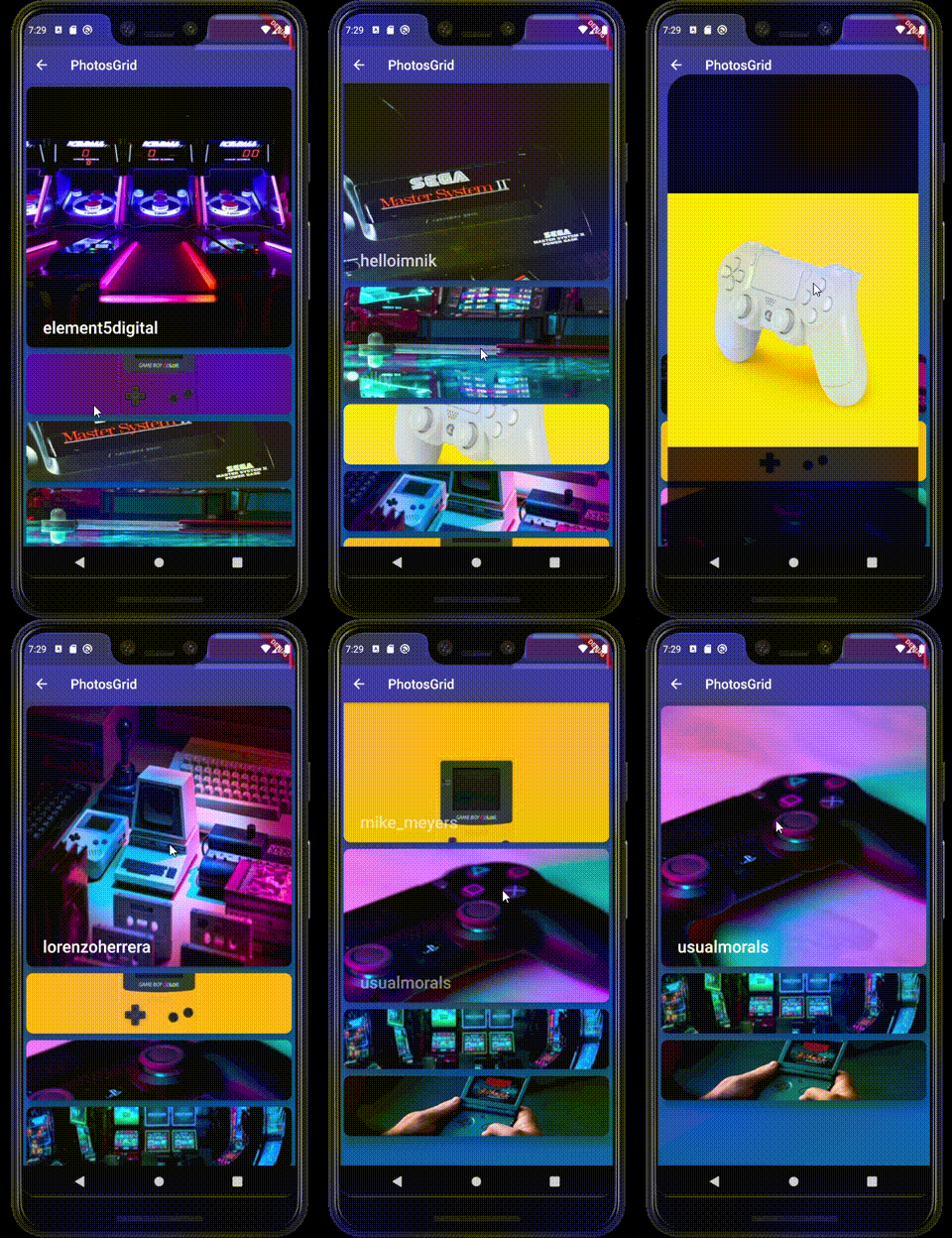
Flutter Animated image list with parallax effect and image lightbox .

gif

Getting Started

Add the package to your pubspec.yaml:

animated_image_list: ^0.5.0

In your dart file, import the library:

import 'package:animated_image_list/AnimatedImageList.dart';

Instead of using a ListView create a AnimatedImageList Widget:

 AnimatedImageList(
               images: arr.map((e) => e.urls.small).toList(),
               builder: (context, index, progress) {
                 return Positioned.directional(
                     textDirection: TextDirection.ltr,
                     bottom: 15,
                     start: 25,
                     child: Opacity(
                       opacity: progress > 1 ? (2 - progress) : progress,
                       child: Text(
                         arr[index].user.username ?? 'Anonymous',
                         style: TextStyle(
                             color: Colors.white,
                             fontSize: 25,
                             fontWeight: FontWeight.w500),
                       ),
                     ));
               },
               scrollDirection: Axis.vertical,
               itemExtent: 100,
               maxExtent: 400,
             ),
Parameters:
Name Description Required Default value
images A list of images url to display in the list by default it accepts urls if custom image needed use provider paramter required -
provider Function which maps an url or image string to an image provider - -
itemExtent not selected item size required to calculate animations required 150
maxExtent selected item size required to calculate animations required 400
scrollDirection List scroll direction horizontal or vertical - Axis.vertical
builder Builder function that returns a widget to display over the image / progress from 0...1 item selection progress from 1...2 item leaving view could be usefull if you want to animate something like text opacity above / index current item index - -
placeHolder Optional function which returns default placeholder for lightbox and error widget if image fails to load - kTransparentImage

所屬分類

依賴

依賴清單 1 項

原始碼儲存庫

使用此套件的專案

暫無相關資料。