搜尋套件、儲存庫與 APP 分類

animated_size_and_fade 封面
套件詳情v5.1.3

animated_size_and_fade

在不同高度的 widget 之間執行淡入淡出和大小過渡。也用於顯示/隱藏 widget。

AndroidiOSWebmacOSWindowsLinux
近 30 天下載
1.5萬
喜歡數
245
Pub 分數
160

安裝套件

flutter pub add animated_size_and_fade

套件介紹

根據套件公開資料產生的選型評估,僅供參考。

一個 Flutter 套件,透過同時使用漸隱與尺寸變更,平滑地動畫化不同高度的 widget 之間的過渡。非常適合動態顯示或隱藏內容,例如展開/收起區段或顯示/隱藏 UI 元素。此動畫透過插值不透明度和尺寸來確保視覺連續性。支援所有主要平台,包括行動裝置、網頁和桌面。該套件輕量且可輕鬆整合至現有的 Flutter 應用程式中。

適用情境

  • 顯示/隱藏可摺疊內容
  • 動態列表項的動畫效果
  • 建立流暢的使用者介面轉換
  • 揭示隱藏面板
  • 處理可變高度的組件交換
  • 改善響應式版面的使用者體驗

主要特色

  • 平滑的漸變與尺寸過渡
  • 支援可變高度的 widget
  • 用於顯示/隱藏邏輯的簡單 API
  • 跨平台相容性
  • 輕量且高效
  • 內建動畫控制

適合對象

  • 需要流暢使用者介面過渡的開發者
  • 具有動態內容可見性的應用
  • 互動式表單或摺疊面板
  • 需要動畫的響應式設計
  • 重視程式碼潔淨與可維護性的團隊

使用建議

  • 可能不適合非常複雜的動畫
  • 效能取決於 widget 的複雜度
  • 不適合高頻率更新
  • 需要仔細處理版面約束
  • 基本淡入/大小之外的自訂功能有限
  • 最佳搭配可預測高度變化的使用

原始 README

以下為關聯原始碼儲存庫的 README 原文快照,最新內容請造訪原始碼儲存庫。

Pub popularity Pub Version GitHub stars Code Climate issues GitHub closed issues GitHub repo size GitHub forks PRs Welcome Developed by Marcelo Glasberg Glasberg.dev on pub.dev Platforms

Sponsor

animated_size_and_fade

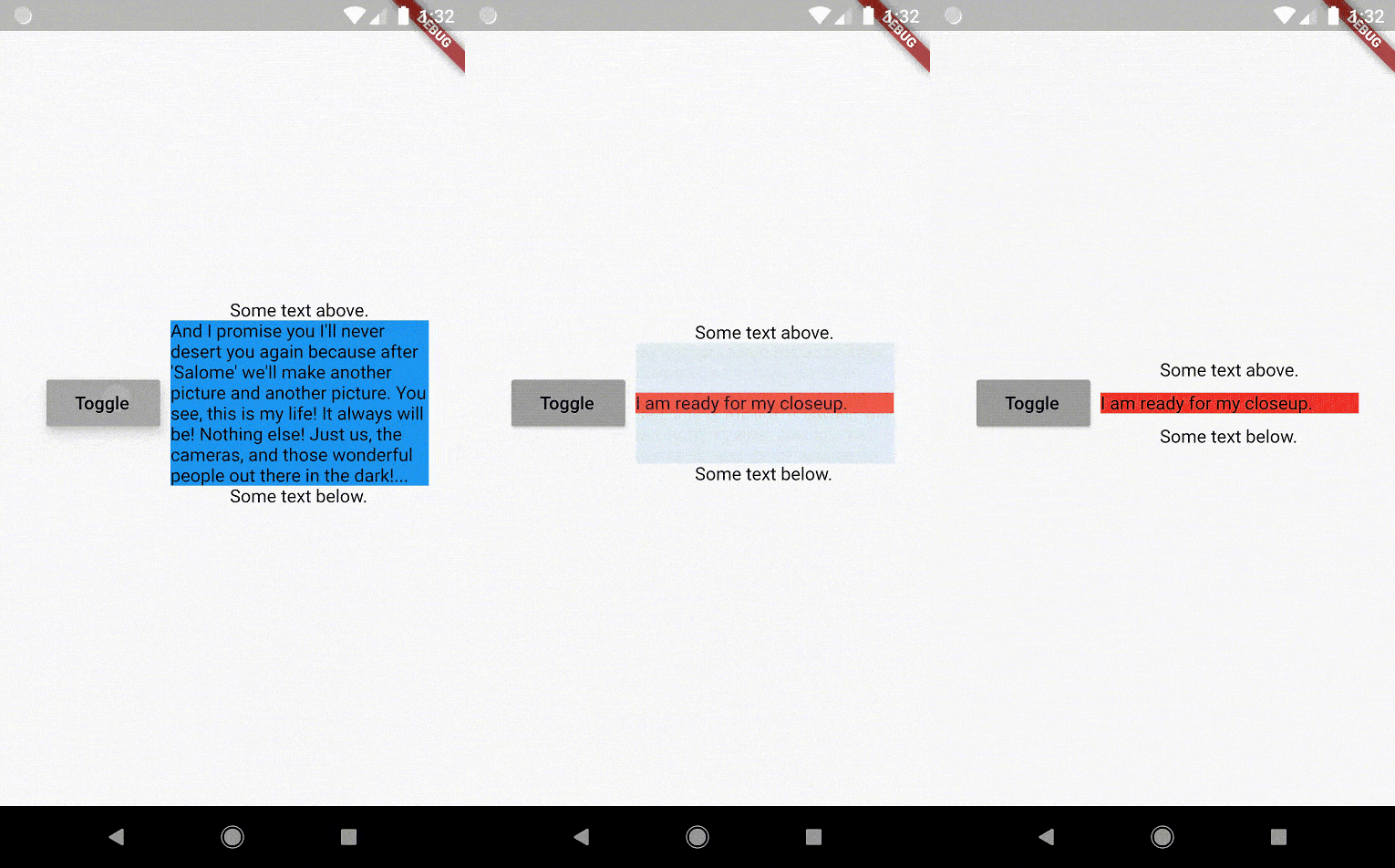
The AnimatedSizeAndFade widget allows you to:

  1. Do a fade and size transition between two widgets.
  2. Show and hide a widget, by resizing it vertically while fading.
Size and Fade

To do a fade and size transition when you change the child widget, the "old" and the "new" child must have the same width, but can have different heights, and you don't need to know their sizes in advance.

You can also define a duration and curve for both the fade and the size, separately.

Important: If the "new" child is the same widget type as the "old" child, but with different parameters, then AnimatedSizeAndFade will NOT do a transition between them, since as far as the framework is concerned, they are the same widget, and the existing widget can be updated with the new parameters. To force the transition to occur, set a Key (typically a ValueKey taking any widget data that would change the visual appearance of the widget) on each child widget that you wish to be considered unique.

Example:

bool toggle=true;
Widget widget1 = ...;
Widget widget2 = ...;

AnimatedSizeAndFade(
   child: toggle ? widget1 : widget2
);
Show and Hide

The AnimatedSizeAndFade.showHide constructor may be used to show/hide a widget, by resizing it vertically while fading.

Example:

bool toggle=true;
Widget widget = ...;    

AnimatedSizeAndFade.showHide(
   show: toggle,
   child: widget,
);

How does it compare to other similar widgets?

  • With AnimatedCrossFade you must provide both the firstChild and secondChild at the same time, but with AnimatedSizeAndFade you may simply change its child.

  • With AnimatedSwitcher you may simply change its child, but then it only animates the fade, not the size.

  • AnimatedContainer only works if you know the size of the children in advance.


Note: See the StackOverflow question that prompted this widget development.


By Marcelo Glasberg

glasberg.dev
github.com/marcglasberg
linkedin.com/in/marcglasberg/
twitter.com/glasbergmarcelo
stackoverflow.com/users/3411681/marcg
medium.com/@marcglasberg

My article in the official Flutter documentation:

The Flutter packages I've authored:

My Medium Articles:

所屬分類

原始碼儲存庫

使用此套件的專案