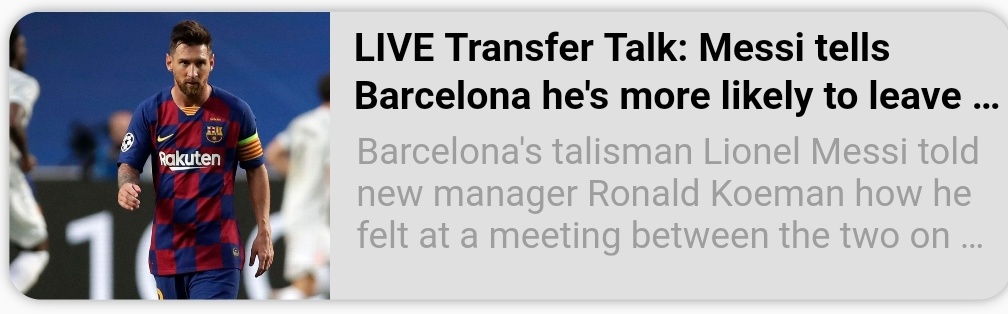
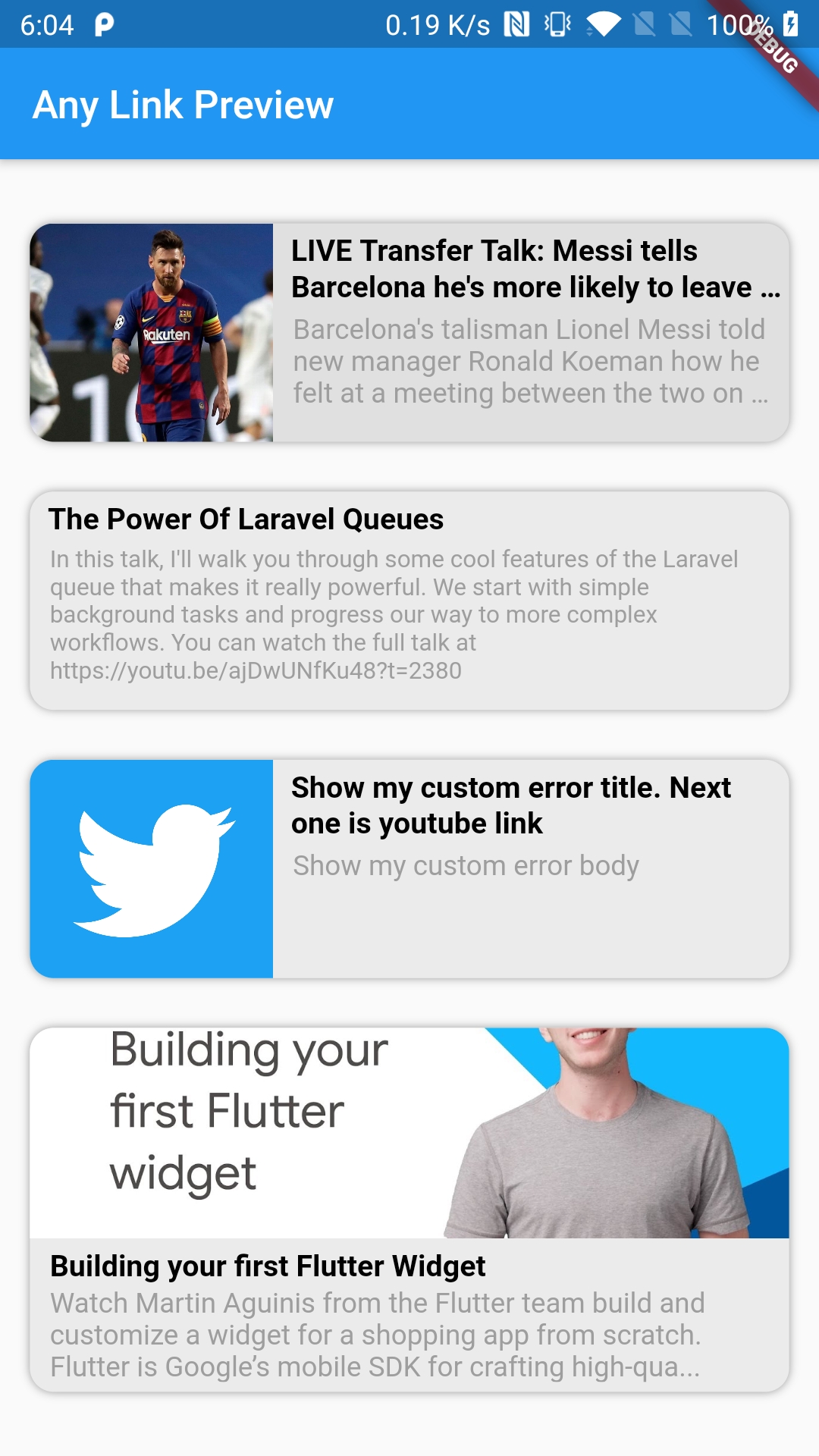
一個 Flutter/Dart 套件,可為任何 URL 產生豐富的預覽,支援自訂與快取資料呈現。非常適合即時通訊應用,可從連結取得元資料以顯示縮圖、標題與描述。此套件可在 Android、iOS、Web、macOS、Windows 及 Linux 等所有主要平台運作,確保一致的效能。著重於易用性與彈性,讓開發者能依應用設計客製化預覽外觀與行為。整合簡單,設定極少。
適用情境
聊天應用
社交媒體訊息
內容共享功能
動態連結預覽
離線內容渲染
富訊息顯示
主要特色
完全可自定義的預覽UI
快取資料渲染
跨平台支援
自動元數據提取
輕便且快速
與現有程式碼的輕鬆整合
適合對象
開發聊天應用的開發者
需要豐富連結預覽的應用
需要離線預覽功能的項目
專注於使用者體驗的團隊
Flutter 應用針對多個平台
使用建議
需要互聯網存取以取得最新元資料
自定樣式可能需要額外的 CSS/Flutter 知識
快取管理應手動處理
可能影響大量並發預覽時的效能
對無效 URL 的內建錯誤處理有限
原始 README
以下為關聯原始碼儲存庫的 README 原文快照,最新內容請造訪原始碼儲存庫。
AnyLinkPreview
A Flutter package for beautifully displaying web URL previews with full customization options, perfect for enhancing chat applications. 🤓🤓
Features 💚
Utilizes four distinct parsers (HTML, JSON LD, Open Graph, and Twitter Cards) to fetch metadata, with more enhancements planned.
Offers extensive customization to seamlessly integrate with your app's design.
Includes a placeholder widget for loading states and an error widget for handling errors, both fully customizable.
Supports opting in or out of displaying media (images, icons, etc.) in the preview.
Supports multiple display orientations (Horizontal and Vertical).
Caches URL metadata for faster subsequent loads.
Includes an example app to demonstrate usage.
Note: If results are not accurate then make sure to change userAgent value and give a try. In most of the cases it's either userAgent issue or proxyURL issue if it's web.
If you find this package useful and it saves you development time, consider buying me a coffee.
Contributions are welcome!
Can be utilized both as a Widget and as a Method (function).
Use AnyLinkPreview.isValidLink() to validate URLs before usage.
⭐ Don't forget to star the repo
How to Contribute?
Fork the repository.
Create your feature or fix branch (git checkout -b my-new-feature).
Commit your changes (git commit -am 'Add some feature').
Push to the branch (git push origin my-new-feature).
Submit a Pull Request.
Properties 🔖
/// Display direction. Either [UIDirection.uiDirectionVertical] or/// [UIDirection.uiDirectionHorizontal]. Defaults to vertical direction.finalUIDirection displayDirection;
/// Represents the mechanism used to open URLs via [launchUrl]. Defaults to/// [LaunchMode.platformDefault]finalLaunchMode urlLaunchMode;
/// URL represented in string. For IOS & Web, only HTTP and HTTPS are/// supported. For Android, all URLs are supported.finalString link;
/// Customize background color. Defaults to `Color.fromRGBO(235, 235, 235, 1)`finalColor? backgroundColor;
/// Placeholder widget that is shown while the metadata request is pending./// If not present, the default loading widget will be shown.finalWidget? placeholderWidget;
/// Error widget that will be shown in case of an error. Defaults to a plain/// [Container] with a given [backgroundColor]. If the issue is known, i.e./// either a title or a description of the error is present, [errorTitle] and/// [errorBody] are used instead, with fallback to their default values.finalWidget? errorWidget;
/// Error title message that will be shown in case of an error. Defaults to/// "Something went wrong!".finalString? errorTitle;
/// Error body message that will be shown in case of an error. Defaults to/// "Oops! Unable to parse the url. We have sent feedback to our developers &/// we will try to fix this in our next release. Thanks!"finalString? errorBody;
/// Image that will be shown in case of an error when [showMultimedia] is set/// to `true` and no metadata could be parsed. Defaults to/// "A semi-soccer ball image that looks like crying".finalString? errorImage;
/// Sets the overflow type for body text (description) of the link./// Defaults to [TextOverflow.ellipsis].finalTextOverflow bodyTextOverflow;
/// Sets the limit to body text (description) of the link. Defaults to `3`.finalint bodyMaxLines;
/// TTL of metadata cache. Defaults to 1 day. Pass `null` to disable caching/// and always make a request for latest metadata.finalDuration cache;
/// Customize title [TextStyle].finalTextStyle? titleStyle;
/// Customize body [TextStyle].finalTextStyle? bodyStyle;
/// Whether to show metadata image if it's present. Defaults to `true`.finalbool showMultimedia;
/// [BorderRadius] for the card. Defaults to `12`.finaldouble? borderRadius;
/// If set to true, removes card widget's elevation. Defaults to `false`.finalbool removeElevation;
/// Box shadow for the card. Defaults to/// `[BoxShadow(blurRadius: 3, color: Colors.grey)]`.finalList<BoxShadow>? boxShadow;
/// Proxy URL that is used to resolve CORS issues on web./// For example, `https://cors-anywhere.herokuapp.com/` .finalString? proxyUrl;
/// Headers to be added in the HTTP request to the linkfinalMap<String, String>? headers;
/// Function that is called on card tap. If not provided, then [launchUrl]/// will be used with the provided link. To disable calling [launchUrl] and/// instead do nothing on tap, pass an empty function: `() {}`.finalVoidCallback? onTap;
/// Height of the preview card. Defaults to/// `(MediaQuery.sizeOf(context).height) * 0.15` for the horizontal preview/// and `(MediaQuery.sizeOf(context).height) * 0.25` for the vertical preview.finaldouble? previewHeight;
/// Builder function that is used only in [AnyLinkPreview.builder] and/// allows building a custom [Widget] from the [Metadata], with either of/// the optional [ImageProvider] or [SvgPicture] fetched.finalWidgetFunction(BuildContext, Metadata, ImageProvider?, SvgPicture?)?
itemBuilder;
/// User-Agent to be used in the HTTP request to the link/// Default: 'Mozilla/5.0 (Windows NT 10.0; Win64; x64) AppleWebKit/537.36 (KHTML, like Gecko) Chrome/58.0.3029.110 Safari/537.3'finalString? userAgent;
Example of using AnyLinkPreview as a method/function:
// We will use this to build our own custom UIMetadata? _metadata = awaitAnyLinkPreview.getMetadata(
link: "https://google.com/",
cache: constDuration(days: 7),
proxyUrl: "https://corsproxy.org/", // Need for web
userAgent: 'WhatsApp/2.21.12.21 A', // Change when results are wrong
);
print(_metadata?.title);
Example of using AnyLinkPreview's validation method/function:
// Method to check if the url is valid or not before passing to the previewerfinalbool _isUrlValid = AnyLinkPreview.isValidLink(
"https://google.com/",
protocols: ['http', 'https'],
hostWhitelist: ['https://youtube.com/'],
hostBlacklist: ['https://facebook.com/'],
);
print('_isUrlValid => $_isUrlValid');
Copyright (c) 2020-2025KonakanchiVenkataSureshBabuPermissionis hereby granted, free of charge, to any person obtaining a copy
of this software and associated documentation files (the "Software"), to deal
in the Software without restriction, including without limitation the rights
to use, copy, modify, merge, publish, distribute, sublicense, and/or sell
copies of the Software, and to permit persons to whom the Softwareis
furnished to do so, subject to the following conditions:
The above copyright notice and this permission notice shall be included in all
copies or substantial portions of the Software.
THE SOFTWARE IS PROVIDED "AS IS", WITHOUT WARRANTY OF ANY KIND, EXPRESS OR
IMPLIED, INCLUDING BUT NOT LIMITED TO THE WARRANTIES OF MERCHANTABILITY,
FITNESS FOR A PARTICULAR PURPOSE AND NONINFRINGEMENT. IN NO EVENT SHALL THE
AUTHORS OR COPYRIGHT HOLDERS BE LIABLE FOR ANY CLAIM, DAMAGES OR OTHER
LIABILITY, WHETHER IN AN ACTION OF CONTRACT, TORT OR OTHERWISE, ARISING FROM,
OUT OF OR IN CONNECTION WITH THE SOFTWARE OR THE USE OR OTHER DEALINGS IN THE
SOFTWARE.