搜尋套件、儲存庫與 APP 分類

app_runner 封面
套件詳情v2.2.2

app_runner

像專業人士一樣啟動您的 Flutter 應用程式!AppRunner 是一個用於快速且受控啟動應用程式的設定工具。

AndroidiOSWebmacOSWindowsLinux
近 30 天下載
165
喜歡數
61
Pub 分數
160

安裝套件

flutter pub add app_runner

套件介紹

根據套件公開資料產生的選型評估,僅供參考。

AppRunner 是一個 Flutter 工具套件,可讓開發者以可自訂的設定啟動應用程式,確保應用程式啟動過程受控且高效。它簡化了在多個平台之間管理啟動參數、環境設定與初始化工作流程的程序。適用於開發、測試與預發佈環境,AppRunner 可提升工作流程的一致性並減少設定時間。支援 Android、iOS、Web、macOS、Windows 與 Linux,為現代 Flutter 專案提供跨平台彈性。

適用情境

  • 使用自定設定快速啟動應用
  • 開發和測試環境設定
  • 預發佈環境設定
  • 跨平台應用程式初始化
  • 自動化建構和執行工作流程

主要特色

  • 可設定的啟動設定
  • 多平台支援
  • 環境感知的啟動
  • 簡化初始化
  • 與 CI/CD 流水線整合

適合對象

  • Flutter 開發者
  • 測試自動化工程師
  • DevOps 團隊
  • 跨平台應用維護者
  • 快速原型設計

使用建議

  • 每個環境都需要手動設定
  • 僅限啟動時自訂
  • 無執行時設定變更
  • 最適合發布前的設定
  • 依賴於正確的專案結構

原始 README

以下為關聯原始碼儲存庫的 README 原文快照,最新內容請造訪原始碼儲存庫。

AppRunner

pub package License

Launch your Flutter app like a pro! AppRunner is a configurator for quick and controlled launch of your application, with features that runApp does not have.

We solve problems of brand presence on mobile devices, specializing in development of mobile applications and services in the b2c segment.

Subscribe for the latest updates:


Features

  • Get your application up and running quickly.
  • Allows you to run code without blocking your application from launching.
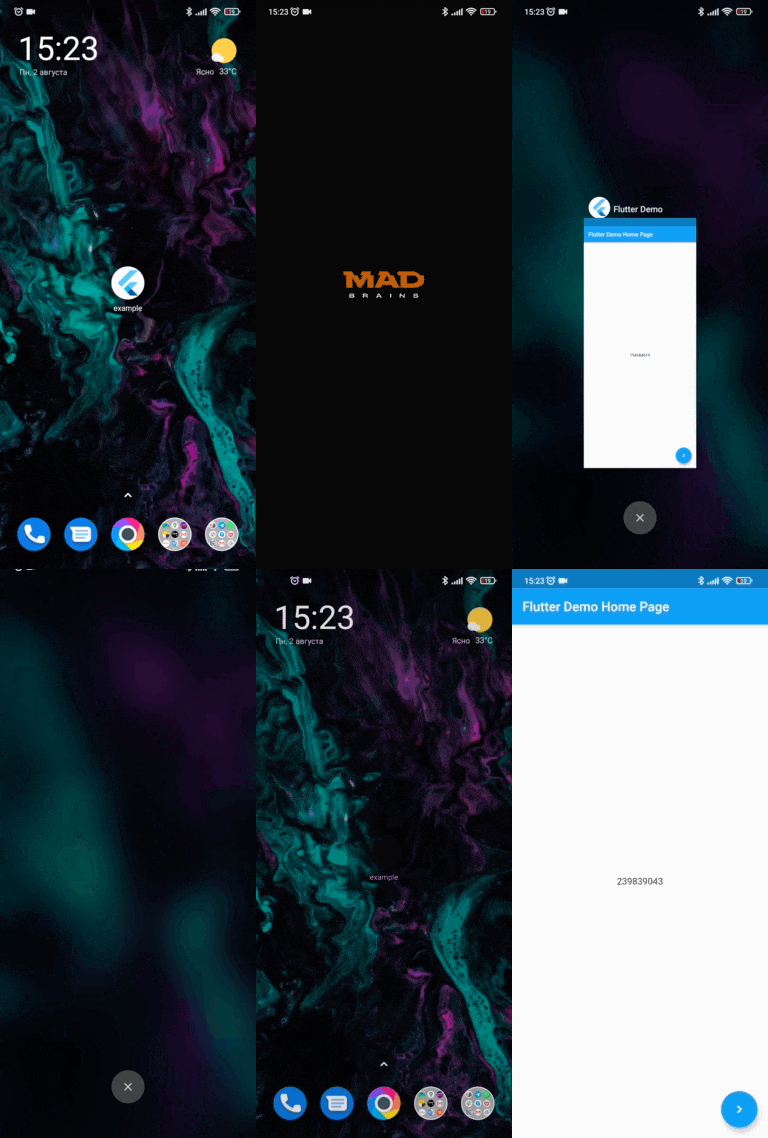
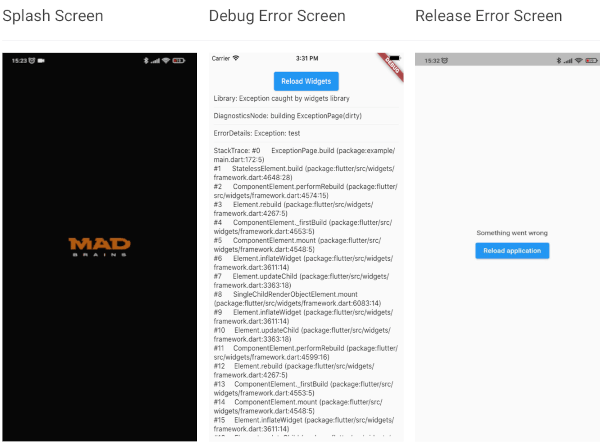
  • Show your independent splash screen while loading the app. AppRunner does not block the first call of the widget, do you practically won't see the native splash screen.
  • Allows you to reload the widget tree if you need it.
  • Your code will run in a safe environment for both Dart code and Flutter code. AppRunner catches and handles errors, preventing your application from breaking at runtime.
  • Configuring the zone of your application is much easier.
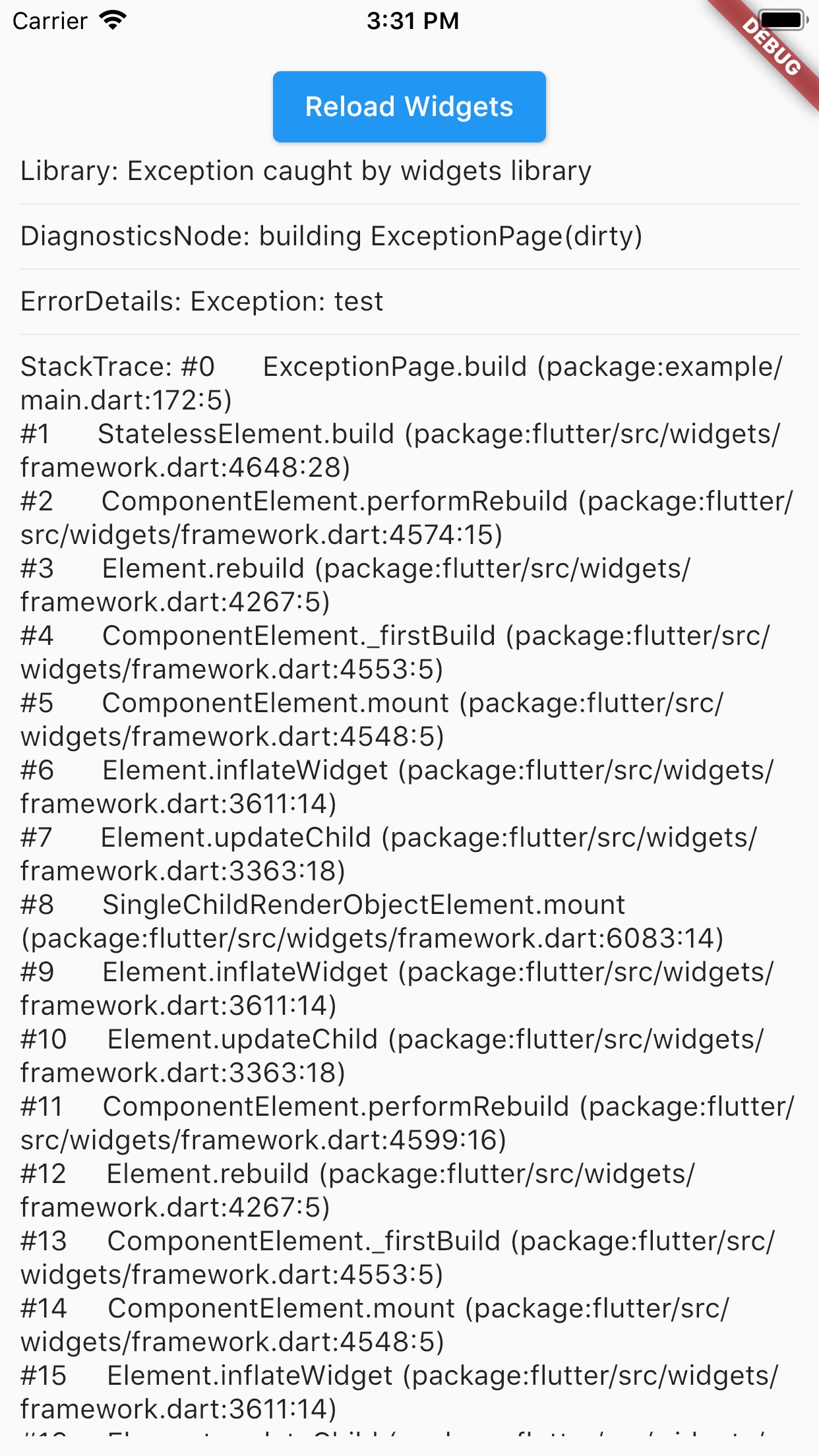
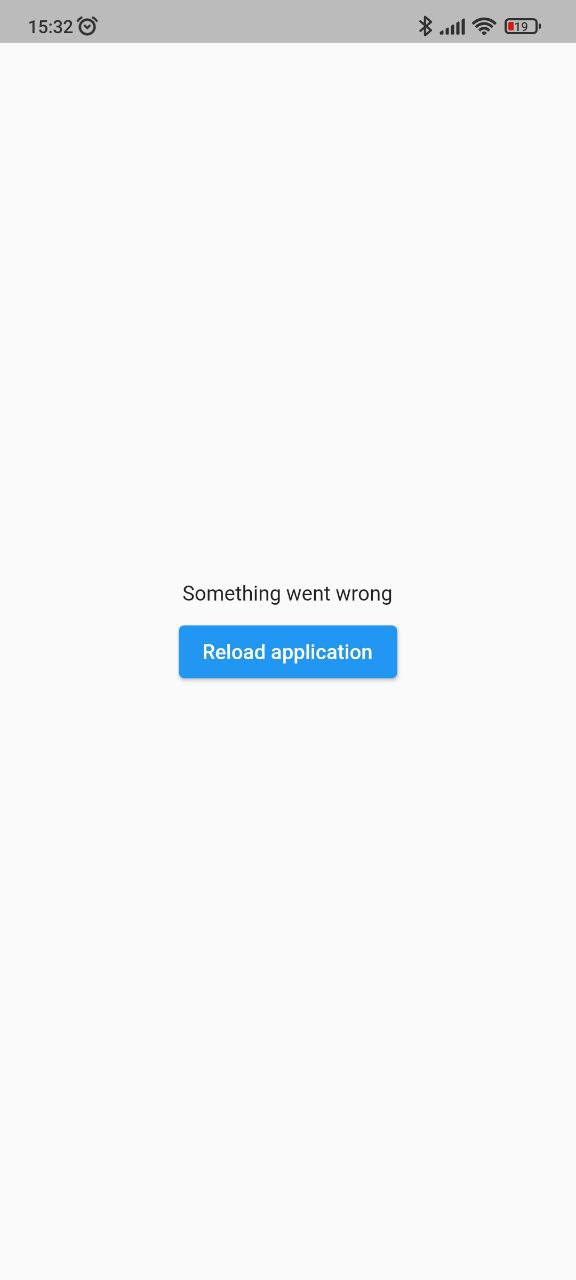
  • With AppRunner you can easily override ErrorWidget for debug and release mode.
  • Lets you just use your WidgetsBinding implementation.
  • And the very last and most important argument to use AppRunner in your application, it is very easy to integrate into your application, and its configuration does not take much time.
Splash Screen Debug Error Screen Release Error Screen
run debug-error release-error

Installing

BREAKING: Note, starting with version 2.2.0, Flutter 3.10.0+ is used by default. If you need to use a Flutter version lower than 3.10.0, then use package version 2.1.2 and below.

Add this to your package's pubspec.yaml file:

dependencies:
  app_runner: <last version>

Usage

This is how your application launch looked like before:

import 'package:flutter/material.dart';

void main() {
  runApp(MyApp());
}

It is simply by attaching your widget to the root. But in order to catch errors, it was necessary to use runZonedGuarded, then our code will become like this:

import 'dart:async';

import 'package:flutter/material.dart';

void main() {
  runZonedGuarded<void>(
    () {
      runApp(MyApp());
    },
    (Object error, StackTrace stackTrace) {...},
    zoneValues: ...,
    zoneSpecification: ...,
  );
}

But we also need to initialize some code to launch the application, for example Firebase:

import 'dart:async';

import 'package:flutter/material.dart';
void main() {
  runZonedGuarded<void>(
    () async {
      WidgetsFlutterBinding.ensureInitialized();

      await Firebase.initializeApp();

      HydratedBloc.storage = await HydratedStorage.build(
        storageDirectory: await getApplicationDocumentsDirectory(),
      );

      Bloc.observer = MyBlocObserver();

      runApp(MyApp());
    },
    (Object error, StackTrace stackTrace) {},
    zoneValues: ...,
    zoneSpecification: ...,
  );
}

And what do we have:

  • The launch of the widget is blocked by the third-party code.
  • The splash screen is implemented in MyApp, that is, it will be present in the tree when it is no longer needed.
  • Not the most beautiful and understandable code.

Let's fix this with AppRunner (all possible parameters are shown here, it is not necessary to use all of them):

import 'package:app_runner/app_runner.dart';
import 'package:flutter/material.dart';

void main() {
  final WidgetConfiguration widgetConfiguration = WidgetConfiguration(
    child: AppBuilder<String>(
      preInitialize: (WidgetsBinding binding) async {
        // Custom code initialization.
        // You don't need to call WidgetsFlutterBinding.ensureInitialized();
        // WidgetsBinding is also available here if you need it.

        await Firebase.initializeApp();

        HydratedBloc.storage = await HydratedStorage.build(
          storageDirectory: await getApplicationDocumentsDirectory(),
        );

        Bloc.observer = MyBlocObserver();
        
        return 'Mad Brains';
      },
      // Our application
      builder: (
        BuildContext context,
        AsyncSnapshot<String?> snapshot,
        Widget? child,
      ) {
        late final Widget _child;
        switch (snapshot.connectionState) {
          case ConnectionState.none:
          case ConnectionState.active:
          case ConnectionState.waiting:
            _child = const Splash(); // show Splash
            continue display;
          case ConnectionState.done:
            final String? data = snapshot.data; // data from preInitialize
            log(data);
            _child = const MyApp(); // show App
            continue display;
          display:
          default:
            return AnimatedSwitcher(
              duration: const Duration(milliseconds: 150),
              child: _child,
            );
        }
      },
    ),
    errorBuilder: (BuildContext context, FlutterErrorDetails errorDetails) => MyErrorScreen(errorDetails), // Our flutter error screen during debugging
    releaseErrorBuilder: (BuildContext context) => MyReleaseErrorScreen(), // Our flutter error screen during release
    onFlutterError: (FlutterErrorDetails errorDetails) {
      // Flutter error handling
      log(
        errorDetails.toStringShort(),
        name: 'onFlutterError',
        stackTrace: errorDetails.stack,
        error: errorDetails.exception,
      );
    },
    initializeBinding: () => CustomWidgetsFlutterBinding(), // Creating your WidgetsFlutterBinding
  );

  final ZoneConfiguration zoneConfiguration = ZoneConfiguration(
    onZoneError: (Object error, StackTrace stackTrace) {
      // Dart error handling
      log(
        error.runtimeType.toString(),
        name: 'onZoneError',
        stackTrace: stackTrace,
        error: error,
      );
    },
    zoneValues: ..., // Your zone parameters
    zoneSpecification: ..., // Your zone specifications
  );

  appRunner(
    kIsWeb
        ? RunnerConfiguration(
            widgetConfig: widgetConfiguration,
            // optional, isolate error handling
            onPlatformError: (Object exception, StackTrace stackTrace) {
              log(
                exception.runtimeType.toString(),
                name: 'onPlatformError',
                stackTrace: stackTrace,
                error: exception,
              );

              return false;
            },
          )
        : RunnerConfiguration.guarded(
            widgetConfig: widgetConfiguration,
            zoneConfig: zoneConfiguration,
          ),
  );
}

If you need to reload the widgets, you can do:

reloadWidget(context);

// or

context.reloadWidget();

Example

The Example is in the corresponding folder

所屬分類

原始碼儲存庫

使用此套件的專案

暫無相關資料。