搜尋套件、儲存庫與 APP 分類

bouncing_widget 封面
套件詳情v2.0.0

bouncing_widget

一個可讓您在組件上新增彈跳動畫的元件。

AndroidiOSWebmacOSWindowsLinux
近 30 天下載
858
喜歡數
216
Pub 分數
150

安裝套件

flutter pub add bouncing_widget

套件介紹

根據套件公開資料產生的選型評估,僅供參考。

bouncing_widget 套件提供了一種簡單的方式,可為任何 Flutter 小工具加入彈跳動畫效果。它透過在小工具被點擊或互動時創造動態的彈簧式彈跳效果,增強使用者互動體驗。適用於按鈕、圖示或任何需要視覺反饋的元素,支援 Android、iOS、Web、macOS、Windows 與 Linux 等主要平台。此套件輕量且易於整合,僅需少量程式碼。非常適合希望藉由細微動畫提升 UI 互動性的開發者。

適用情境

  • 向按鈕添加互動式回饋
  • 點擊時的動畫圖示
  • 提升表單中的使用者體驗
  • 創建有趣的使用者介面元素
  • 提高應用程式的回應速度

主要特色

  • 類似彈簧的彈跳效果
  • 與現有組件的輕鬆整合
  • 跨平台支援
  • 可自訂的動畫持續時間
  • 支援觸控與手勢互動
  • 輕量且高效

適合對象

  • 尋求動態反饋的UI設計師
  • 開發互動式應用的開發者
  • 針對行動與網路使用者的應用程式
  • 需要細微動畫的項目
  • 原型設計吸引人的介面

使用建議

  • 可能不適合極簡設計風格
  • 複雜佈局上的效能影響
  • 超出基本彈跳之外的自訂選項有限
  • 不適合以可存取性為重點的應用程式
  • 需要仔細調整以實現流暢的使用者體驗

原始 README

以下為關聯原始碼儲存庫的 README 原文快照,最新內容請造訪原始碼儲存庫。

bouncing_widget

A widget that enables you to add a bouncing animation on a widget.

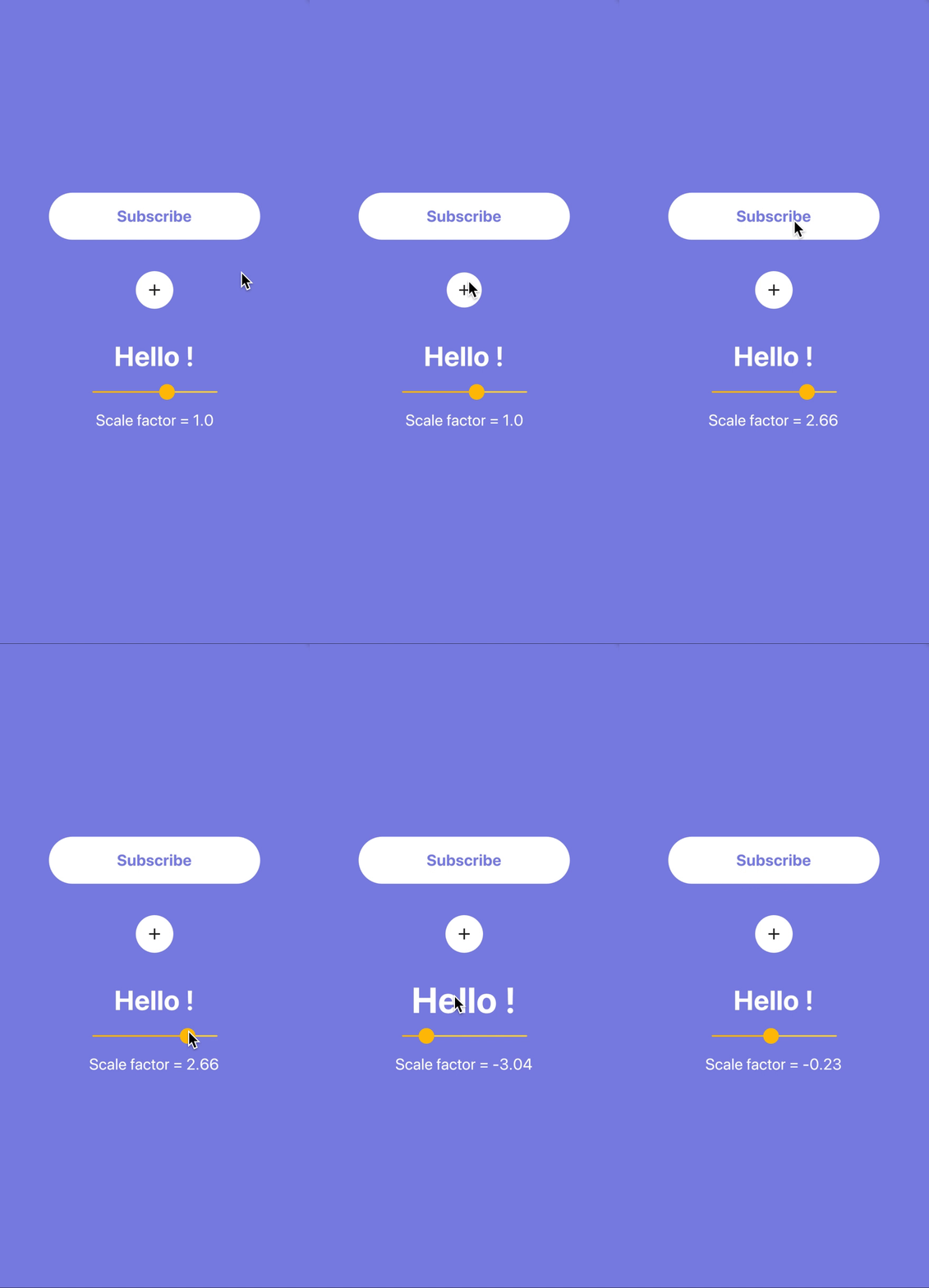
Example

How does it work ?

You just have to encapsulate the widget of your choice with a BouncingWidget.

You may also use a scaleFactor to customize the scaling effect as in the gif example. Or even customize the animation's duration with the duration parameter (200 milliseconds by default).

BouncingWidget(
  duration: Duration(milliseconds: 100),
  scaleFactor: 1.5,
  onPressed: () {
    print("onPressed");
  },
  child: Text(
    "Hello !",
    style: TextStyle(
      color: Colors.white,
      fontWeight: FontWeight.bold,
      fontSize: 35,
    ),
  ),
),

所屬分類

原始碼儲存庫

使用此套件的專案

暫無相關資料。