Welcome to the Date Field package! 📅

This package provides two widgets, DateTimeField and DateTimeFormField, which allow users to pick a
date and/or time from an input field. You can customize the appearance of the widgets using the
decoration argument, and specify whether to ask for a date, a time, or both using the mode
parameter. You can further customize the picker by configuring dialog properties.
| iOS |
Android |
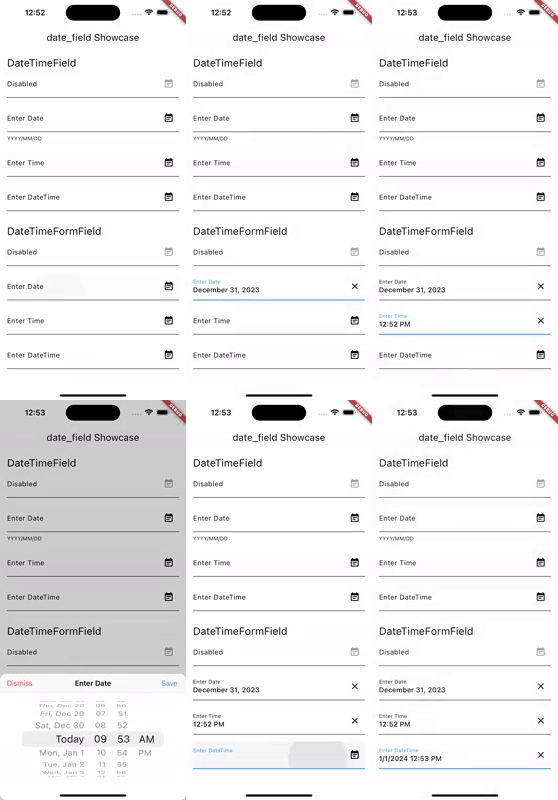 |
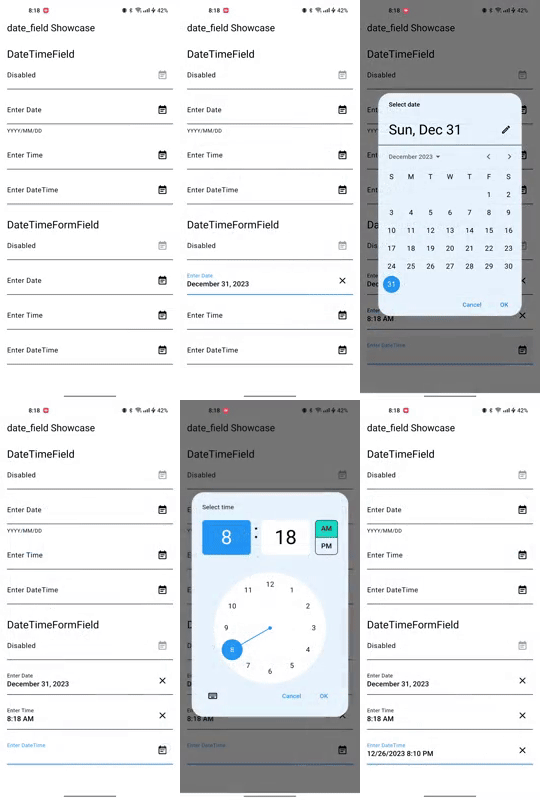 |
Getting Started 🚀
-
Add date_field package to your dependencies in pubspec.yaml.
dependencies:
  ...
  date_field: ^6.0.0
-
Run flutter pub get to install the package.
-
Initialize your systems locale. If not, users might see AM/PM even when
they configured their system to use 24h format. Add the following code to your main function:
import 'package:intl/intl_standalone.dart' if (dart.library.html) 'package:intl/intl_browser.dart';

Future<void> main() async {
  WidgetsFlutterBinding.ensureInitialized();
  await findSystemLocale();
  runApp(const MyApp());
}
-
Import the package in your Dart code.
import 'package:date_field/date_field.dart';
-
Use the Widget. Example:
DateTimeFormField(
  decoration: const InputDecoration(
    labelText: 'Enter Date',
  ),
  firstDate: DateTime.now().add(const Duration(days: 10)),
  lastDate: DateTime.now().add(const Duration(days: 40)),
  initialPickerDateTime: DateTime.now().add(const Duration(days: 20)),
  onChanged: (DateTime? value) {
    selectedDate = value;
  },
),
-
To display the adaptive dialog without the field widget, you can directly use the showAdaptiveDateTimePicker.
 final DateTime? result = await showAdaptiveDateTimePicker(
   context: context,
   mode: DateTimeFieldPickerMode.dateAndTime,
 );
Note that you can also use the showMaterialDateTimePicker and showCupertinoDateTimePicker functions to show
the Material and Cupertino pickers directly.
Features 🎨
- DateTimeField: A widget that allows users to pick a date and/or time from an input field.
- DateTimeFormField: A FormField that contains a DateTimeField.
- showAdaptiveDateTimePicker: A function that shows a date and/or time picker dialog based on the platform,
with the ability to customize the dialog properties.
- showCupertinoDateTimePicker: A function that shows a Cupertino date and/or time picker dialog.
- showMaterialDateTimePicker: A function that shows a Material date picker dialog.
Migration to 4.0.0 🚀
Version 4.0.0 contains breaking changes. Use dart fix to migrate to the latest version.
Known Issues 🐛
- The pickers and formatted DateTimes adjust only on iOS and Android to the Device Systems Region.
On all other platforms, the pickers adjust to the locale.
See 32006
License 📜
This package is released under the MIT license.
Contributing 🤝
Contributions to this package are welcome! If you find a bug or have a feature request, please
create an issue on the GitHub repository. If you'd like to contribute code, please create a pull
request with your changes.
Before submitting a pull request, please make sure to run the tests and ensure they all pass.
Additionally, please follow the existing coding style and make sure your code is well-documented.
Thank you for your contributions!
Maintainers 👷
