搜尋套件、儲存庫與 APP 分類

套件詳情v1.0.2

drop_zone

為 Flutter Web 帶來拖曳功能的簡單方法。drop_zone 通常用於透過將一個或多個檔案拖曳到指定組件上來選擇檔案。使用者隨後可使用所拖曳的 HTML 檔案。

Web
近 30 天下載
2490
喜歡數
46
Pub 分數
120

安裝套件

flutter pub add drop_zone

套件介紹

根據套件公開資料產生的選型評估,僅供參考。

drop_zone 是一個 Flutter web 套件,可簡化拖放功能,讓使用者能透過將檔案拖曳並放置到指定組件上來選擇檔案。它與 Flutter 的 web 平台無縫整合,讓開發者能夠捕捉已拖放的 HTML 檔案以進行進一步處理。非常適合用於檔案上傳介面,透過直覺的操作提升使用者體驗。此套件輕巧且專注於核心拖放行為,不包含額外的複雜性。

適用情境

  • 透過拖放上傳檔案
  • 基於Web的文件匯入
  • 互動式檔案選擇介面
  • 增強的網頁應用使用者輸入
  • 表單中的拖曳上傳元件

主要特色

  • 簡單的拖曳與放置整合
  • 支援多個檔案拖放
  • 與 HTML File 物件相容
  • 輕量且專注
  • 專為 Flutter Web 設計

適合對象

  • 需要檔案輸入的Web應用程式
  • 開發檔案上傳功能的開發者
  • 需要手勢互動的使用者介面
  • 僅用於網路的 Flutter 項目
  • 旨在實現直觀文件選擇的應用程式

使用建議

  • 僅適用於網頁平台
  • 不支援行動裝置拖放
  • 需要手動處理檔案數據
  • 僅限檔案拖放,不支援自訂拖曳類型
  • 無內建檔案預覽或驗證

原始 README

以下為關聯原始碼儲存庫的 README 原文快照,最新內容請造訪原始碼儲存庫。

drop_zone

pub package License: MIT

A simple way to bring drag’n’drop to flutter web.

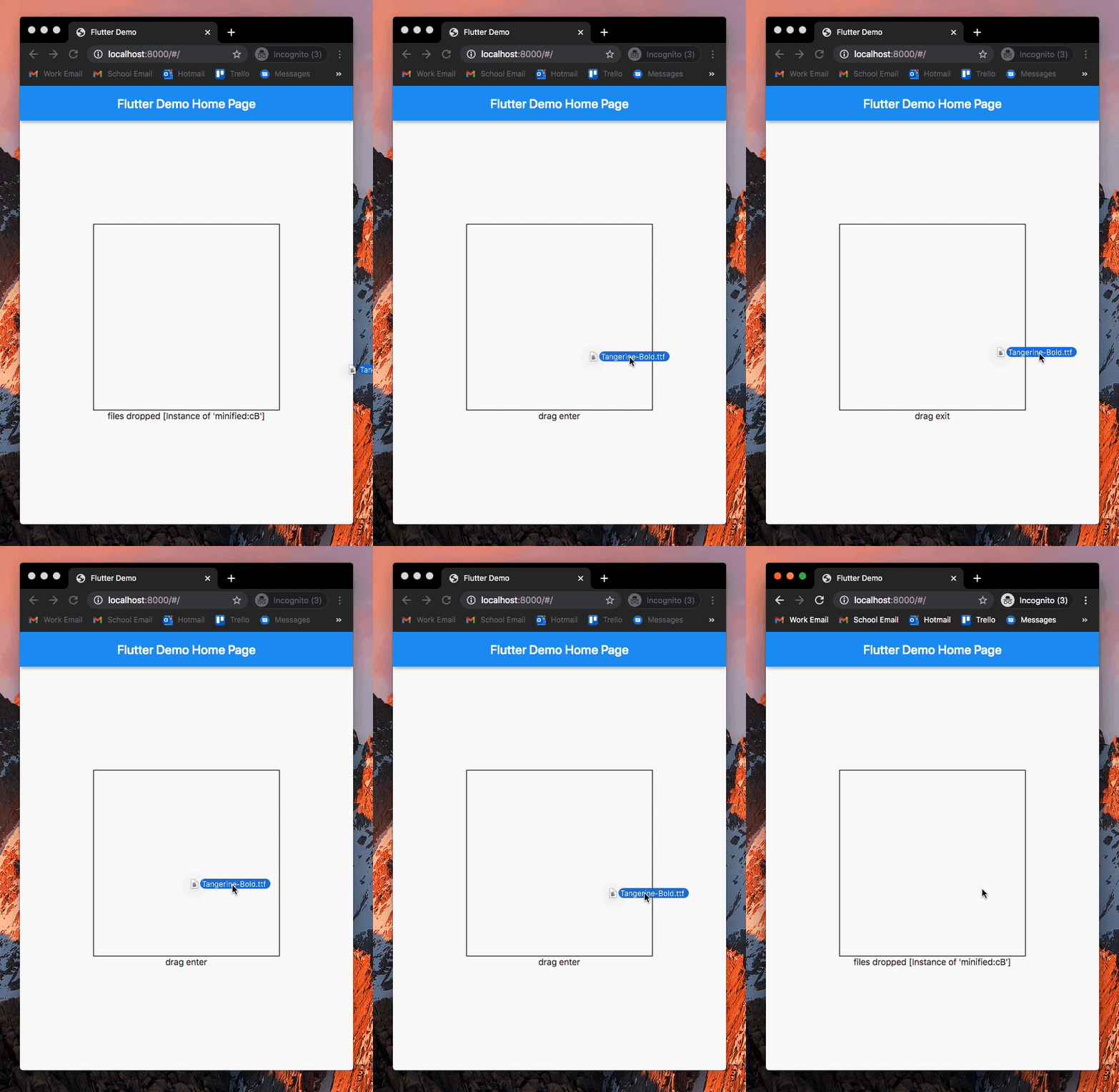
drop_zone is commonly used for file choosing by dragging and dropping a file(s) onto a designated widget. The user can then use the dropped html file(s).

Example

An example can be found in the example directory of this repository.

How to use

Add drop_zone to pubspec.yaml of your project:

dependencies:
  drop_zone: ^1.0.2

Add necessary imports and wrap any widget with DropZone() to use it as a dropzone:

import 'package:drop_zone/drop_zone.dart';
import 'dart:html' as html;

DropZone(
    onDragEnter: () {
        print('drag enter');
    },
    onDragExit: () {
        print('drag exit');
    },
    onDrop: (List<html.File> files) {
        print('files dropped');
        print(files);
    },
    child: Container(
        width: 300,
        height: 300,
    )
)

License

MIT License.

所屬分類

原始碼儲存庫

使用此套件的專案

暫無相關資料。