搜尋套件、儲存庫與 APP 分類

dropdown_plus 封面
套件詳情v0.0.9

dropdown_plus

簡單易用的表單下拉選單,支援搜尋、鍵盤導航、離線資料來源、遠端資料來源及輕鬆自訂。

AndroidiOSWebmacOSWindowsLinux
近 30 天下載
1460
喜歡數
138
Pub 分數
135

安裝套件

flutter pub add dropdown_plus

套件介紹

根據套件公開資料產生的選型評估,僅供參考。

Dropdown Plus 是一個多功能的 Flutter 套件,專為建立支援搜尋、鍵盤導航以及離線與遠端資料來源的表單友善下拉選單而設計。它提供直覺的介面與容易自訂的選項,非常適合需要動態且可存取選擇元件的應用程式。此套件相容於所有主要平台,包含行動裝置、網頁與桌面,確保行為一致。其輕量級設計與開發者導向的功能,簡化複雜下拉互動的實作,同時不犧牲效能或易用性。

適用情境

  • 帶可搜尋選項的表單輸入
  • 從API動態加載數據
  • 鍵盤可存取的下拉選單
  • 表單中的離線數據選擇
  • 可自訂的下拉選單樣式
  • 跨平台表單組件

主要特色

  • 支援即時過濾的可搜尋下拉選單
  • 支援遠端與本機資料來源
  • 鍵盤導航(方向鍵、Enter 鍵)
  • 輕鬆的主題與樣式自訂
  • 內建的載入與錯誤狀態
  • 跨平台的響應式設計

適合對象

  • 開發表單密集型應用的開發者
  • 需要跨平台一致性的團隊
  • 需要動態數據獲取的應用程式
  • UI 設計師想要彈性的下拉選單
  • 具有可訪問性要求的項目
  • 互動式表單的快速原型設計

使用建議

  • 需要謹慎處理非同步資料載入
  • 表單中可能需要額外的驗證邏輯
  • 自定樣式可能需要深入了解 Flutter widget
  • 使用極大資料集時的效能影響
  • 內建錯誤處理功能有限,僅涵蓋基本狀態
  • 依賴外部相依性進行遠端資料解析

原始 README

以下為關聯原始碼儲存庫的 README 原文快照,最新內容請造訪原始碼儲存庫。

dropdown_plus

Simple and easy to use Dropdown in forms with search, keyboard navigation, offiline data source, remote data source and easy customization.

Getting Started

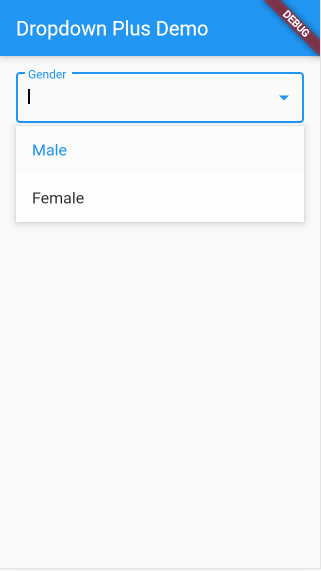
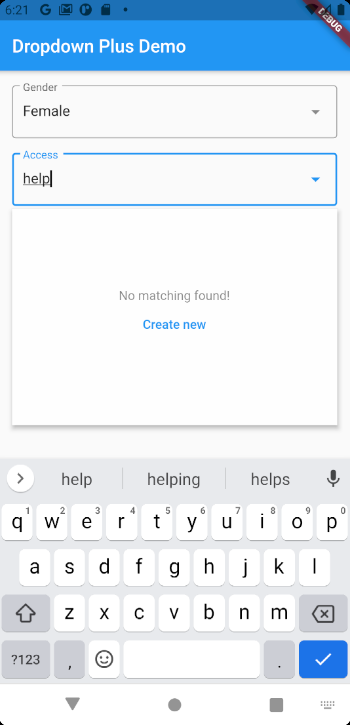
Simple Text Dropdown.

TextDropdownFormField(
    options: ["Male", "Female"],
    decoration: InputDecoration(
        border: OutlineInputBorder(),
        suffixIcon: Icon(Icons.arrow_drop_down),
        labelText: "Gender"),
    dropdownHeight: 120,
),

Install

packages.yaml
dropdown_plus: <lastest version>

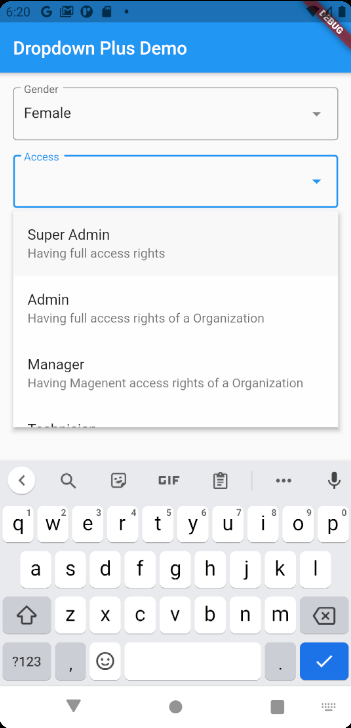
Customizable Example


 final List<Map<String, dynamic>> _roles = [
    {"name": "Super Admin", "desc": "Having full access rights", "role": 1},
    {
      "name": "Admin",
      "desc": "Having full access rights of a Organization",
      "role": 2
    },
    {
      "name": "Manager",
      "desc": "Having Magenent access rights of a Organization",
      "role": 3
    },
    {
      "name": "Technician",
      "desc": "Having Technician Support access rights",
      "role": 4
    },
    {
      "name": "Customer Support",
      "desc": "Having Customer Support access rights",
      "role": 5
    },
    {"name": "User", "desc": "Having End User access rights", "role": 6},
  ];


// ...
// ...

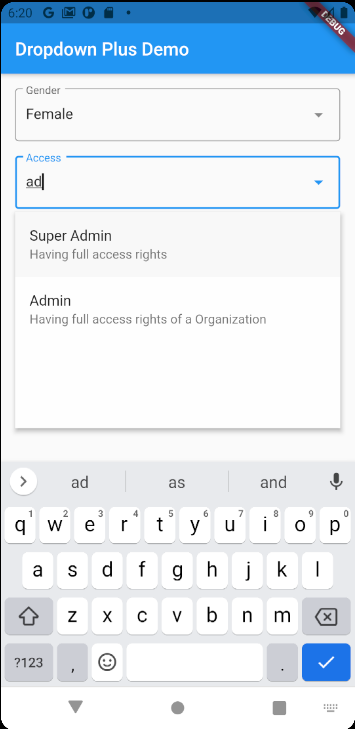
DropdownFormField<Map<String, dynamic>>(
    onEmptyActionPressed: () async {},
    decoration: InputDecoration(
        border: OutlineInputBorder(),
        suffixIcon: Icon(Icons.arrow_drop_down),
        labelText: "Access"),
    onSaved: (dynamic str) {},
    onChanged: (dynamic str) {},
    validator: (dynamic str) {},
    displayItemFn: (dynamic item) => Text(
    item['name'] ?? '',
    style: TextStyle(fontSize: 16),
    ),
    findFn: (dynamic str) async => _roles,
    filterFn: (dynamic item, str) =>
        item['name'].toLowerCase().indexOf(str.toLowerCase()) >= 0,
    dropdownItemFn: (dynamic item, position, focused,
            dynamic lastSelectedItem, onTap) =>
        ListTile(
    title: Text(item['name']),
    subtitle: Text(
        item['desc'] ?? '',
    ),
    tileColor:
        focused ? Color.fromARGB(20, 0, 0, 0) : Colors.transparent,
    onTap: onTap,
    ),
),

Options

final bool autoFocus;
final bool Function(dynamic item, String str)? filterFn;
final bool Function(dynamic item1, dynamic item2)? selectedFn;
final Future<List<dynamic>> Function(String str) findFn;

final ListTile Function(
  dynamic item,
  int position,
  bool focused,
  bool selected,
  Function() onTap,
) dropdownItemFn;

final Widget Function(dynamic item) displayItemFn;
final InputDecoration? decoration;
final Color? dropdownColor;
final DropdownEditingController<T>? controller;
final void Function(dynamic item)? onChanged;
final void Function(dynamic)? onSaved;
final String? Function(T?)? validator;
final double? dropdownHeight;
final TextStyle? searchTextStyle;
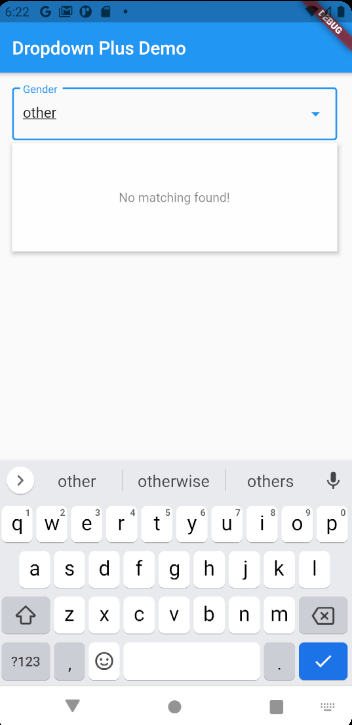
final String emptyText;
final String emptyActionText;
final Future<void> Function()? onEmptyActionPressed;

所屬分類

原始碼儲存庫

使用此套件的專案

暫無相關資料。