搜尋套件、儲存庫與 APP 分類

easy_dynamic_theme 封面
套件詳情v2.3.1

easy_dynamic_theme

自動取得作業系統定義的主題(動態),強制使用您偏好的主題(淺色 / 深色),並持續保存您的選擇。

AndroidiOSWebmacOSWindowsLinux
近 30 天下載
1480
喜歡數
125
Pub 分數
150

安裝套件

flutter pub add easy_dynamic_theme

套件介紹

根據套件公開資料產生的選型評估,僅供參考。

EasyDynamicTheme 是一個 Flutter 套件,透過自動偵測系統首選主題(淺色或深色模式),允許開發者強制指定特定主題,並在應用程式重新啟動後持續保留使用者偏好,從而簡化主題管理。它支援所有主要平台,包括 Android、iOS、Web、macOS、Windows 和 Linux。此套件與 Flutter 的主題系統無縫整合,減少重複程式碼,並透過自適應設計提升使用者體驗。非常適合希望根據使用者設定和裝置行為提供一致且個人化 UI 的應用程式。

適用情境

  • 基於系統主題的自適應使用者介面
  • 保持使用者主題偏好
  • 強制使用淺色或深色模式
  • 跨平台主題一致性
  • 在大型應用中簡化主題邏輯
  • 支援無障礙功能

主要特色

  • 自動操作系統主題檢測
  • 持久化主題存儲
  • 輕鬆切換主題
  • 支援所有 Flutter 平台
  • 所需設定最少
  • 內建主題提供程式

適合對象

  • 尋求簡單主題管理的開發者
  • 需要深色/淺色模式支援的應用
  • 針對多個平台的專案
  • 希望減少樣板程式碼的團隊
  • 專注於使用者體驗的應用程式
  • 注重無障礙的應用程式

使用建議

  • 需要手動處理主題重建
  • 超出基礎主題的自訂功能有限
  • 不支援執行時動態主題更新
  • 最適合具有靜態主題選擇的應用程式
  • 可能需要額外的邏輯來處理複雜的主题場景
  • 依賴 shared_preferences 實現持久化

原始 README

以下為關聯原始碼儲存庫的 README 原文快照,最新內容請造訪原始碼儲存庫。

Easy Dynamic Theme

This is a new and easy approach on Flutter Themes.

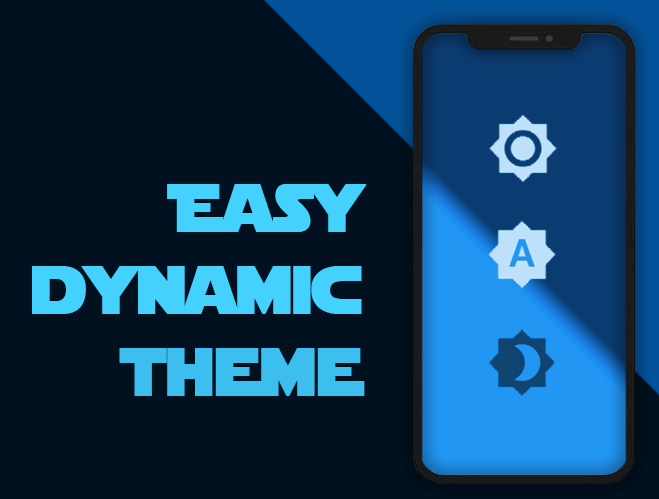
Automatically get your OS defined Theme (Dynamic), force your prefered one (Light / Dark) and persist your choice in the device.

Pub Version flutter tests Codacy Badge codecov GitHub BuyMeACoffee

Easy peasy, don't you think? ;)

Demo

Getting Started

For help getting started with Flutter, view our online documentation, which offers tutorials, samples, guidance on mobile development, and a full API reference.

Minimum Requirements

  • Dart SDK: >=2.12.0 <3.0.0
  • Flutter: >= 1.20.0

Installation and Usage

Once you're familiar with Flutter you may install this package adding easy_dynamic_theme to the dependencies list
of the pubspec.yaml file as follow:

dependencies:  
  flutter: 
    sdk: flutter  
 easy_dynamic_theme: ^2.2.0

Then run the command flutter packages get on the console.

Examples of use

All magic occurs in your main.dart file

import 'package:flutter/material.dart';
import 'package:easy_dynamic_theme/easy_dynamic_theme.dart';
import 'home.dart';

void main() async { 
  runApp( 
    EasyDynamicThemeWidget( 
      child: MyApp(), 
    ), 
  );
}  
  
class MyApp extends StatelessWidget {  
  final String title = 'EDT - Example'; 
   
  @override 
  Widget build(BuildContext context) { 
    return MaterialApp( 
      title: title, 
      theme: ThemeData.light(), 
      darkTheme: ThemeData.dark(), 
      themeMode: EasyDynamicTheme.of(context).themeMode, 
      home: new MyHomePage(title: title,) 
    ); 
  }
}  
How to use predefined Themes

You can use your own themes as follows:

In the file themes.dart define your Themes

  import 'package:flutter/material.dart';
  
  var lightThemeData = new ThemeData(
      primaryColor: Colors.blue,
      textTheme: new TextTheme(button: TextStyle(color: Colors.white70)),
      brightness: Brightness.light,
      accentColor: Colors.blue);
  
  var darkThemeData = ThemeData(
      primaryColor: Colors.blue,
      textTheme: new TextTheme(button: TextStyle(color: Colors.black54)),
      brightness: Brightness.dark,
      accentColor: Colors.blue);

And then in your main.dart file import your themes file and use them on MaterialApp attributes theme and darkTheme

import 'package:flutter/material.dart';
import 'package:easy_dynamic_theme/easy_dynamic_theme.dart';
import 'theme.dart';
import 'home.dart';

void main() async { 
  runApp( 
    EasyDynamicThemeWidget( 
      child: MyApp(), 
    ), 
  );
}  
  
class MyApp extends StatelessWidget {  
  final String title = 'EDT - Example'; 
   
  @override
  Widget build(BuildContext context) { 
    return MaterialApp( 
      title: title, 
      theme: lightThemeData, 
      darkTheme: darkThemeData, 
      themeMode: EasyDynamicTheme.of(context).themeMode, 
      home: new MyHomePage(title: title,) 
    ); 
  }
}  
How to change the ThemeMode in your app

You can use the function changeTheme from anywhere in your app.

This function have two optional parameters: dynamic and dark. If the value of dynamic is true, it takes precedence over dark.

  EasyDynamicTheme.of(context).changeTheme();
How to get your app current theme
Current app ThemeMode
ThemeMode themeMode = EasyDynamicTheme.of(context).themeMode;  

The above example will return a value of the enum used by MaterialApp's ThemeMode with one of the following values:

system - Use either the light or dark theme based on what the user has selected in the system settings.

light - Always use the light mode regardless of system preference.

dark - Always use the dark mode (if available) regardless of system preference.

Current Context brightness
Brightness brightness = Theme.of(context).brightness;  

Or if you want to know if your widget is dark mode based, you can achieve it with:

bool isDarkModeOn = Theme.of(context).brightness == Brightness.dark;  
What about some out-of-the-box widgets?
Right now we have
  • EasyDynamicThemeBtn, which is (kind of) a FlatButton that displays the icon according to the current theme of your app and allows you to switch between them.
  • EasyDynamicThemeSwitch, which is a Switch widget, based on the current theme's brightness of your context and allows you to switch between light/dark them.
  • EasyDynamicThemeAutoSwitch, which is a Switch widget, based on the current theme of your app and allows you to prioritize (or not) your OS defined brightness.

所屬分類

依賴

依賴清單 1 項

原始碼儲存庫

使用此套件的專案
