搜尋套件、儲存庫與 APP 分類

套件詳情v0.0.1

edge_alert

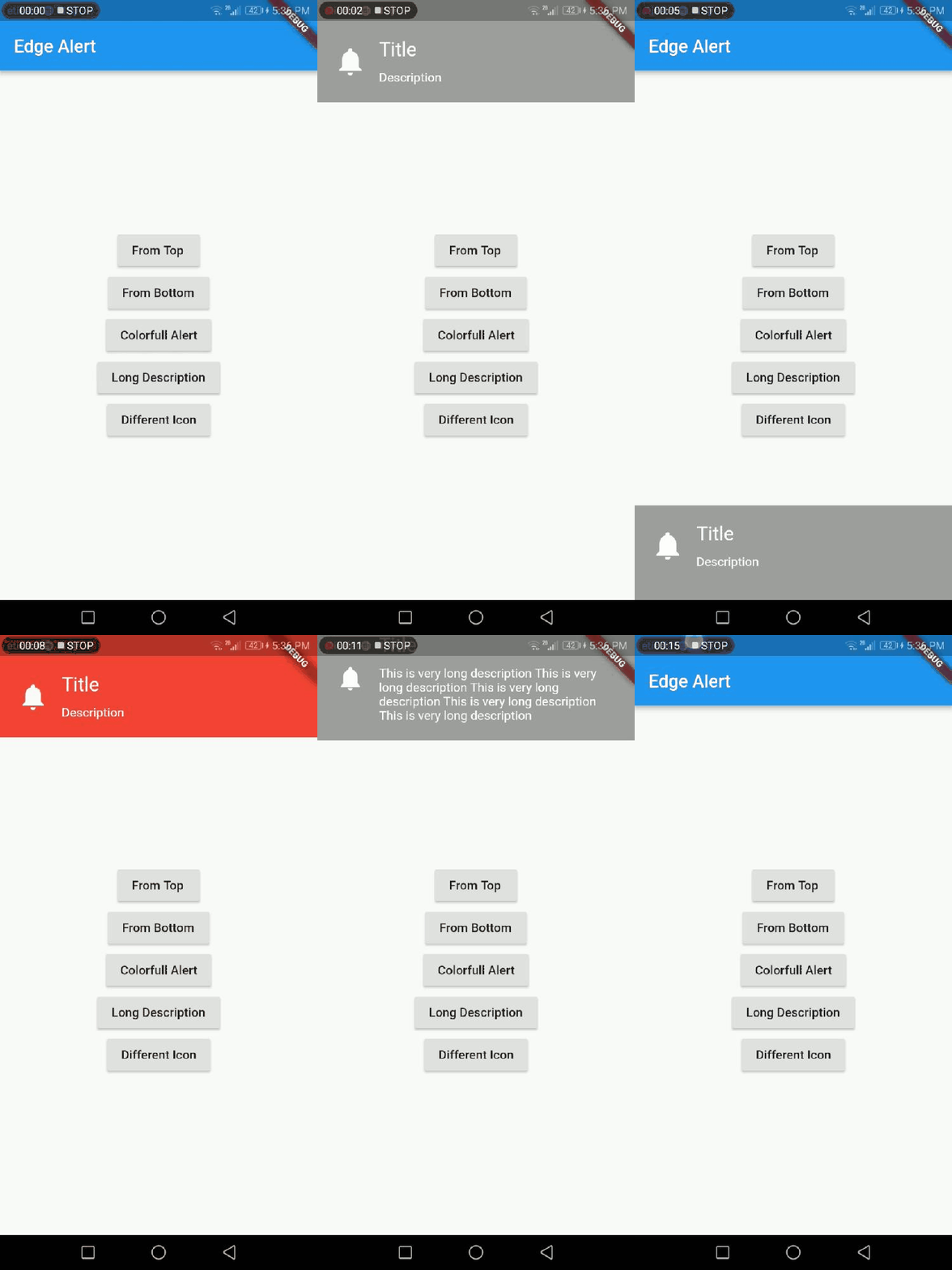
一個 Flutter 套件,可在螢幕頂部或底部顯示警告。

近 30 天下載
84
喜歡數
38
Pub 分數
40

安裝套件

flutter pub add edge_alert

套件介紹

根據套件公開資料產生的選型評估,僅供參考。

Edge Alert 是一個 Flutter 套件,專門用於從螢幕頂部或底部顯示警告,提供一種乾淨且可自訂的方式來顯示通知。它透過順暢的動畫和彈性的定位來增強使用者體驗。適合不會遮蔽主要內容的輕量級警告,支援 iOS 與 Android 平台。此套件容易整合與使用,非常適合需要快速回饋卻不需全螢幕干擾的應用。

適用情境

  • 顯示快速狀態更新
  • 在操作後顯示用戶反饋
  • 在不分散注意力的情況下通知使用者事件
  • 透過微妙的警示動畫增強使用者介面
  • 提供臨時指導訊息

主要特色

  • 頂部或底部警示定位
  • 平滑的動畫過渡
  • 可自定外觀
  • 輕量且快速
  • 與現有程式碼的輕鬆整合

適合對象

  • 簡單通知需求
  • 需要最小化UI干擾的應用
  • 尋求輕量級提示替代方案的開發者
  • 性能限制嚴格的專案
  • 面向使用者介面的應用程式

使用建議

  • 僅限頂部或底部放置
  • 不支援複雜佈局的內建支援
  • 可能需要自定樣式以實現進階設計
  • 不適合長篇訊息
  • 依賴外部依賴管理

原始 README

以下為關聯原始碼儲存庫的 README 原文快照,最新內容請造訪原始碼儲存庫。

Edge Alert

A Flutter package that shows alert from top or bottom of the screen.

How to Use

# add this line to your dependencies
edge_alert: ^0.0.1
import 'package:edge_alert/edge_alert.dart';
EdgeAlert.show(context, title: 'Title', description: 'Description', gravity: EdgeAlert.TOP);
property description
context BuildContext (Not Null)(required)
title 'Your title goes here'
description 'Your description goes here'
icon IconData (Default: Icons.notifications)
backgroundColor Color() (Default Colors.grey)
duration EdgeAlert.LENGTH_SHORT(1 second, Default) or EdgeAlert.LENGTH_LONG(2 sec) or EdgeAlert.LENGTH_VERY_LONG(3 sec)
gravity EdgeAlert.TOP(Default) or EdgeAlert.BOTTOM

EdgeAlert

Inspiration

https://github.com/Tapadoo/Alerter/

License

MIT License

所屬分類

原始碼儲存庫

使用此套件的專案