搜尋套件、儲存庫與 APP 分類

filling_slider 封面
套件詳情v0.0.3

filling_slider

一個允許您建立 iOS 設計側邊欄元件的 Flutter 套件。

AndroidiOSWebmacOSWindowsLinux
近 30 天下載
164
喜歡數
51
Pub 分數
160

安裝套件

flutter pub add filling_slider

套件介紹

根據套件公開資料產生的選型評估,僅供參考。

一個 Flutter 套件,可建立具有平滑填滿動畫的 iOS 風格滑桿元件。設計用以模擬原生 iOS 滑桿,提供一種視覺上吸引人且具互動性的方法來選擇範圍內的值。此套件支援多個平台,包括 Android、iOS、Web、macOS、Windows 與 Linux,確保跨裝置的介面一致性。輕量且易於整合,非常適合追求現代 Apple 啟發式設計語言的應用程式。

適用情境

  • iOS 風格的值選擇
  • 跨平台應用中的現代UI設計
  • 互動式表單輸入
  • 進度或設定的視覺反饋
  • 自定義滑塊組件

主要特色

  • 平滑填滿動畫
  • iOS 設計美學
  • 跨平台相容性
  • 簡單整合
  • 可自訂外觀

適合對象

  • 注重設計的 Flutter 開發者
  • 針對 iOS 使用者的應用程式
  • UI/UX 增強專案
  • 具視覺吸引力的表單控制項
  • 跨平台行動與桌面應用

使用建議

  • 僅限滑塊特定功能
  • 可能需要額外的樣式以適配非iOS主題
  • 不適合複雜的互動式組件
  • 依賴於平台特定的渲染行為
  • 最適合在需要類似 iOS 設計的環境中使用

原始 README

以下為關聯原始碼儲存庫的 README 原文快照,最新內容請造訪原始碼儲存庫。

Filling Slider

pub.dev points pub.dev likes pub.dev popularity
This is IOS-like slider widget

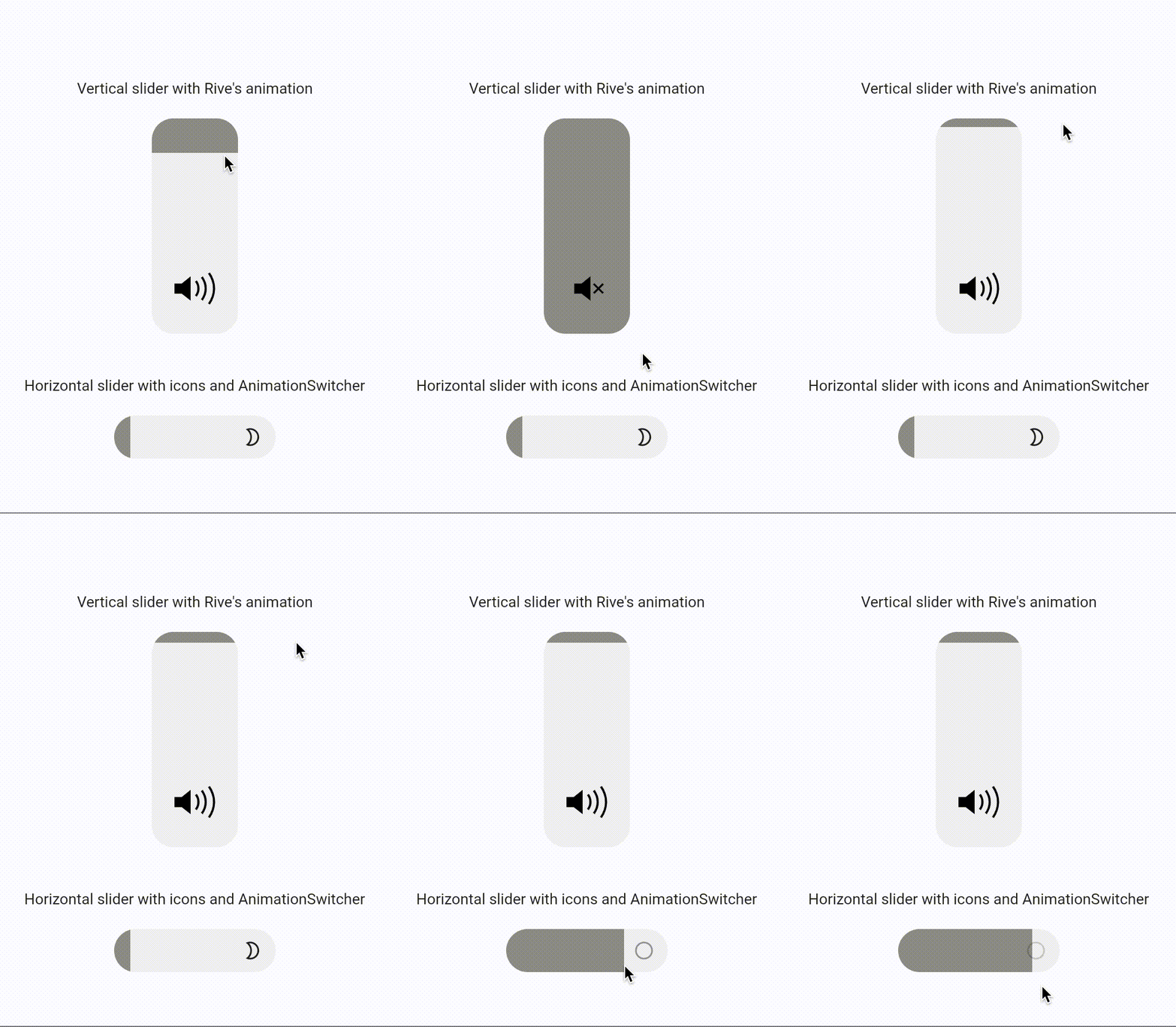
Demo

Example gif

How to use

Simple vertical slider
FillingSlider()
Simple horizontal slider
FillingSlider(
  direction: FillingSliderDirection.horizontal
)

Props

You can set initial value of slider in range [0.0, 1.0]

double initialValue
Visual Props

You can change size, direction and color of slider

double width
double height
Color color
Color fillColor
SliderDirection direction
Callbacks Props

There are 2 methods to respond to a change in the value of the slider

Function onChange - Notifies about all slider changes
Function onFinish - Notifies about the end of changes
Child Props
Widget child
Function childBuilder

所屬分類

原始碼儲存庫

使用此套件的專案

暫無相關資料。