搜尋套件、儲存庫與 APP 分類

flavor 封面
套件詳情v2.0.0

flavor

一種輕鬆設定外觀設定並顯示外觀橫幅的方式。

AndroidiOSWebmacOSWindowsLinux
近 30 天下載
1040
喜歡數
56
Pub 分數
160

安裝套件

flutter pub add flavor

套件介紹

根據套件公開資料產生的選型評估,僅供參考。

Flavor 是一個 Flutter 套件,可簡化應用程式風味的設定,並在除錯建構中顯示可見的風味橫幅。它能透過在螢幕上顯示可自訂的橫幅,讓開發者輕鬆區分不同的建構變體——例如開發、測試與生產環境。橫幅會自動隱藏於發行版建構中,確保使用者獲得乾淨的體驗。非常適合管理多個環境的團隊,可簡化設定並提升測試時的可見性。

適用情境

  • 除錯不同的建構環境
  • 識別開發與生產建構
  • 在測試期間顯示環境資訊
  • 依風味自訂橫幅
  • 在多環境專案中提升團隊協作

主要特色

  • 輕鬆的口味設定
  • 除錯模式下自動顯示橫幅
  • 可自定義的橫幅外觀
  • 支援所有 Flutter 平台
  • 在發布版本中隱藏橫幅

適合對象

  • 開發人員在處理多個應用版本時
  • 團隊在測試不同的環境
  • 需要明確建構識別的应用程式
  • 帶有 CI/CD 流水線的 Flutter 項目
  • 開發過程中需要視覺反饋的專案

使用建議

  • 橫幅僅在除錯版本中出現
  • 需要為新口味進行手動設定
  • 可能需要對複雜 UI 進行樣式調整
  • 不適用於生產使用
  • 超出基本橫幅屬性的自訂功能有限

原始 README

以下為關聯原始碼儲存庫的 README 原文快照,最新內容請造訪原始碼儲存庫。

flavor

pub package build Buy Me A Coffee

A Flutter plugin for configuring flavor settings and optionally display a flavor banner on the app.

Flavors

Each app needs some kind of flavor during its development lifecycle. You often have an api you use that is different during dev, beta, production, or log settings for example. That's when flavors come in.

Setup flavors

You can define different start main methods, each can be configured with a flavor.

So for example, you can create a main_dev.dart file for your development environment:

void main() {
  Flavor.create(
    Environment.dev,
    color: Colors.green,
    name: 'PREVIEW',
    properties: {
      Keys.apiUrl: 'https://api.dev.company.com',
      Keys.apiKey: 'jksdhfkjhs83rjkh324kj23h4',
      logLevelKey: 100,
    },
  );
  setupApp();
}

And a main_prod.dart file for your production environment:

void main() {
  Flavor.create(
    Environment.production,
    properties: {
      Keys.apiUrl: 'https://api.company.com',
      Keys.apiKey: 'lksdhjfkjhdsf8sdfjkhsdf896',
      logLevelKey: 5,
    },
  );
  setupApp();
}

Each of these files will point to another main.dart file:

void setupApp() {
  final logLevel = Flavor.I.getInt(logLevelKey);
  print('LogLevel set for this flavor: $logLevel');
  runApp(FlavorApp());
}
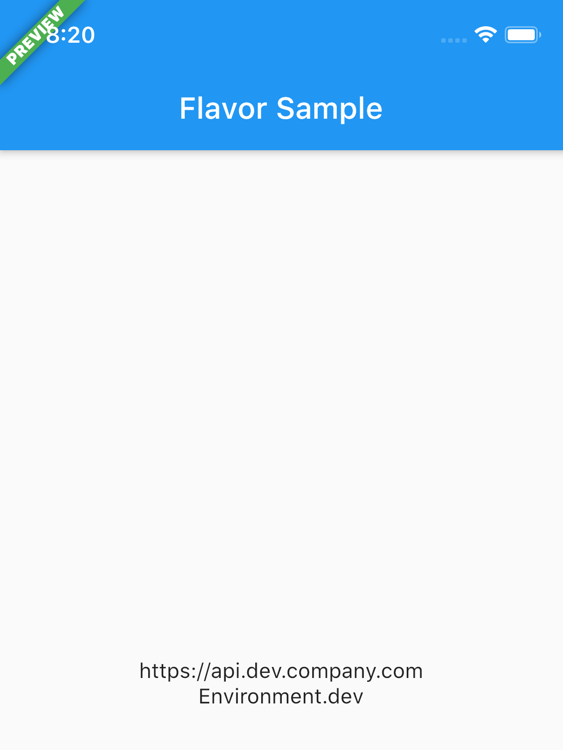
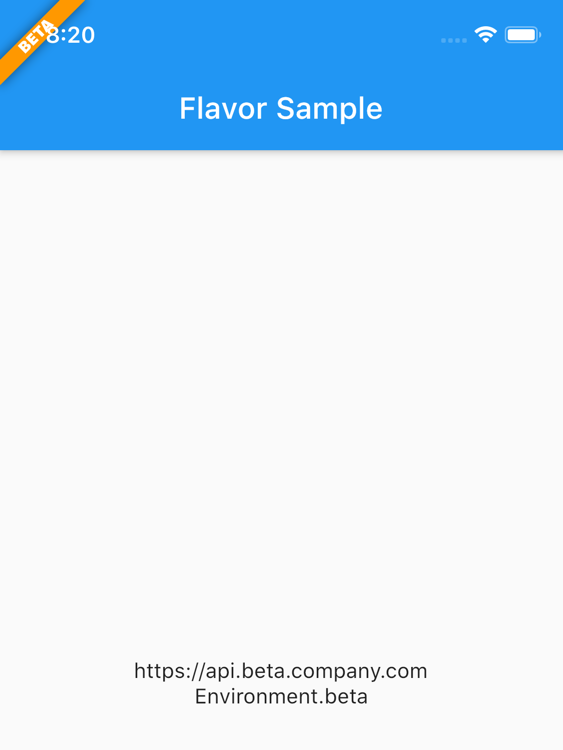
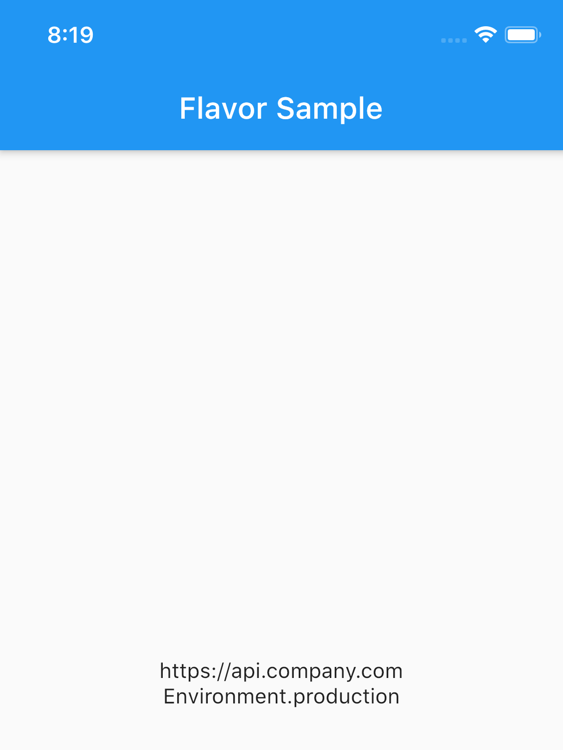
How does it look?
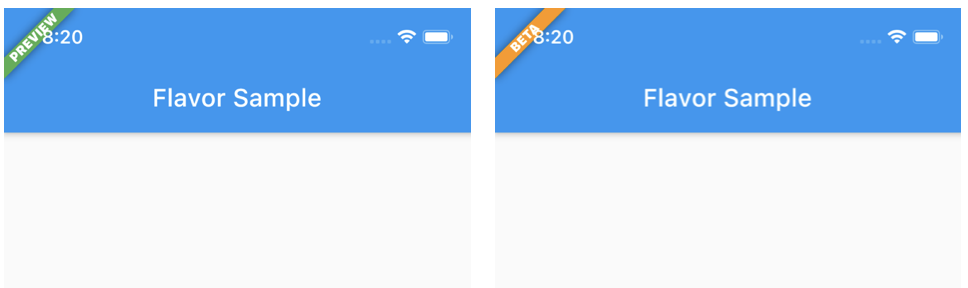
DEV BETA PROD

Note that in the PROD flavor no flavor banner is showed.

launch.json

In Visual Code you can define following to use the different flavors:

{
	"version": "0.2.0",
	"configurations": [
		{
			"name": "DEV",
			"request": "launch",
			"type": "dart",
			"program": "example/lib/main_dev.dart",
			// "args": [
			// 	"--flavor",
			// 	"dev"
			// ]
		},
		{
			"name": "BETA",
			"request": "launch",
			"type": "dart",
			"program": "example/lib/main_beta.dart",
			// "args": [
			// 	"--flavor",
			// 	"beta"
			// ]
		},
		{
			"name": "PRD",
			"request": "launch",
			"type": "dart",
			"program": "example/lib/main_prod.dart",
			// "args": [
			// 	"--flavor",
			// 	"prod"
			// ]
		},
	]
}

Note: The args keys are currently commented. These only works if you created the flavors in the iOS / Android native projects too.

Extras

You can also define additional properties for each flavor/configuration. This is handy to store url's, api keys, etc. Further in your app you can access these values.

Flavor.I.getString(Keys.apiUrl)

The package has some default Keys at the moment which will be extended over time. The defaults: apiUrl, apiKey, appTitle

Of course you can add custom keys yourself as showed in the example.

Or you can check what flavor is currently running:

if (Flavor.I.isDevelopment) {
// do something nice in development
}

Checkout the example folder for a complete setup.

Flavorize your bundleids and assets

If you want to change bundle ids, or even assets (icon, splash screen) check out flutter_flavorizr. This nice tool will help you create flavors in Android and iOS.

API Documentation

API documentation can be found here

所屬分類

原始碼儲存庫

使用此套件的專案

暫無相關資料。