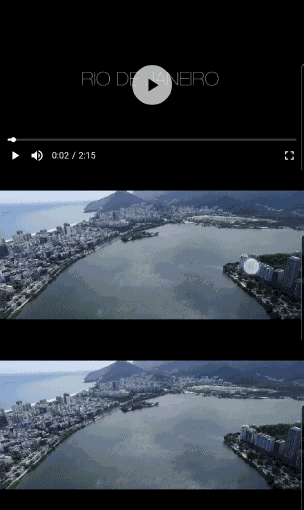
Flick Video Player 是一個基於原生 video_player 插件構建的 Flutter 高階影片播放套件。它提供了一個易於使用且可自訂的介面,具備播放/暫停控制、進度追蹤、全螢幕支援和手勢處理等功能。此套件旨在簡化 Flutter 應用中的影片整合,抽象了底層複雜性,同時為開發者提供彈性。該套件支援 Android、iOS 和 macOS 平台,非常適合跨平台影片應用。
適用情境
在移動應用中串流視頻內容
向教育或娛樂應用添加影片播放功能
整合影片教學或示範
建構媒體播放器介面
建立影片豐富的社群媒體功能
主要特色
預建構的 UI 組件
基於手勢的控制
全螢幕模式支援
可自訂主題
跨平台相容性
流暢的播放效能
適合對象
Flutter 開發人員建構媒體應用
需要簡單視頻播放的應用
需要響應式影片UI的專案
尋求快速視頻整合的開發者
注重跨平台一致性的團隊
使用建議
需要 video_player 作為依賴項
超出所提供小部件的自訂功能有限
可能需要額外的樣式來處理複雜的使用者介面
依賴於平台特定的視頻編解碼器
不適合進階影片編輯功能
原始 README
以下為關聯原始碼儲存庫的 README 原文快照,最新內容請造訪原始碼儲存庫。
Flick Video Player
Flick Video Player is a video player for flutter.
The video_player plugin gives low level access for the video playback. Flick Player wraps video_player under the hood and provides base architecture for developers to create their own set of UI and functionalities.
Features
Double tap to seek video.
On video tap play/pause, mute/unmute, or perform any action on video.
Main entry point, takes a FlickManager and a widget flickVideoWithControls as one of the arguments.
FlickManager
Manages all the video related operations with the help of different managers. FlickVideoManager is responsible to maintain life-cycle of a video, change a video and listen to state changes on the video. FlickControlManager is responsible to perform action on the video such as play, mute, seek, toggle full-screen etc. FlickDisplayManager is responsible to show/hide controls when player state changes.
FlickVideoWithControls
A helper widget to render video_player using FlickNativeVideoPlayer and Custom player controls. To create video player with custom controls you have to use this widget and pass this to FlickVideoPlayer in the argument flickVideoWithControls. closedCaptionTextStyle argument added to style video subtitles.
FlickPlayToggle
A UI helper widget to create play/pause/replay button for the video player. You can either pass your custom play, pause and replay widgets or change settings for the default icons.
FlickSoundToggle
A UI helper widget to create mute/unmute button for the video player. You can either pass your custom mute and unmute widgets or change settings for the default icons.
FlickFullscreenToggle
A UI helper widget to create fullscreen/fullscreen_exit button for the video player. You can either pass your custom fullscreen and fullscreen_exit widgets or change settings for the default icons.
FlickVideoProgressBar
A UI helper widget to create progress bar for your video player. It takes FlickProgressBarSettings as one of the arguments so that user can create a custom progress bar. This is highly customizable, user can almost change all the properties of the progress bar like height, handleRadius, provide custom Color or custom Paint.
FlickTotalDuration
A text UI helper widget to show total duration of the video.
FlickCurrentPosition
A text UI helper widget to show current position of the video.
FlickLeftDuration
A text UI helper widget to show left duration of the video.
FlickSetPlayBack
A text UI helper widget to change the playback speed of the video.
FlickVideoBuffer
A UI helper widget to show CircularProgressIndicator or your custom widget when the video is buffering.
FlickAutoPlayCircularProgress
A UI helper widget to show circular progress bar with timer to switch to the next video.
FlickSeekVideoAction
An Action helper to seek video forward/backward by custom Duration on double tap of screen. Takes child as one of the arguments to nest other actions or widgets.
FlickShowControlsAction
An Action helper to toggle between show/hide of controls on tap of the screen. Takes child as one of the arguments to nest other actions or widgets.
FlickTogglePlayAction
An action helper to toggle between play/pause on tap of the screen. Takes child as one of the arguments to nest other actions or widgets.
FlickToggleSoundAction
An action helper to toggle between mute/unmute on tap of the screen. Takes child as one of the arguments to nest other actions or widgets.
FlickSubtitleToggle
An action helper to toggle between display subtitle/no-subtitle on tap of the screen. Takes child as one of the arguments to nest other actions or widgets.
To play a list of videos you have to create your custom DataManager, You can find some of the implementations in /example folder.
UI Helper and Action helpers are widgets which interacts with FlickDisplayManager, FlickControlManager and FlickVideoManager you can easily create your custom widgets/actions, Provider package is used for state management.
Web
Guideline for web: As we are using video_player_web under-hood please follow video_player_web doc before you start.
Default shortcuts
Key
Behavior
f
Toggle full-screen
m
Toggle mute
ArrowRight
Seek forward
ArrowLeft
Seek backward
(Space character)
Toggle play
ArrowUp
Increase volume
ArrowDown
Decrease volume
You can pass webKeyDownHandler argument to FlickVideoPlayer and manage the keyboard shortcuts yourself.
Notes
Esc shortcut to exit from full-screen is in development.
Origin of third party content
Videos
9th May & Fireworks - https://mazwai.com/video/9th-May-&-Fireworks/455089
Iceland | Land of Fire and Ice - https://mazwai.com/video/iceland-%7C-land-of-fire-and-ice/455108
Rio from Above - https://mazwai.com/video/rio-from-above/455099
The Valley - https://mazwai.com/video/the-valley/455101