搜尋套件、儲存庫與 APP 分類

套件詳情v1.1.0

flutter_chatgpt_api

圍繞 ChatGPT 的 Flutter/Dart API,用於非官方 ChatGPT API。

AndroidiOSmacOSWindowsLinux
近 30 天下載
93
喜歡數
100
Pub 分數
130

安裝套件

flutter pub add flutter_chatgpt_api

套件介紹

根據套件公開資料產生的選型評估,僅供參考。

一個 Flutter/Dart 套件,提供對非官方 ChatGPT API 的簡單 API 包裝,讓開發者能夠將 ChatGPT 功能整合到其 Flutter 應用程式中。此套件支援多個平台,包括 Android、iOS、macOS、Windows 與 Linux。該套件抽象了底層 HTTP 互動,提供簡單易用的介面,用於傳送訊息並接收來自 ChatGPT 的回應。非常適合需要對話式 AI 功能但不依賴官方 API 的應用。

適用情境

  • 將聊天機器人整合到行動應用程式中
  • 建構AI驅動的客戶支援工具
  • 建立互動式學習應用程式
  • 在應用程式中啟用即時文字生成

主要特色

  • 非官方 ChatGPT API 結合
  • 跨平台支援
  • 簡單的同步和異步訊息處理
  • 內建錯誤處理
  • 輕便且容易安裝

適合對象

  • 開發AI聊天功能的開發者
  • 原型設計生成式AI應用
  • 需要快速存取類似ChatGPT回應的應用程式

使用建議

  • 依賴非官方API(可能不穩定或已停用)
  • 未經官方谷歌/蘋果核准
  • 速率限制和潛在的IP封禁
  • 需要有效的身份驗證令牌

原始 README

以下為關聯原始碼儲存庫的 README 原文快照,最新內容請造訪原始碼儲存庫。

Flutter ChatGPT API

This package is a Flutter/Dart API around ChatGPT by OpenAI.

This package requires a valid session token from ChatGPT to access its unofficial REST API.

This version have been updated to use Puppeteer to log in to ChatGPT and extract the Cloudflare cf_clearance cookie and OpenAI session token. 🔥 Thanks to Node.js ChatGPT API (unofficial)

:warning: Be Careful!

  • Your user-agent and IP address must match from the real browser window you're logged in with to the one you're using for ChatGPTAPI.
    • This means that you currently can't log in with your laptop and then run the bot on a server or proxy somewhere.
  • Please check defaultHeaders

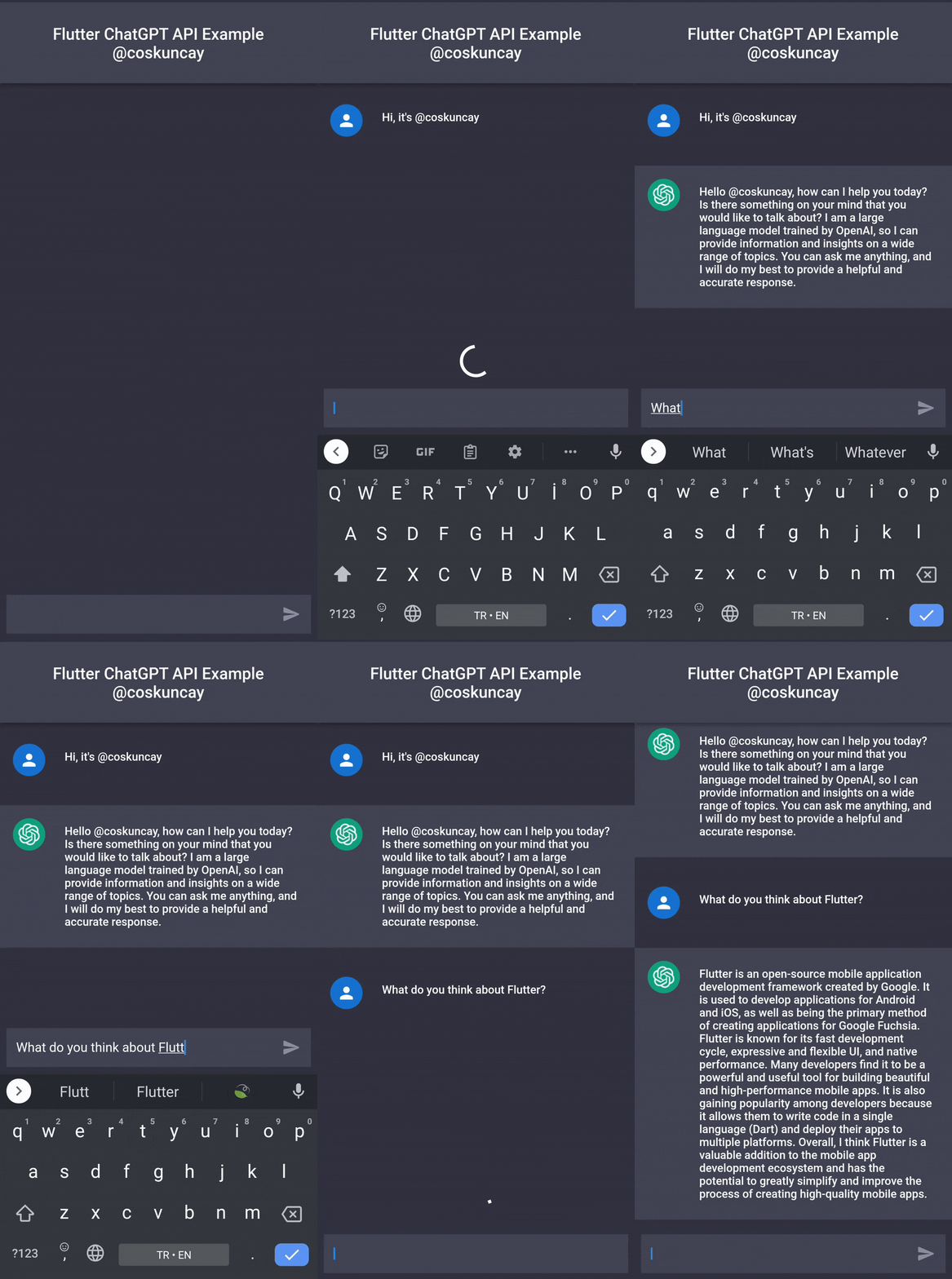
Demo

Installation

dependencies:
  flutter_chatgpt_api: ^1.0.0

Usage


import 'package:flutter_chatgpt_api/flutter_chatgpt_api.dart';

 _api = ChatGPTApi(
       sessionToken: SESSION_TOKEN,
       clearanceToken: CLEARANCE_TOKEN,
     );

setState(() {
  _messages.add(
    ChatMessage(
      text: _textController.text,
      chatMessageType: ChatMessageType.user,
    ),
  );
  isLoading = true;
});  

var newMessage = await _api.sendMessage(
  input,
  conversationId: _conversationId,
  parentMessageId: _parentMessageId,
);

setState(() {
  _conversationId = newMessage.conversationId;
  _parentMessageId = newMessage.messageId;
  isLoading = false;
  _messages.add(
    ChatMessage(
      text: newMessage.message,
      chatMessageType: ChatMessageType.bot,
    ),
  );
});

SessionToken

To get a session token:

  1. Go to https://chat.openai.com/chat and log in or sign up.
  2. Open dev tools.
  3. Open Application > Cookies (Storage > Cookies)

image

  1. Create these files and add your session token to run the tests and example respectively:

Copy the value for __Secure-next-auth.session-token and save it to your environment.example/lib/session_token.dart

Copy the value for cf_clearance and save it to your environment. example/lib/clearance_token.dart

Should look something like this:

const SESSION_TOKEN = '__Secure-next-auth.session-token from https://chat.openai.com/chat';
const CLEARANCE_TOKEN = 'cf_clearance token from https://chat.openai.com/chat';

Credit

License

MIT Copyright (c) 2022, Emre Coşkunçay

If you found this project interesting, please consider supporting my open source work by sponsoring me or following me on twitter twitter

所屬分類

依賴

依賴清單 2 項

原始碼儲存庫

使用此套件的專案

暫無相關資料。