搜尋套件、儲存庫與 APP 分類

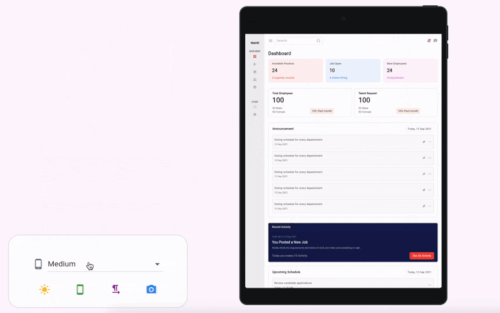
flutter_device_emulator 封面
套件詳情v0.0.3

flutter_device_emulator

即時預覽您的 Flutter 小部件在多個裝置螢幕上的顯示效果。

AndroidiOSWebmacOSWindowsLinux
近 30 天下載
45
喜歡數
0
Pub 分數
150

安裝套件

flutter pub add flutter_device_emulator

套件介紹

根據套件公開資料產生的選型評估,僅供參考。

Flutter 設備模擬器是一款工具,可讓開發者即時預覽其 Flutter 小部件在各種設備螢幕尺寸和方向上的顯示效果。它支援包括 Android、iOS、Web、macOS、Windows 和 Linux 在內的多個平台,能在無需實體裝置的情況下實現一致的 UI 測試。該套件可順暢整合至開發工作流程中,在設計迭代過程中提供即時視覺反饋。它特別有助於確保響應式版面與跨平台相容性。

適用情境

  • 即時小工具預覽
  • 跨平台 UI 測試
  • 響應式設計驗證
  • 快速原型設計
  • 設計一致性檢查
  • 螢幕尺寸模擬

主要特色

  • 即時裝置預覽
  • 多個設備範本
  • 支援所有主要平台
  • 即時版面更新
  • 與 Flutter 的輕鬆整合
  • 方向切換

適合對象

  • UI/UX 設計師
  • Flutter 開發者
  • 跨平台應用測試人員
  • 原型開發團隊
  • 前端工程師

使用建議

  • 某些功能需要手動設定
  • 僅限視覺預覽(無執行時互動)
  • 可能影響低階機器的效能
  • 不是物理設備測試的替代品
  • 無內建主題或地區設定模擬

原始 README

以下為關聯原始碼儲存庫的 README 原文快照,最新內容請造訪原始碼儲存庫。

flutter_device_emulator

Pub Version License: MIT

A Flutter package to emulate different device screens and layouts, making it easier to preview and test your app on various device types and resolutions directly within your Flutter app or development environment.

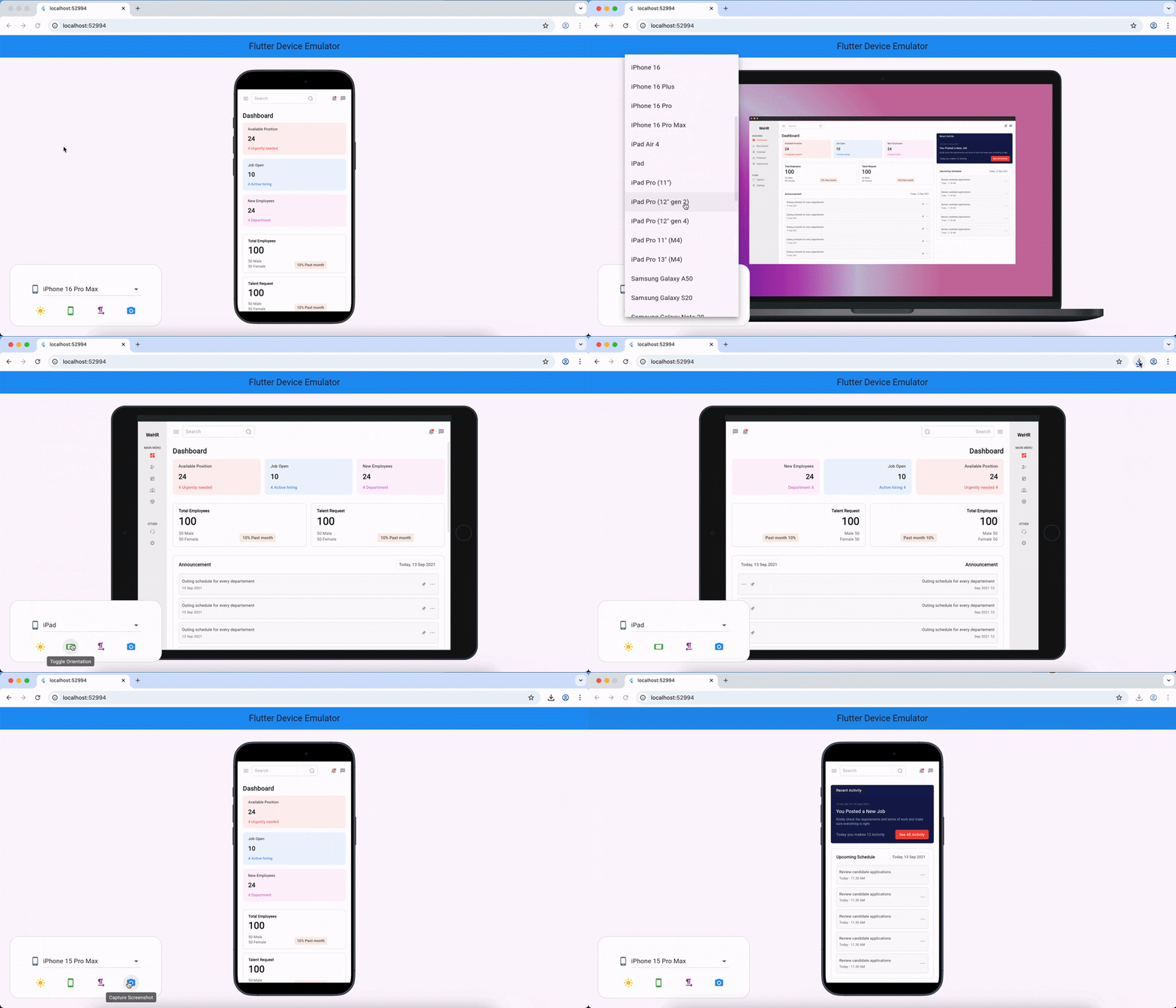
flutter_device_emulator demo

Features

  • Emulate multiple device screen sizes and resolutions
  • Switch between device types (phone, tablet, etc.)
  • Preview your app in different orientations
  • Easy integration with your existing Flutter project
  • Customizable device frames and backgrounds

Installation

Add the following to your pubspec.yaml:

dependencies:
  flutter_device_emulator: latest_version

Then run:

flutter pub get

Usage

Import the package and wrap your app or widget with the emulator:

import 'package:flutter_device_emulator/flutter_device_emulator.dart';

DeviceEmulator(
  builder: (context) => SafeArea(child: HomePage()),
)
Example

See the example/ directory for a complete sample app demonstrating usage and available features.

API Reference

DeviceEmulator

The main widget to wrap your app for device emulation. Provides controls for device type, orientation, theme, and text direction.

Constructor:

DeviceEmulator({
  required WidgetBuilder builder,
  bool enableThemeToggle = true,
  bool enableOrientationToggle = true,
  bool enableLanguageToggle = true,
  Key? key,
})

Parameters:

  • builder (required): A function that builds the widget tree to be emulated inside the device frame.
  • enableThemeToggle (default: true): If true, shows a button to toggle between light and dark themes.
  • enableOrientationToggle (default: true): If true, shows a button to toggle between portrait and landscape orientations.
  • enableLanguageToggle (default: true): If true, shows a button to toggle between left-to-right and right-to-left text directions.
  • key: Optional widget key.

Features:

  • Device selector: Choose from a list of common devices to emulate.
  • Theme toggle: Switch between light and dark modes.
  • Orientation toggle: Switch between portrait and landscape.
  • Text direction toggle: Switch between LTR and RTL layouts.
  • Screenshot: Capture the current emulated screen (web only).

Example:

DeviceEmulator(
  builder: (context) => SafeArea(child: HomePage()),
)

For detailed API documentation, see the source code in lib/.

Contributing

Contributions are welcome! Please open issues or submit pull requests for bug fixes, features, or improvements.

  1. Fork the repository
  2. Create your feature branch (git checkout -b feature/my-feature)
  3. Commit your changes (git commit -am 'Add new feature')
  4. Push to the branch (git push origin feature/my-feature)
  5. Open a pull request

License

This project is licensed under the MIT License.

所屬分類

依賴

依賴清單 3 項

原始碼儲存庫

使用此套件的專案

暫無相關資料。