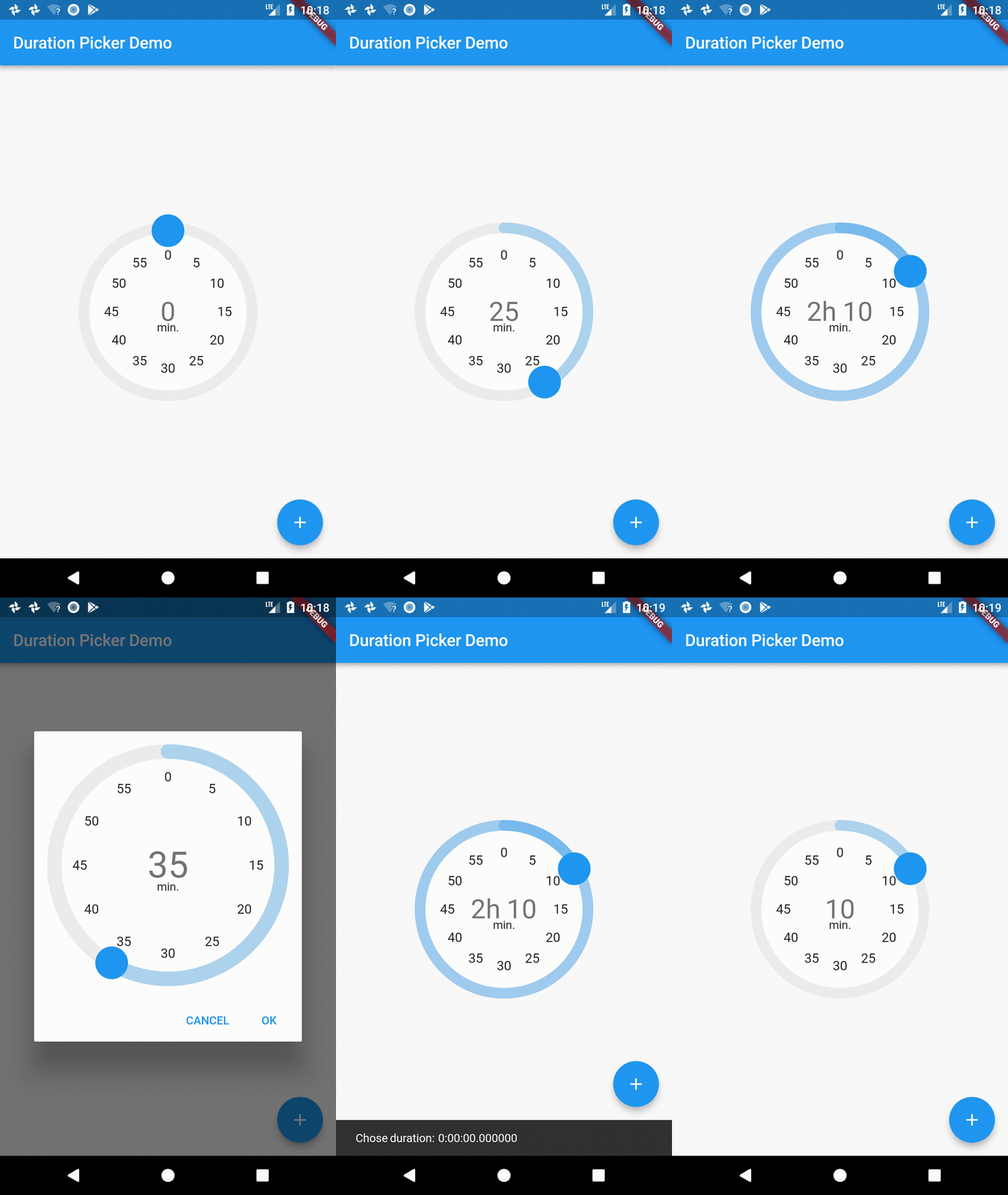
一個專為選擇持續時間而設計的 Flutter 小部件,其模型源自 Material 時間選擇器。它提供了一個直覺的介面,用於選擇小時、分鐘和秒等時間間隔,非常適合需要輸入持續時間的應用程式——如計時器、健身應用或排程工具。該選擇器支援自訂步長增量,並以 Material Design 原則建構,確保跨平台的一致使用者體驗。
適用情境
設定計時器持續時間
配置鍛煉會話時長
安排帶時長的事件
輸入任務時間估計
創建倒計時器
主要特色
Material Design 為基礎的使用者介面
可自定的時間步長增量
支援小時、分鐘和秒
與現有表單的簡單整合
響應式且可存取的外觀
適合對象
需要持續時間選擇的應用程式
需要時間間隔的表單輸入
使用 Material Design 的移動應用程式
尋求輕量級時間選擇器的開發者
依賴最少的專案
使用建議
未列出平台特定的自定選項
僅限基本時長輸入,不支援進階功能
不支援 AM/PM 或日期元件
需要手動處理驗證
未提及內建本地化支援
原始 README
以下為關聯原始碼儲存庫的 README 原文快照,最新內容請造訪原始碼儲存庫。
Duration Picker for flutter
A little widget for picking durations. Heavily inspired from the Material Design time picker widget.
This repo is unmaintained, please check out the fork here: https://github.com/juliansteenbakker/duration_picker
Example Usage:
dependencies:flutter_duration_picker:"^1.0.0"
import'package:flutter/material.dart';
import'package:flutter_duration_picker/flutter_duration_picker.dart';
voidmain() => runApp(newMyApp());
classMyAppextendsStatelessWidget{
@overrideWidgetbuild(BuildContext context) {
returnnewMaterialApp(
title: 'Duration Picker Demo',
theme: newThemeData(
primarySwatch: Colors.blue,
),
home: newMyHomePage(title: 'Duration Picker Demo'),
);
}
}
classMyHomePageextendsStatefulWidget{
MyHomePage({Key key, this.title}) : super(key: key);
finalString title;
@override_MyHomePageStatecreateState() => new_MyHomePageState();
}
class_MyHomePageStateextendsState<MyHomePage> {
Duration _duration = Duration(hours: 0, minutes: 0);
@overrideWidgetbuild(BuildContext context) {
returnnewScaffold(
appBar: newAppBar(
title: newText(widget.title),
),
body: newCenter(
child: newColumn(
mainAxisAlignment: MainAxisAlignment.center,
children: <Widget>[
newExpanded(
// Use it from the context of a stateful widget, passing in// and saving the duration as a state variable.
child: DurationPicker(
duration: _duration,
onChange: (val) {
this.setState(() => _duration = val);
},
snapToMins: 5.0,
))
],
),
),
floatingActionButton: Builder(
builder: (BuildContext context) => newFloatingActionButton(
onPressed: () async {
// Use it as a dialog, passing in an optional initial time// and returning a promise that resolves to the duration// chosen when the dialog is accepted. Null when cancelled.Duration resultingDuration = awaitshowDurationPicker(
context: context,
initialTime: newDuration(minutes: 30),
);
Scaffold.of(context).showSnackBar(newSnackBar(
content: newText("Chose duration: $resultingDuration")));
},
tooltip: 'Popup Duration Picker',
child: newIcon(Icons.add),
)),
);
}
}