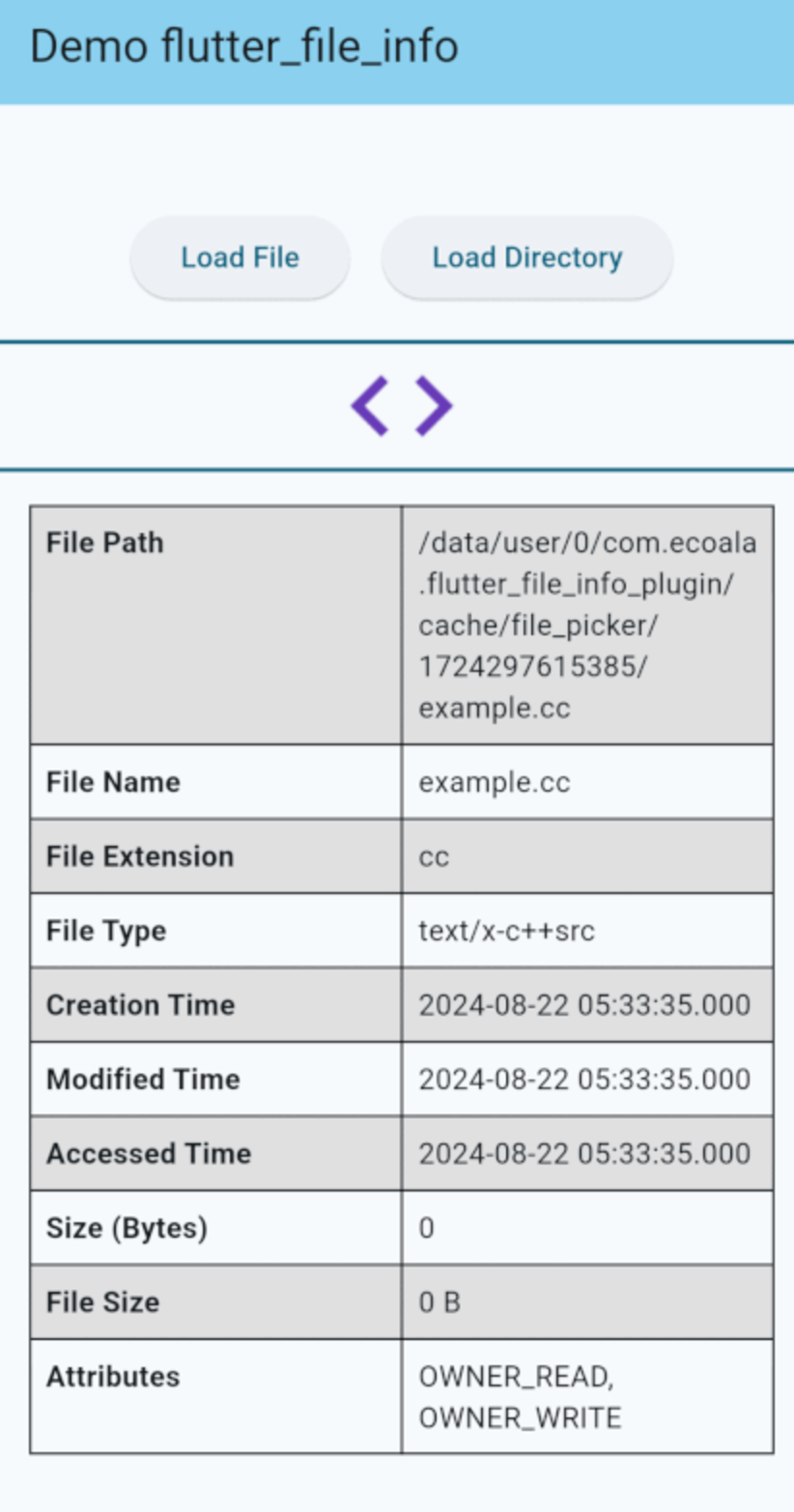
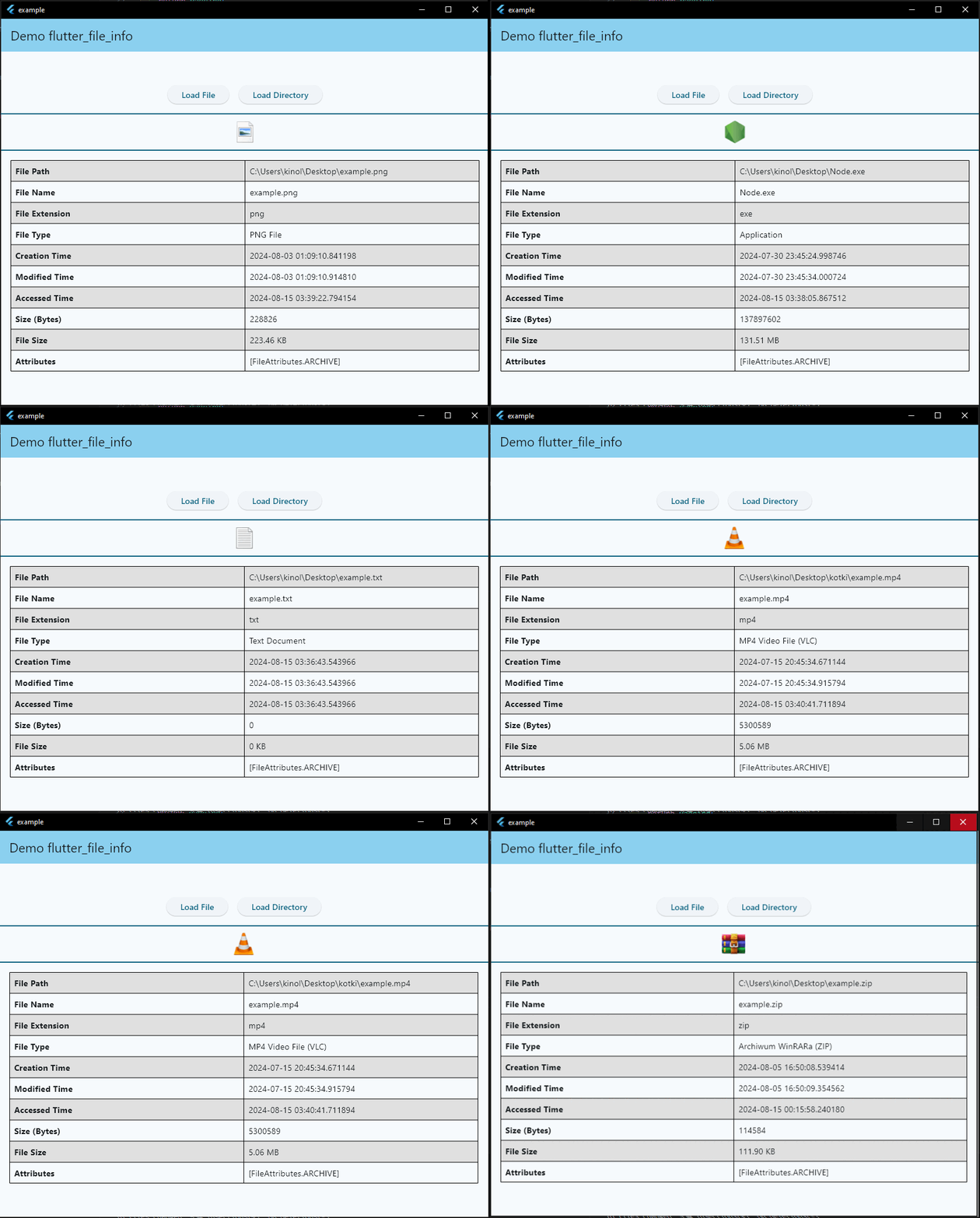
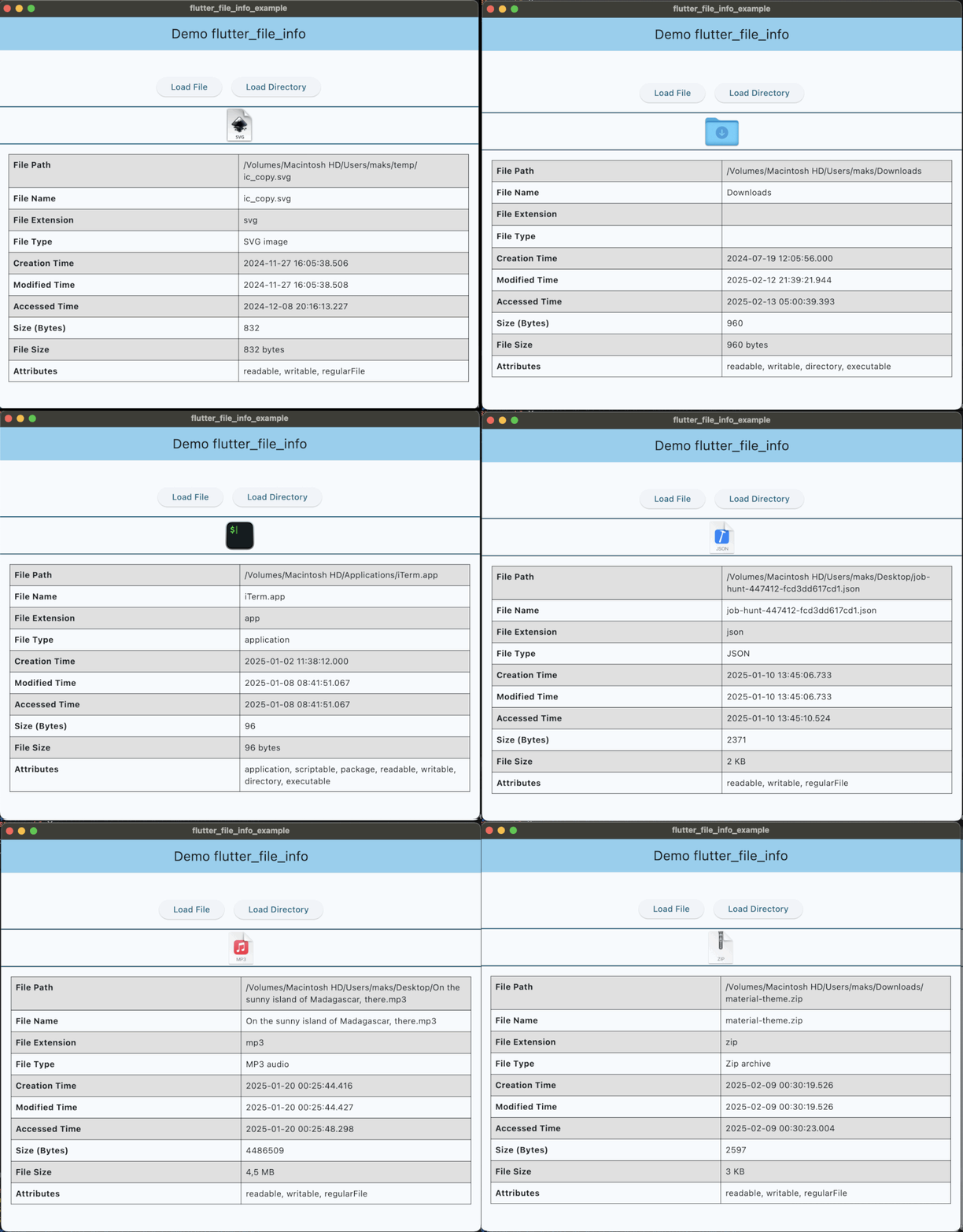
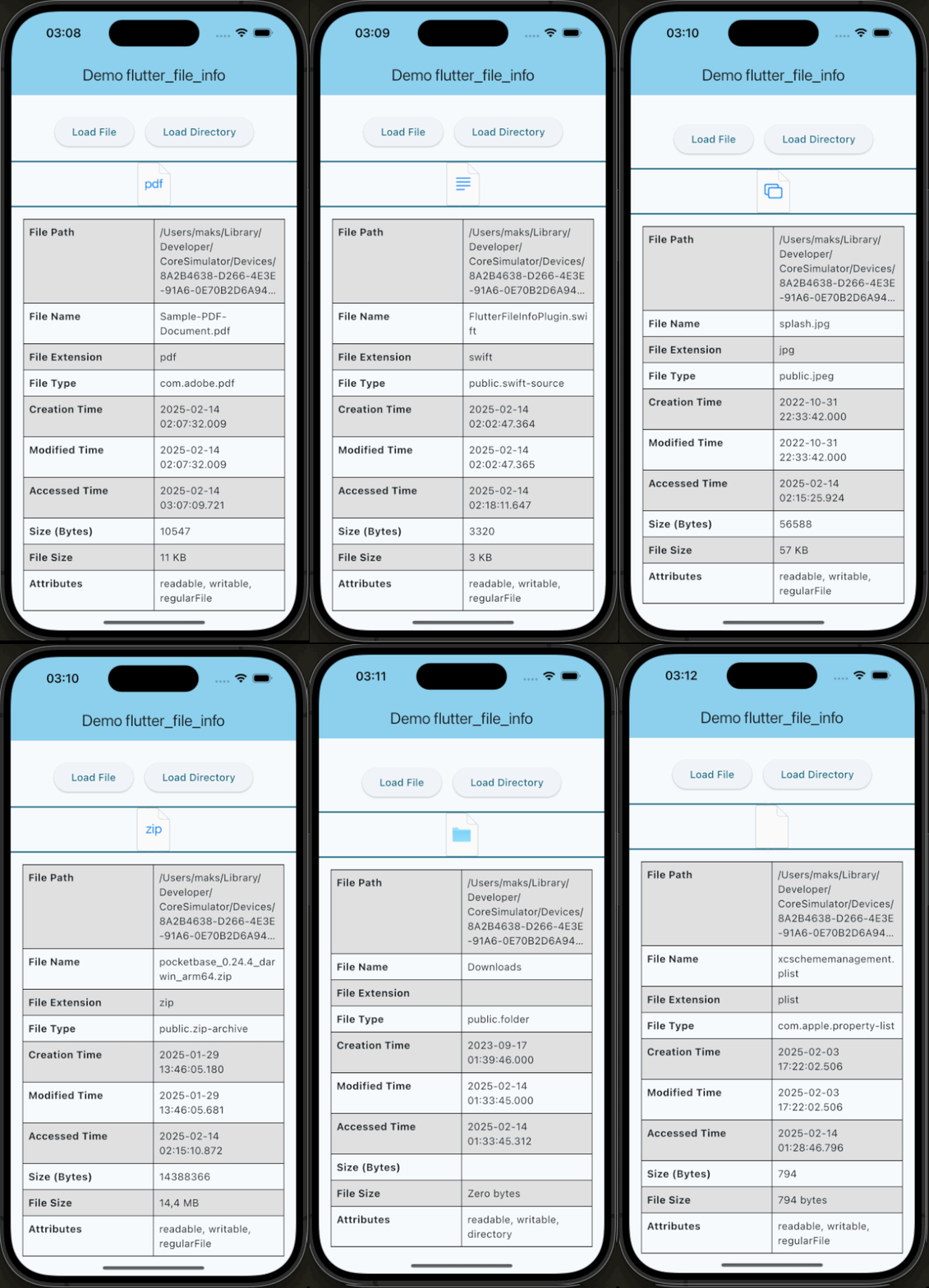
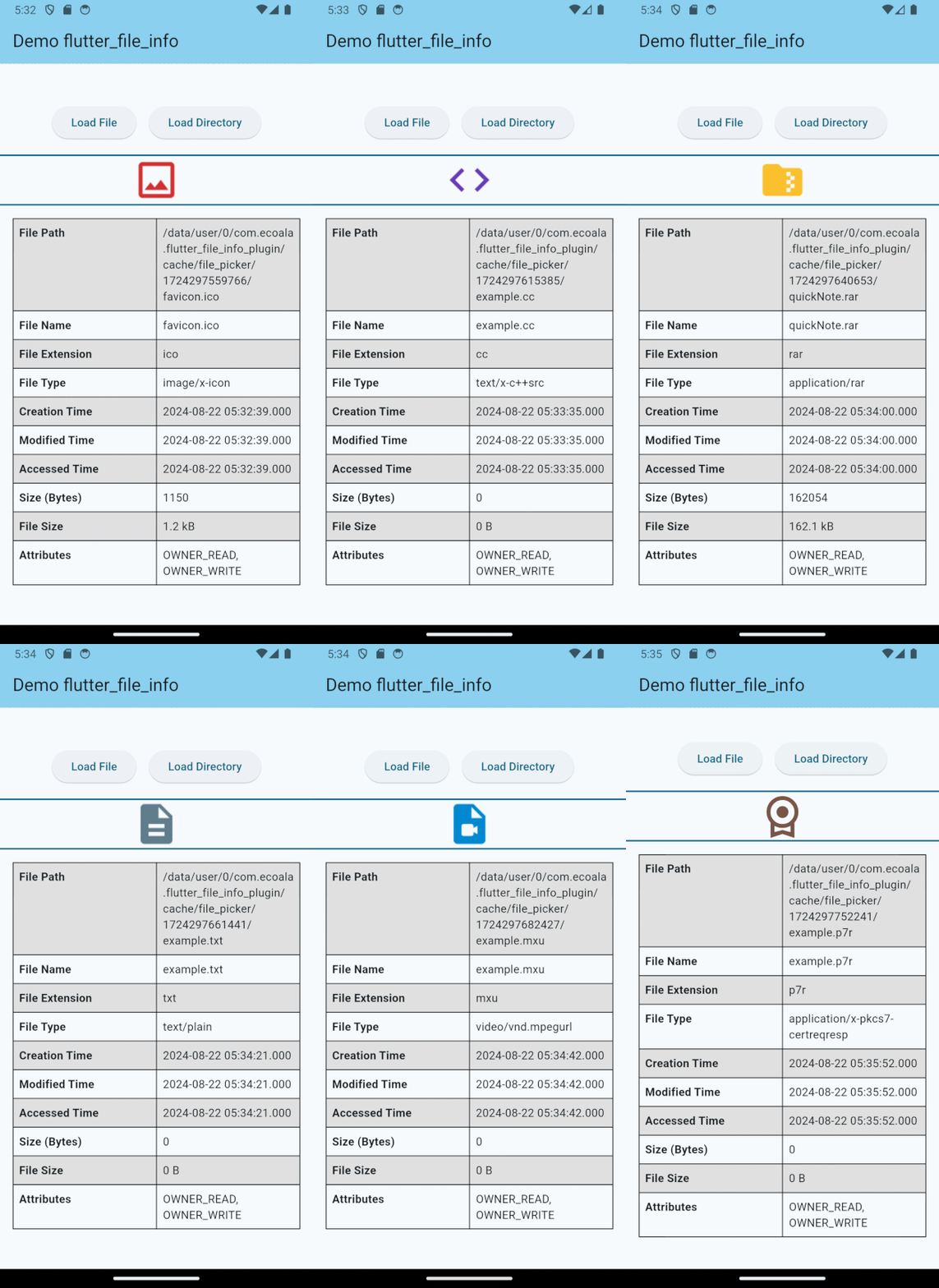
flutter_file_info 是一個 Flutter 插件,可取得詳細的檔案元資料,例如大小、建立日期和檔案類型。它支援根據副檔名由作業系統指派的原生圖示,以提升跨平台的視覺一致性。此插件專為 Android、iOS、macOS 和 Windows 設計,能順暢整合至檔案管理應用程式中。該插件簡化了存取系統層級檔案資訊的方式,無需撰寫平台特定程式碼。非常適合需要豐富檔案預覽或詳細檔案屬性的應用程式。
適用情境
檔案瀏覽器開發
媒體檔案元數據提取
檔案預覽縮圖
跨平台文件實用工具
桌面檔案管理
主要特色
按類型顯示原生檔案圖示
跨平台支援
檔案大小與時間戳取回
簡單的 API 結合
可擴充的元資料存取
適合對象
開發檔案瀏覽器的開發者
需要檔案元資料的應用程式
桌面和行動檔案工具
帶有檔案預覽的 UI
需要文件資訊的外掛
使用建議
需要平台特定權限
僅限基本檔案元資料
圖標渲染可能因作業系統而異
不適用於大型檔案掃描
依賴於底層作業系統檔案系統 API
原始 README
以下為關聯原始碼儲存庫的 README 原文快照,最新內容請造訪原始碼儲存庫。
flutter_file_info
A Flutter plugin for retrieving detailed file metadata, including system-native file icons. You can retrieve the native icon assigned to a file based on its type, ensuring a consistent visual representation across platforms. Perfect for applications that require access to file details and icons.
Features
Access to native file icons.
Retrieval of detailed file metadata.
Compatibility Chart
API
Android
iOS
Linux
macOS
Windows
Web
getFileIconInfo()
:heavy_check_mark:
:heavy_check_mark:
:x:
:heavy_check_mark:
:heavy_check_mark:
:x:
getFileInfo()
:heavy_check_mark:
:heavy_check_mark:
:x:
:heavy_check_mark:
:heavy_check_mark:
:x:
iOS Deployment Target
This plugin requires a minimum iOS deployment target of 13.0.
Ensure that your project is configured correctly by following these steps:
Update the Podfile
In the ios/Podfile file, set the deployment target:
platform :ios, '13.0'
After making this change, run:
cd ios && pod install
Update Xcode Project Settings
Open your project in Xcode (ios/Runner.xcworkspace).
Navigate to Runner → General.
In the Deployment Info section, set iOS Deployment Target to 13.0.
These steps ensure that your project is compatible with the required iOS version.
If you would like to contribute to the development of this plugin, please fork the repository and submit a pull request. For detailed contribution guidelines, please refer to the CONTRIBUTING.md file.